
Product Name: IT12
Brand: GEEKOM
Offer price: 3299
Currency: MYR
-
Appearance - 8/108/10
-
Features - 8.5/108.5/10
-
Materials - 8/108/10
-
Performance - 7/107/10
-
User Experience (UX) - 8/108/10
-
Value - 8.5/108.5/10
Summary
The GEEKOM IT12 is a solid mini-PC to get on the cheap, though this configuration in particular does suffer from underpowered integrated graphics which may hold back even some basic workloads. That said, we do appreciate its “rebellious” attitude against Microsoft’s unpopular design decisions.
Overall
8/10Pros
- Decent CPU performance
- Low fan noise, in most cases
- Lets you skip Microsoft’s mandatory account sign-ins
- Great I/O and expansion options
- VESA mounting supported
- Fairly cheap
Cons
- Intel UHD Graphics will struggle on graphics-heavy webpages
- Second SSD slot is designed for niche models only
Unboxing
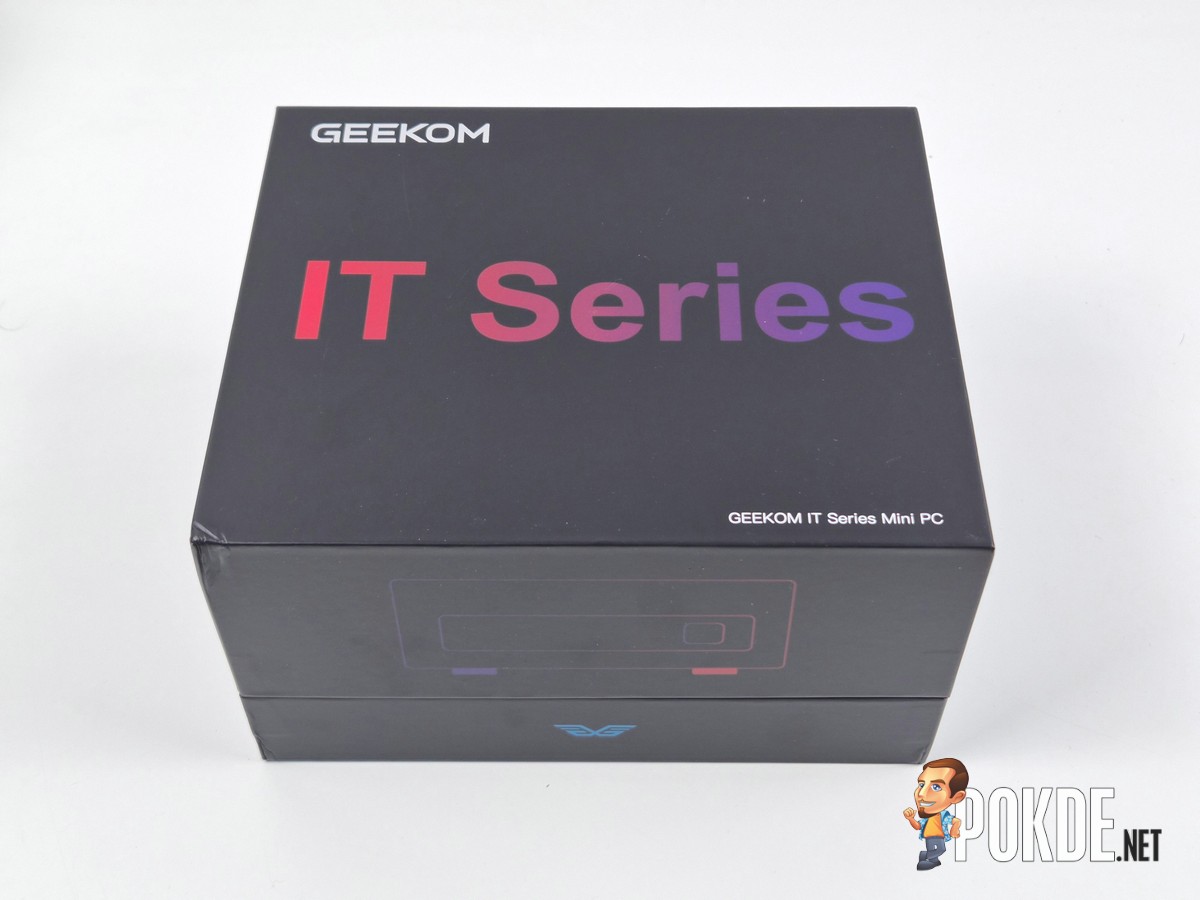
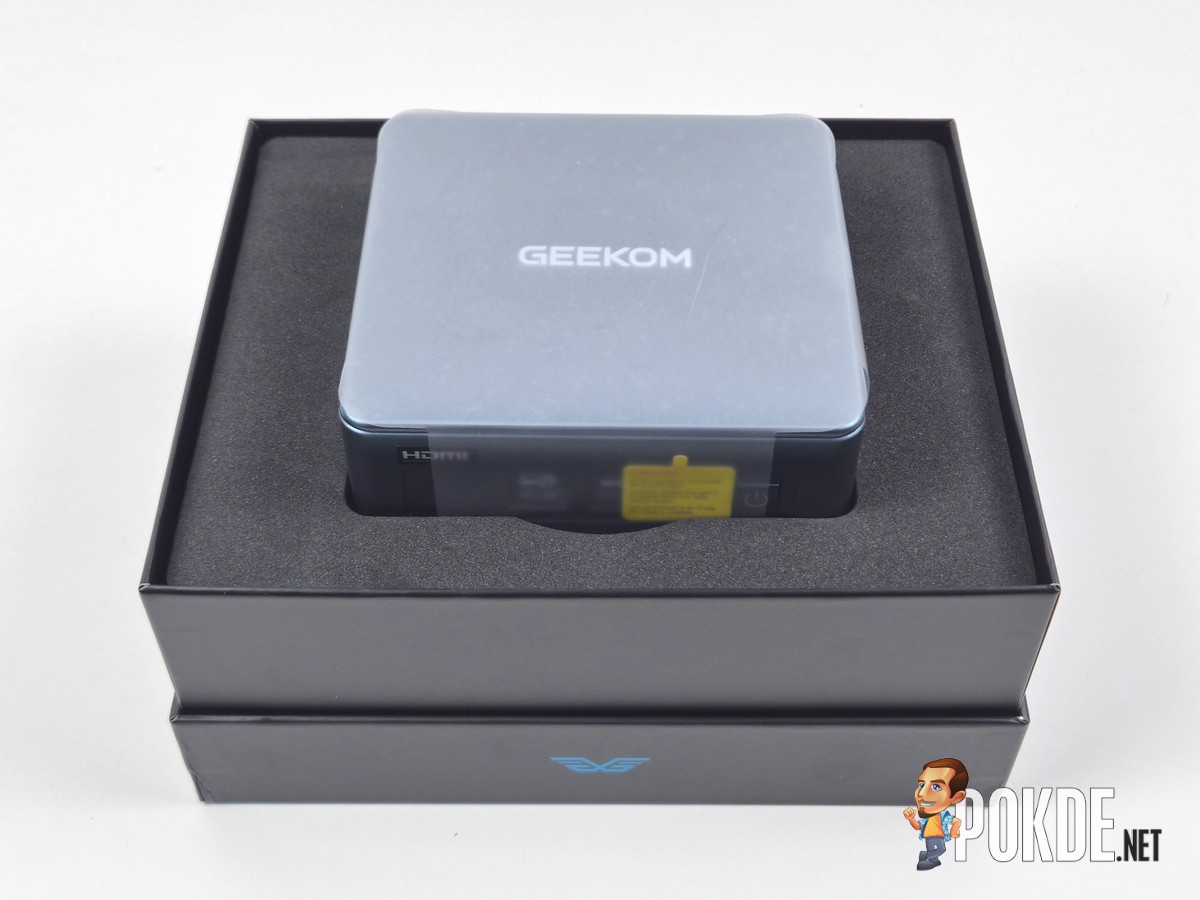
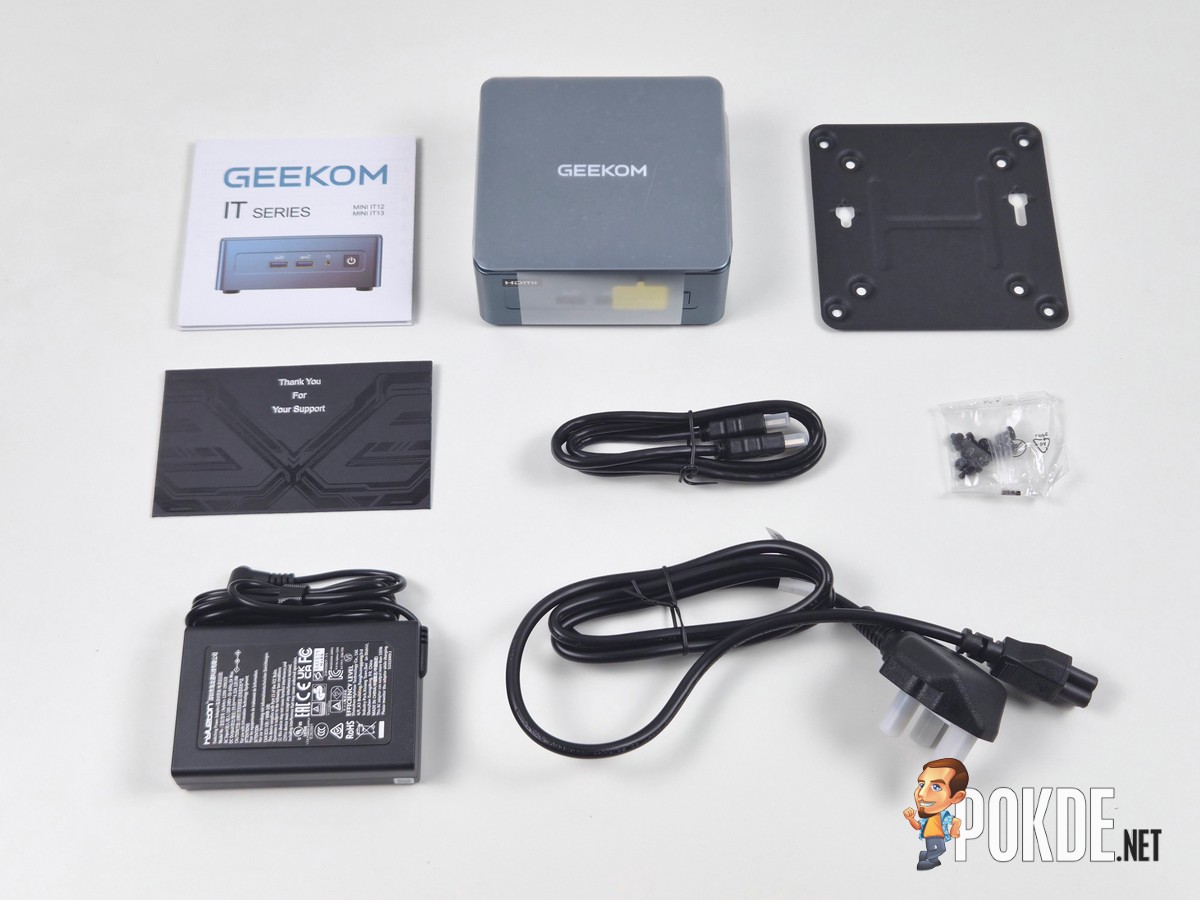
Chinese-based GEEKOM is known for mini PCs, and today we got the GEEKOM IT12 to look at. It comes with a rather fancy box, fully protected by a thick foam; though as you can tell, this isn’t like the usual AIO PC you buy from the retail storefronts – monitors, keyboard and mouse are BYO (Bring Your Own). In the box you get the following items:
– User guide
– Thank You card
– VESA mounting plate
– Mounting screws
– HDMI cable
– 120W DC power supply
– AC cable (Type G, UK/MY/SG)
– GEEKOM IT12 main unit
Walkaround
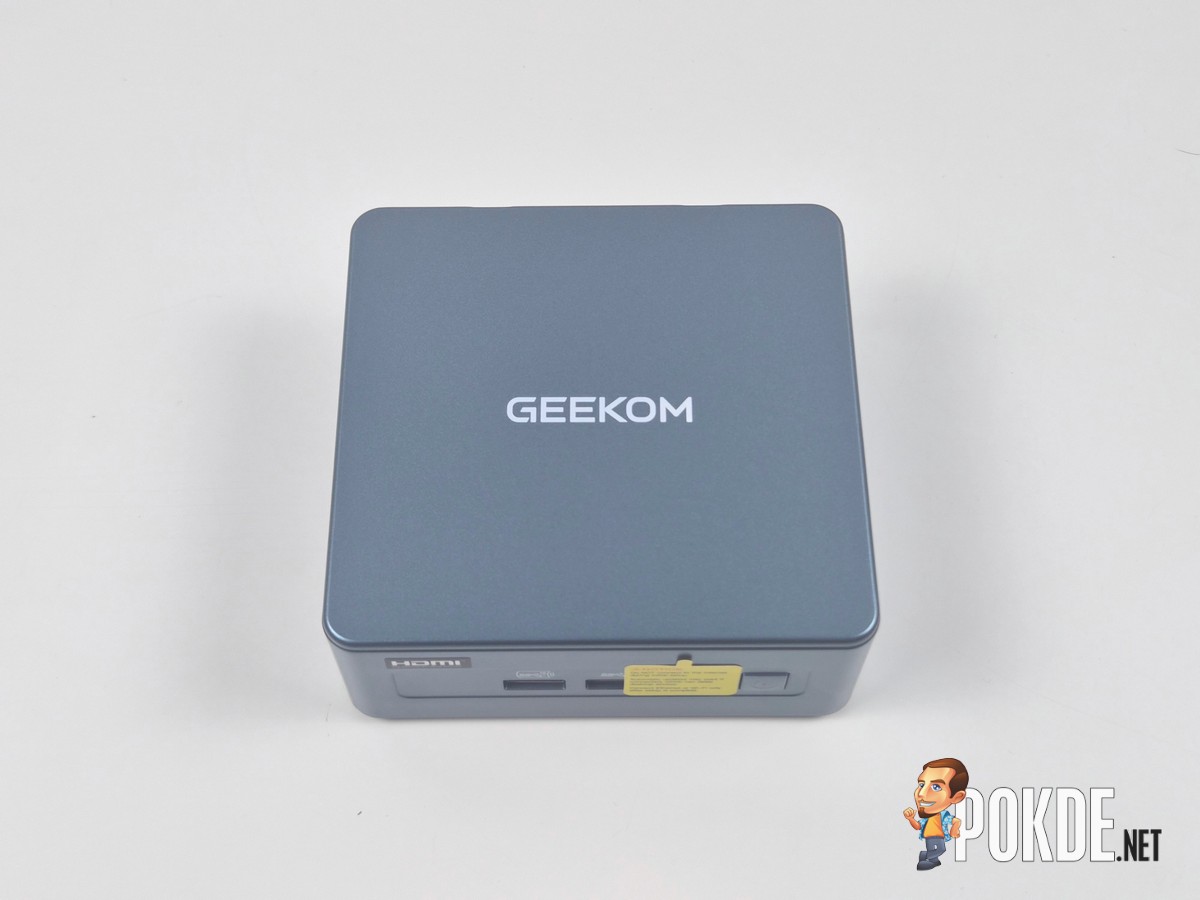
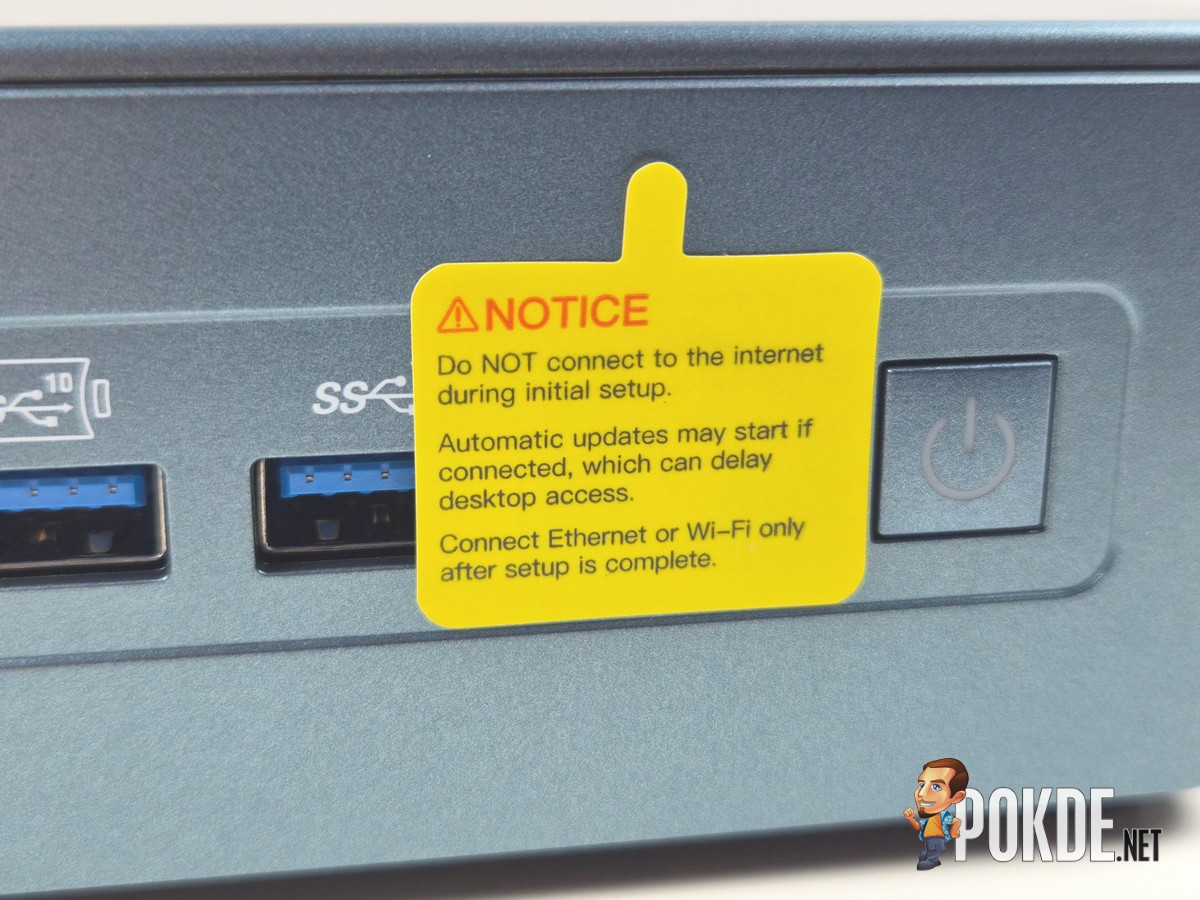
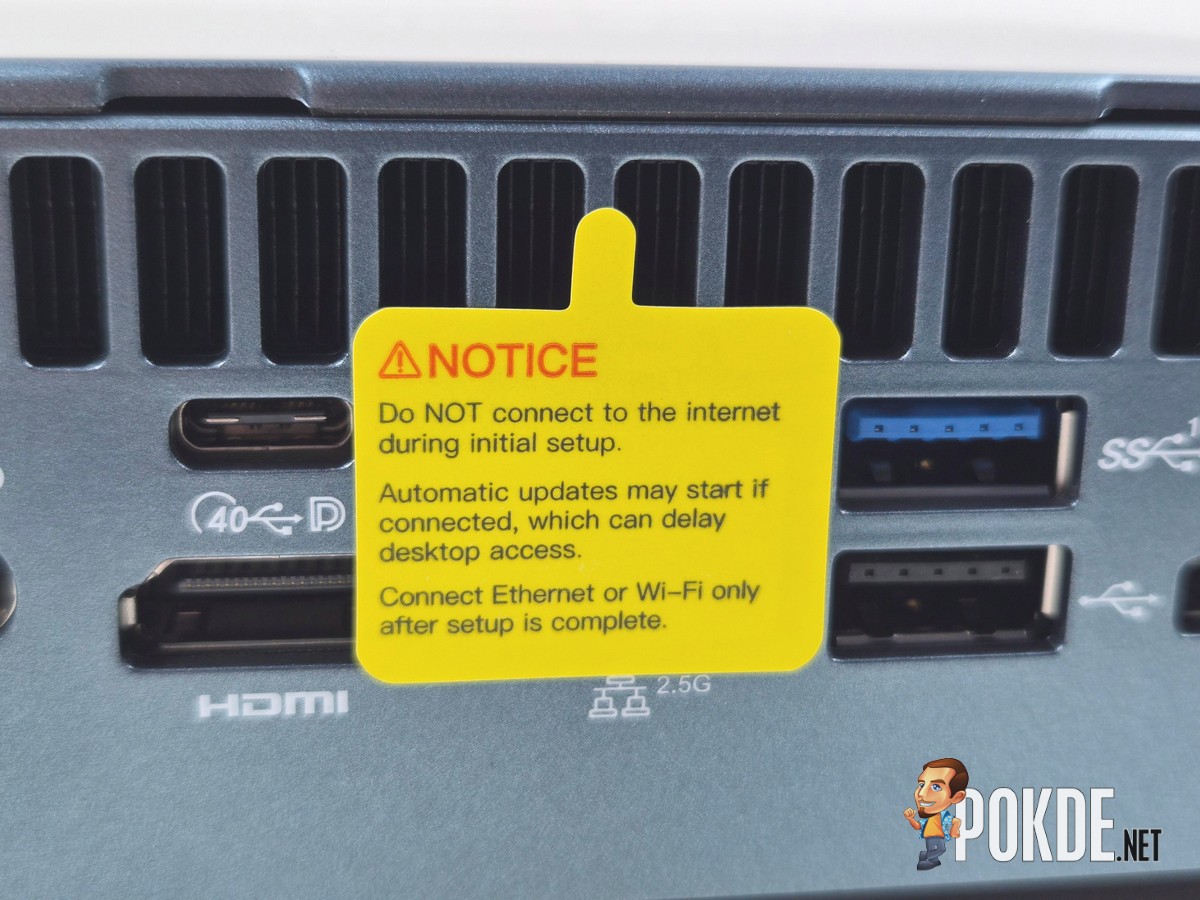
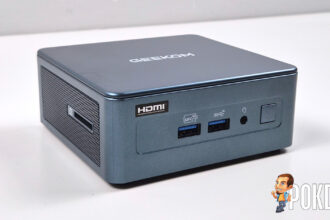
First things first: GEEKOM cares about its power users more than Microsoft does. You’re immediately greeted with a notice sticker that reminds you NOT to connect to the Internet during initial setup, be it via Wi-Fi or the LAN port; the company went through such lengths that it actually taped over the LAN port, and put a second sticker in front of a headphone jack (for some reason) to make sure you’re aware of this fact.
We also noticed that GEEKOM may have altered the OOBE (out-of-box experience) settings which allows users to skip the “Connect To A Network” step entirely during Windows 11 setup. That is something you don’t get in mainstream PCs, where Microsoft account sign-ups are, officially, mandatory. So yes, you don’t even need to worry about alphabetical soups like “bypassnro” or “ms-cxh” when setting this mini PC up, which is super convenient, but also should’ve been the default for Windows systems to begin with. Do better, Microsoft!
Coming back to the sticker for a bit – we should mention it is slightly annoying that the paper material used here meant that it can’t easily be taken off cleanly, so prepare isopropyl alcohol (or alcohol swabs, which you can get them for cheap in pharmacies) to wipe off the residue, just in case.
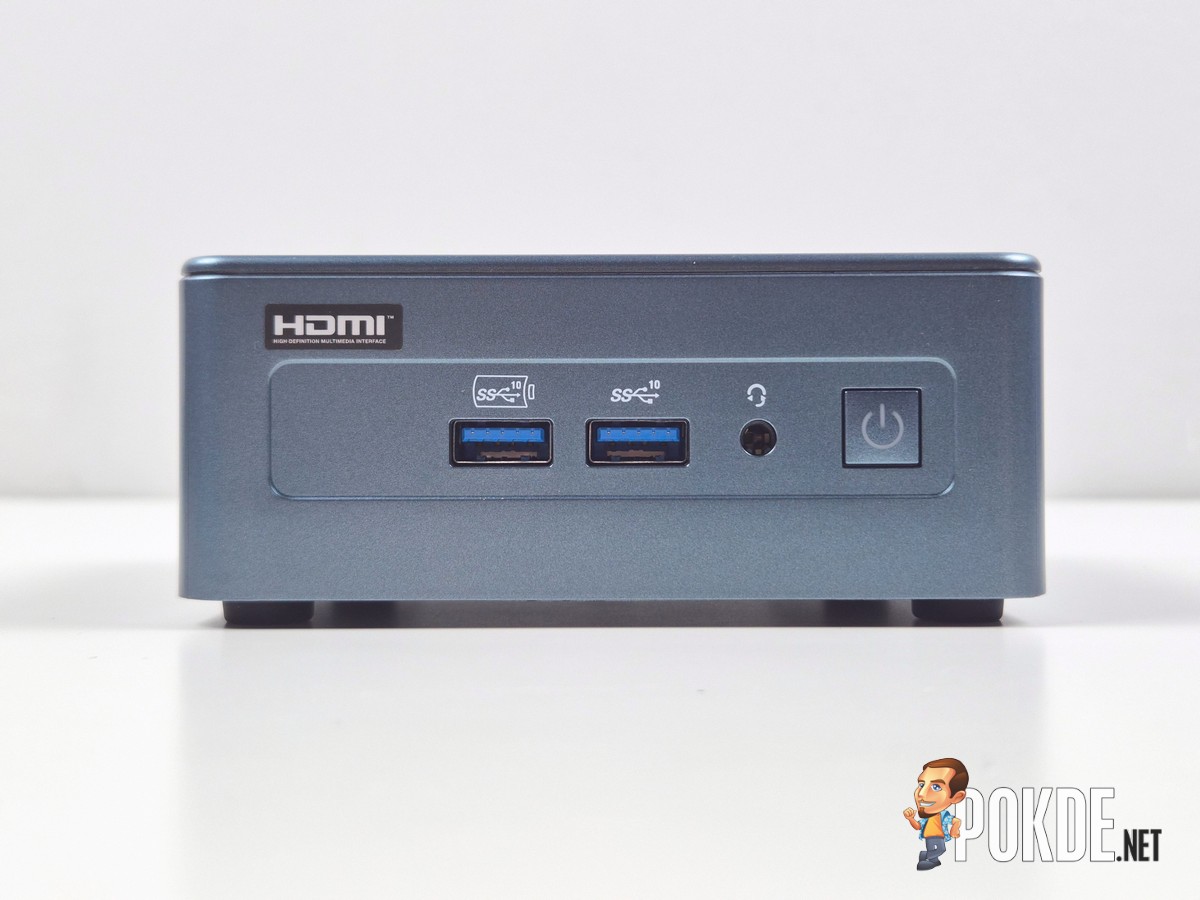
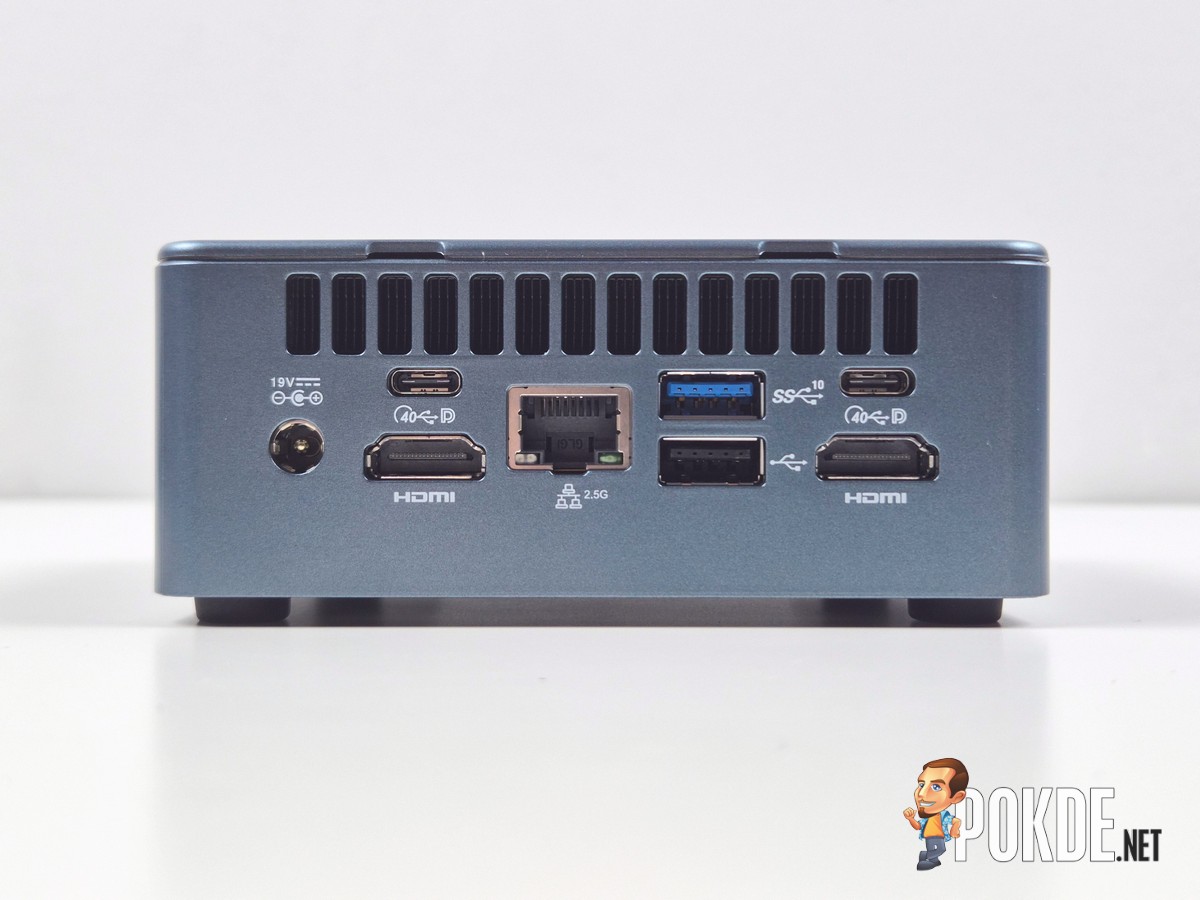
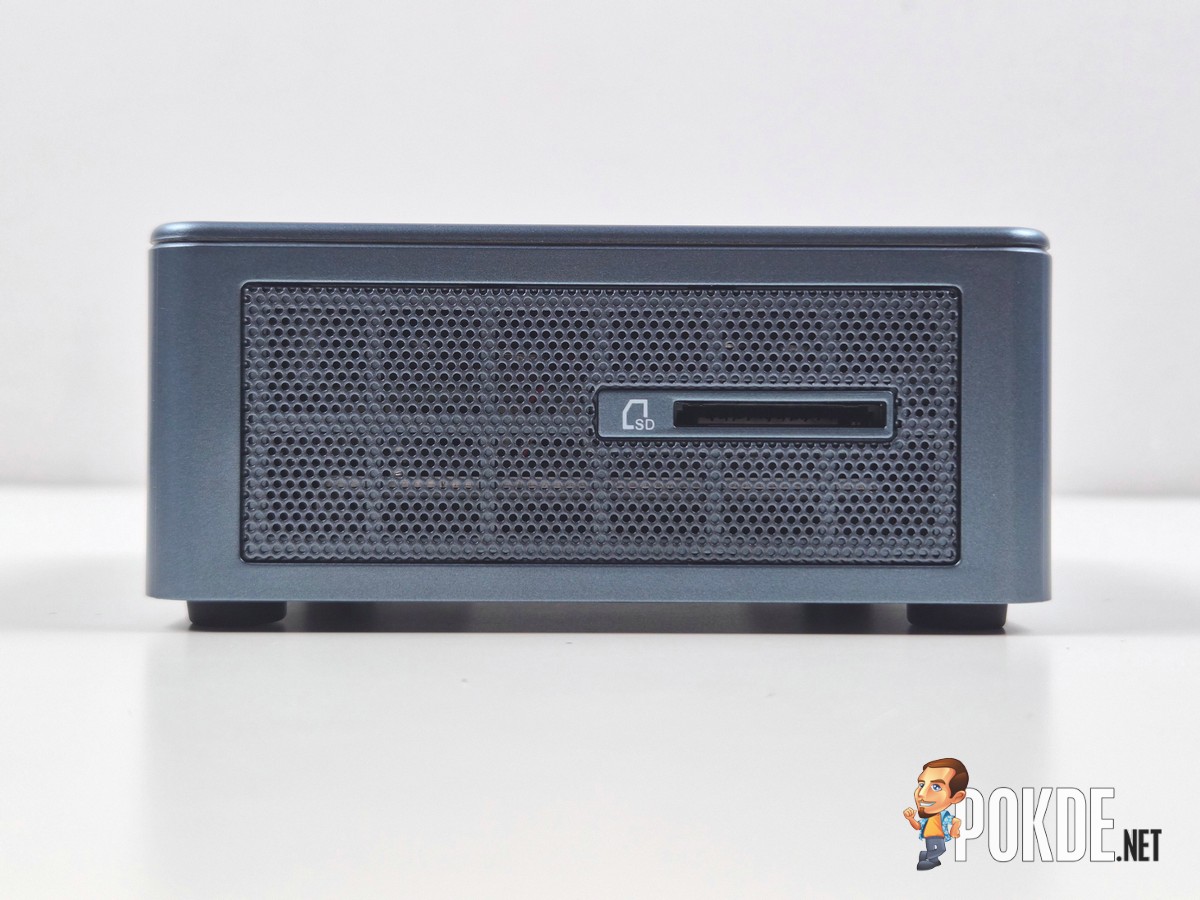
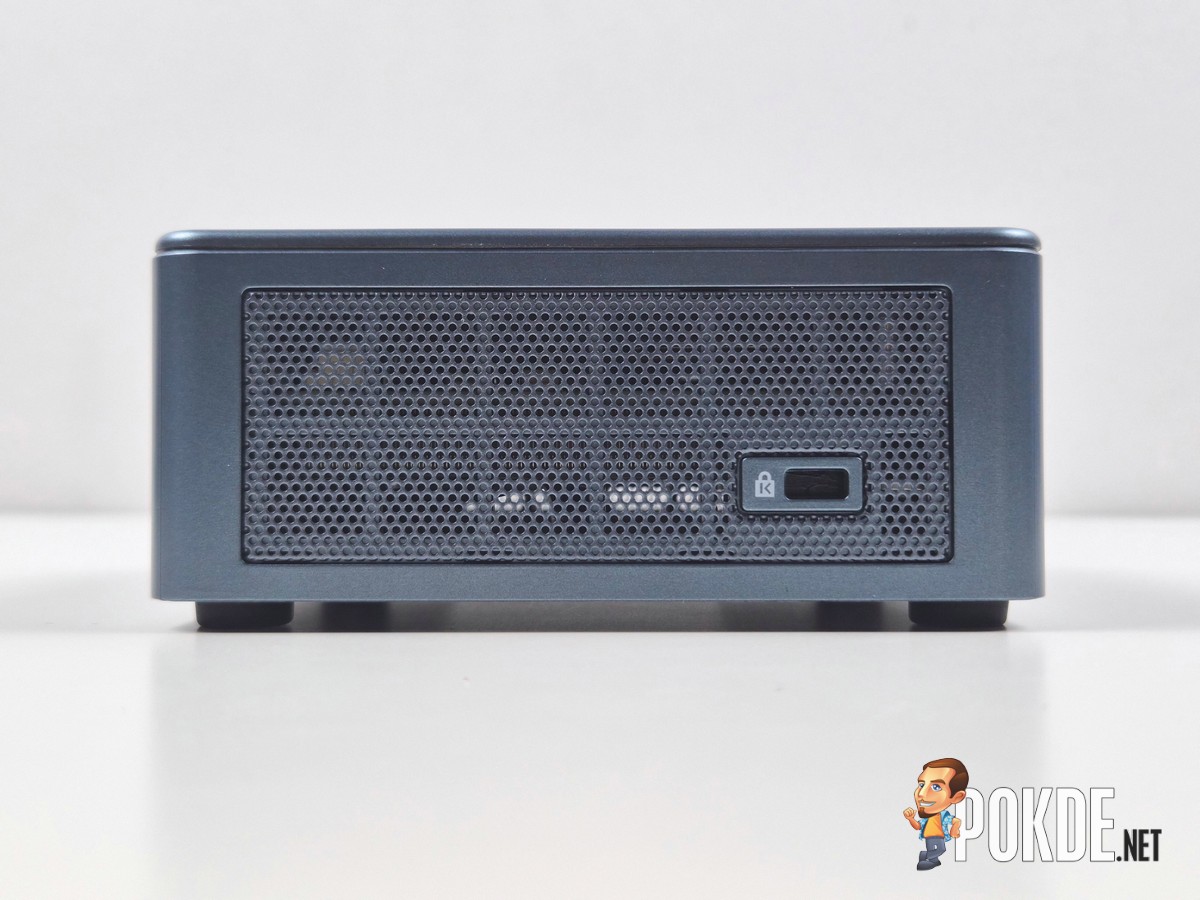
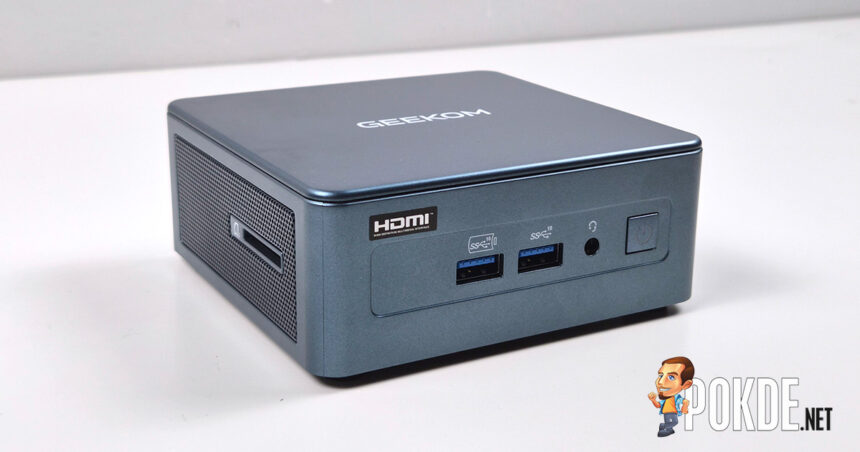
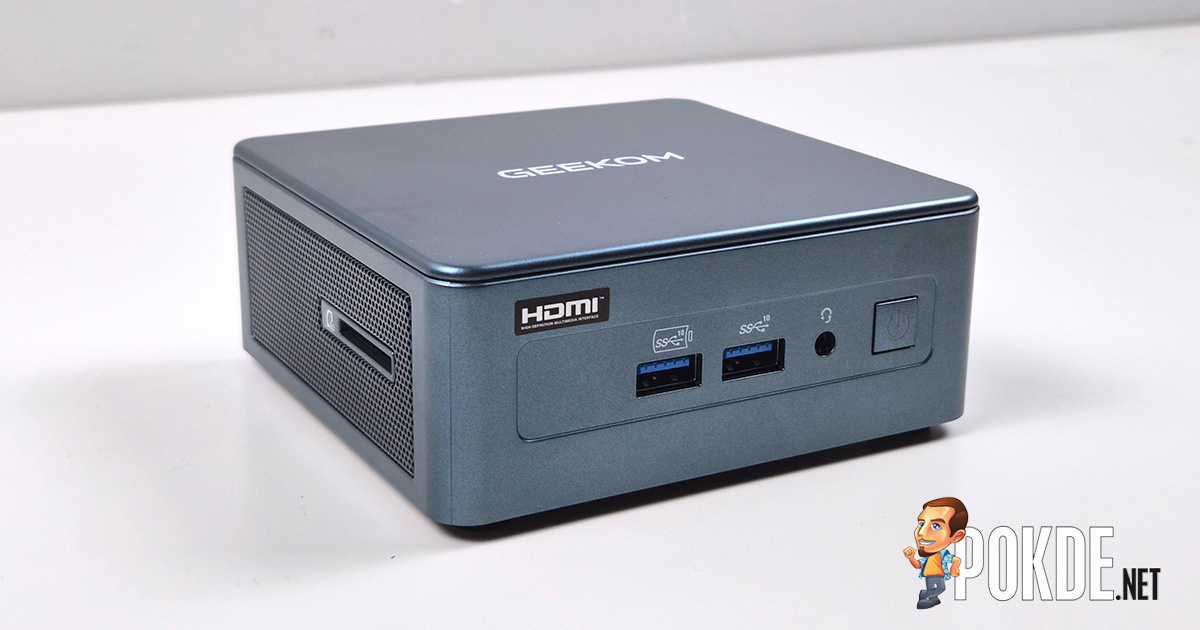
There is no shortage of ports on the GEEKOM IT12, with four USB-A ports (three 10Gbps, one USB 2.0), two USB4 ports with DisplayPort outputs, two HDMI outputs (meaning you can connect up to 4 monitors with this one), a headphone jack, a 2.5GbE LAN port, and even a UHS-I SD card slot on the left side of the machine. Plus, you can find the Kensington slot on the right to physically secure the mini PC in a public location if needed.
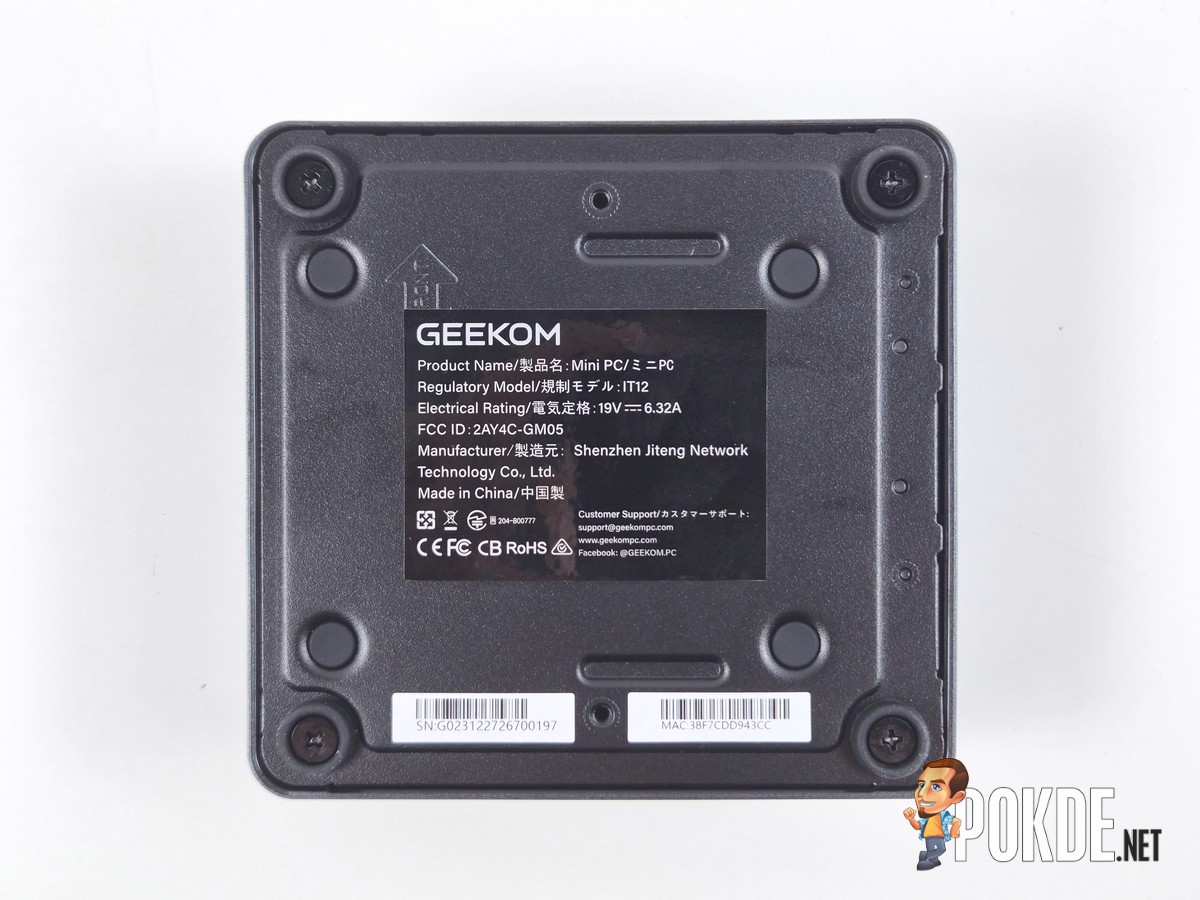
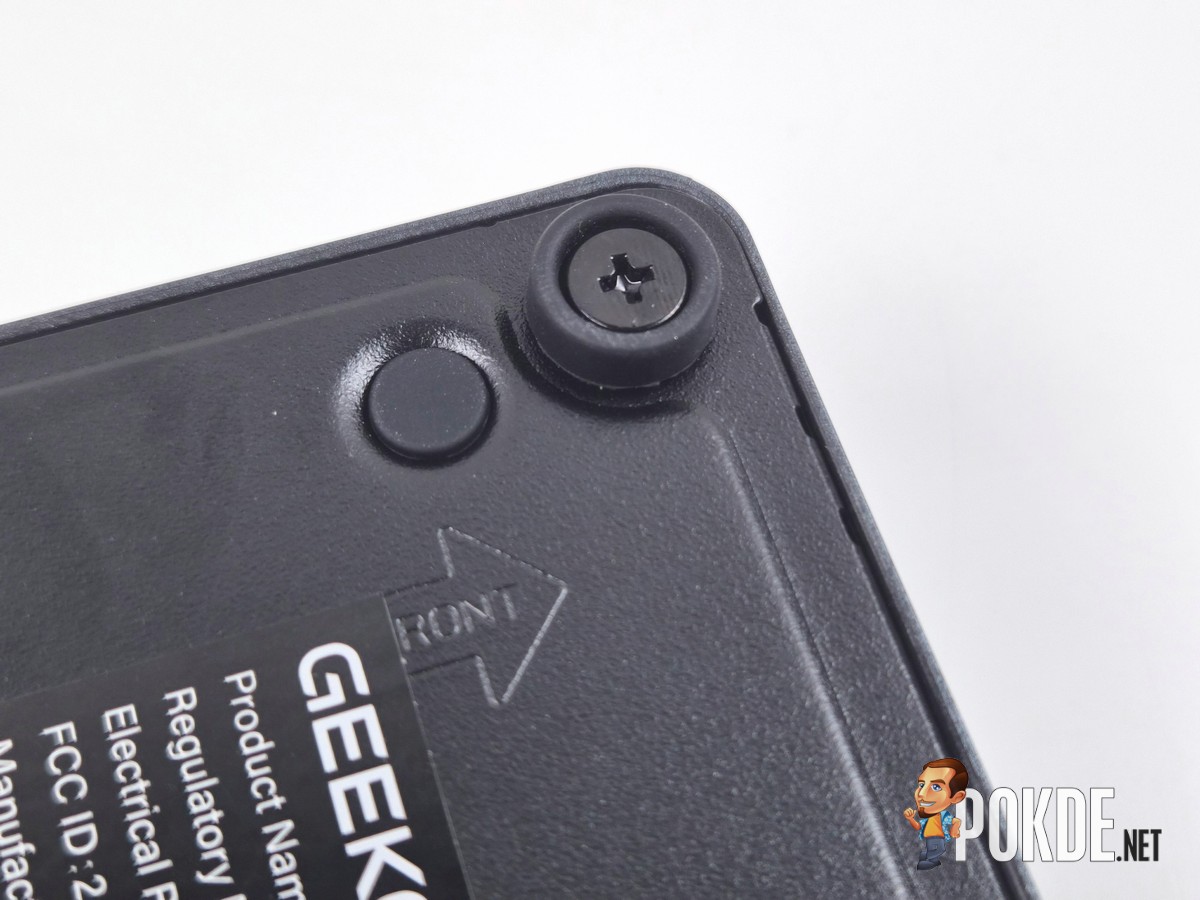
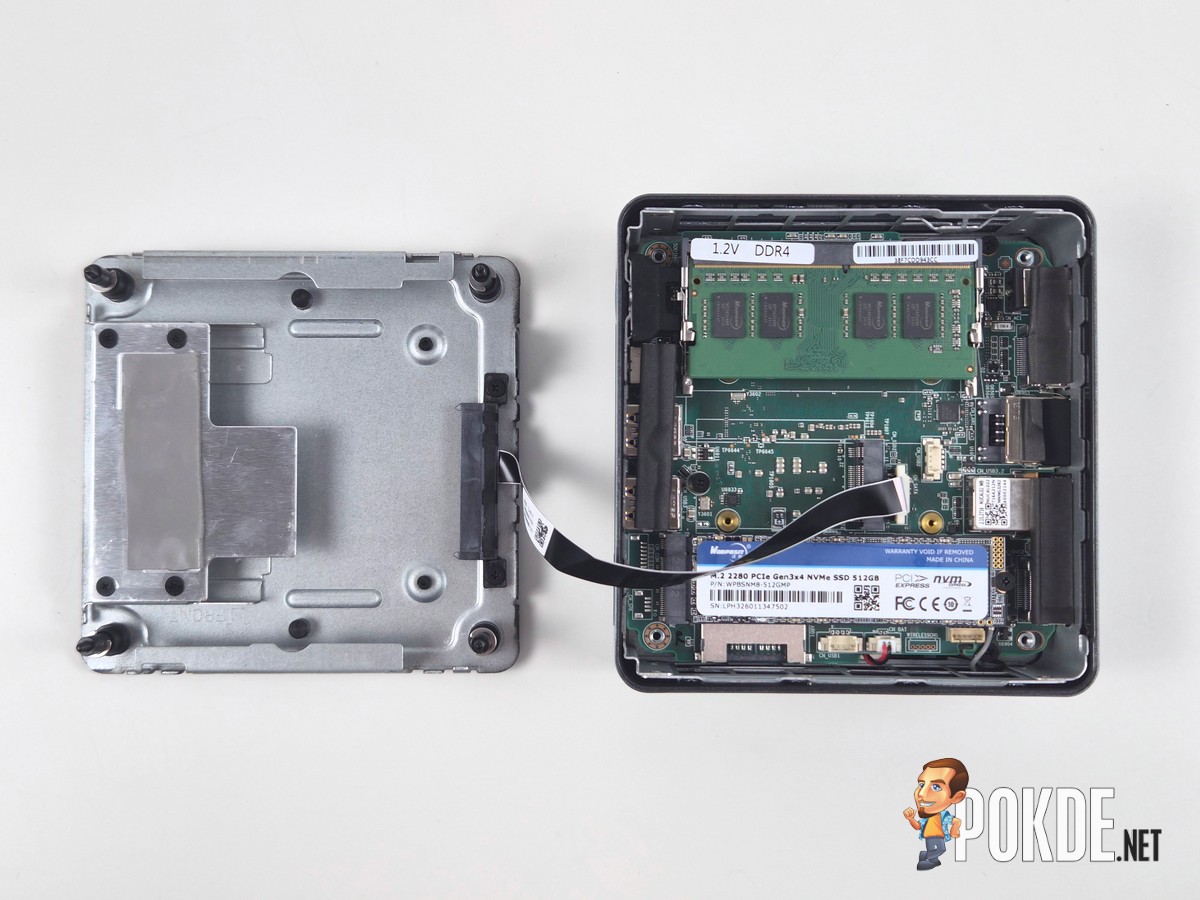
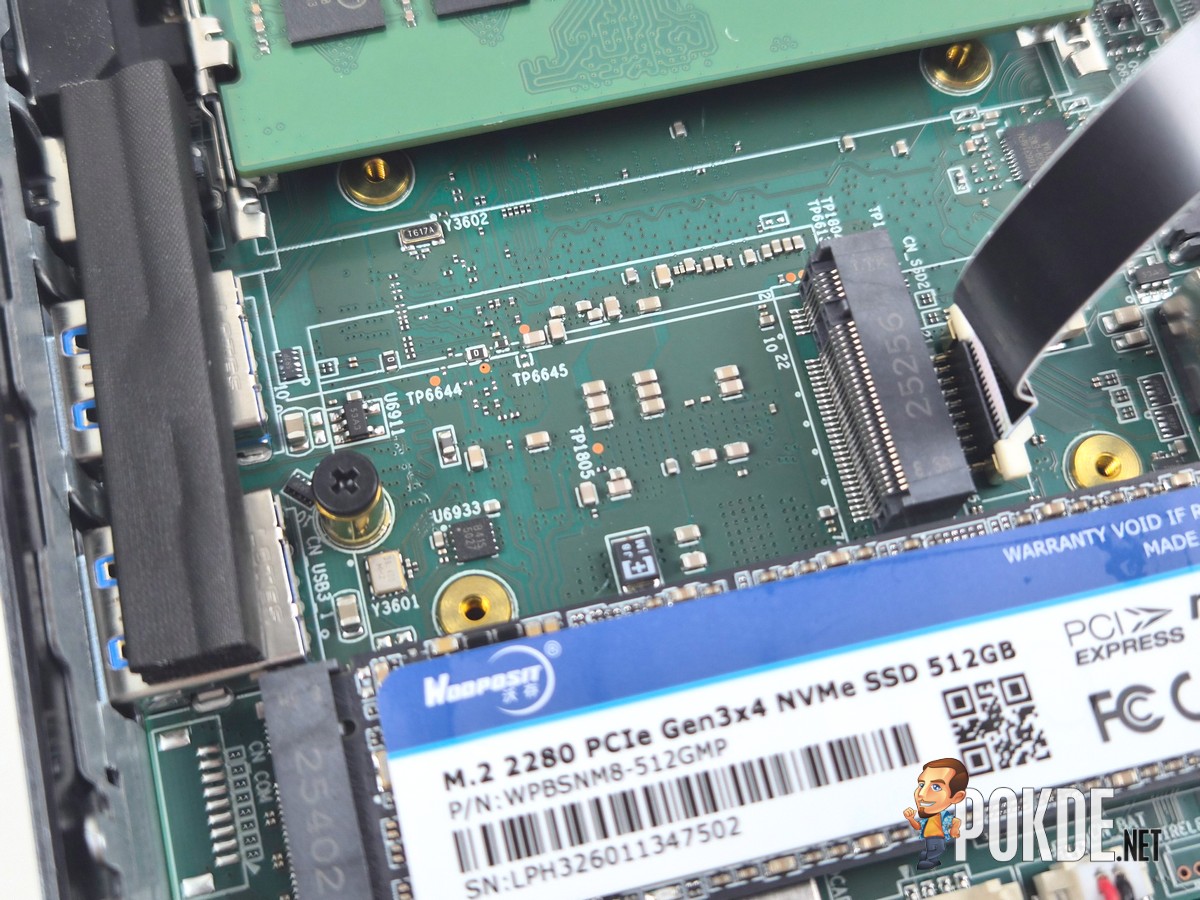
Opening up this machine is simple: just unscrew the four large screws within the four legs, then slide the cover according to the direction marked on the machine itself. Be aware of a ribbon cable – which connects to the front panel I/O – which remains attached once you lift the cover, so make sure to unplug that first if you intend to perform deeper maintenance work.
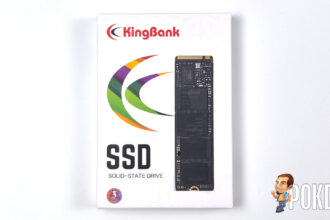

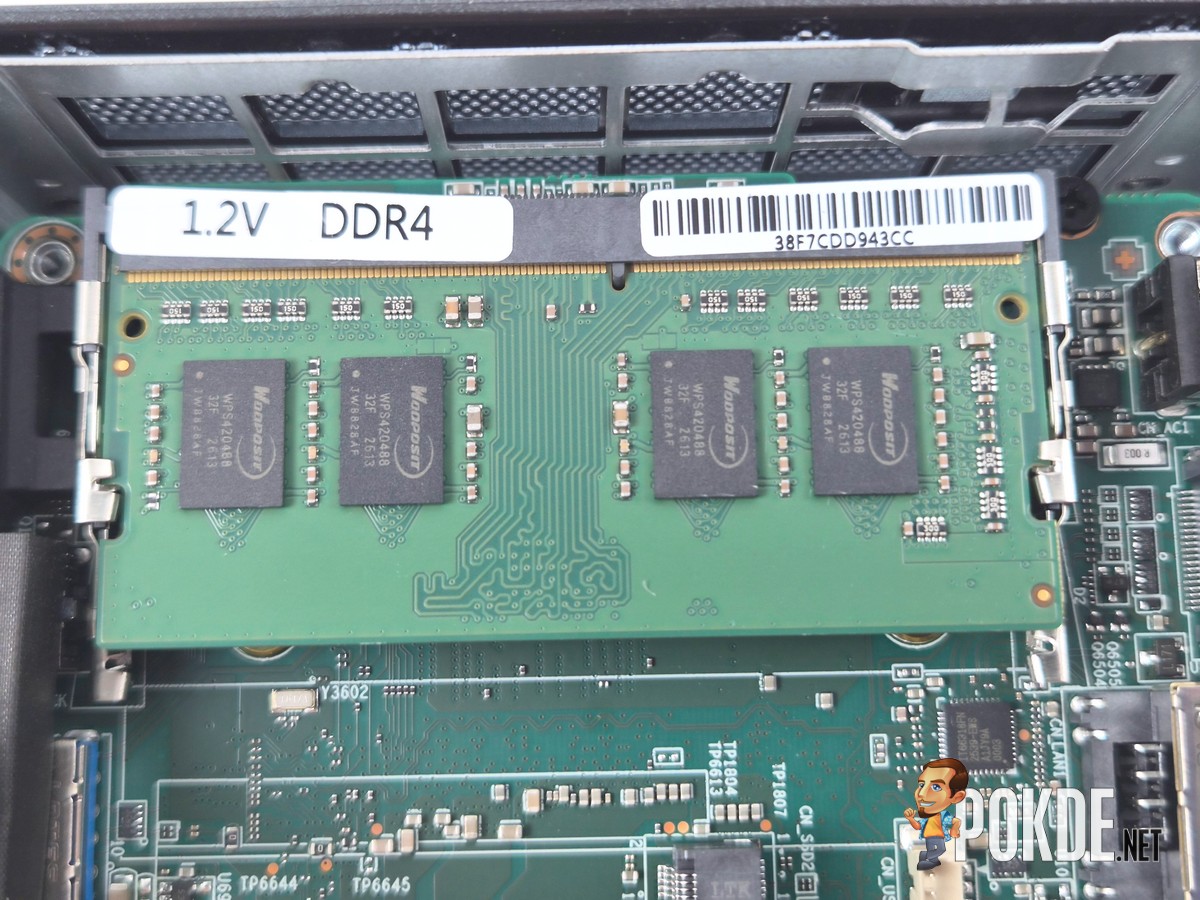
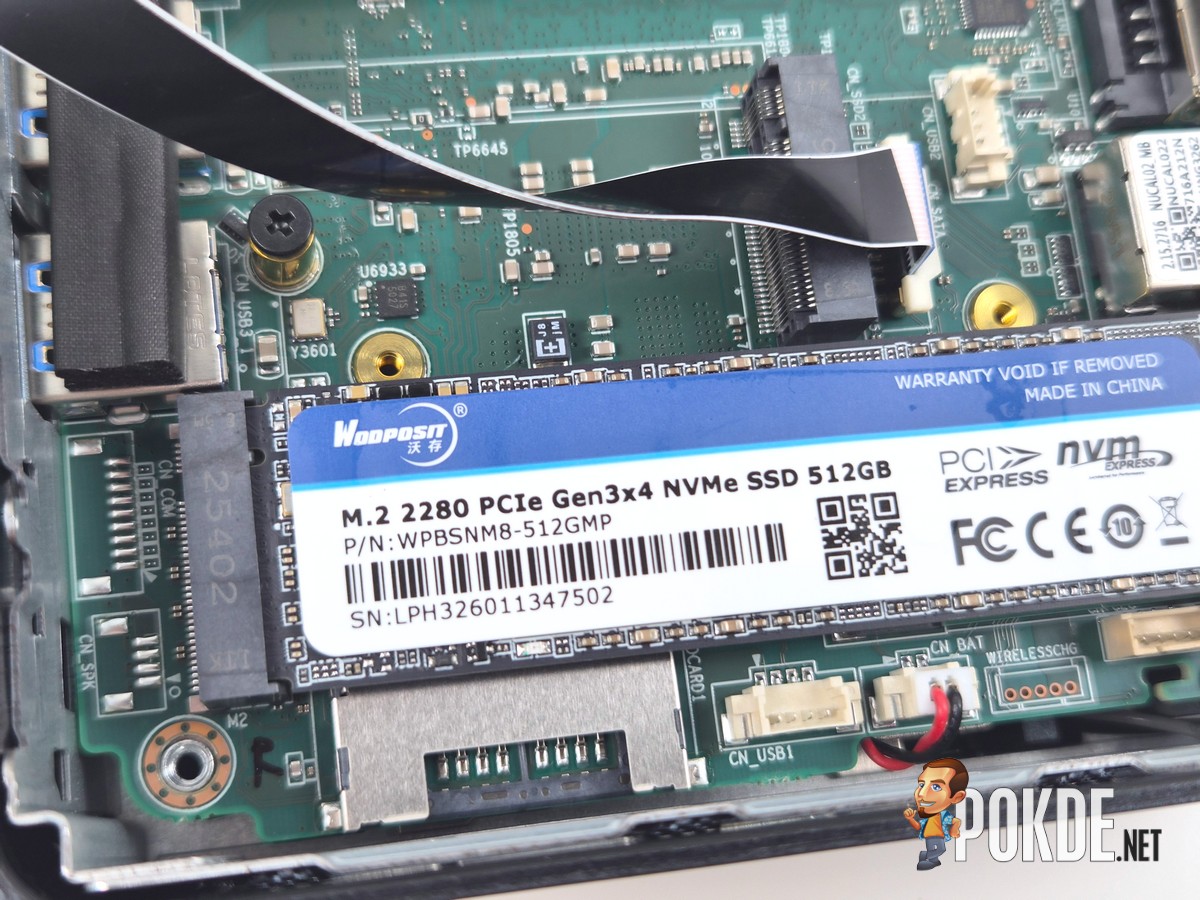
Inside, you get access to two DDR4 SODIMM slots (only one populated in our unit), a M.2 2280 slot with PCIe 4.0 support (despite the PCIe 3.0 SSD installed by default), along with a secondary M.2 2242 slot that supports SATA only. Note that SSDs in this form factor will be very difficult to find in the consumer market, so we imagine this wouldn’t be of much use outside of edge cases.
Specifications
GEEKOM IT12 (Intel Core i3-12300HE Variant)
Full specifications available on product page.
| CPU | Intel Core i3-12300HE 4.3GHz / 4P+4E, 12 threads Alder Lake microarchitecture 45W TDP, 35W PL1 / 64W PL2 |
| RAM | 16GB (1x16GB) DDR4-2666 (SODIMM) Wodposit WPBH26D408SWM-16G |
| GPU | Integrated: Intel UHD Graphics (Alder Lake-P GT2, 48 EUs @ 1.15GHz) |
| NPU | None |
| Storage | SSD Slot 1: Wodposit 512GB SSD WPBSNM8-512GMP PCIe 3.0, M.2 2280 *Drive slot supports PCIe 4.0 SSD Slot 2: Vacant SATA, M.2 2242 HDD Bay 1: Vacant SATA, 2.5-inch |
| Display | None |
| Keyboard | None |
| Touchpad | None |
| Audio | None |
| Webcam | None |
| Biometrics | None |
| I/O | Front: 1x USB 3.2 Gen 2 (10Gbps) Type-A w/ Offline Charging 1x USB 3.2 Gen 2 (10Gbps) Type-A 1x 3.5mm combo jack Left: 1x UHS-I SD card reader Right: 1x Kensington Lock Rear: 1x DC-in 2x USB4 40Gbps (DisplayPort Alt Mode) 2x HDMI output 1x RJ-45 LAN (Intel I226-V, 2.5GbE) 1x USB 3.2 Gen 2 (10Gbps) Type-A 1x USB 2.0` |
| Wireless Connectivity | MediaTek MT7922 (Wi-Fi 6E) 160MHz tri-band, 2×2 MIMO Bluetooth 5.4 |
| Battery | None |
| Power Supply | 120W DC barrel jack |
| Operating System | Windows 11 Home 25H2 |
| Dimensions | 117.1 x 112.0 x 49.3 mm |
| Colors | Blue |
| Weight | 653g |
Performance
Storage
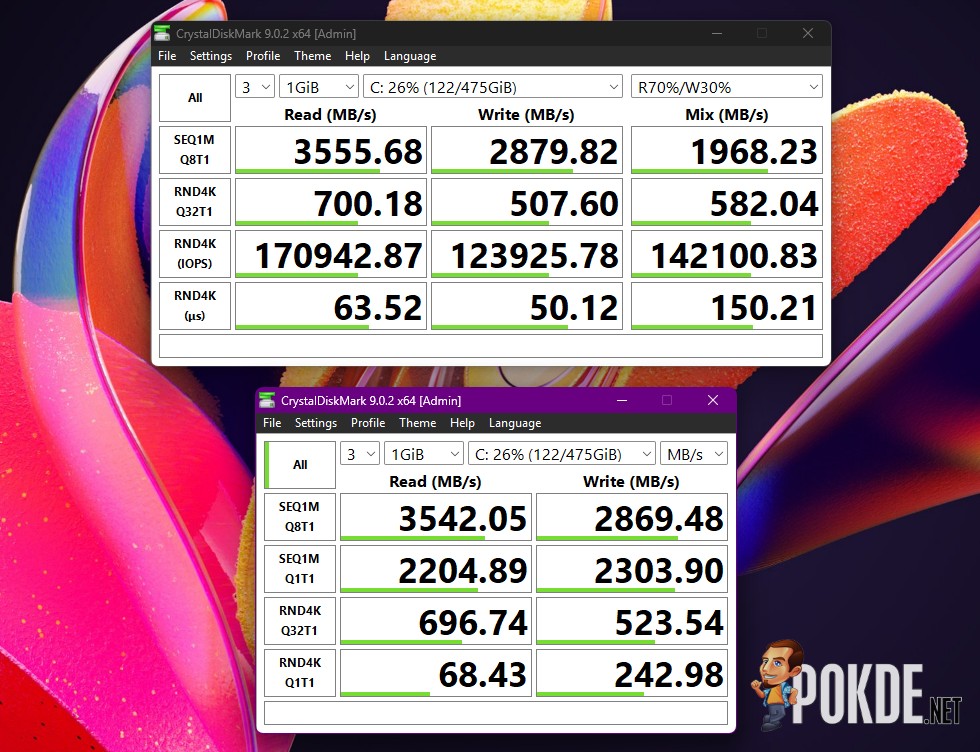
The SSD we found in this particular unit of GEEKOM IT12 is the Wodposit WPBSNM8-512GMP 512GB PCIe 3.0 SSD, which performs decent as far as PCIe 3.0 SSDs go. Depending on the storage capacity, performance characteristics may differ, so use this result only for basic reference.
CPU
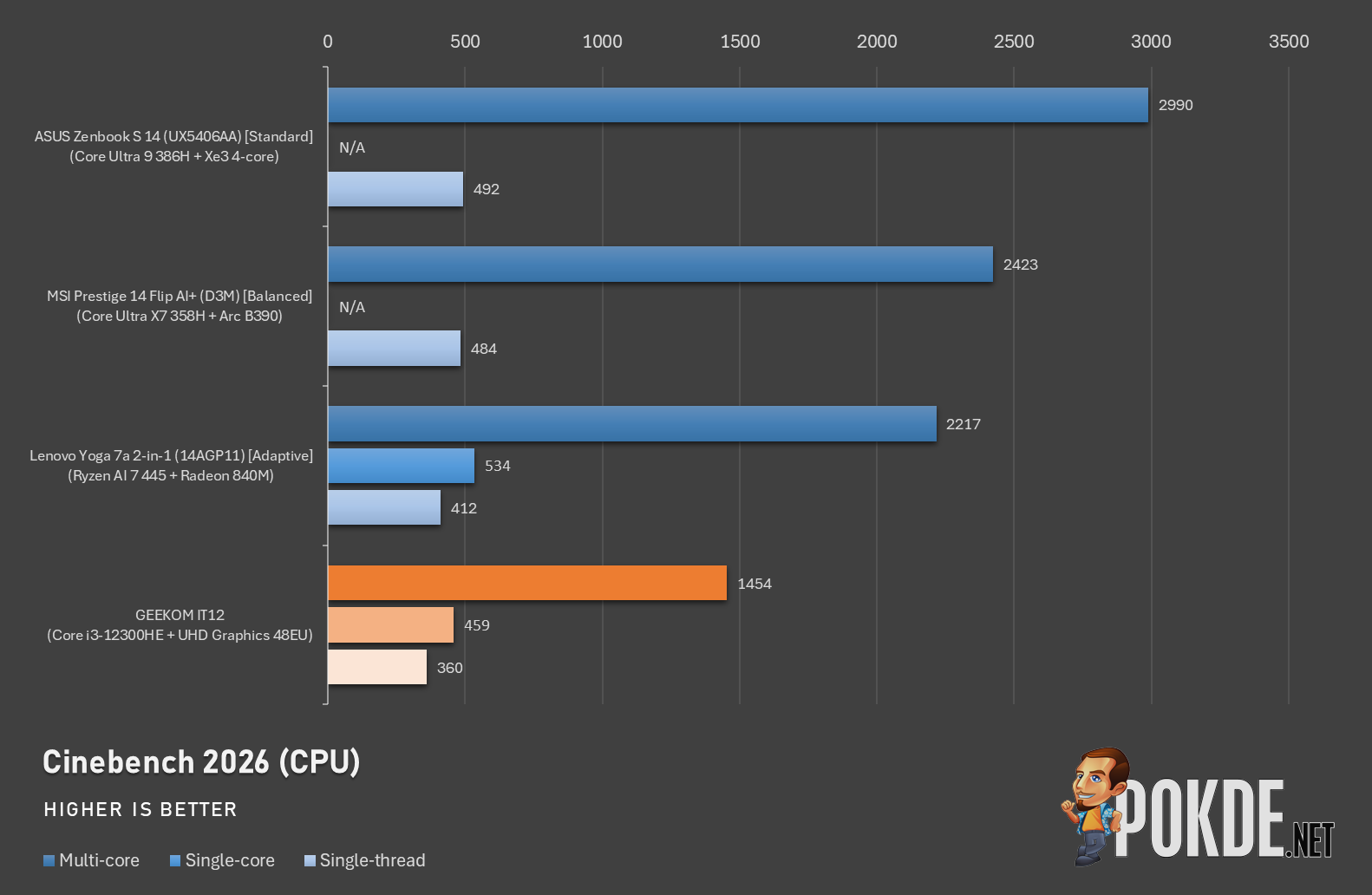
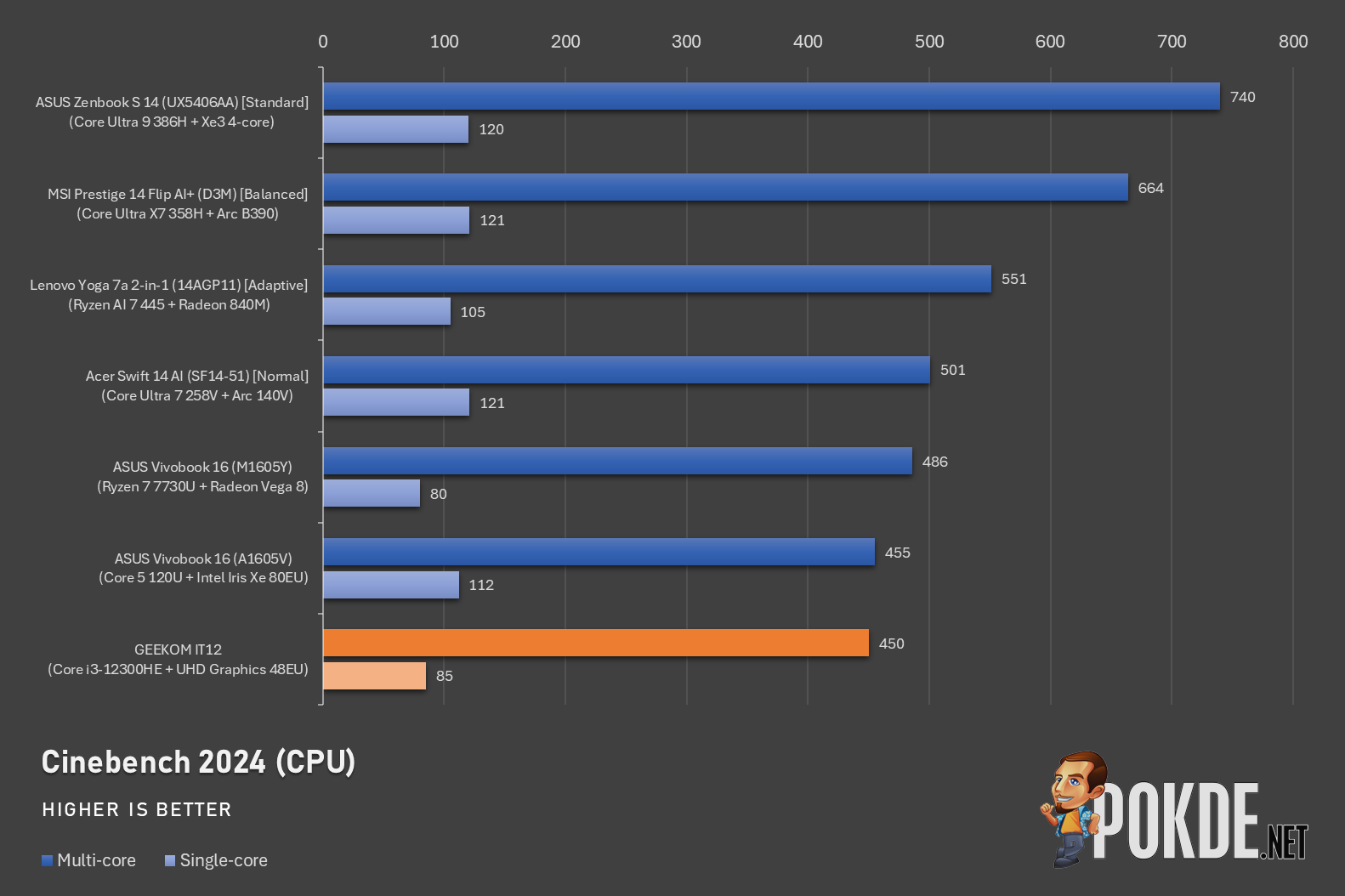
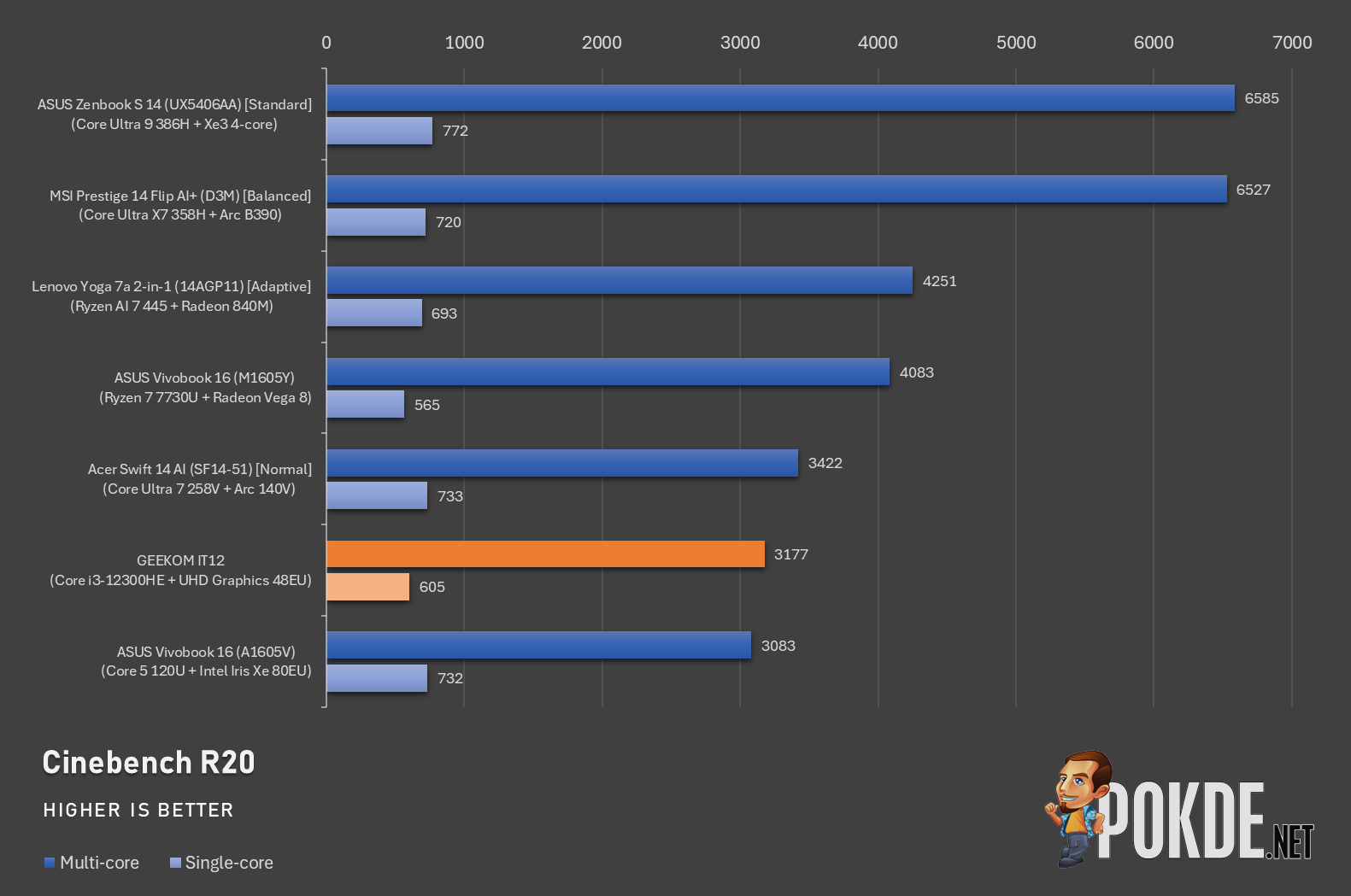
The Intel Core i3-12300HE powering this GEEKOM IT12 mini PC is quite an old processor at this point, having first launched back in 2022; its underlying Alder Lake architecture is shared with the likes of Core i9-12900K, being the first generation from Team Blue to introduce the hybrid core architecture that is now commonplace in PC processor designs.
It packs 4 P-cores and 4 E-cores with 45W TDP, though its aging architecture meant that it barely outperforms the Core 5 120U (its underlying architecture, Raptor Lake, is a generation newer) in the ASUS Vivobook 16 launched in 2024. It’s not too far off when compared with Lunar Lake in the form of Core Ultra 7 258V, also featuring 4P+4E designs, as well as the AMD Ryzen 7 7730U, a processor launched in early 2023.
GPU
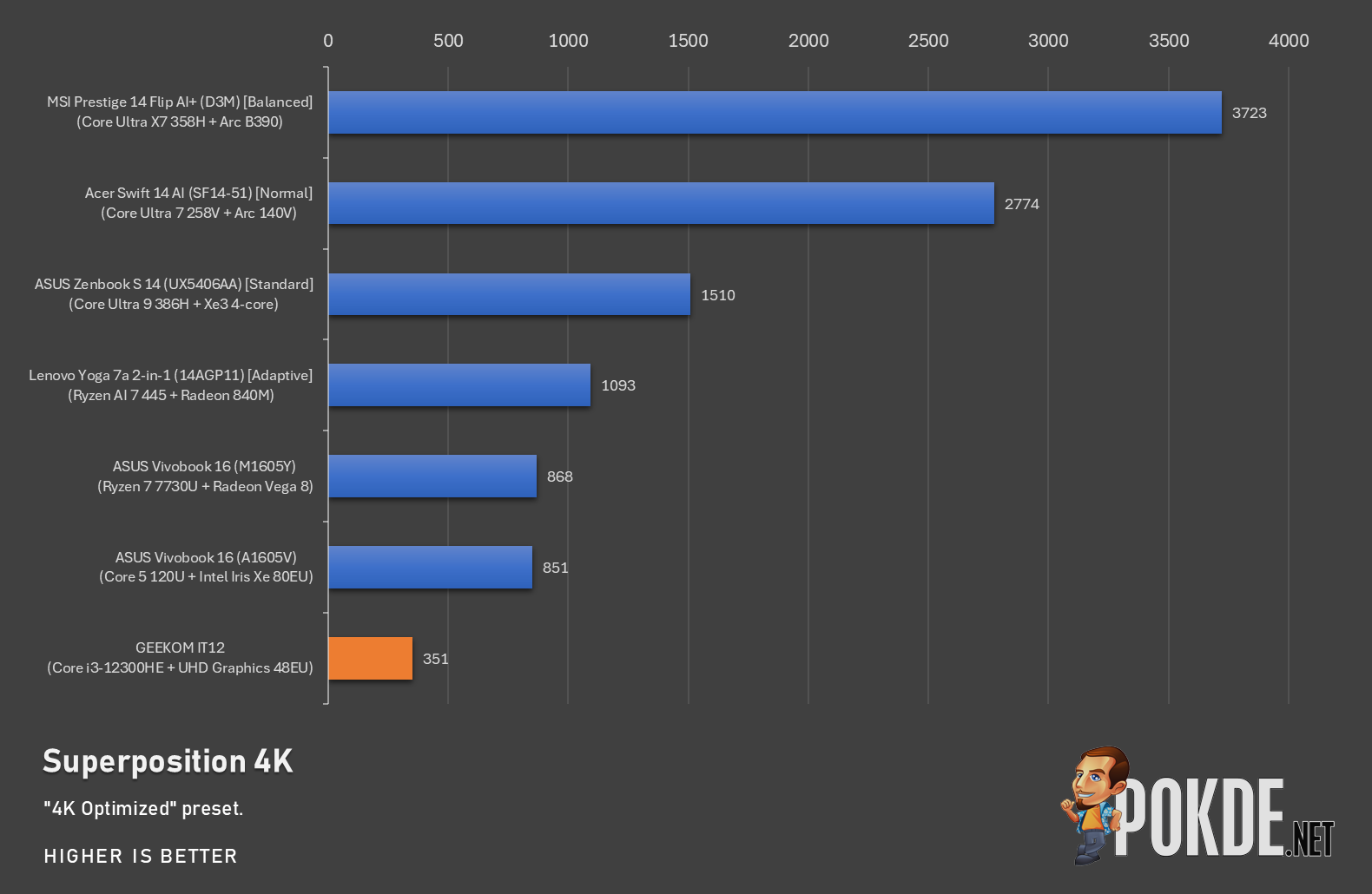
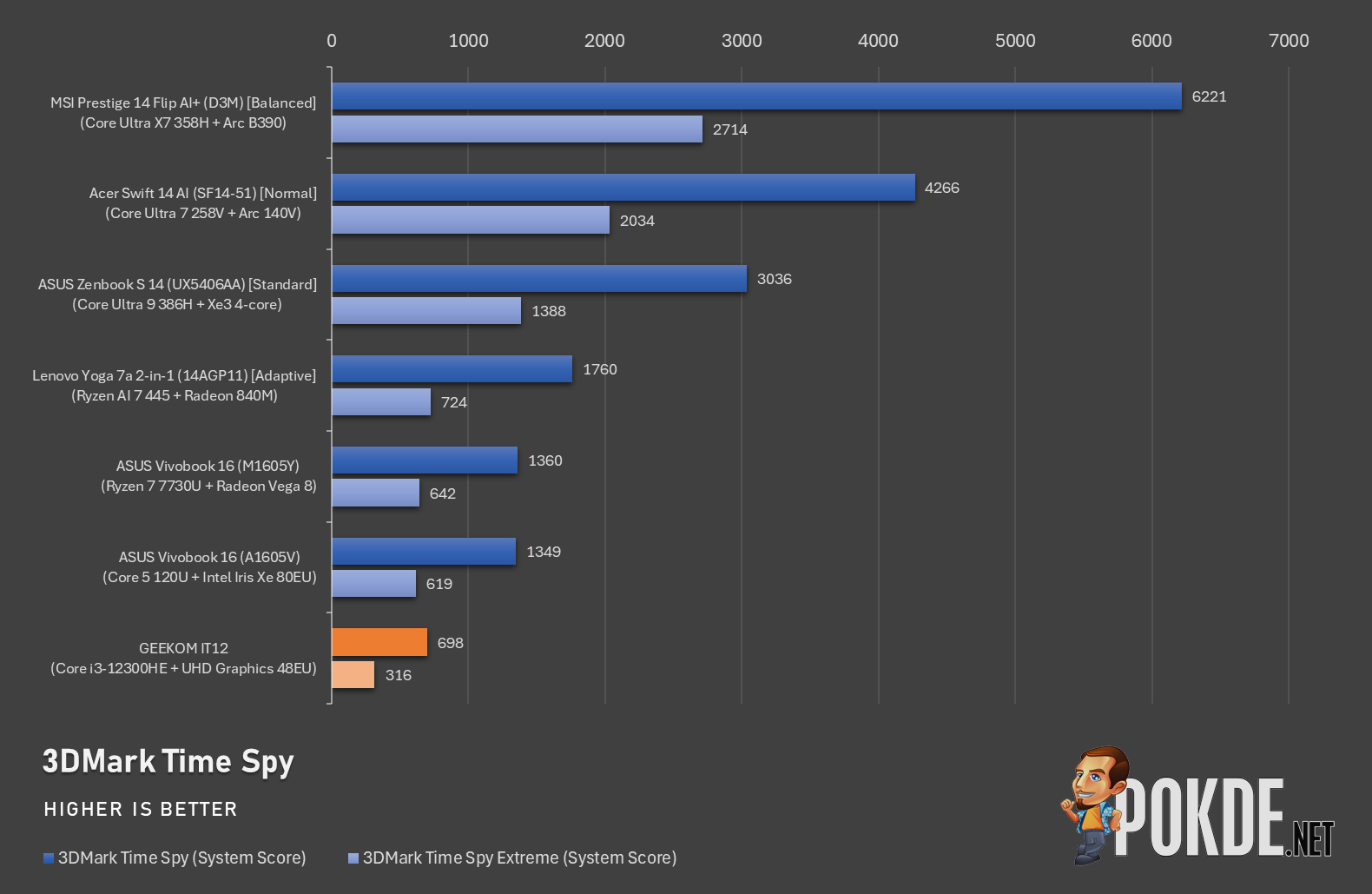
Unfortunately, Intel’s graphics prior to Xe/Arc just plain sucked. You can forget about gaming in any kind – we tested even simple browser games like Kinda Hard Golf and it still struggled to render the game in playable framerates. Worse yet, navigating Google Maps in Street View is also not a great idea, with the experience best described as “sluggish”. Avoid any graphics-intensive workloads on this PC (at least in this configuration) at all costs.
System
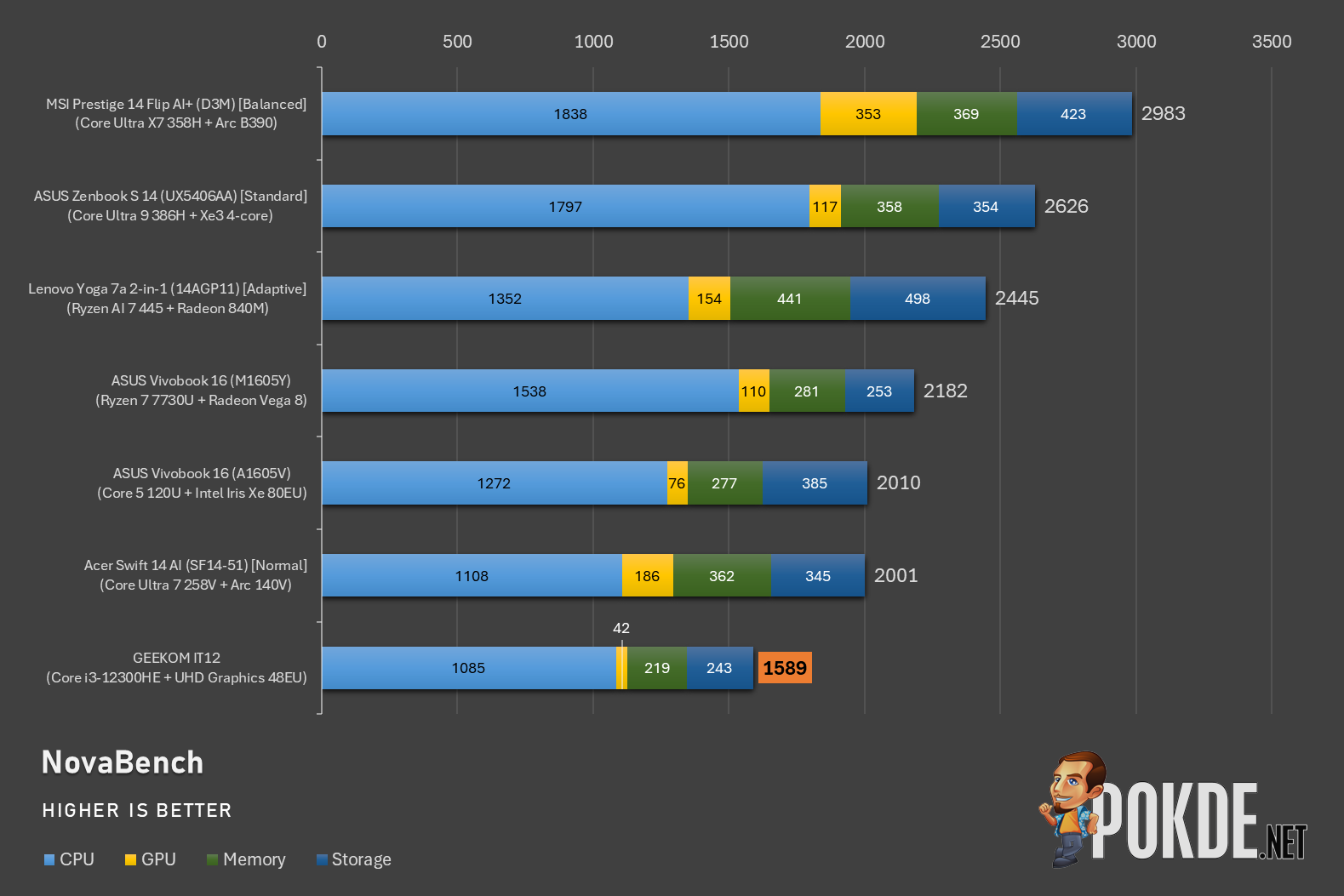
Next, we evaluate system-wide performance with NovaBench – expectedly, this GEEKOM IT12’s aging processor meant that it is among the slower machines we have tested in the past several years, although CPU-bound workloads are still perfectly manageable. The deficit in both memory and storage scores come down to the use of generation-old standards, such as DDR4 RAM and PCIe 3.0 SSDs, with all the machines in this chart already moving past that (with the exception of Ryzen 7 7730U-powered Vivobook).
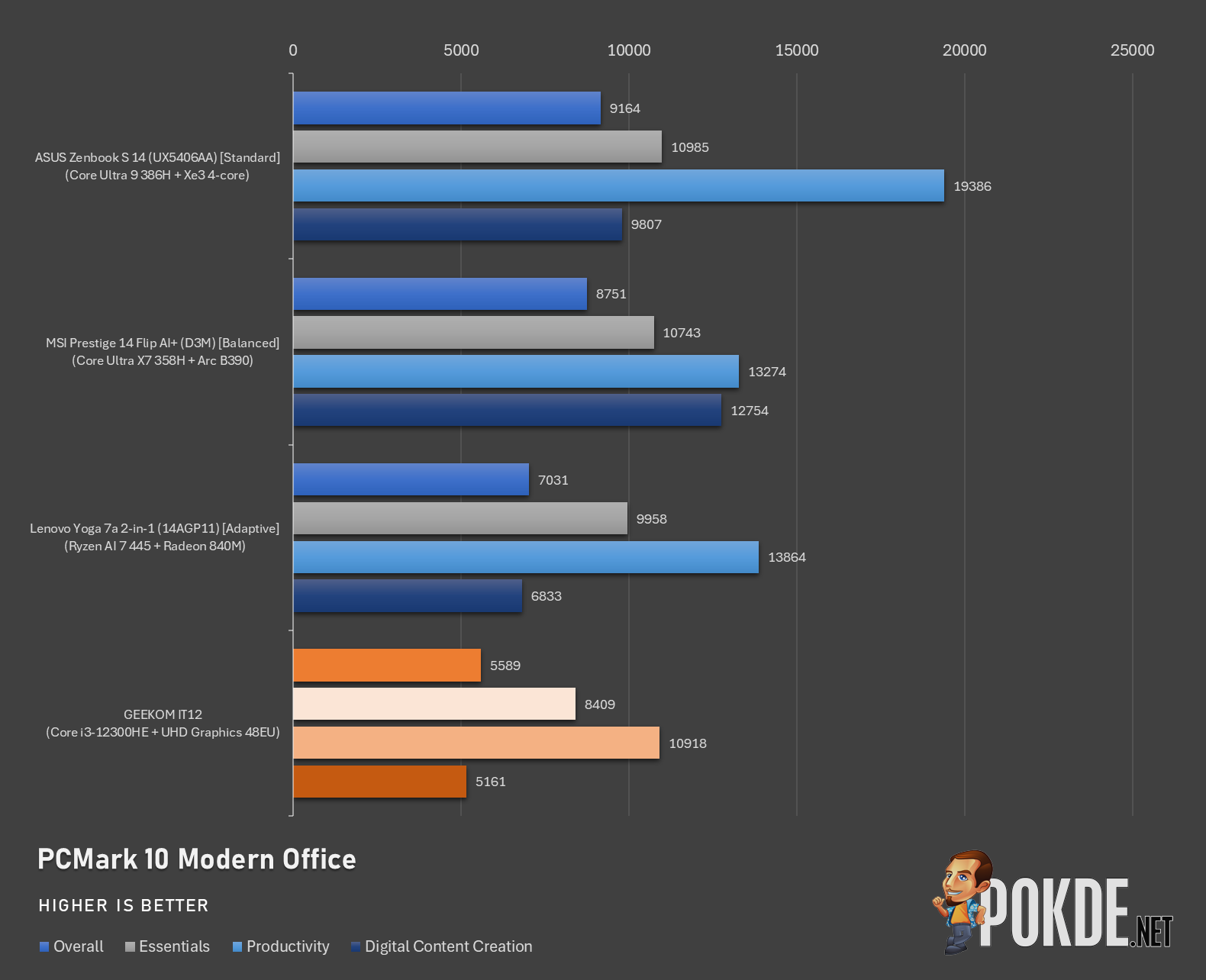
For PCMark, here’s a comparison against some of the recent laptops we have tested here, and as you can see, GEEKOM IT12 can handle basic work like productivity just about fine. Graphics, as we have established earlier, is not this mini PC’s strong suit, and it is accordingly reflected in the Digital Content Creation score.
The Good
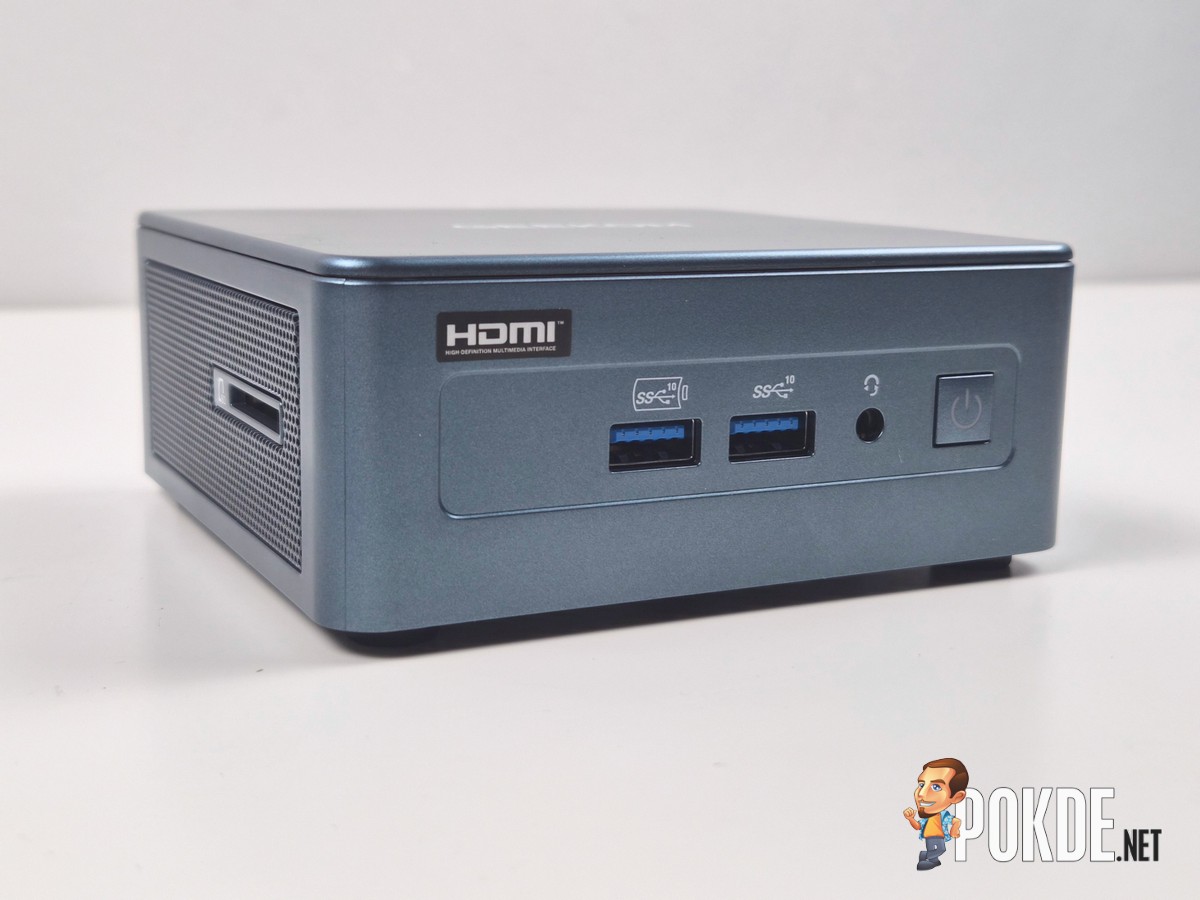
There’s many things to praise on the GEEKOM IT12 mini PC. The selection of a 4-year-old processor is likely to keep costs down, though its CPU performance is still adequate for basic work, and the fans doesn’t need to work hard most of the time to maintain decent performance. Its expansive I/O also allows you to connect up to four displays, plug multiple USB devices, connect to an audio output, and have a fairly speedy wired internet connection if this is put on NAS duties.
One thing we have to absolutely applaud GEEKOM for is removing Microsoft’s mandatory sign-in requirement. There’s a good chance that this machine will live on a specialized machine – the included VESA mounting certainly suggests that is the case – and nobody wants to deal with this admittedly unnecessary requirement that does nothing but gets in the way of getting important things set up quickly.
The Bad
There’s only one obvious downside of this particular GEEKOM IT12: the graphics performance. That being said, it’s only one of the processor options – the company does offer Core Ultra 5 125U as an alternative, featuring Xe graphics that is several times more powerful than the aging HD/UHD Graphics design, which traces is roots all the way back in the mid-2010s.
Also, while the machine technically works with a secondary SSD, the combination of M.2 2242 form factor and SATA protocol meant that finding one which meets both requirements is going to be difficult, to say the least. An M.2 2230 slot which supports PCIe would be a more sensible choice, frankly speaking.
Verdict
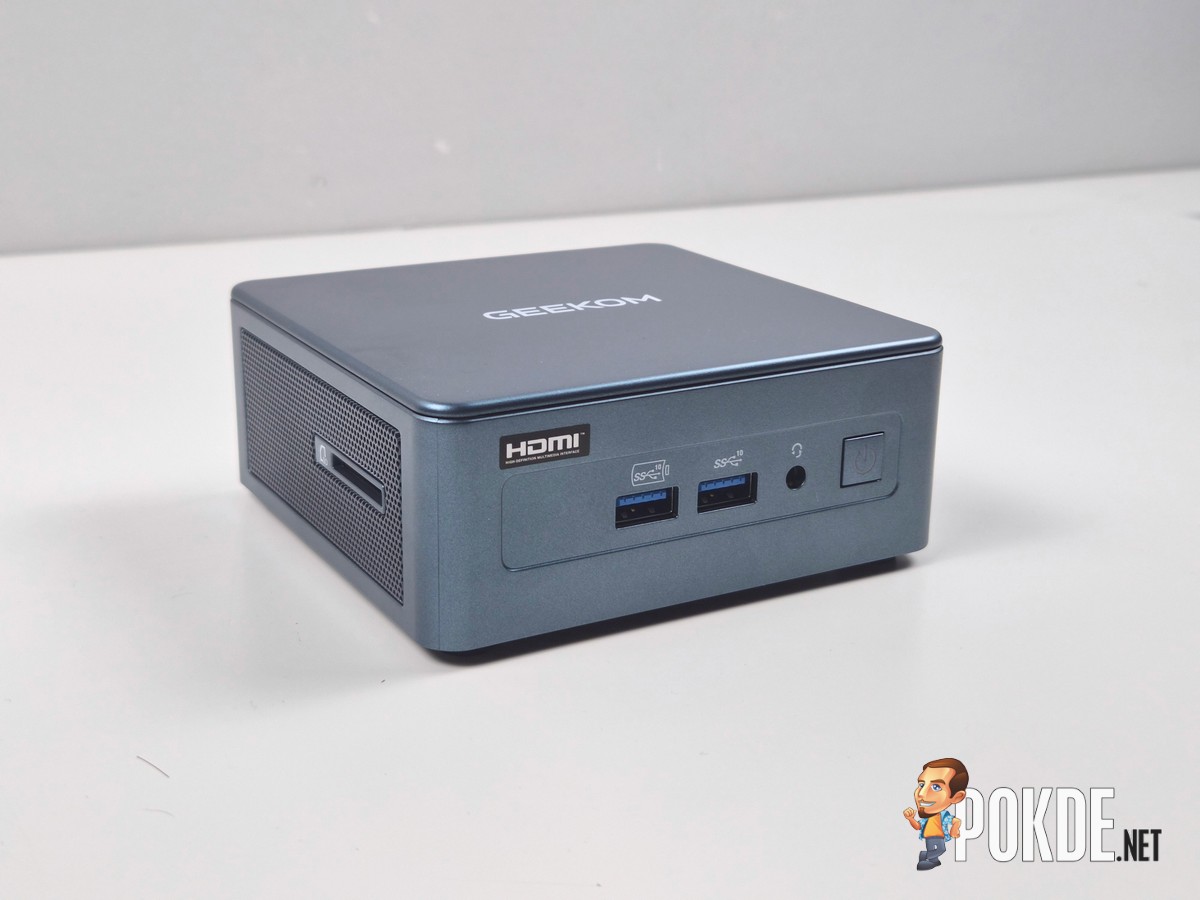
This particular configuration of GEEKOM IT12 can be had for just RM3,299 (we’ve seen cheaper listings as of this writing), which is a solid deal all things considered. If you’re looking at something that can run 24/7 in the background or is just looking for a machine that’ll get the job done while taking minimal desk space, we think this is a good choice to start from – though we certainly recommend the Core Ultra versions if you can get those.

Special thanks to GEEKOM for providing the GEEKOM IT12 mini PC for this review.