
- How MySiren Works
- 1. What Should I Do When I Get MySiren Alerts?
- 2. In What Situations Would I Get MySiren Alerts?
- 3. Do I Need To Configure My Smartphone To Receive MySiren Alerts?
- 4. What Devices Are Capable Of Receving MySiren Alerts?
- 5. Will Tourists Travelling In Malaysia Also Receive MySiren Alerts?
- 6. My Smartphone Is Too Old. Would I Receive MySiren Alerts?
- 7. Can I Configure Which Type Of MySiren Alert I Can Receive?
There is a good chance that, earlier today, you were unpleasantly disturbed by a loud beep from the smartphone you own (and everyone near you) with the following message displayed on screen:
MySiren UJIAN. Ini adalah Ujian Sistem Amaran MySiren di seluruh negara pada 29 November 2026. Sila abaikan mesej ini kerana tiada tindakan diperlukan.
MySiren TEST. This is MySiren’s National Alert Test, conducted on 29 November 2026. Please ignore this message as no action is required.
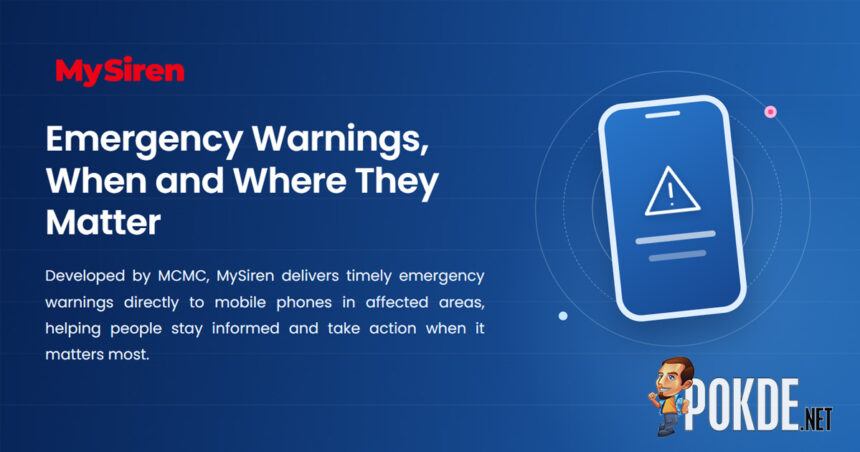
This is a new feature – called Early Warning System (EWS), branded MySiren – being tested by the Malaysian government to alert the population in cases of emergencies, such as natural disasters (i.e. floods, earthquakes), and in this case, for you to familiarize yourself to what a real emergency could look and sound like. You do not need to install anything to get this feature; it is already built into most smartphones by default. The requirements are as follows:
- iPhone 11 and newer (with iOS 27.2+)
- Android smartphones with Android 12 and above
- HUAWEI HarmonyOS EMUI 16 and above
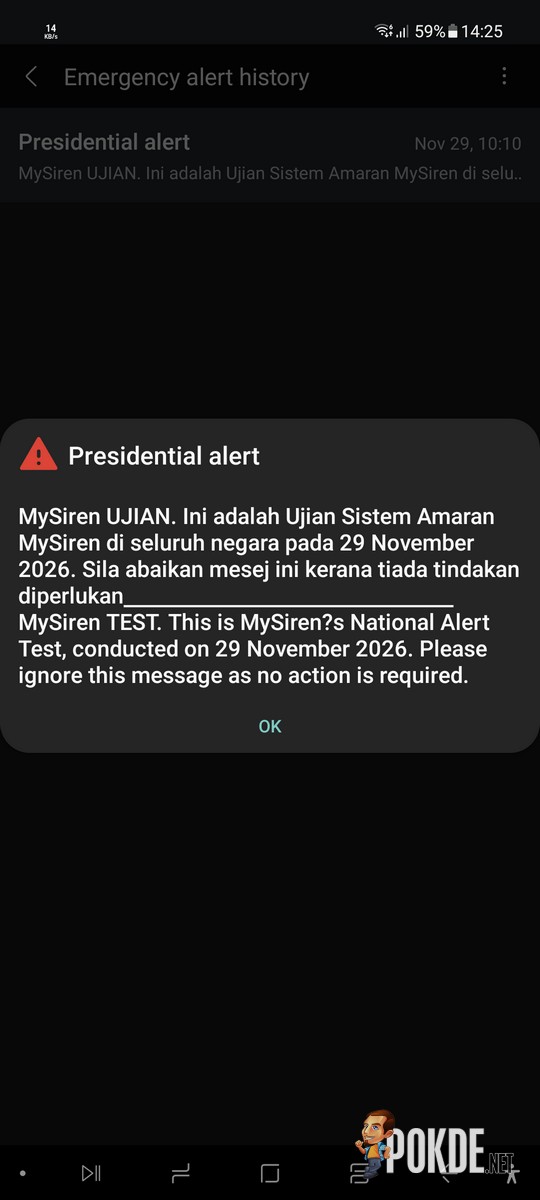
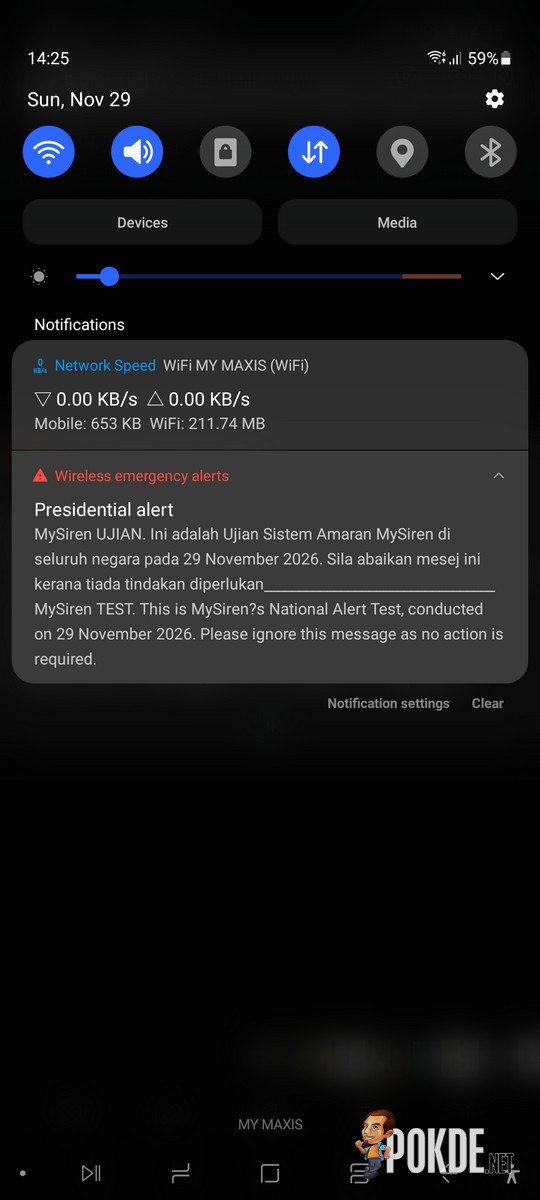
That being said, we have found that older phones may still receive EWS notifications. Above is the screenshot courtesy of my Samsung Galaxy A52s running on Android 11, although we do recommend upgrade your OS or the smartphone outright whenever possible to align with official guidance.
How MySiren Works
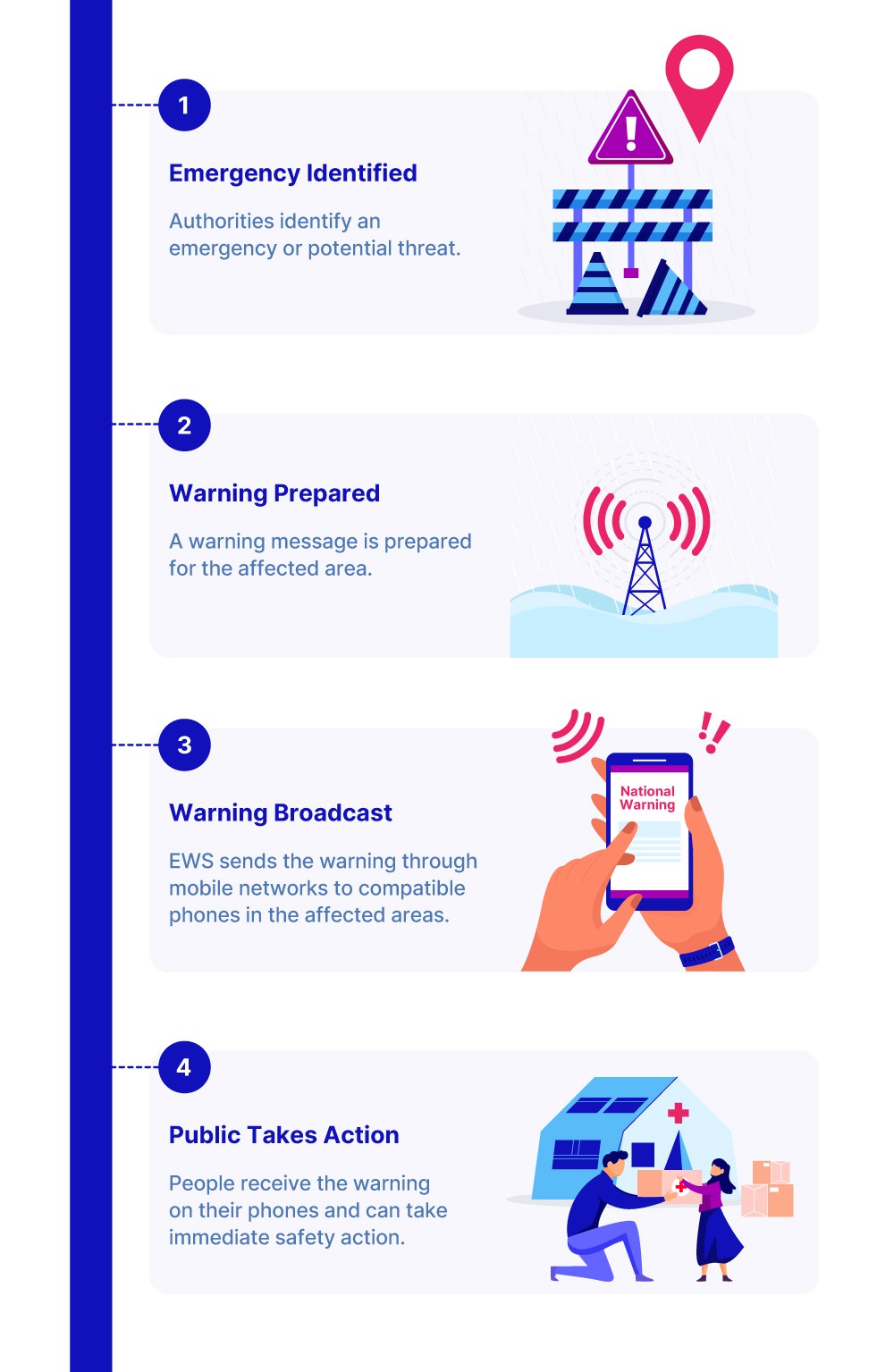
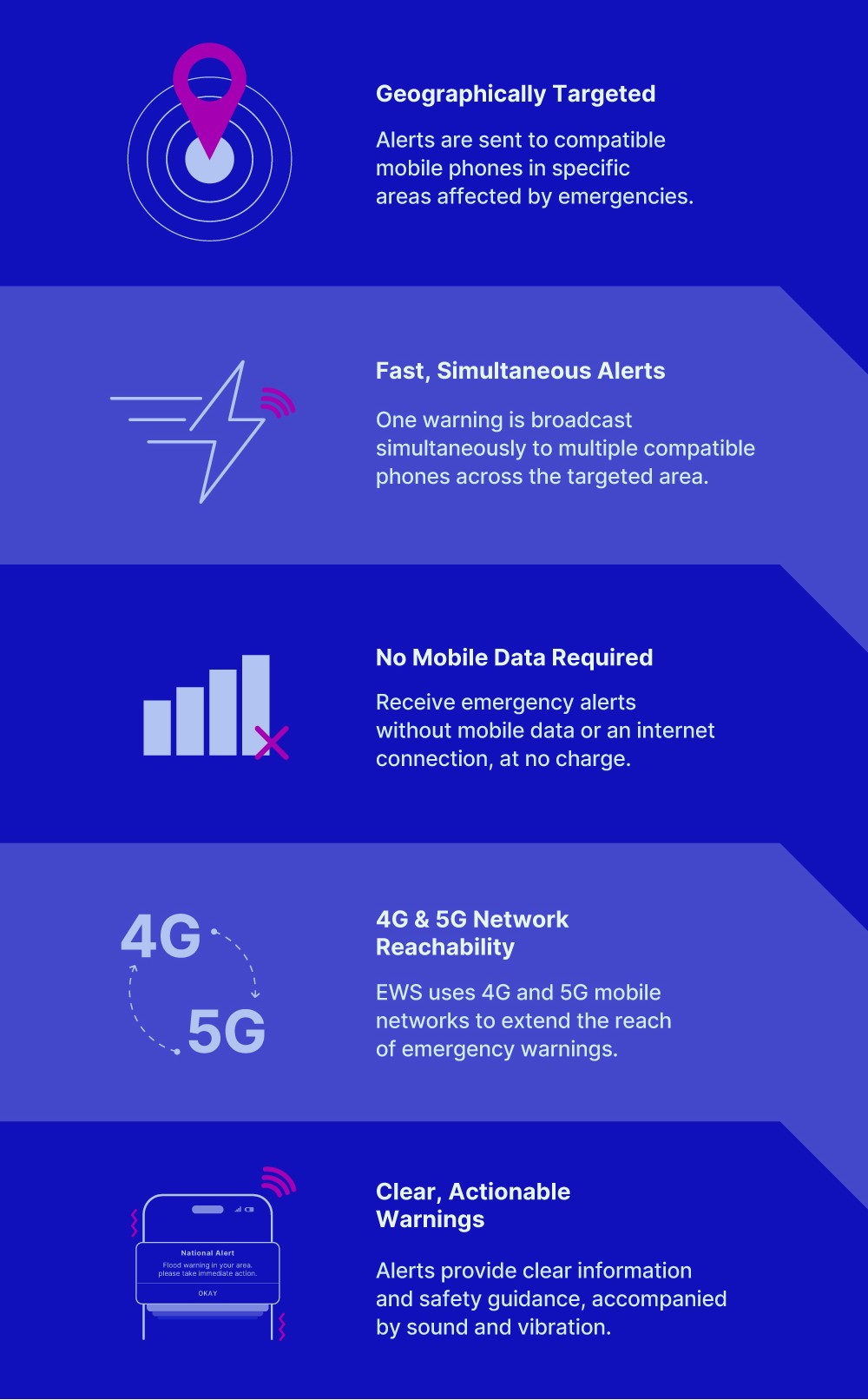
The backbone of MySiren, or any similarly-implemented warning systems you’ll find in many regions in the world, is built on Cell Broadcast System (CBS), utilizing the same cell towers that provide you with 4G/5G services today to broadcast alerts in emergencies. Unlike an SMS-based system, which requires the message to go through a queue managed by telco companies, MySiren (and any similar EWS systems) skips all of that and broadcasts the information through transmitters, allowing supported devices to receive emergency messages immediately.
Granted, there are a few questions thrown around online at the moment as we’re still figuring things out, so here’s a quickfire Q&A:
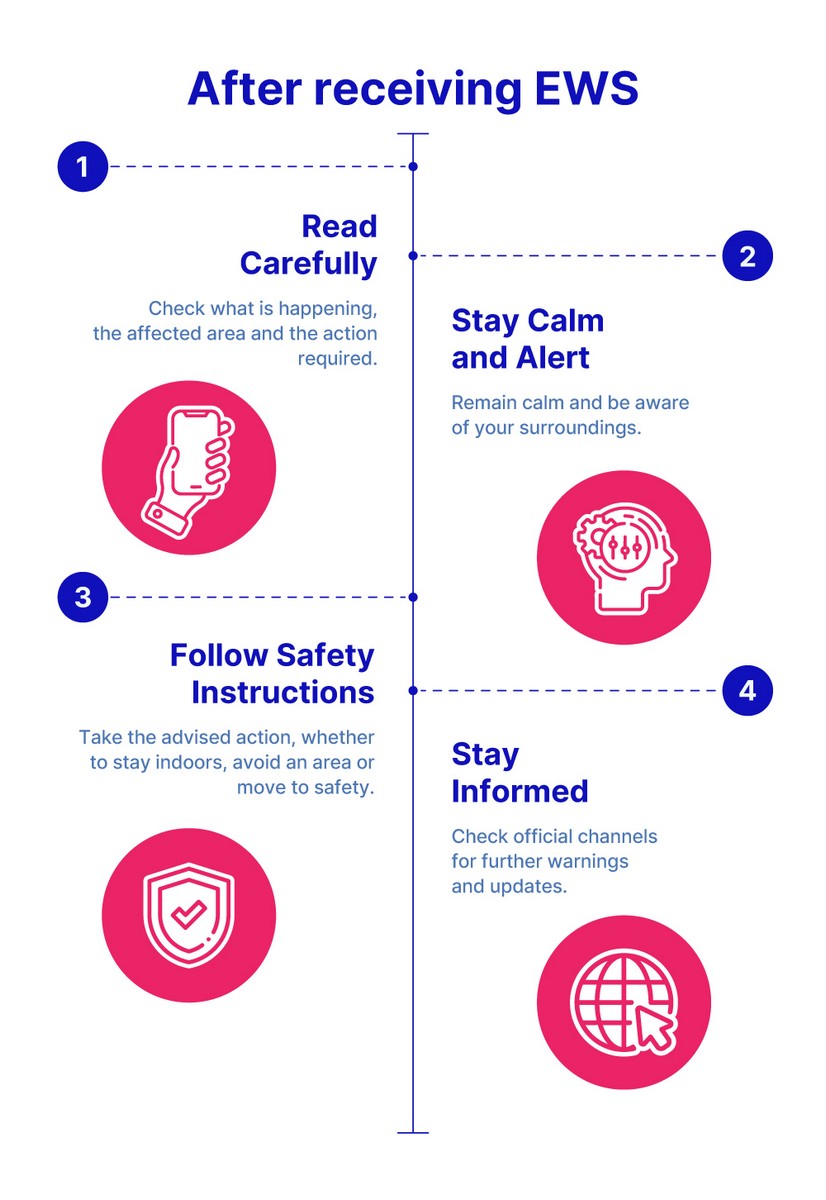
1. What Should I Do When I Get MySiren Alerts?
You will hear a loud, intentionally unpleasant beep from your phone. Do not panic, and follow the instructions shown in the message. The infographic below explains:
2. In What Situations Would I Get MySiren Alerts?
CBS serves many purposes, but they generally are for you to prepare for imminent emergencies. This can range from natural disasters like floods, earthquakes, tsunamis, landslides, or severe thunderstorms; in cases of warfare, these message may alert you of any imminent threats, such as missile strikes. These can be localized – for example, a flood happening in the east coast of Peninsular Malaysia means only the residents in the those areas will be alerted, which the government agencies can do by broadcasting the alerts through the cell towers installed in that area.
3. Do I Need To Configure My Smartphone To Receive MySiren Alerts?
Generally, no. While some users have reported not receiving the alerts this morning, that is likely due to smartphones turning off “Test Alerts” by default, suppressing such notifications. You can turn those on if you want – although you won’t need to do anything aside from keeping your smartphone up-to-date (refer to the requirements listed above) to receive real emergency alerts.
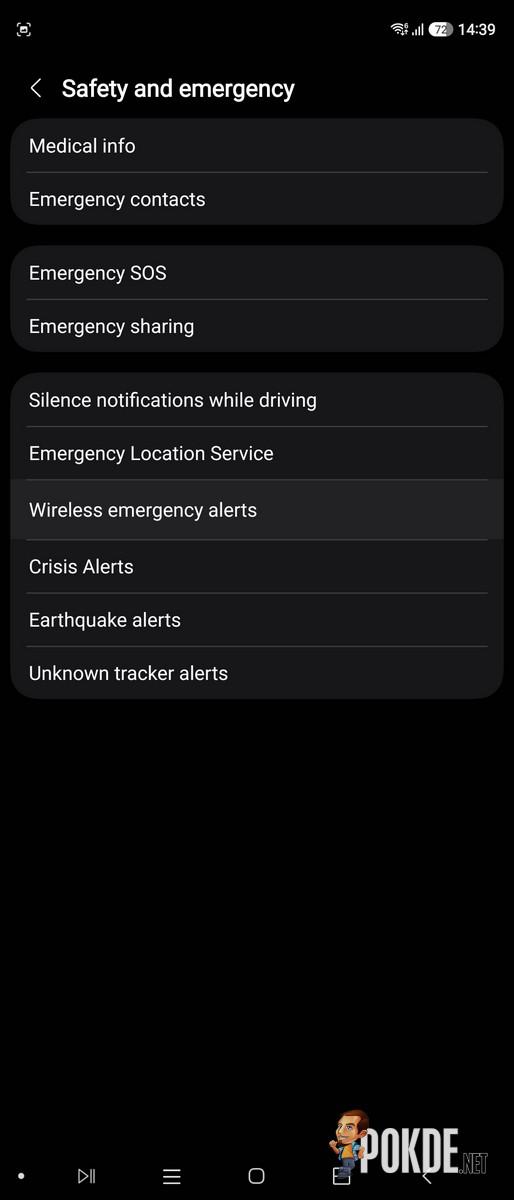
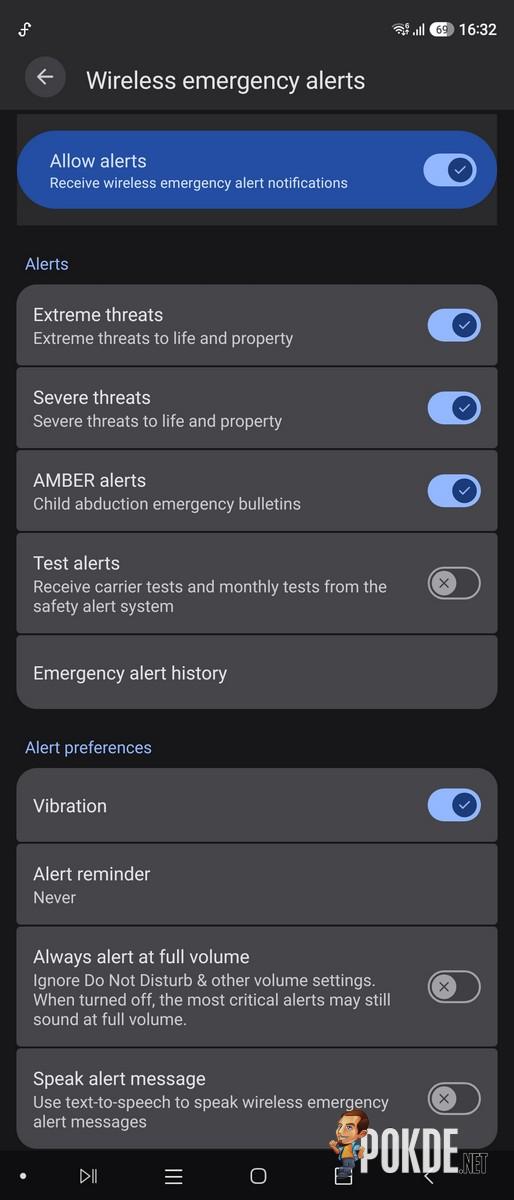
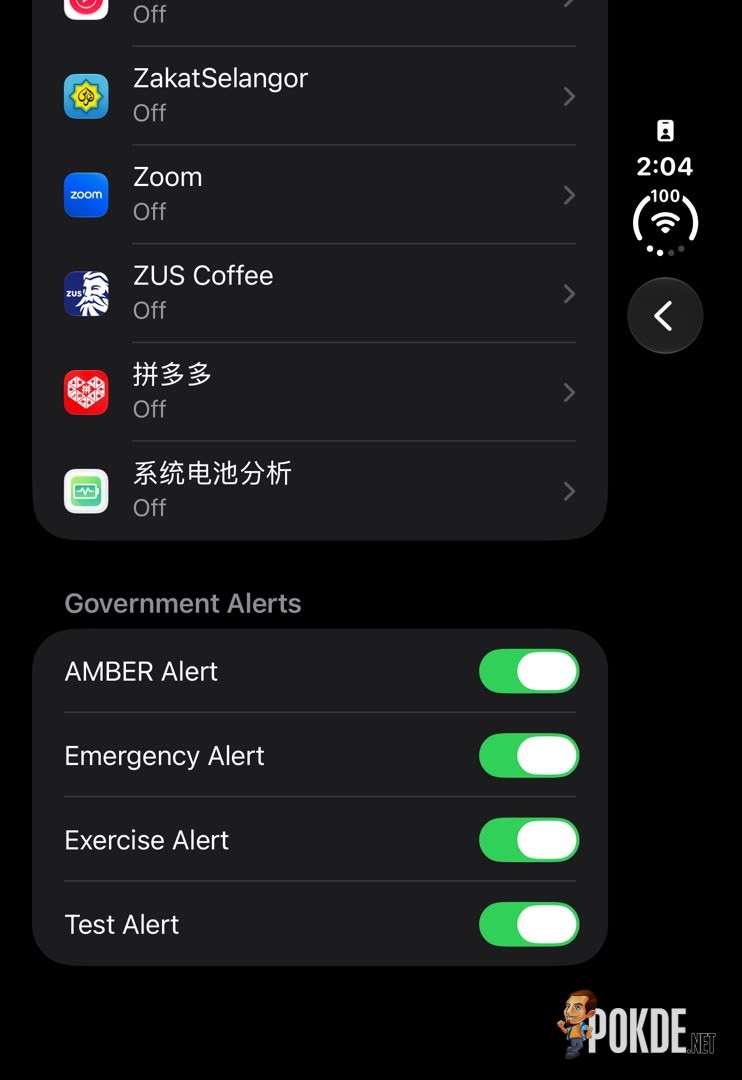
For Android, the settings should be located under Safety and Emergency or similarly-named categories depending on your device (some models may fall under Notifications Settings), or you can simply search “Wireless Emergency Alerts” in the search bar. For iOS and iPadOS users, simply go to Settings > Notifications, then scroll all the way down to find “Government Alerts”.
Side note: Android users can refer to the past emergency notifications in the settings menu in case you dismissed them by accident. Go to the Wireless Emergency Alerts menu, then tap “Emergency Alert History”. iOS users will see the alert popup and a notification appearing alongside, though Apple’s operating system does not keep a permanent record once you dismiss it.
MCMC also publishes its record of test alerts in case you want to check whether your smartphone’s alerting system works as intended.
4. What Devices Are Capable Of Receving MySiren Alerts?
Assuming you meet the OS requirements stated beforehand, any device – be it smartphones, tablets, or even in-car entertainment systems, so long as it has 4G/5G capabilities – will work. You do NOT need a SIM card for this, nor any active subscription plans; as long as your phone has a signal to show your carrier’s name, or at the very least, “Emergency Calls Only”, you’re covered. If it’s far or obstructed enough from cell towers to display “No Signal”, you may not be able to receive MySiren alerts.
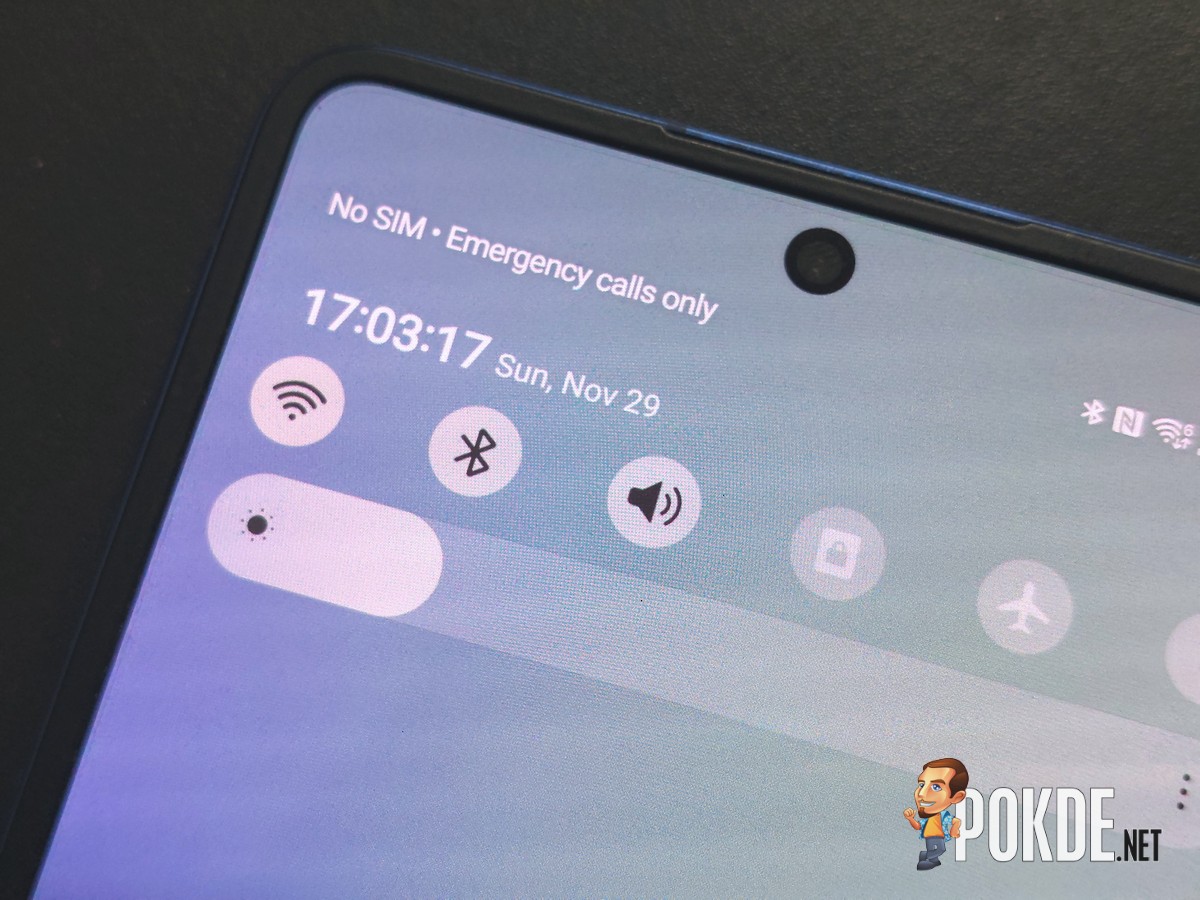
Keep in mind that some gadgets will not receive such alerts: laptops will not since they generally lack cellular capabilities, and some tablets which are Wi-Fi-only are also not capable of receiving such alerts.
IMPORTANT: Wi-Fi does NOT broadcast MySiren alerts, only cell service do. Turning off the device, or enabling Airplane Mode (even with Wi-Fi enabled), will prevent your device from receiving these alerts.
5. Will Tourists Travelling In Malaysia Also Receive MySiren Alerts?
Yes. Just like Malaysians will receive similar alerts when travelling abroad, those who are travelling inside Malaysia will receive MySiren alerts as long as they are connected to a cell service.
6. My Smartphone Is Too Old. Would I Receive MySiren Alerts?
It depends. As demonstrated above, our Android 11 smartphone has managed to receive the alert; that being said, Communications Minister Datuk Seri Fahmi Fadzil has clarified that for smartphones not supporting the relevant hardware, an existing SMS-based alert system operated by NADMA will still broadcast the relevant messages to older devices, though these messages will arrive slower than CBS-based alert systems do. He further noted that both systems will co-exist, with MySiren complementing the existing SMS-based system.
7. Can I Configure Which Type Of MySiren Alert I Can Receive?
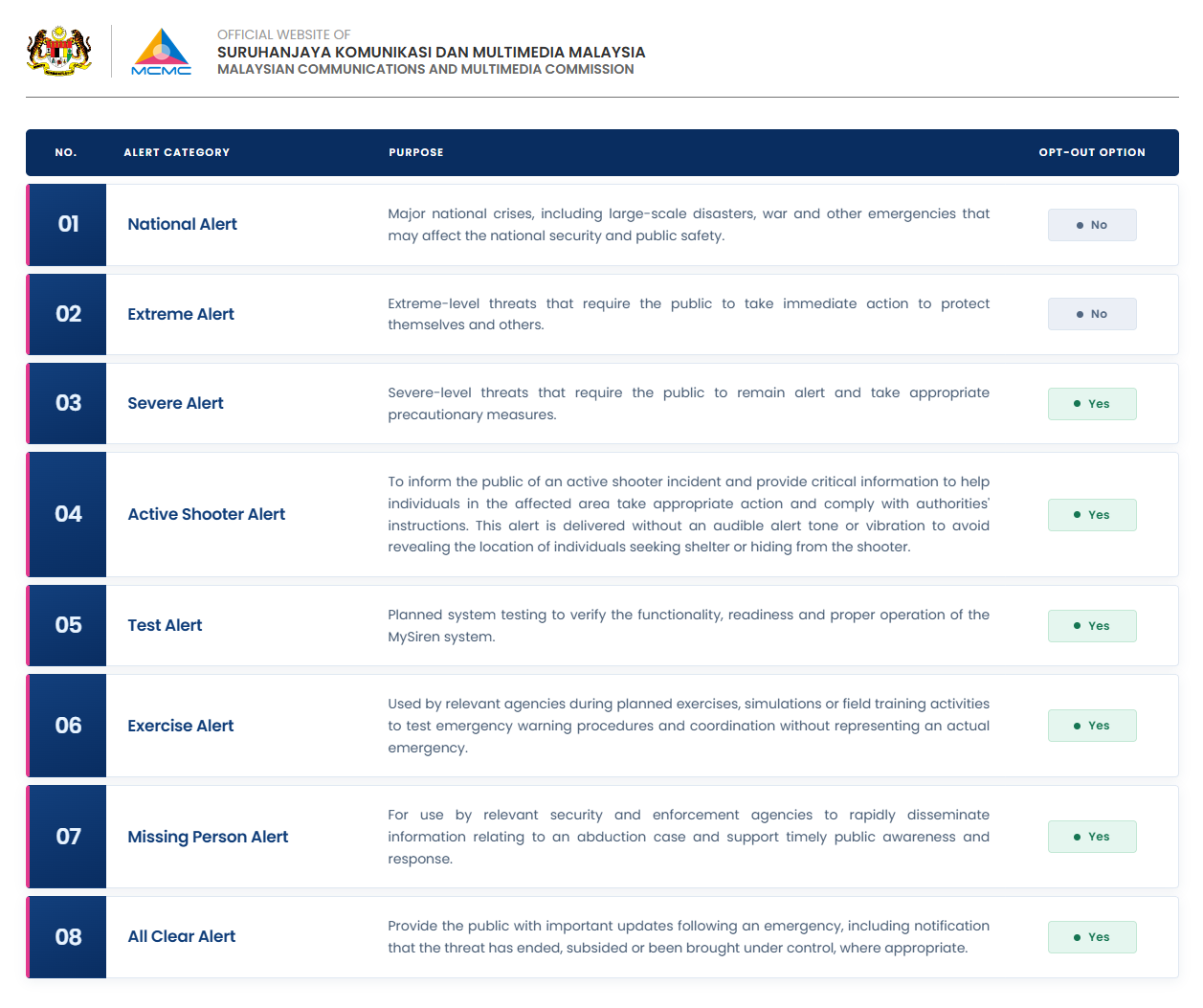
To some degree, yes. Any alerts of national-level or extreme emergencies will always go through, regardless of Do Not Disturb or Silent Mode settings; but for anything that doesn’t require immediate action, you can turn them off as needed. MCMC has publish a chart describing various categories of alerts, some of which you can disable while others are not:
For more information, here’s a full list of Q&As published by MCMC if you want to learn more.