
- The Apple M5 Ultra Chip
- Apple Mac Studio (M5 Ultra) Unboxing
- Apple Mac Studio (M5 Ultra) Design and Ports
- Apple Mac Studio (M5 Ultra) Specifications
- Apple Mac Studio (M5 Ultra) Performance
- Apple Mac Studio (M5 Ultra) And Local AI: What 256GB Of Unified Memory Unlocks
- The Models
- The Results
- Apple Mac Studio (M5 Ultra) vs Mac Studio (M4 Max)
- Power Draw While Generating
- Long Prompts
- What This Actually Means
- Connectivity
- Noise, Heat And Power
- macOS 27 On The Mac Studio
- The Good
- The Bad
- Apple Mac Studio (M5 Ultra) Review Verdict
Mac Studio M5 Ultra Review
Product Name: Apple Mac Studio (M5 Ultra)
Product Description: The Apple Mac Studio (M5 Ultra) is a compact desktop built around the M5 Ultra chip. The unit reviewed has a 36-core CPU, 80-core GPU, 256GB of unified memory and a 4TB SSD, with Thunderbolt, Ethernet, HDMI and USB-A ports plus an SD card slot. In Malaysia, M5 Ultra models start from RM24,999, and the reviewed configuration costs RM55,599.
Brand: Apple
Offer price: from 24,999
Currency: MYR
-
Appearance - 8.5/108.5/10
-
Efficiency - 9/109/10
-
Features - 8.5/108.5/10
-
Materials - 9/109/10
-
Performance - 9/109/10
-
User Experience (UX) - 8.4/108.4/10
-
Value - 5.5/105.5/10
Summary
The Apple Mac Studio (M5 Ultra) is the most powerful machine I’ve tested. Its 256GB of unified memory runs a 122B model at close to 90 tokens per second on around 40W of GPU power, and with long prompts it starts answering four to six times sooner than my Mac Studio (M4 Max). It stays quiet, but pushes plenty of heat out the back during sustained AI work, and it is expensive with nothing upgradeable later. For running large AI models on your own hardware, nothing else I’ve tested comes close in a box this small.
Overall
8.3/10Pros
- Huge multi-core and GPU performance
- 256GB of unified memory runs very large local AI models
- Four to six times faster to first token than the M4 Max with long prompts
- Low GPU power draw while generating text
- Near silent under load
- Six Thunderbolt 5 ports and an SD card slot
- Internal SSD over 13GB/s
Cons
- Very expensive, especially the memory upgrades
- Memory and storage can’t be upgraded later
- Single-core speed has barely moved
- Rear of the case gets very hot during long AI runs
- Heavier at 3.6kg
- Long shipping wait for higher configurations
It’s 2026, and every new machine is selling itself as an AI machine. But if all you’re doing is running Copilot or calling a cloud API, that’s just another computer talking to someone else’s servers. So why bother running a large language model locally? The reasons are plenty. Maybe you’re working on a confidential document, or planning your company’s financial projections, and you don’t want either of them leaving the building.
In my case, local AI is already part of my daily workflow. I built a relay tunnel that runs siloed authentication procedures, so API inference can keep running unattended and uninterrupted whenever it needs to reauthenticate. I offload repetitive tasks to a local model to save on token usage. I also run multiple Hermes agent profiles straight from my Mac Studio, and I can switch each one between a local model and the Claude API, or cross-run them between profiles for a hybrid output.
All of that has been running on a Mac Studio M4 Max with a 16-core CPU, 40-core GPU, 16-core Neural Engine and 128GB of unified memory, and it has been nothing short of a powerhouse. But in the world of AI, power is never enough. So this time I’m upping the game with the Apple Mac Studio (M5 Ultra): a 36-core CPU, an 80-core GPU with a Neural Accelerator in every GPU core, and a whopping 256GB of unified memory. That’s double the memory and GPU cores of my current Mac Studio and more than double its CPU cores, and I want to push it to its limits.
A quick disclosure before going further. We were accepted into Anthropic’s Claude for Startups program, which gave us a year of Claude Team and US$1,000 in API credits. Claude has been my go-to AI for a long time now, and for what I do, it does the job best. Much of the AI testing below runs through Claude Code in the default Terminal app, so I want to be upfront about it. Thank you, Anthropic.
In my first impressions back in September, I said the real story of this generation isn’t the core count. Having lived with the MacBook Pro M5 Max earlier this year, I know exactly what that chip can do. Now it’s time to see what doubling it gets you.
The Apple M5 Ultra Chip
The Apple M5 Ultra sits at the very top of the M5 family. The Ultra line goes back to the M1 Ultra, and this one is the first to put a Neural Accelerator in every GPU core, the AI-focused GPU design that debuted on the base M5 and now scales all the way up to 80 cores. It is also Apple’s first chip built from four dies instead of two.
The CPU is the biggest ever in a Mac, with 30 or 36 cores made up of up to 12 super cores and 24 performance cores, and no efficiency cores at all. The GPU comes in 64-core or 80-core versions, alongside a 32-core Neural Engine and four ProRes encode and decode engines. Unified memory starts at 96GB and goes up to 256GB or 512GB, and every configuration gets the same 1.2TB/s of memory bandwidth, 50 percent more than previous Ultra chips.



Bandwidth is the figure I watch most closely for local AI. Every token a language model generates means reading through the model’s weights in memory, so the faster the chip can pull data from memory, the faster the words come out. Memory capacity decides how big a model you can load in the first place, and the M5 Ultra has the most of both in the current line-up.
Here’s how it compares with the M6, M5 Pro and M5 Max. There is no M6 Pro or M6 Max yet, so the base M6 is the newest chip in the line-up.
Apple M5 Ultra against the current Apple Silicon line-up
Highest configuration of each chip. Bars show each spec relative to the largest in its row. Scroll sideways on smaller screens; the M5 Ultra column stays in view.
| M6 | M5 Pro | M5 Max | M5 UltraThis review | |
|---|---|---|---|---|
| CPU | 12-core2 super, 4 performance, 6 efficiency | Up to 18-coreup to 6 super, 12 performance | 18-core6 super, 12 performance | Up to 36-coreup to 12 super, 24 performance |
| GPU | 12-core | Up to 20-core | Up to 40-core | Up to 80-core |
| Neural Accelerators | In every GPU core | In every GPU core | In every GPU core | In every GPU core |
| Neural Engine | Dual 16-core | 16-core | 16-core | 32-core |
| Unified memory | Up to 32GB | Up to 64GB | Up to 128GB | Up to 512GB |
| Memory bandwidth | Up to 170GB/s | Up to 307GB/s | Up to 614GB/s | 1.2TB/s |
| Thunderbolt | Thunderbolt 4 | Thunderbolt 5 | Thunderbolt 5 | Thunderbolt 5 |
Highest available configuration of each chip. M5 Pro and M5 Max also come in lower CPU and GPU configurations. M6 is built on a 2nm process.

Apple Mac Studio (M5 Ultra) Unboxing
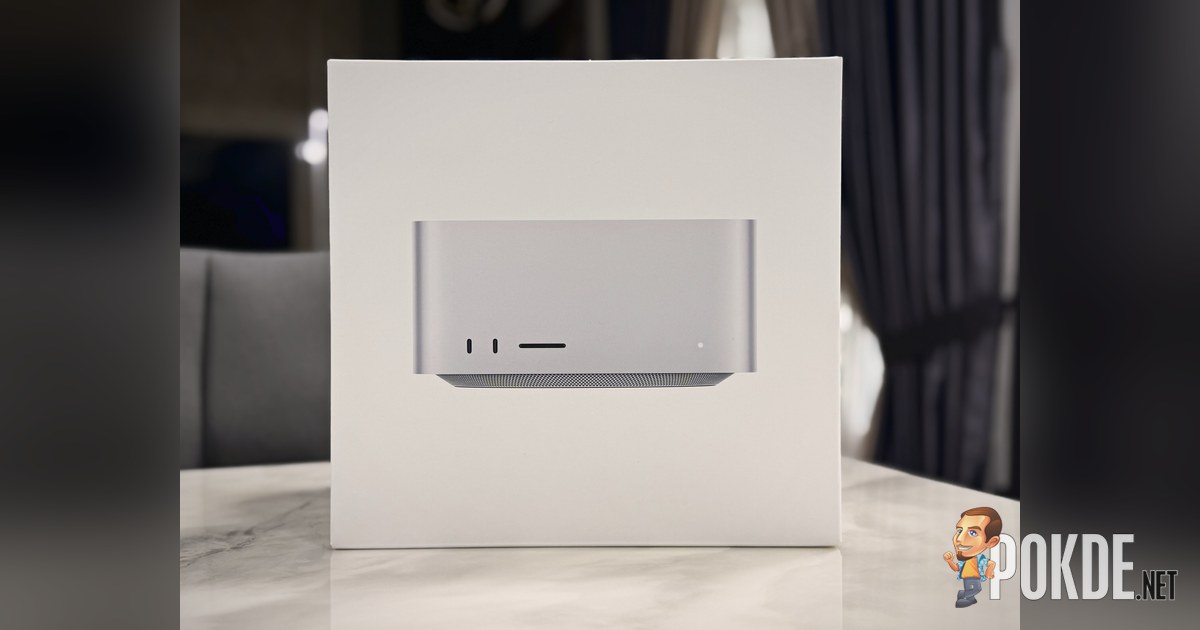
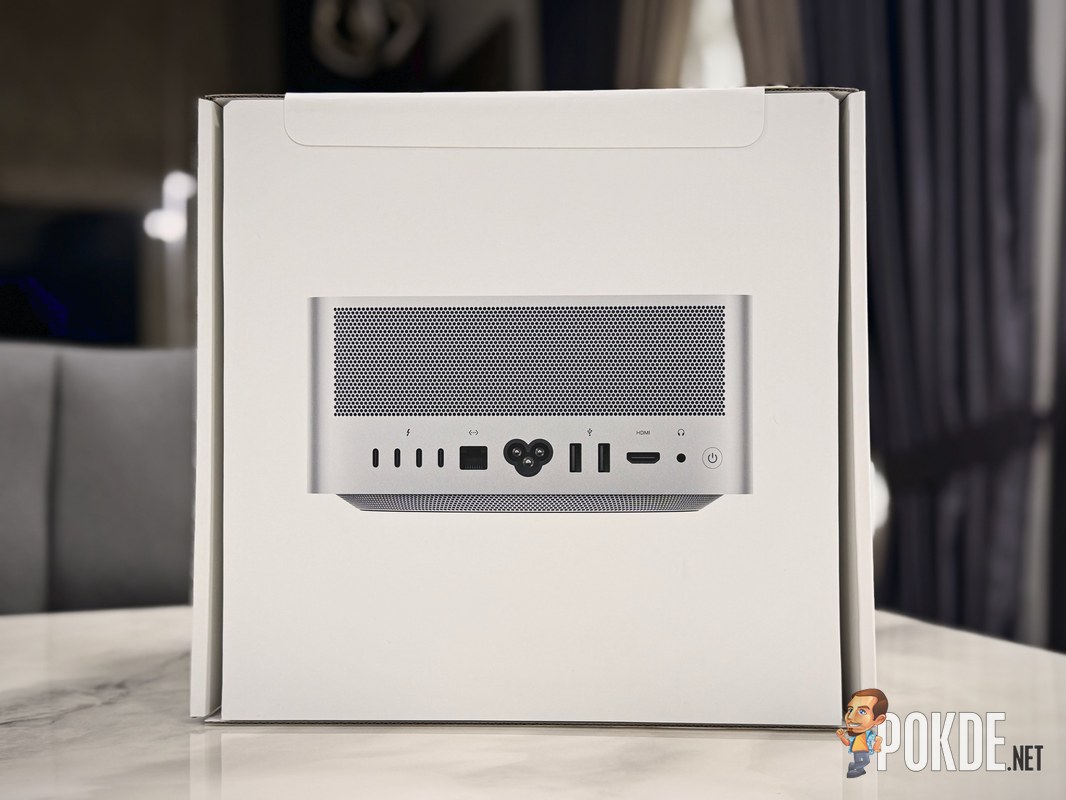
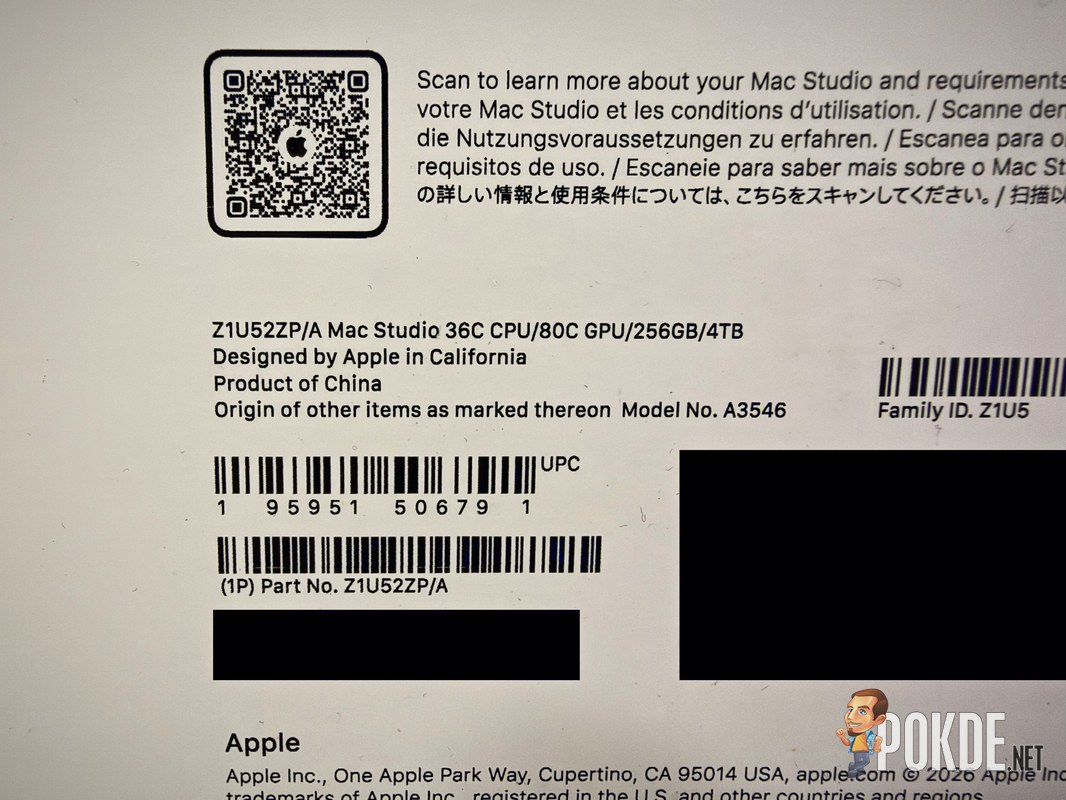
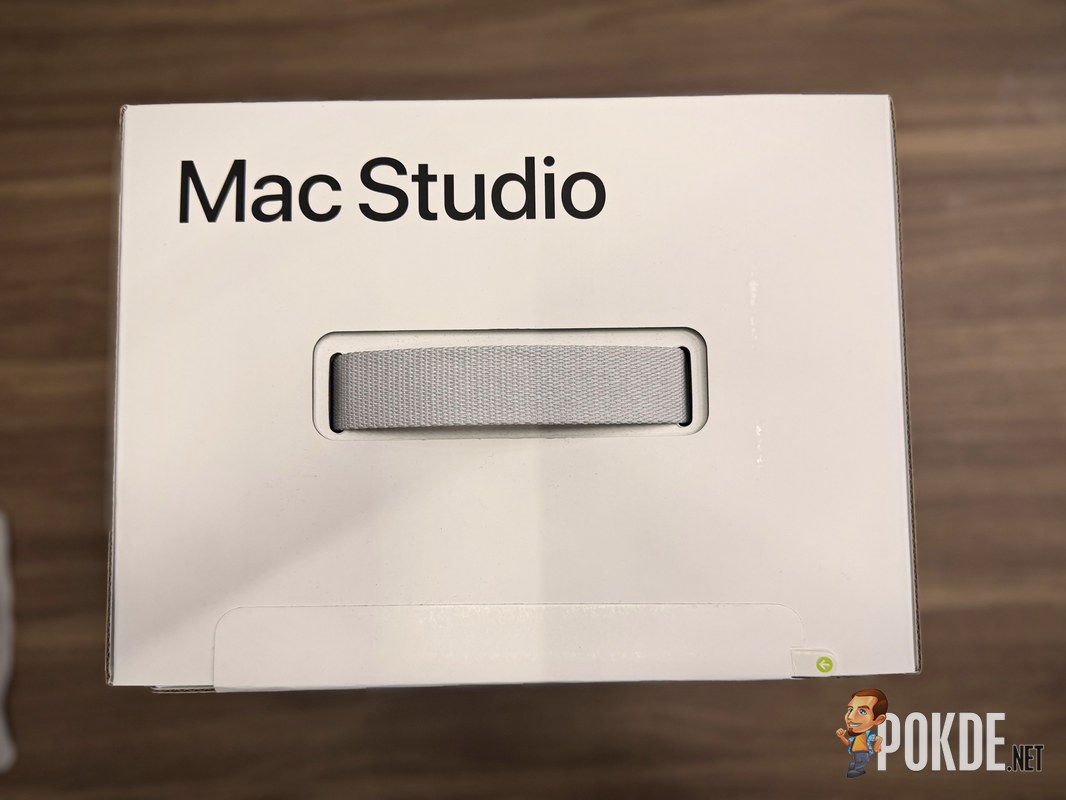
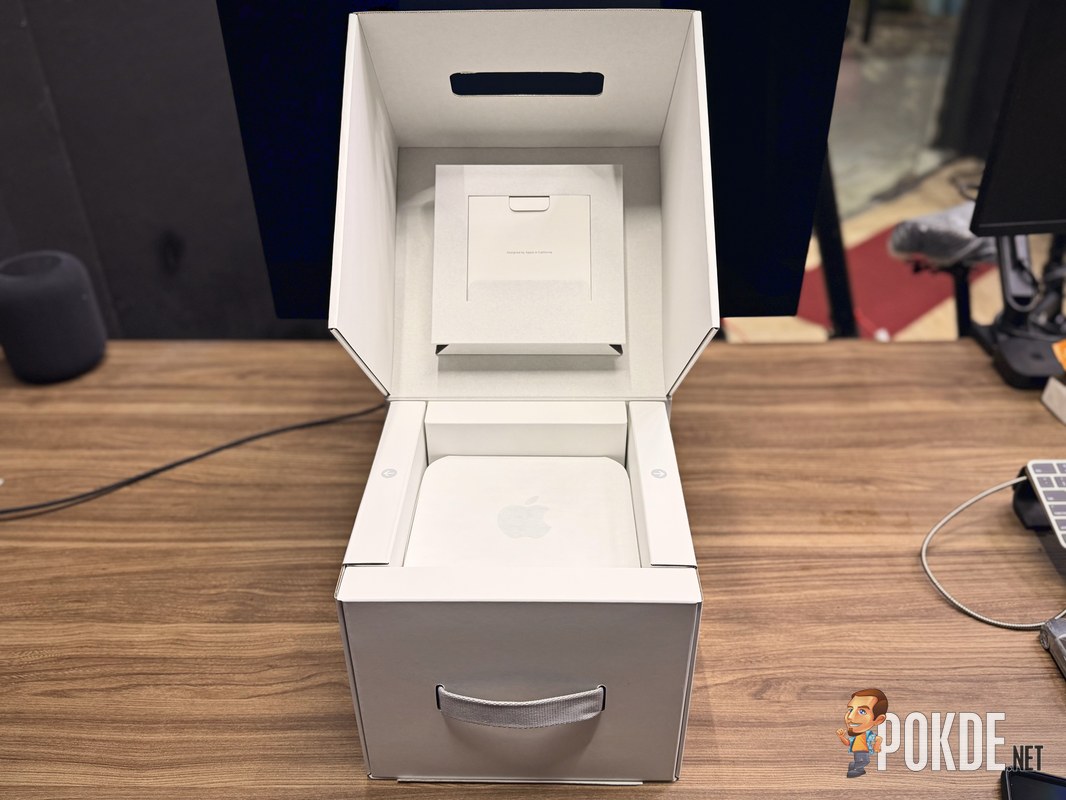
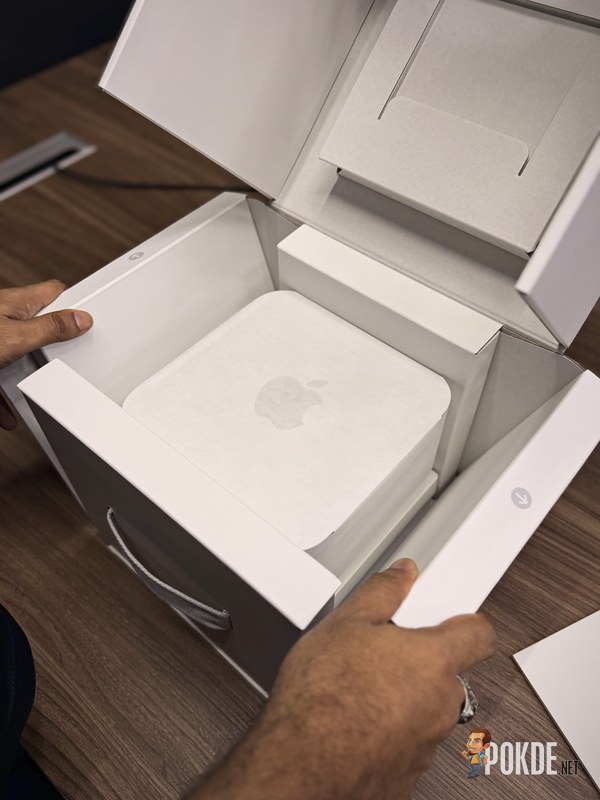
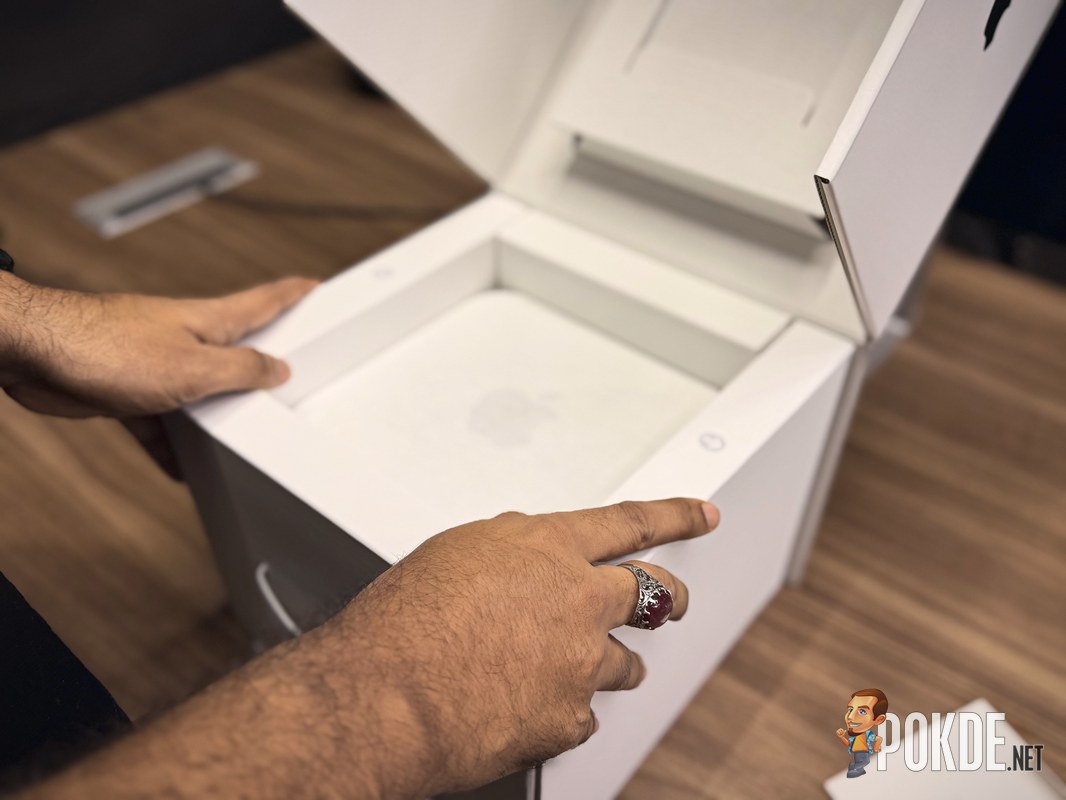
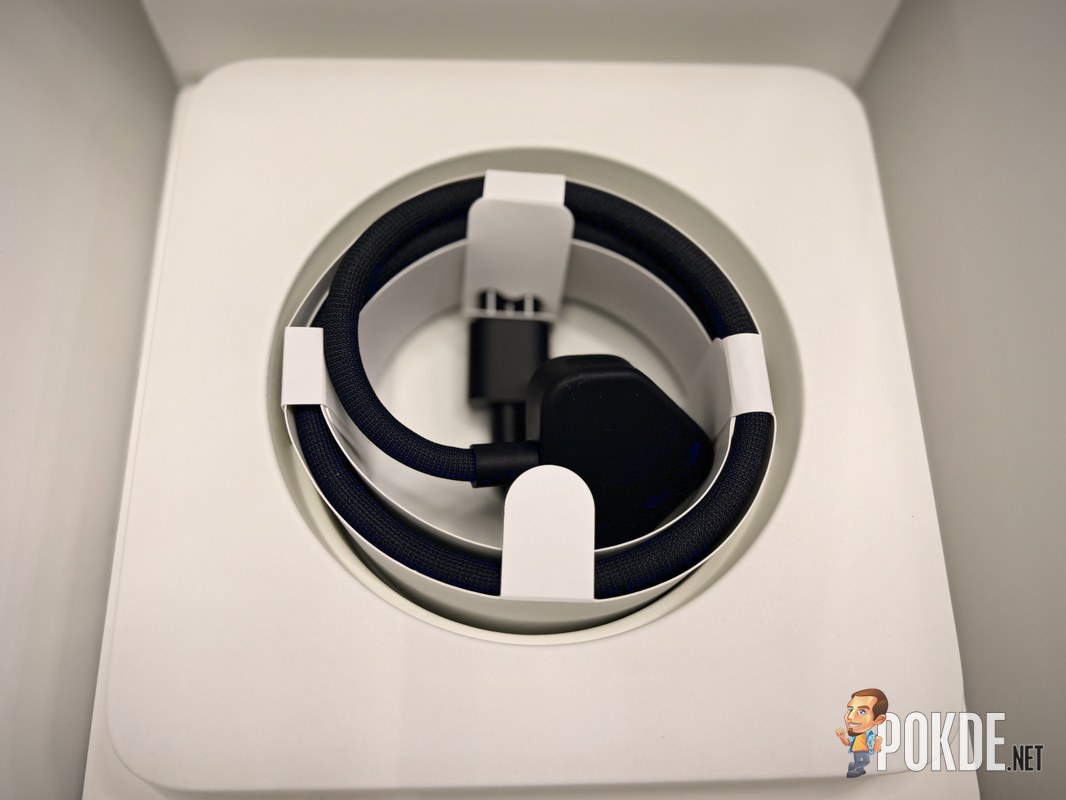
If you’ve unboxed a Mac Studio before, nothing here will surprise you. The box opens like a drawer, the Mac Studio sits in its own tray, and the braided power cord is coiled neatly in a recess beneath it. Inside the box you get:
- Apple Mac Studio (M5 Ultra)
- Braided power cord (Type G plug)
- Documentation
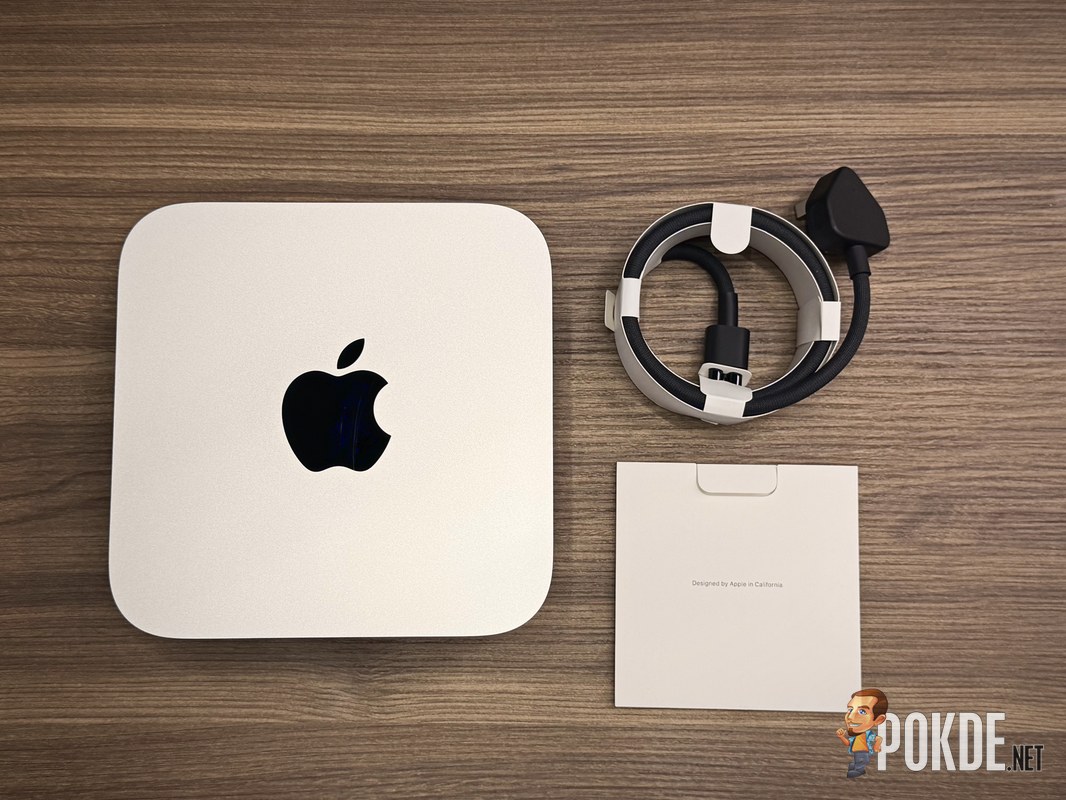
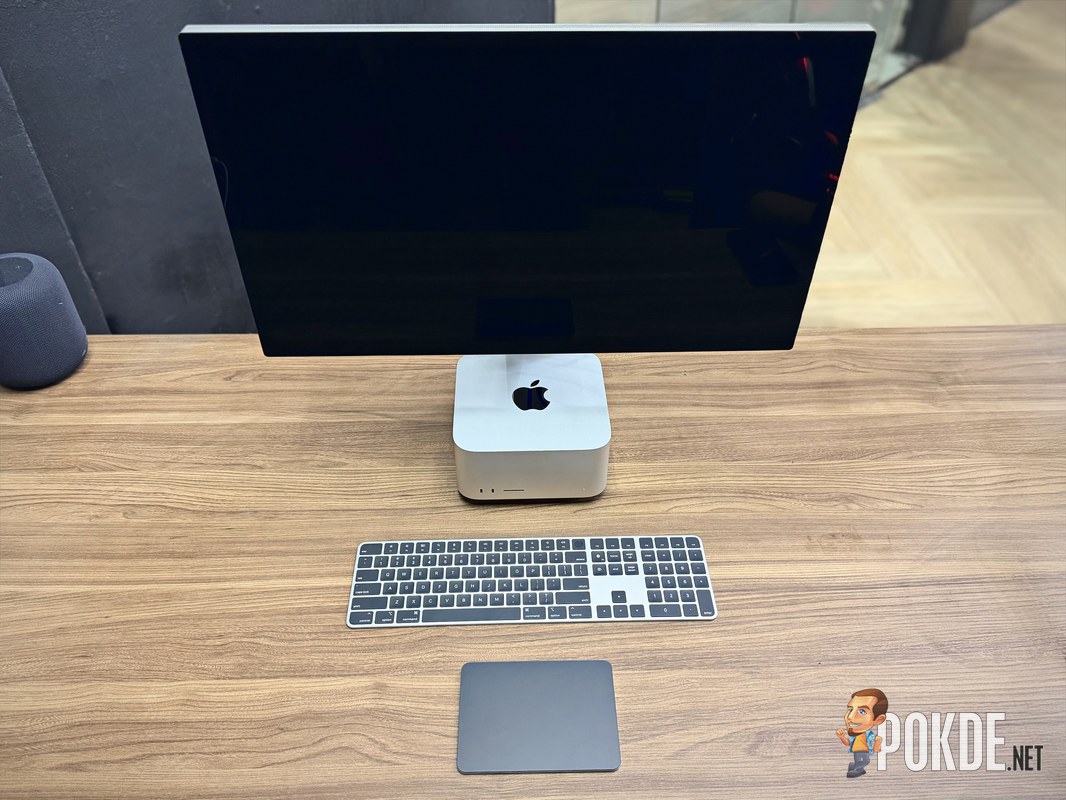
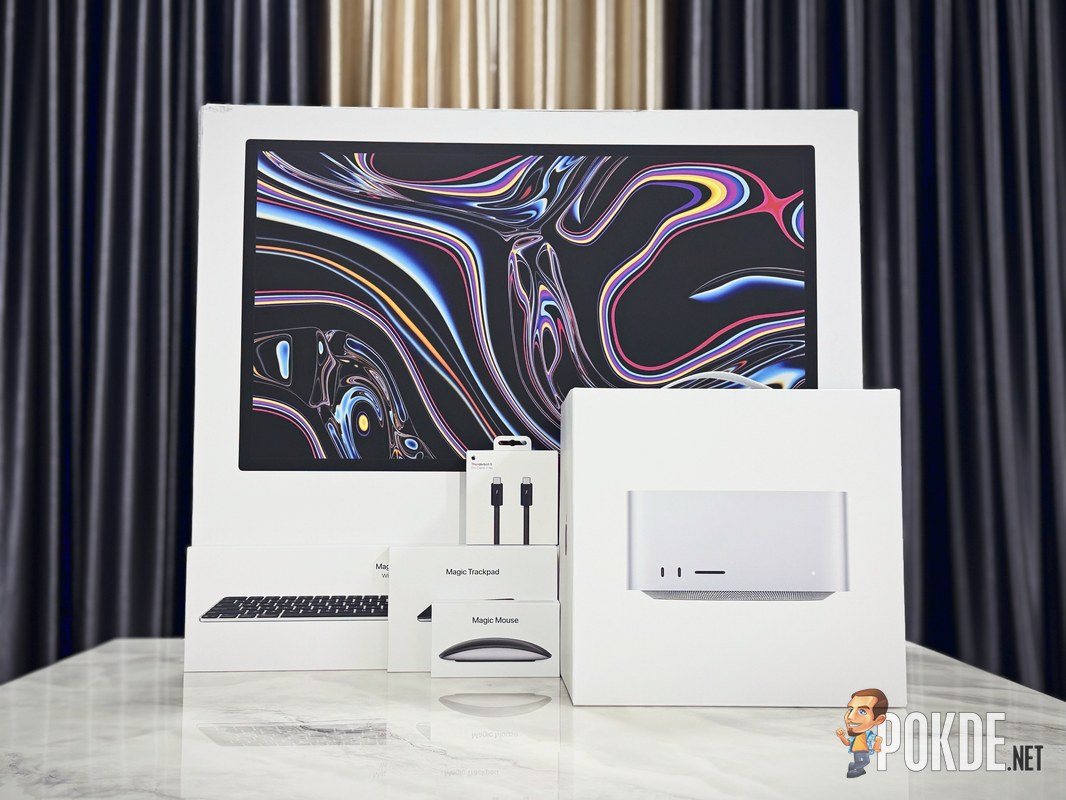
That’s it. There’s no keyboard, mouse or display in the box, so budget for those on top of the price of the Mac Studio itself. For this review, I used the Apple Mac Studio (M5 Ultra) with a Studio Display XDR, Magic Keyboard with Touch ID and Numeric Keypad, Magic Trackpad, Magic Mouse and a Thunderbolt 5 Pro Cable.
Apple Mac Studio (M5 Ultra) Design and Ports
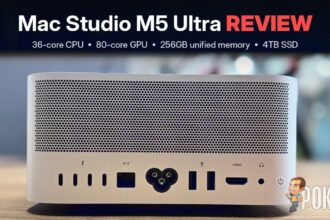
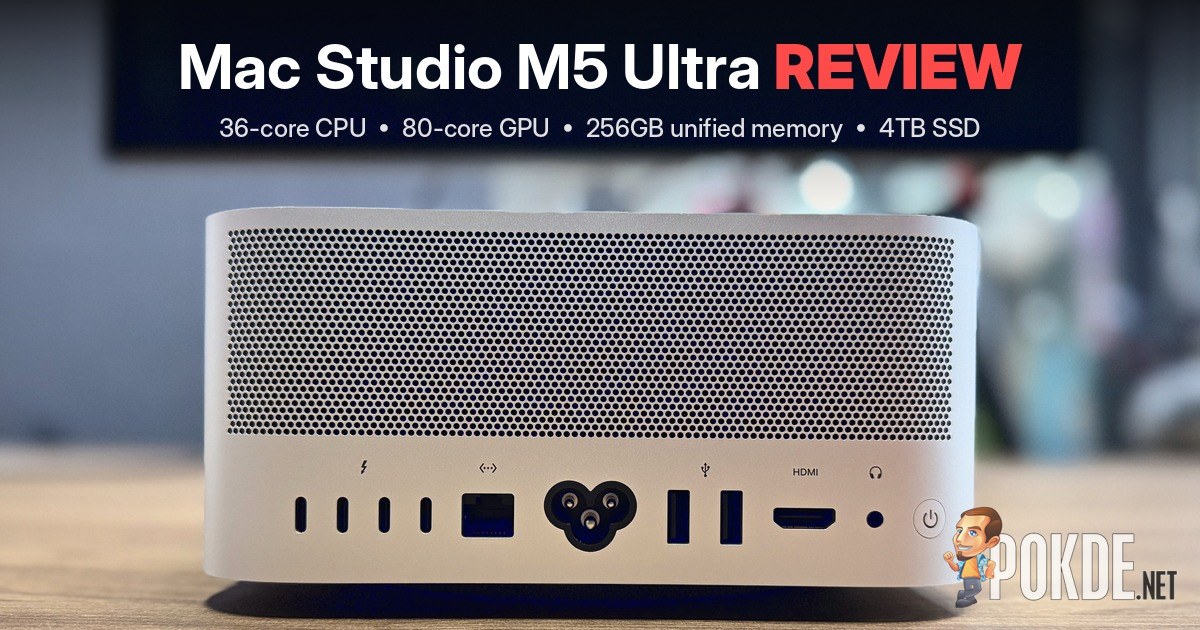
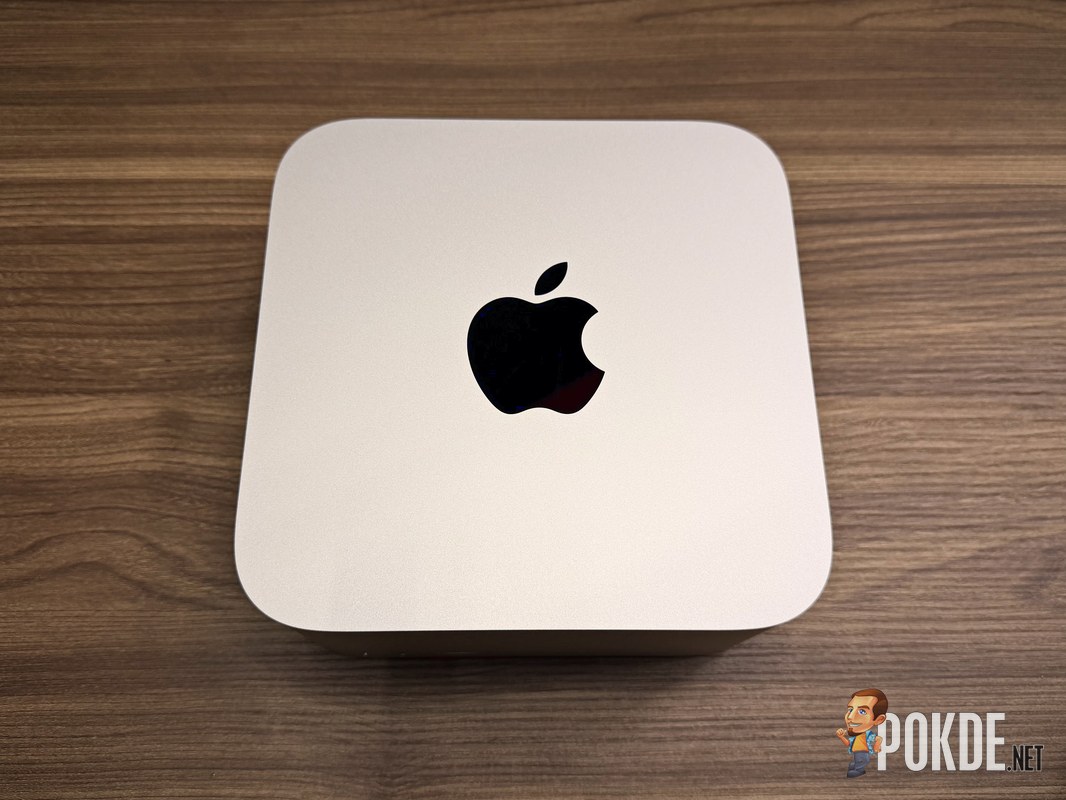
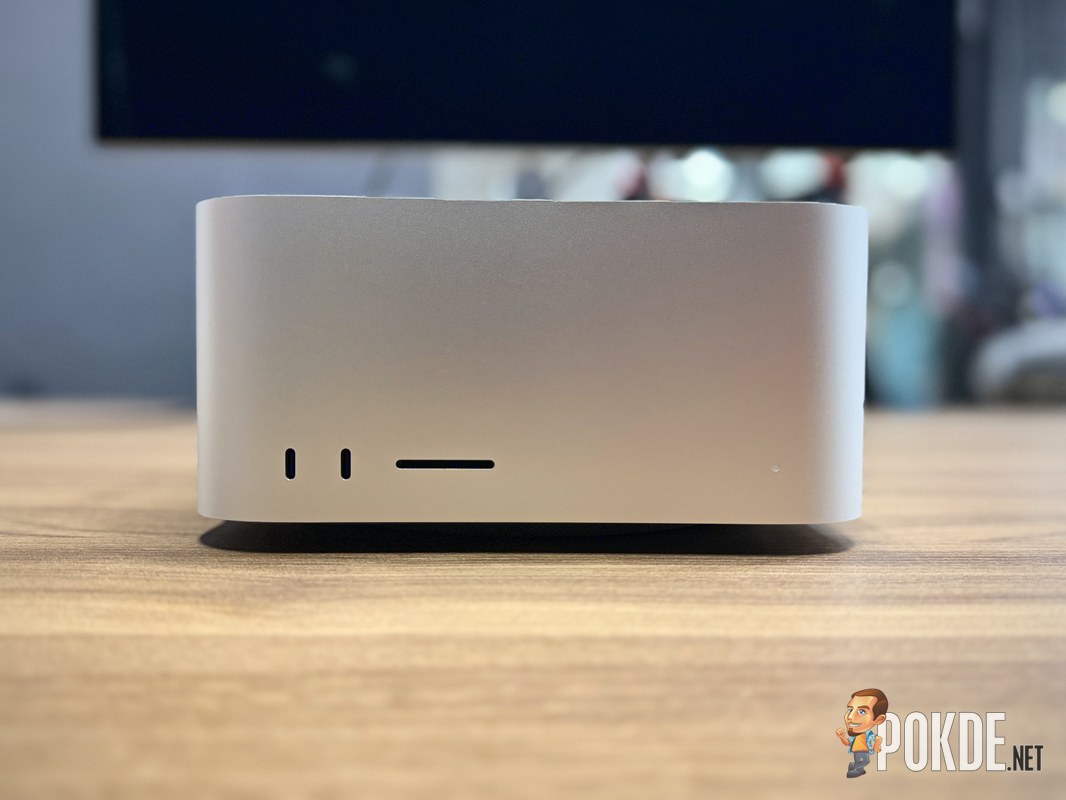
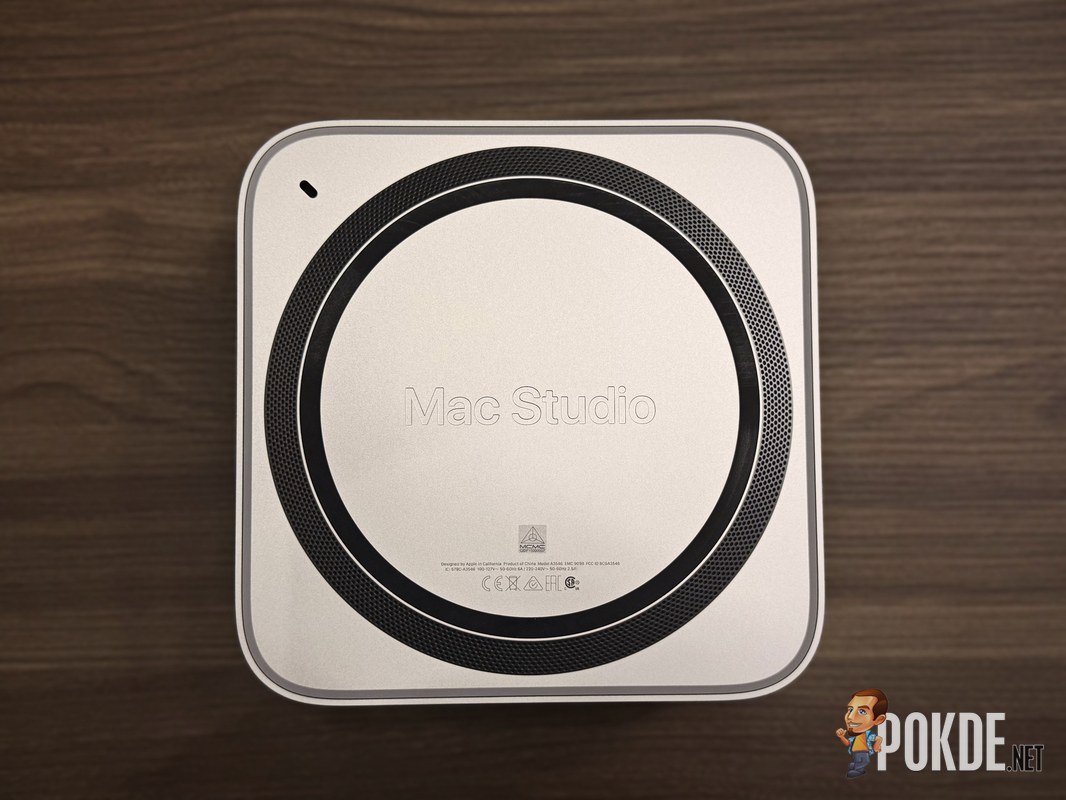
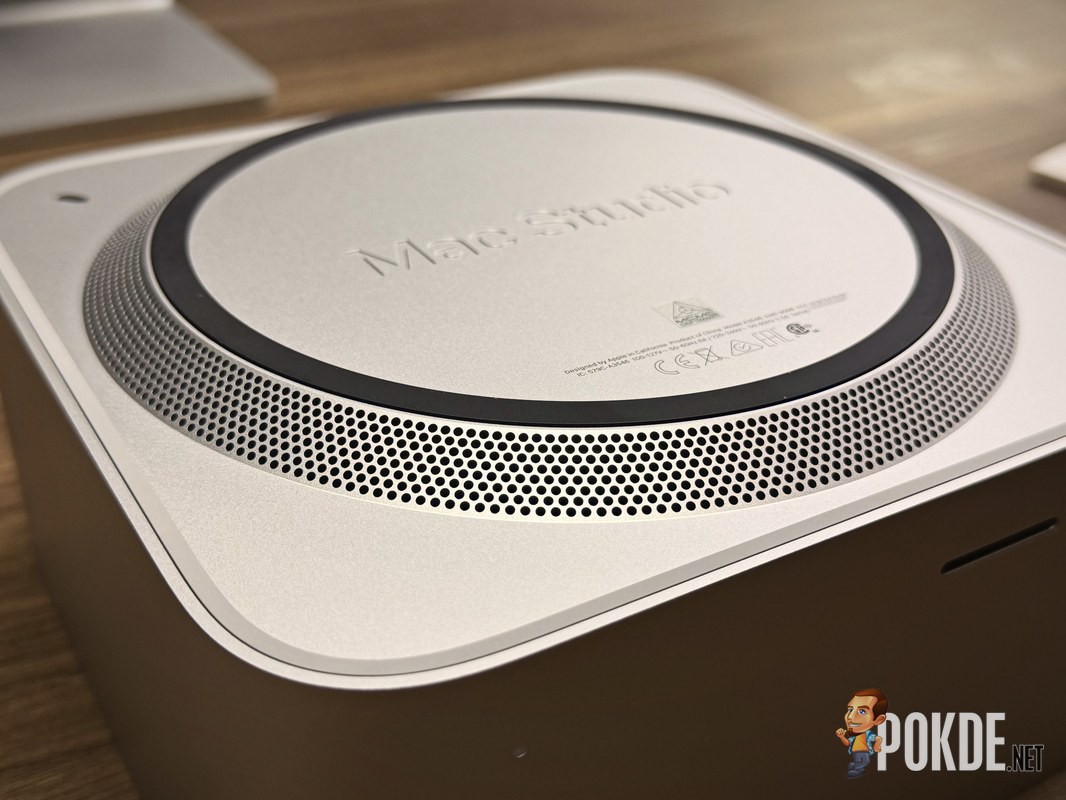
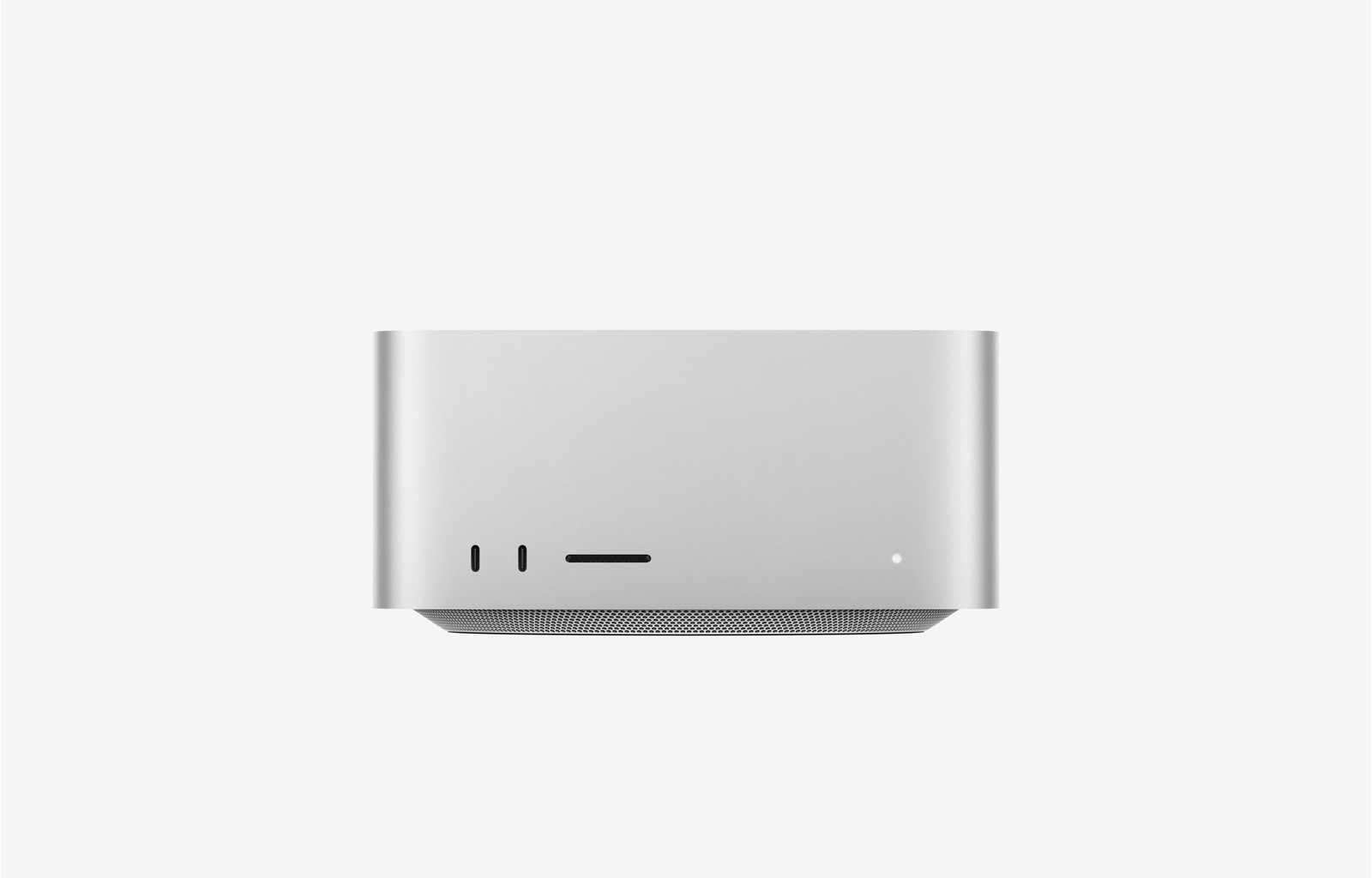
The chassis hasn’t changed. It’s the same 197 x 197 x 95 mm aluminium block, small enough to sit under a monitor, with the perforated intake ring on the base and the exhaust grille at the back. What has changed is the front. On the M5 Ultra, the two front USB-C ports are now Thunderbolt 5, joining the four at the back for a total of six. Alongside them on the front is the SDXC card slot and the status light.
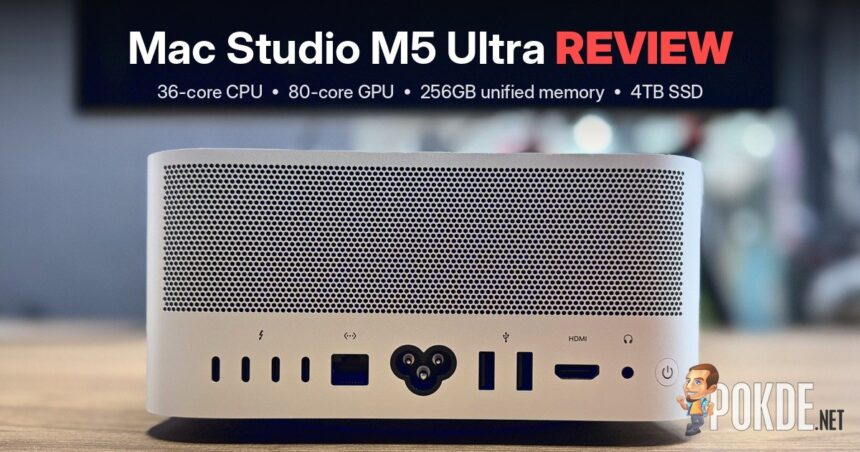
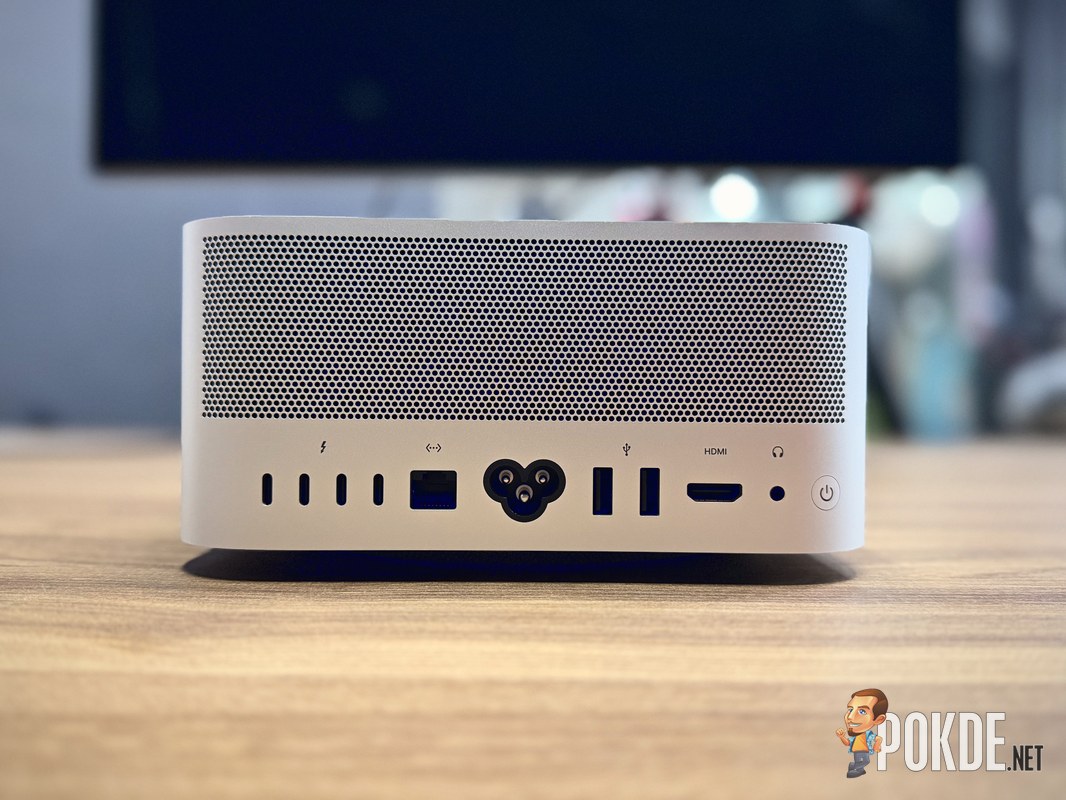
Around the back you get four Thunderbolt 5 ports, 10Gb Ethernet, two USB-A ports, HDMI 2.1, a 3.5mm headphone jack and the power button. Flip it over and you’ll find the Kensington lock slot near one corner of the base.
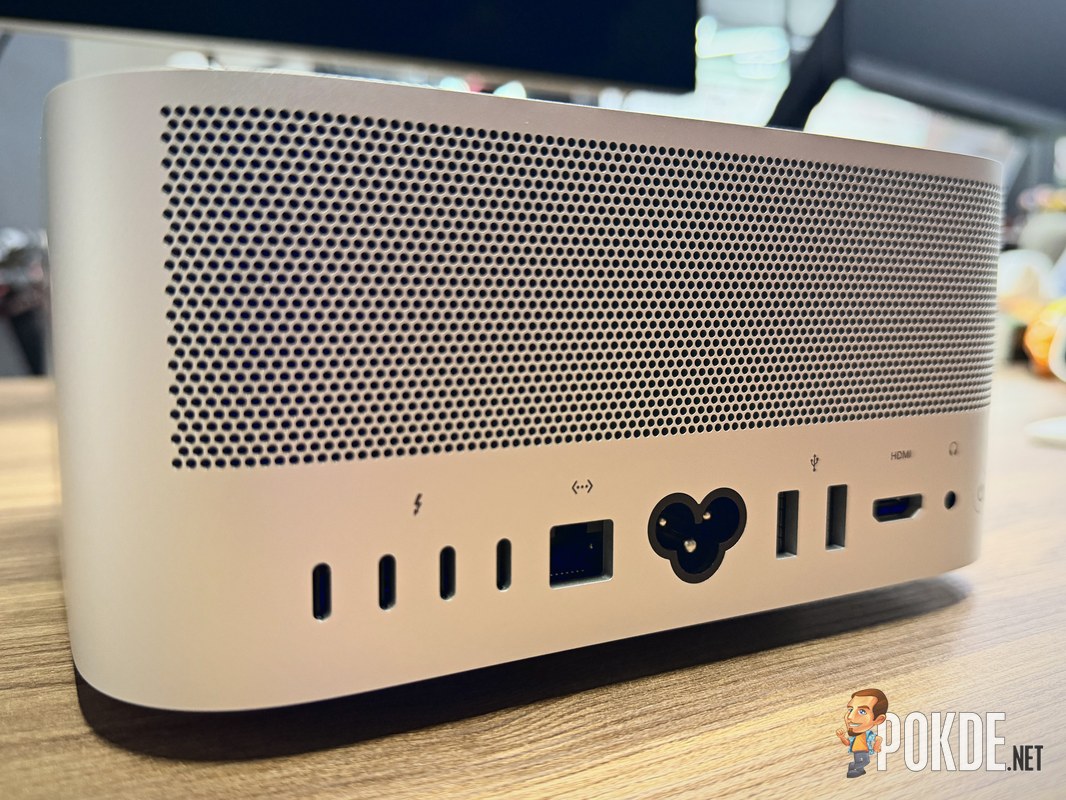
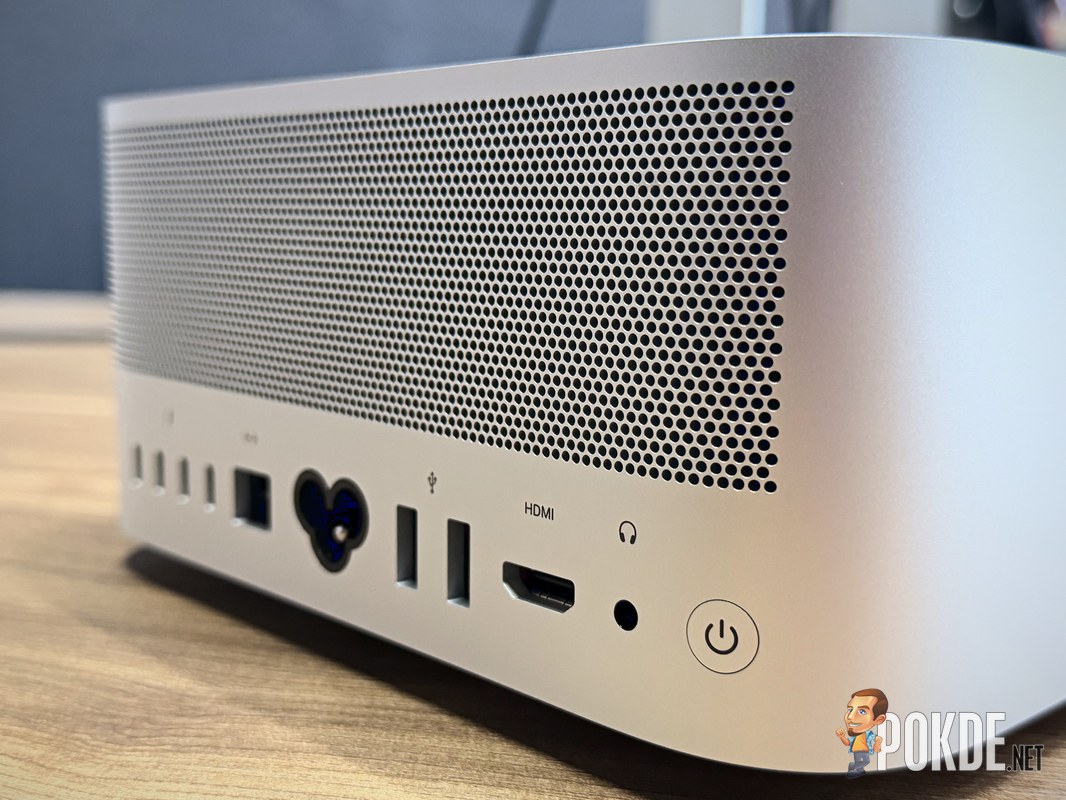
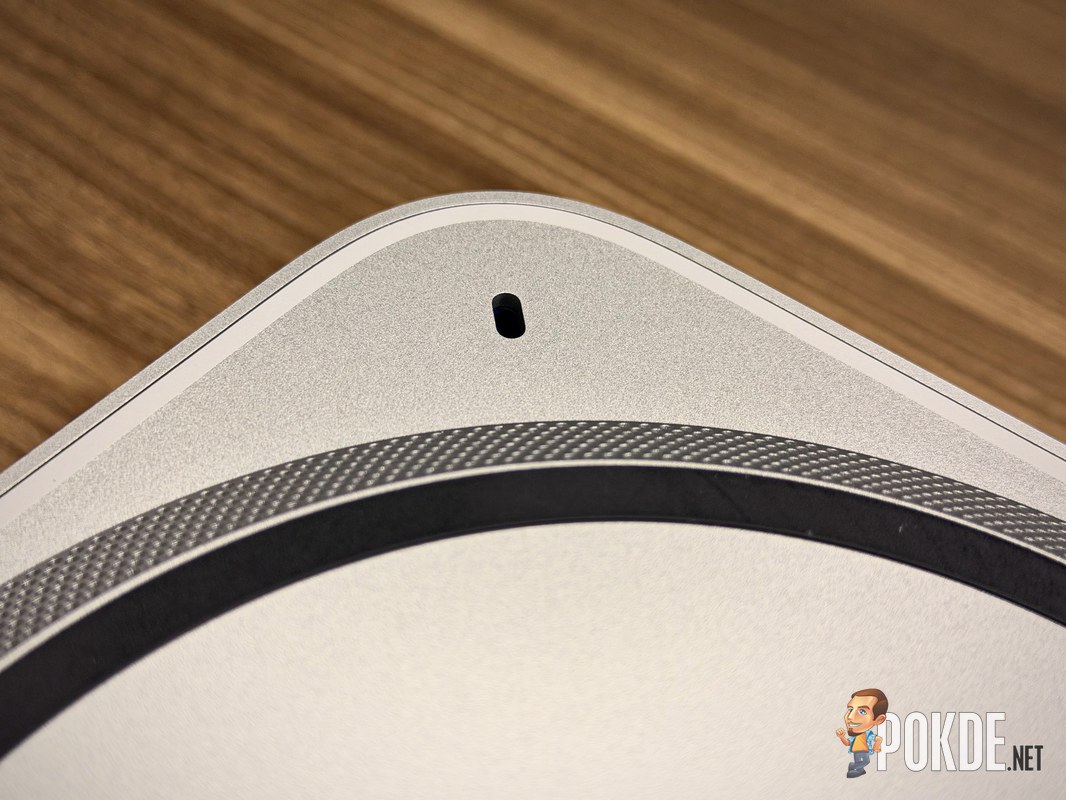
It has put on some weight, though. The M5 Ultra version now weighs 3.6kg, about 860g heavier than the 2.74kg Mac Studio M4 Max I’ve been using.
From the outside, nothing has changed, and honestly it hasn’t for a few generations now. I’m not complaining, though. It still looks good, and it sits on the desk more like a neat desktop accessory than the most powerful computer in the room.
Apple Mac Studio (M5 Ultra) Specifications
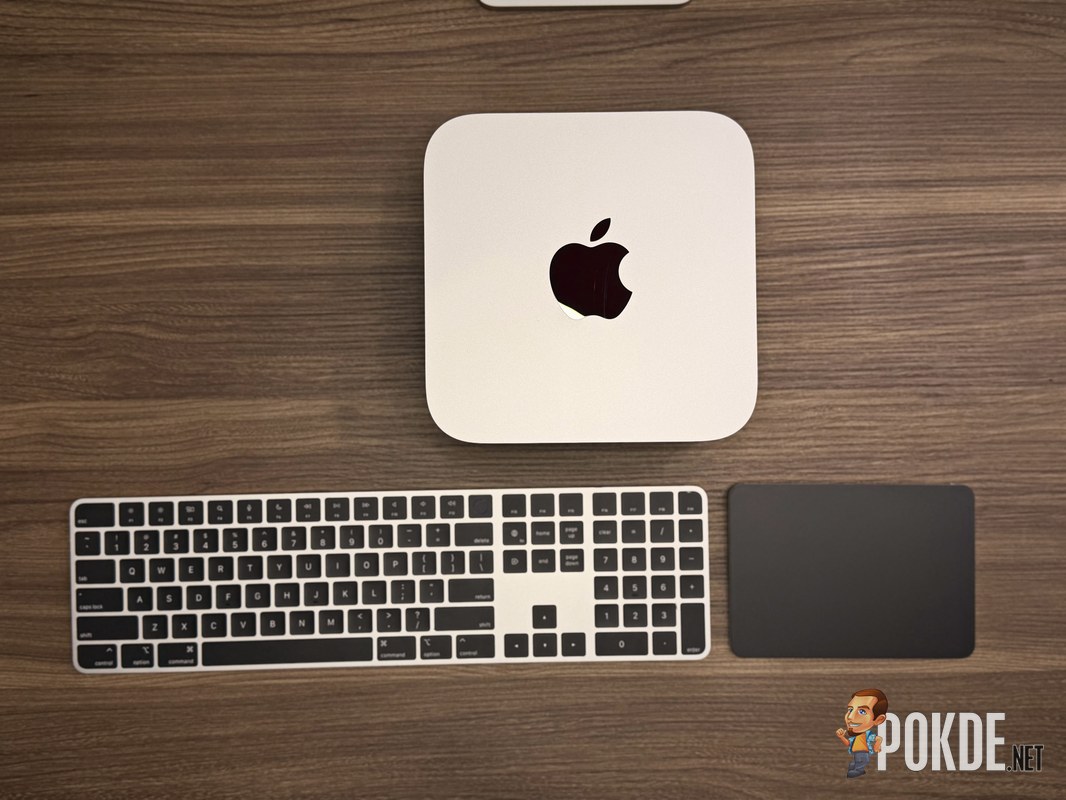
The Apple Mac Studio (M5 Ultra) is available in several configurations. Bolded options reflect the unit used in this review.
| Chip | Apple M5 Ultra 30-core CPU, 36-core CPU (12 super cores, 24 performance cores) 64-core GPU, 80-core GPU with Neural Accelerators Hardware-accelerated ray tracing 32-core Neural Engine |
| Memory | 96GB, 256GB, 512GB unified memory (512GB with the 36-core CPU only) 1.2TB/s memory bandwidth |
| Storage | 1TB, 2TB, 4TB, 8TB, 16TB SSD |
| Media Engine | Hardware-accelerated H.264, HEVC, ProRes and ProRes RAW Four ProRes encode and decode engines AV1 decode |
| Front ports | Two Thunderbolt 5 ports (up to 120Gb/s) SDXC card slot (UHS-II) |
| Rear ports | Four Thunderbolt 5 ports (up to 120Gb/s) 10Gb Ethernet Two USB-A ports (5Gb/s) HDMI 2.1 (up to 8K at 60Hz or 4K at 240Hz) 3.5mm headphone jack with support for high-impedance headphones |
| Display support | Up to eight external displays |
| Wireless | Wi-Fi 7 Bluetooth 6 |
| Audio | Built-in speaker |
| Operating system | macOS Golden Gate 27.2.1 (as tested) |
| Dimensions | 197 x 197 x 95 mm |
| Weight | 3.6kg |
| In the box | Mac Studio, power cord |
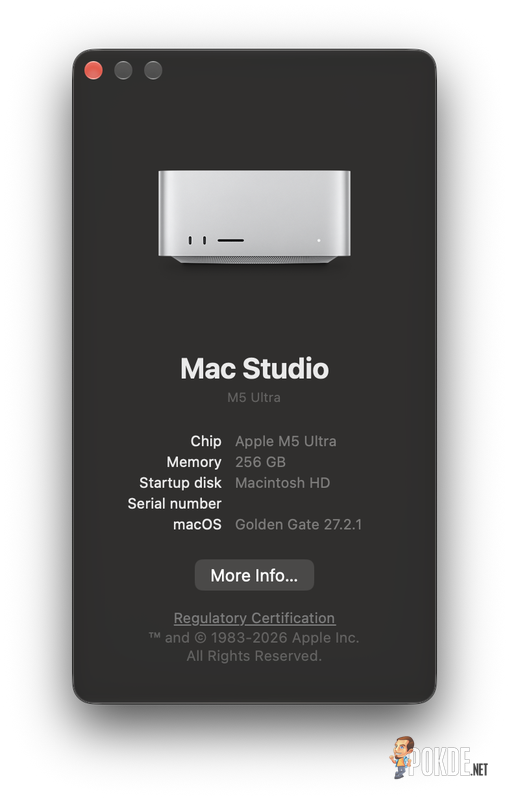
Apple Mac Studio (M5 Ultra) Performance
Every benchmark here ran on macOS Golden Gate 27.2.1, with the Apple Mac Studio (M5 Ultra) connected to a 60Hz display and nothing else open during each run. The figures for the MacBook Pro M5 Max and the Mac Studio (M4 Max) come from my earlier reviews of those machines. The local AI tests are the exception: I ran those again on the Mac Studio (M4 Max) for this review, with the same setup as the M5 Ultra.
CPU Performance
Cinebench 2026 CPU
Maxon Cinebench 2026 CPU tests. Higher is better.
Pokde.net official testing.
| Device | Multi-core | Single-thread |
|---|---|---|
| Apple Mac Studio (M5 Ultra) (36-core CPU, 80-core GPU) | 17,850 | 750 |
| ASUS ROG Strix G16 (G615LM) [Performance] (Core Ultra 9 290HX Plus + RTX 5060) | 7,998 | 572 |
| Apple Mac Studio (M4 Max 16-core CPU, 40-core GPU) | 7,934 | 715 |
| Apple MacBook Pro 16-inch (M5 Max 18-core CPU, 40-core GPU) | 7,925 | 733 |
| Apple MacBook Pro 16-inch PROLED XDR (M5 Pro 18-core CPU, 20-core GPU) | 7,662 | 738 |
| Apple Mac mini (A3534) (M6 12-core CPU, 12-core GPU) | 5,513 | 812 |
| Apple MacBook Pro 14-inch (M3 Max 14-core CPU, 30-core GPU) | 5,121 | 552 |
| Apple MacBook Pro 14-inch (M5 10-core CPU, 10-core GPU) | 4,382 | 736 |
Cinebench 2026 is where the 36 cores show what they can do. The Apple Mac Studio (M5 Ultra) scored 17,850 points in the multi-thread test and 750 in single-thread. That multi-thread score is about 2.25 times both the MacBook Pro M5 Max at 7,925 and the Mac Studio (M4 Max) at 7,934. On a single thread, the gap to the M5 Max is small, 750 against 733, since both use the same generation of cores. The Mac mini with the M6 actually tops that chart at 812, so the newer chip is quicker when only one core is doing the work.
When Boon saw the multi-core result, his reaction was two words I can’t print here, and I shared the same feeling. 17,850 points against a field that stops just short of 8,000 is a gap I rarely get to see.
The single-thread chart is the one that tells me where this is heading, though. The M6 in the Mac mini is already about 8 percent quicker per core than the M5 Ultra. If an M6 Ultra arrives with a similar core count, my bet is that it clears 19,000 points in this test. Call it a prediction for now, and I’ll be back on this chart to check it when that chip lands.
Cinebench 2024 CPU
Maxon Cinebench 2024 CPU tests. Higher is better.
Pokde.net official testing.
| Device | Multi-core | Single-core |
|---|---|---|
| Apple Mac Studio (M5 Ultra) (36-core CPU, 80-core GPU) | 3,073 | 205 |
| Apple Mac Studio (M4 Max 16-core CPU, 40-core GPU) | 2,085 | 190 |
| ASUS ROG Strix G16 (G615LM) [Performance] (Core Ultra 9 290HX Plus + RTX 5060) | 1,978 | 139 |
| ASUS ROG Strix G16 (G614FR) [Performance] (Ryzen 9 9955HX3D + RTX 5070 Ti) | 1,857 | 127 |
| MSI Titan 18 HX AI (A2XWJG) [Balanced] (Core Ultra 9 285HX + RTX 5090) | 1,844 | 129 |
| Apple MacBook Pro 16-inch PROLED XDR (M5 Pro 18-core CPU, 20-core GPU) | 1,614 | 193 |
| Apple MacBook Pro 16-inch (M5 Max 18-core CPU, 40-core GPU) | 1,499 | 198 |
| Apple Mac mini (A3534) (M6 12-core CPU, 12-core GPU) | 1,429 | 219 |
In Cinebench 2024, the Apple Mac Studio (M5 Ultra) scored 3,073 points in the multi-core test and 205 in single-core. The Mac Studio (M4 Max) scored 2,085 and 190 in the same tests, so the M5 Ultra is about 47 percent faster with every core working and around 8 percent faster on a single core. The M6 Mac mini edges it on a single core here too, at 219.
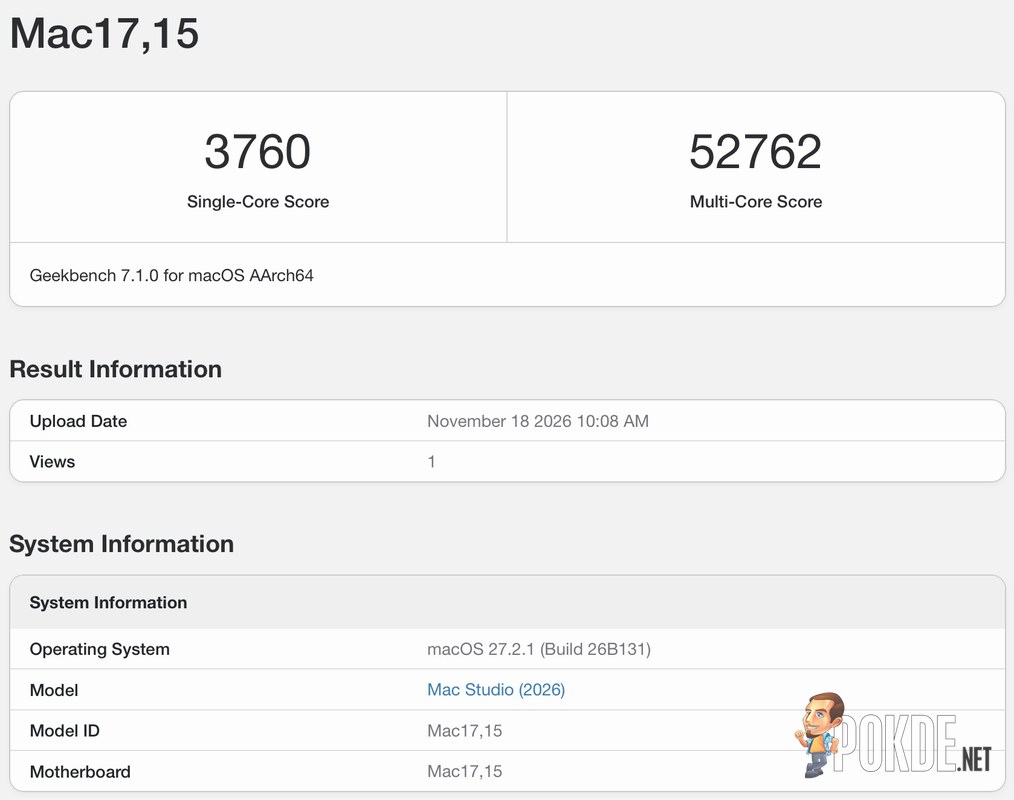
Geekbench 7.1 gave the Apple Mac Studio (M5 Ultra) 3,760 in single-core and 52,762 in multi-core. It reads the chip as 36 cores in two clusters of 12 and 24, with 256GB of memory, which matches my unit.
GPU Performance
Cinebench 2026 GPU
GPU test built on Maxon Cinema 4D’s Redshift engine, with a heavier workload than 2024. Higher is better.
Pokde.net official testing.
| Device | GPU |
|---|---|
| Apple Mac Studio (M5 Ultra) (36-core CPU, 80-core GPU) | 139,888 |
| Apple MacBook Pro 16-inch (M5 Max 18-core CPU, 40-core GPU) | 84,570 |
| Apple Mac Studio (M4 Max 16-core CPU, 40-core GPU) | 68,131 |
| ASUS ROG Strix G16 (G615LM) [Performance] (Core Ultra 9 290HX Plus + RTX 5060) | 46,054 |
| Apple MacBook Pro 16-inch PROLED XDR (M5 Pro 18-core CPU, 20-core GPU) | 43,945 |
| GIGABYTE AERO X16 (EG61H / 1WH) [Balance] (Ryzen AI 7 350 + RTX 5070) | 43,473 |
| Apple MacBook Pro 14-inch (M3 Max 14-core CPU, 30-core GPU) | 41,541 |
| Acer Predator Helios Neo 16 (PHN16-I31-71VG) [Balanced] (Core i7-14650HX + RTX 5050) | 39,432 |
In the Cinebench 2026 GPU test, the 80-core GPU scored 139,888 points, against 84,570 on the MacBook Pro M5 Max and 68,131 on the Mac Studio (M4 Max). That works out to about 1.65 times the M5 Max and a little over twice the M4 Max.
Cinebench 2024 GPU
GPU test built on Maxon Cinema 4D’s Redshift engine. Higher is better.
Pokde.net official testing.
| Device | GPU |
|---|---|
| Apple Mac Studio (M5 Ultra) (36-core CPU, 80-core GPU) | 32,139 |
| Apple MacBook Pro 16-inch (M5 Max 18-core CPU, 40-core GPU) | 20,220 |
| Apple Mac Studio (M4 Max 16-core CPU, 40-core GPU) | 16,094 |
| Apple MacBook Pro 14-inch (M3 Max 14-core CPU, 30-core GPU) | 10,991 |
| Apple MacBook Pro 16-inch PROLED XDR (M5 Pro 18-core CPU, 20-core GPU) | 10,221 |
| Apple Mac mini (A3534) (M6 12-core CPU, 12-core GPU) | 7,164 |
| Apple MacBook Pro 14-inch (M5 10-core CPU, 10-core GPU) | 5,779 |
| Apple MacBook Pro 14-inch (M4 10-core CPU, 10-core GPU) | 3,962 |
| Apple MacBook Air 15-inch (M3 8-core CPU, 10-core GPU) | 3,139 |
Cinebench 2024’s GPU test came in at 32,139 points. The MacBook Pro M5 Max scored 20,220 when I reviewed it and the Mac Studio (M4 Max) scored 16,094, which puts the M5 Ultra about 59 percent ahead of the M5 Max and roughly double the M4 Max.
3DMark Steel Nomad
Steel Nomad is the heavier test, Steel Nomad Light the lighter one. Higher is better.
Pokde.net official testing.
| Device | Steel Nomad | Steel Nomad Light |
|---|---|---|
| Apple Mac Studio (M5 Ultra) (36-core CPU, 80-core GPU) | 8,043 | 26,760 |
| MSI Titan 18 HX AI (A2XWJG) [Balanced] (Core Ultra 9 285HX + RTX 5090) | 5,423 | 23,013 |
| Apple MacBook Pro 16-inch (M5 Max 18-core CPU, 40-core GPU) | 4,296 | 17,665 |
| Apple Mac Studio (M4 Max 16-core CPU, 40-core GPU) | 3,757 | 14,759 |
| ASUS ROG Strix G16 (G614FR) [Performance] (Ryzen 9 9955HX3D + RTX 5070 Ti) | 3,622 | 17,210 |
| Apple MacBook Pro 14-inch (M3 Max 14-core CPU, 30-core GPU) | 2,829 | 11,250 |
| ASUS ROG Strix G16 (G615LM) [Performance] (Core Ultra 9 290HX Plus + RTX 5060) | 2,770 | 12,068 |
3DMark Solar Bay Extreme
Cross-platform ray tracing test. Higher is better.
Pokde.net official testing.
| Device | Solar Bay Extreme |
|---|---|
| Apple Mac Studio (M5 Ultra) (36-core CPU, 80-core GPU) | 27,213 |
| Apple MacBook Pro 16-inch (M5 Max 18-core CPU, 40-core GPU) | 16,371 |
| Apple Mac Studio (M4 Max 16-core CPU, 40-core GPU) | 11,955 |
| ASUS ROG Strix G16 (G615LM) [Performance] (Core Ultra 9 290HX Plus + RTX 5060) | 11,330 |
| GIGABYTE AERO X16 (EG61H / 1WH) [Balance] (Ryzen AI 7 350 + RTX 5070) | 9,579 |
| Acer Predator Helios Neo 16 (PHN16-I31-71VG) [Balanced] (Core i7-14650HX + RTX 5050) | 8,961 |
| Apple MacBook Pro 16-inch PROLED XDR (M5 Pro 18-core CPU, 20-core GPU) | 8,656 |
| Apple Mac mini (A3534) (M6 12-core CPU, 12-core GPU) | 5,667 |
| Apple MacBook Pro 14-inch (M5 10-core CPU, 10-core GPU) | 4,154 |
In 3DMark, it scored 8,043 in Steel Nomad at an average of 80.4fps, and 26,760 in Steel Nomad Light at 198.2fps. The MacBook Pro M5 Max scored 4,296 and 17,665 in the same two tests, and the Mac Studio (M4 Max) 3,757 and 14,759, so the M5 Ultra is about 1.9 times the M5 Max in Steel Nomad and 1.5 times in the lighter test. Solar Bay Extreme, the ray tracing test, came in at 27,213 with an average of 190.3fps, against 16,371 on the MacBook Pro M5 Max and 11,955 on the Mac Studio (M4 Max). The first few seconds of that run were held at around 60fps, which matches the 60Hz refresh rate of the display it was connected to, before the frame rate jumped to around 200fps for the rest of the test. A second run showed the same pattern and scored 25,779, so I’m using the first result.
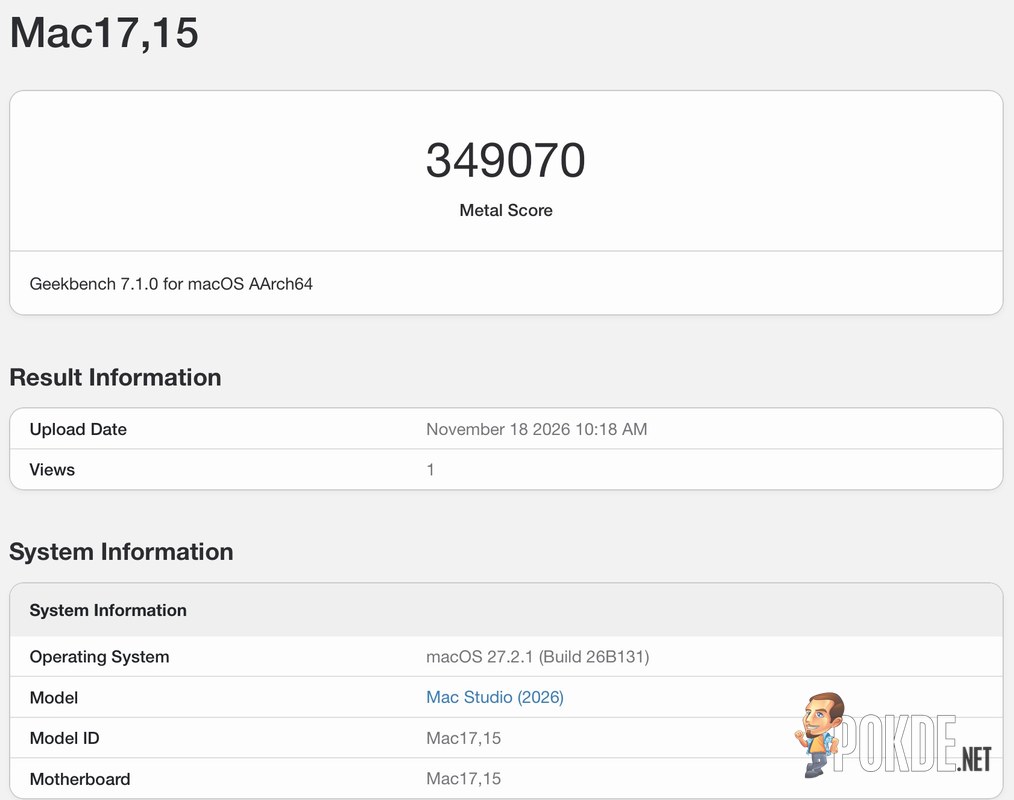
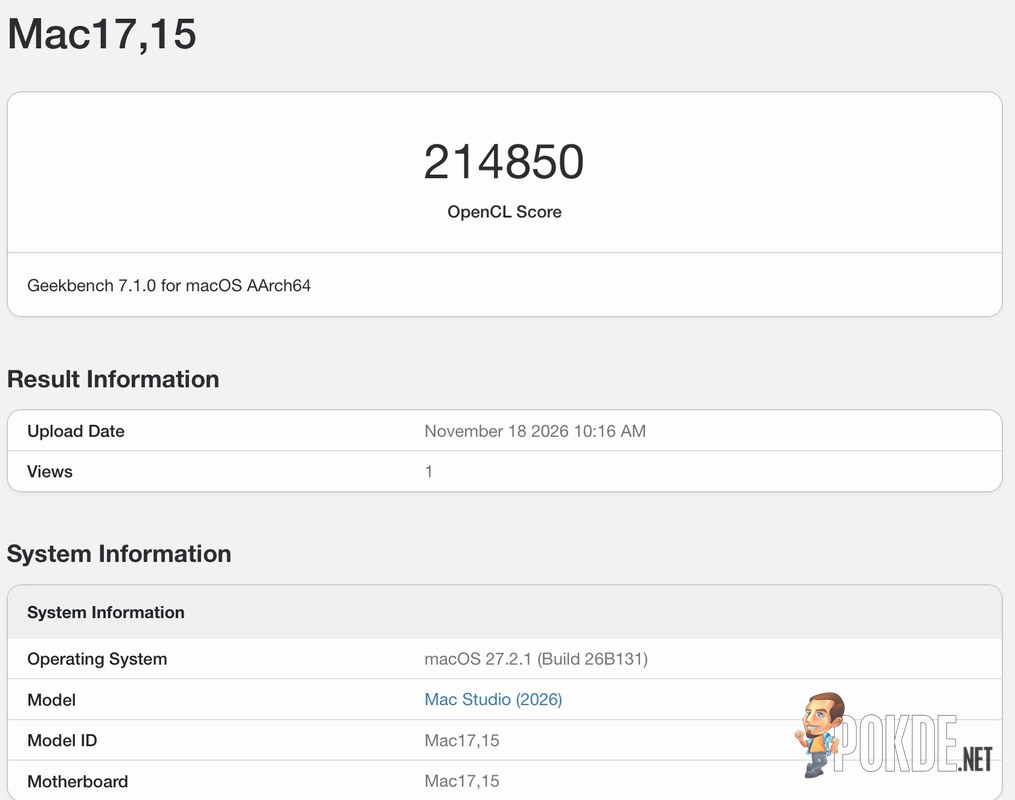
In the Geekbench 7.1 GPU compute test, the 80-core GPU scored 349,070 with Metal and 214,850 with OpenCL. Metal is Apple’s own graphics API and what Mac apps are built on today. OpenCL is an older cross-platform standard that Apple has deprecated, and its score here is about 38 percent lower, so it only matters if you still rely on older software that uses it.
Rendering
| Test | CPU | GPU |
|---|---|---|
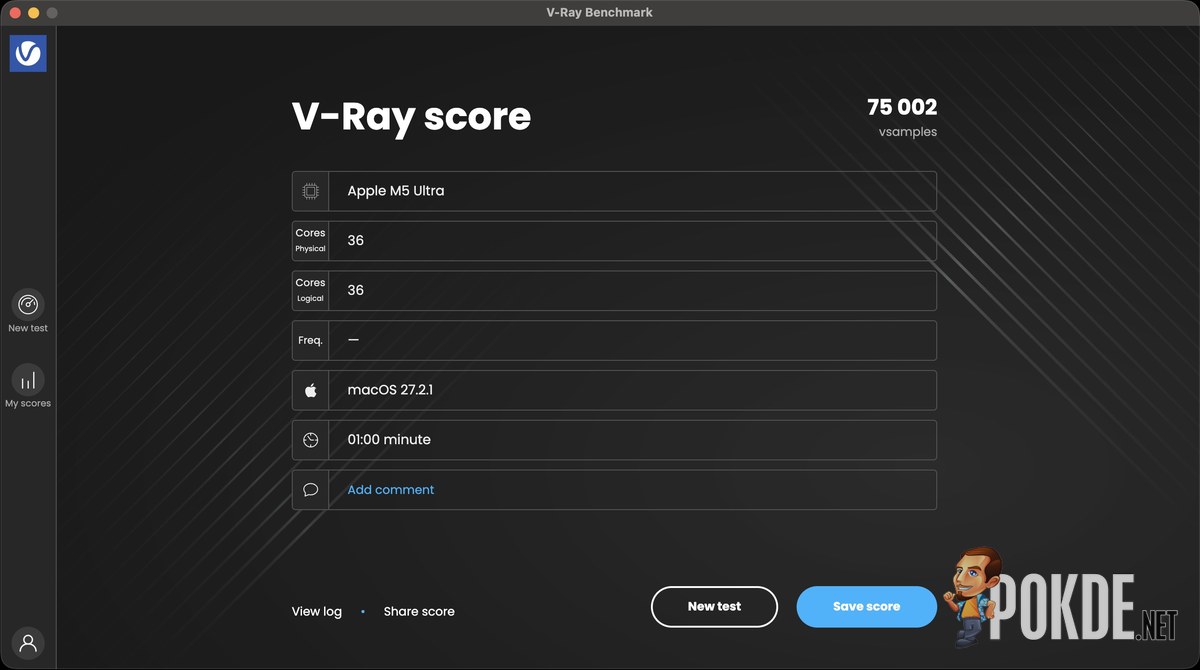
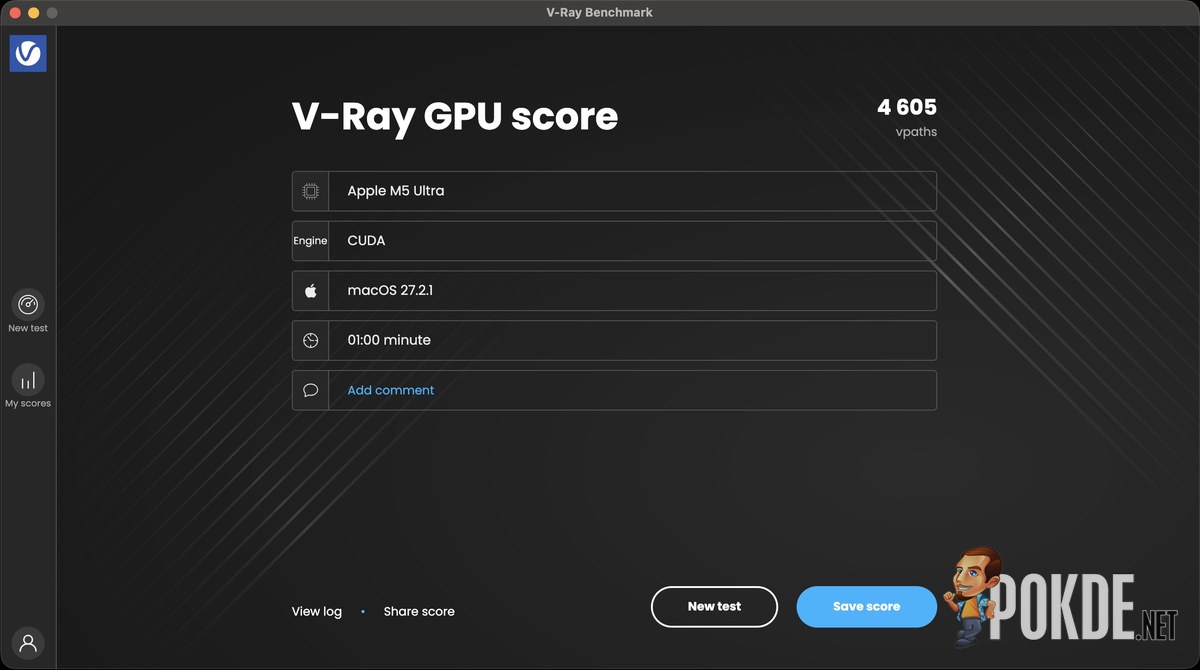
| V-Ray Benchmark | 75,002 vsamples | 4,605 vpaths |
For rendering, I ran the V-Ray Benchmark and the Blender Benchmark. Both V-Ray tests run for one minute each. The CPU test used all 36 cores and returned 75,002 vsamples, while the GPU test scored 4,605 vpaths.
| Test | CPU | GPU |
|---|---|---|
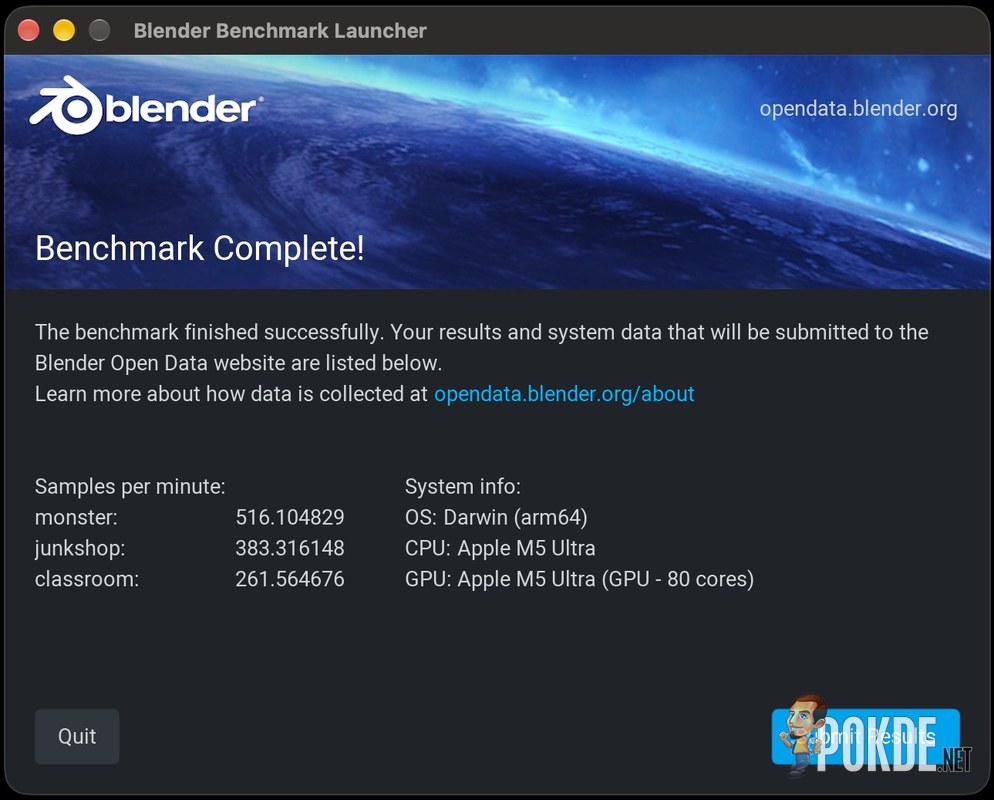
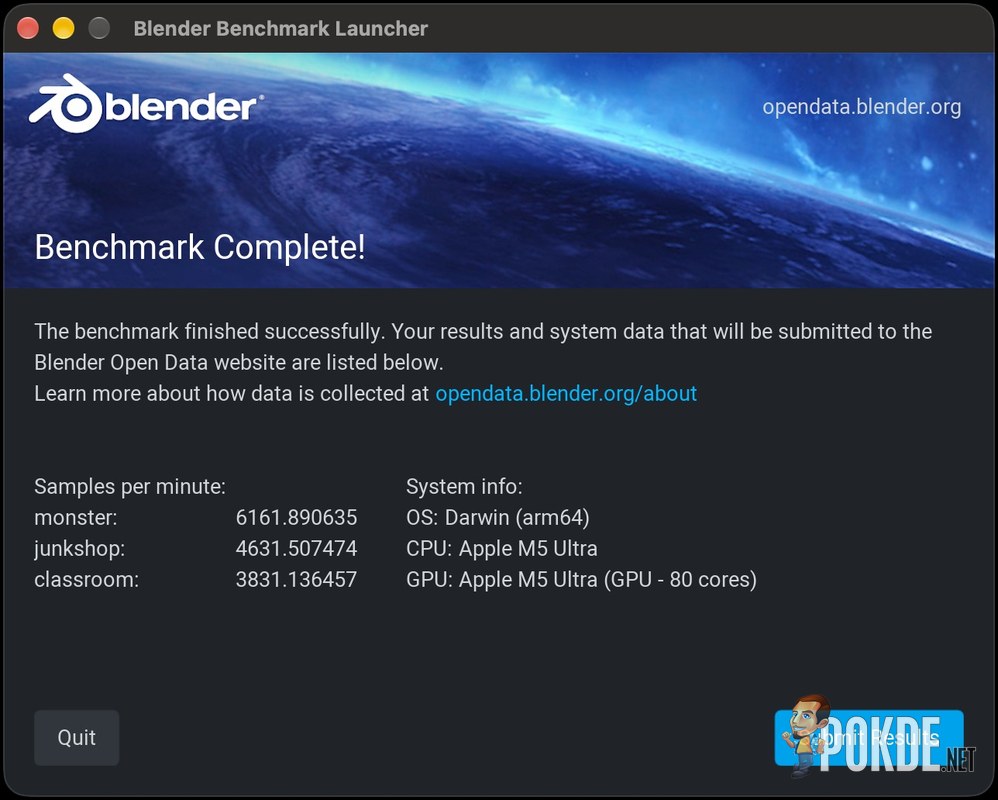
| Blender Benchmark (monster) | 516.1 samples per minute | 6,161.9 samples per minute |
| Blender Benchmark (junkshop) | 383.3 samples per minute | 4,631.5 samples per minute |
| Blender Benchmark (classroom) | 261.6 samples per minute | 3,831.1 samples per minute |
The Blender Benchmark renders three scenes and reports how many samples per minute it gets through. On the CPU, the Apple Mac Studio (M5 Ultra) managed 516.1 in monster, 383.3 in junkshop and 261.6 in classroom.
Switching the Blender Benchmark to the 80-core GPU changes the picture completely. It rendered 6,161.9 samples per minute in monster, 4,631.5 in junkshop and 3,831.1 in classroom, which works out to roughly 12 to 15 times the CPU results across the three scenes. If you render in Blender on this machine, the GPU is the one to use.
AI Benchmarks
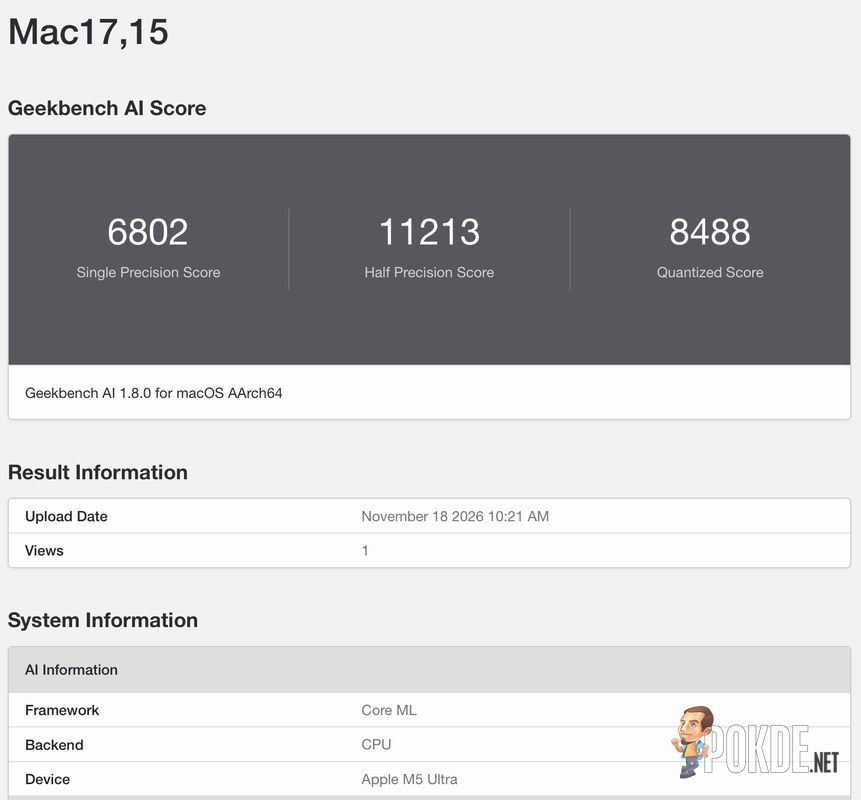
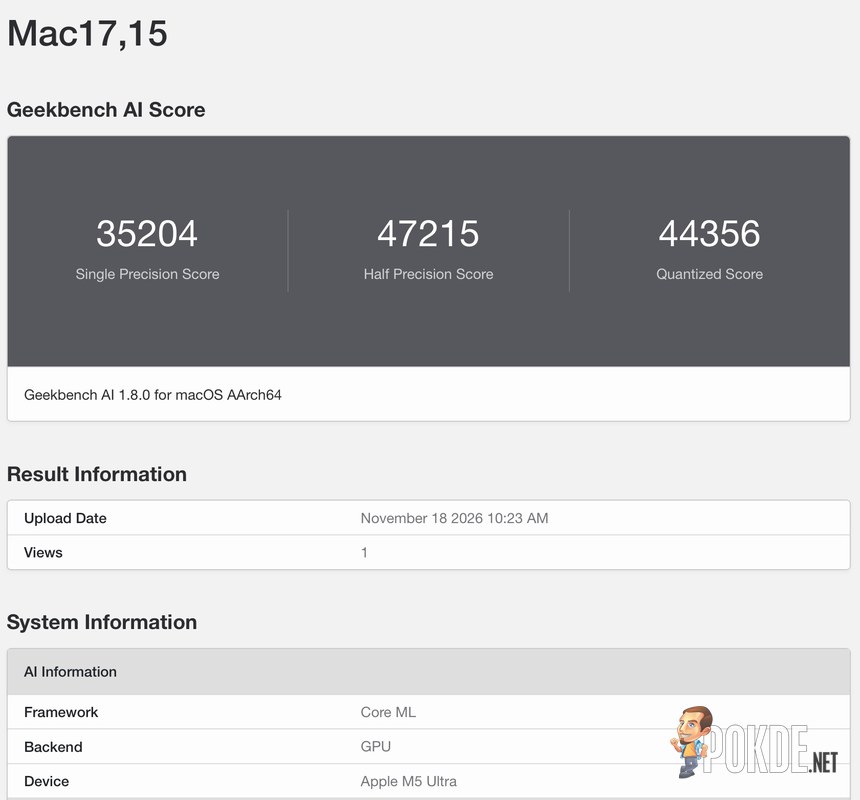
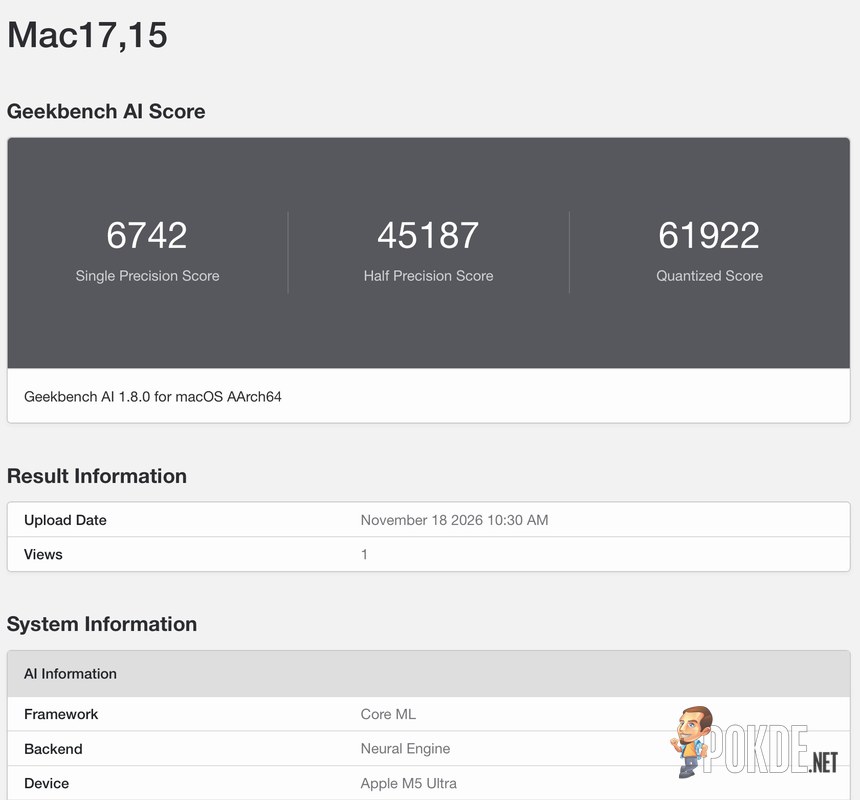
Geekbench AI 1.8 runs the same set of AI workloads through Core ML on whichever part of the chip you pick, so I ran it three times, once each on the CPU, the GPU and the Neural Engine. Every run gives three scores, for single precision, half precision and quantized models.
| Backend | Single precision | Half precision | Quantized |
|---|---|---|---|
| CPU | 6,802 | 11,213 | 8,488 |
| GPU | 35,204 | 47,215 | 44,356 |
| Neural Engine | 6,742 | 45,187 | 61,922 |
The GPU is the one to use for single precision work, scoring more than five times what the CPU or the Neural Engine manage. At half precision, the GPU and the Neural Engine are close, 47,215 against 45,187. Quantized models are where the Neural Engine pulls ahead, with 61,922 to the GPU’s 44,356. Most local LLM tools, including the MLX setup I used further down, run on the GPU, which is also where the Neural Accelerators sit.
Overall System Performance
Novabench
Total of the CPU, GPU, memory and storage scores. Use the buttons to see each part on its own. Higher is better.
Pokde.net official testing. Totals leave out the Neural Engine test, which the older results don’t have.
| Device | CPU | GPU | Memory | Storage | Total |
|---|---|---|---|---|---|
| Apple Mac Studio (M5 Ultra) (36-core CPU, 80-core GPU) | 6,424 | 1,648 | 858 | 932 | 9,862 |
| MSI Titan 18 HX AI (A2XWJG) [Balanced] (Core Ultra 9 285HX + RTX 5090) | 3,571 | 2,568 | 374 | 338 | 6,851 |
| ASUS ROG Strix G16 (G614FR) [Performance] (Ryzen 9 9955HX3D + RTX 5070 Ti) | 4,190 | 1,557 | 472 | 475 | 6,694 |
| Apple MacBook Pro 16-inch (M5 Max 18-core CPU, 40-core GPU) | 3,362 | 832 | 788 | 916 | 5,898 |
| Apple MacBook Pro 16-inch PROLED XDR (M5 Pro 18-core CPU, 20-core GPU) | 3,436 | 420 | 650 | 907 | 5,413 |
| ASUS ROG Strix G16 (G615LM) [Performance] (Core Ultra 9 290HX Plus + RTX 5060) | 3,457 | 921 | 340 | 495 | 5,213 |
| ASUS ROG Flow Z13 (GZ302) [Performance] (Ryzen AI Max+ 395 + Radeon 8060S) | 3,460 | 557 | 544 | 441 | 5,002 |
| Apple Mac Studio (M4 Max 16-core CPU, 40-core GPU) | 2,489 | 811 | 817 | 683 | 4,800 |
Novabench scored the Apple Mac Studio (M5 Ultra) 6,424 for the CPU, 1,648 for the GPU, 858 for memory and 932 for storage, for a total of 9,862. This version of Novabench also tests the Neural Engine, which adds 62 points for an overall 9,924, but the older results I’m comparing against don’t have that test, so I’m using 9,862. That is well ahead of the MacBook Pro M5 Max at 5,898 and the Mac Studio (M4 Max) at 4,800, with the GPU score nearly doubling the M5 Max’s 832.
SSD Performance
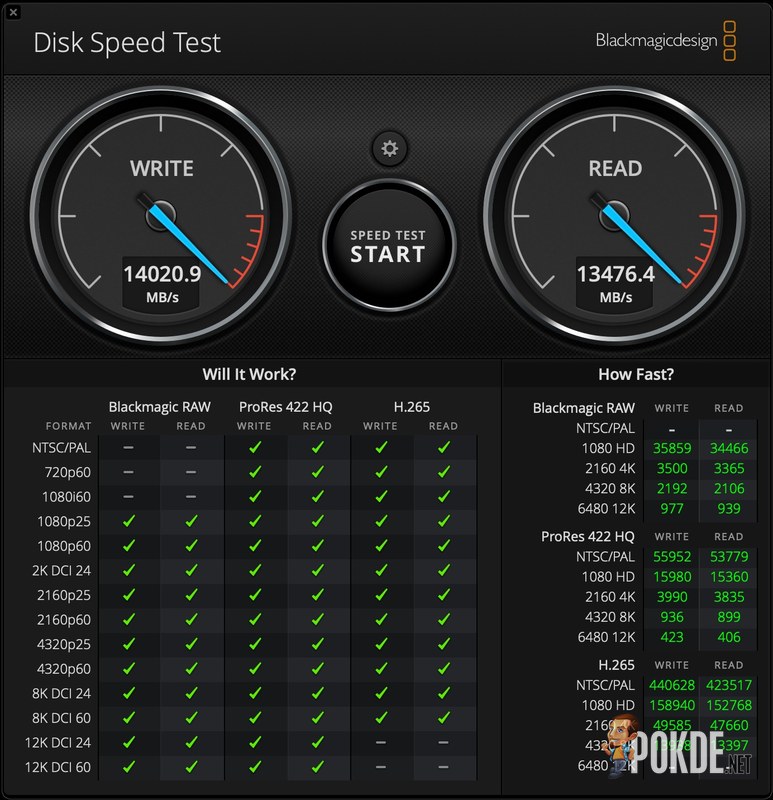
I ran Blackmagic Disk Speed Test on the internal 4TB SSD. It recorded 14,020.9MB/s write and 13,476.4MB/s read, with writes slightly ahead of reads. In the test’s Will It Work chart, every Blackmagic RAW and ProRes 422 HQ format up to 12K DCI at 60fps gets a tick for both write and read. Novabench’s storage test came out almost the same, at 13,449MB/s sequential write and 13,159MB/s read.
Apple Mac Studio (M5 Ultra) And Local AI: What 256GB Of Unified Memory Unlocks
To keep things comparable, I used the same benchmark prompt from my MacBook Pro M5 Max review. Every model is asked to build a complete interactive particle physics simulation in HTML, with gravity, wall collisions, mouse repulsion, a live FPS and energy readout, speed-based colours and three sliders. The model has to reason through the whole thing and write a long block of code that actually runs, which tells me a lot more than a quick question and answer would.
Every model ran locally on the Apple Mac Studio (M5 Ultra) itself, served through an MLX server with Claude Code pointed at it. Every token was generated on the machine, with nothing sent to the cloud. The runs were scripted, started remotely, and nobody touched the machine until the last model was done. The Mac Studio was on macOS Golden Gate 27.2.1 throughout.
To see how big a step up this is, I ran the exact same models, prompt and scripted setup on my own Mac Studio (M4 Max), which has a 16-core CPU, a 40-core GPU and 128GB of unified memory, on the same macOS build. That gives a direct comparison against the previous generation of Mac Studio, with nothing changed except the machine.
Generation speed comes straight from the server’s own log, which counts every token each model produced. GPU power and clock speed come from macOS’s powermetrics, sampled roughly every three seconds for the full length of every run. Keep in mind that powermetrics is a chip-level reading, so it shows what the GPU itself was drawing, not what the whole Mac Studio pulled from the wall.
The Models
I brought back the four models from the MacBook Pro M5 Max review and added a newer 8-bit model to the mix:
| Model | Parameters | Quantization |
|---|---|---|
| Gemma 4 31B | 31B | 4-bit |
| Qwen2.5 Coder 32B | 32B | 4-bit |
| Qwen3.5 122B | 122B | 4-bit |
| Llama 3.3 70B | 70B | 8-bit |
| Qwen 3.8 27B | 27B | 8-bit |
I also tried Muse Glimmer 30B, but it’s a vision-language model and it simply doesn’t work with a text-only pipeline like this one. It ran without crashing and then echoed the prompt back as garbage, so I’ve left it out of the results. It needs a different pipeline, so that result tells you nothing about the Mac Studio.
The Results
On the Apple Mac Studio (M5 Ultra), every model completed the task and produced a working simulation, sliders, FPS counter and all.
| Model | Time to finish | Tokens generated | Generation speed | Peak memory in use |
|---|---|---|---|---|
| Qwen3.5 122B (4-bit) | 35s | 2,837 | 87.7 tok/s | 93.7GB |
| Qwen2.5 Coder 32B (4-bit) | 28s | 1,159 | 45.4 tok/s | 43.7GB |
| Gemma 4 31B (4-bit) | 71s | 2,754 | 40.6 tok/s | 43.4GB |
| Qwen 3.8 27B (8-bit) | 197s | 5,354 | 27.5 tok/s | 52.5GB |
| Llama 3.3 70B (8-bit) | 100s | 1,193 | 12.3 tok/s | 99.1GB |
Peak memory in use is the total for the whole system at the busiest point of each run, so it includes macOS itself, not just the model.
The standout is Qwen3.5 122B. It is a 122-billion parameter model, and it finished the whole simulation in 35 seconds at 87.7 tokens per second on a compact desktop. Llama 3.3 70B at 8-bit is the opposite end of the chart at 12.3 tokens per second, but it finished in 100 seconds while using about 99GB of memory, which is a lot of headroom to have left over on a 256GB machine. Qwen 3.8 27B took the longest at 197 seconds, and that’s down to how much it thinks before it answers. It generated 5,354 tokens, most of them reasoning, for a final answer of about 6,400 characters.
Apple Mac Studio (M5 Ultra) vs Mac Studio (M4 Max)
Local LLM speed and GPU power: Apple Mac Studio (M5 Ultra) vs Mac Studio (M4 Max)
Generation speed from the MLX server log (thick bars) and typical GPU power from powermetrics (thin bars). Use the buttons to show one machine at a time.
Pokde.net official testing, November 2026. M5 Ultra: 36-core CPU, 80-core GPU, 256GB. M4 Max: 16-core CPU, 40-core GPU, 128GB. Both on macOS Golden Gate 27.2.1, same prompt and test harness. GPU power is a chip-level reading, not power at the wall.
| Model | M5 Ultra speed (tokens per second) | M5 Ultra typical GPU power (W) | M4 Max speed (tokens per second) | M4 Max typical GPU power (W) |
|---|---|---|---|---|
| Qwen3.5 122B (4-bit) | 87.7 | 39 | 60.9 | 25 |
| Qwen2.5 Coder 32B (4-bit) | 45.4 | 37 | 24.1 | 31 |
| Gemma 4 31B (4-bit) | 40.6 | 41 | 22.3 | 32 |
| Qwen 3.8 27B (8-bit) | 27.5 | 13 | 16.4 (did not finish) | 26 |
| Llama 3.3 70B (8-bit) | 12.3 | 15 | 6.5 | 28 |
| Model | M5 Ultra time | M4 Max time | M5 Ultra speed | M4 Max speed | M5 Ultra advantage |
|---|---|---|---|---|---|
| Qwen3.5 122B (4-bit) | 35s | 51s | 87.7 tok/s | 60.9 tok/s | 1.4x |
| Qwen2.5 Coder 32B (4-bit) | 28s | 61s | 45.4 tok/s | 24.1 tok/s | 1.9x |
| Gemma 4 31B (4-bit) | 71s | 119s | 40.6 tok/s | 22.3 tok/s | 1.8x |
| Qwen 3.8 27B (8-bit) | 197s | Did not finish | 27.5 tok/s | 16.4 tok/s | 1.7x |
| Llama 3.3 70B (8-bit) | 100s | 199s | 12.3 tok/s | 6.5 tok/s | 1.9x |
Against my Mac Studio (M4 Max), the Apple Mac Studio (M5 Ultra) generated text 1.4 to 1.9 times faster on every model, and finished every run in roughly half to two-thirds of the time. The gap is smallest on Qwen3.5 122B and largest on Qwen2.5 Coder 32B and Llama 3.3 70B. The M5 Ultra has a little over twice the memory bandwidth, 1.2TB/s against 546GB/s, and none of the models got the full 2x, so bandwidth isn't the only thing setting the pace.
Qwen 3.8 27B is the one model the M4 Max couldn't finish within the 20-minute limit, and the server log shows why. The M4 Max wasn't stuck. It produced a complete answer of 8,246 tokens in 510 seconds at 16.4 tokens per second, but by then the coding client had stopped waiting and sent the request again. The retries ran into the same wall, so no answer ever made it back. The M5 Ultra got its answer out in 197 seconds, well within that window.
Llama 3.3 70B at 8-bit is worth a mention too. It failed to finish on the 128GB machines I tested in earlier reviews, but those were run differently, through a coding agent with tools enabled. With this simpler, scripted setup, it completed on both Mac Studios, in 100 seconds on the M5 Ultra and 199 seconds on the M4 Max.
Power Draw While Generating
GPU power through each run: Apple Mac Studio (M5 Ultra) vs Mac Studio (M4 Max)
Both machines replayed side by side at 25x speed, sampled by powermetrics every 2 to 3 seconds. Hover or tap a chart to read the values. Dashed lines mark each machine's typical GPU power.
Pokde.net official testing, November 2026. M5 Ultra: 36-core CPU, 80-core GPU, 256GB. M4 Max: 16-core CPU, 40-core GPU, 128GB. Both on macOS Golden Gate 27.2.1, same prompt and test harness. GPU power is a chip-level reading, not power at the wall. Qwen 3.8 27B (8-bit) on the M4 Max was stopped at the 20-minute limit; only its first 200 seconds are shown.
| Model | M5 Ultra run length (s) | M5 Ultra typical GPU power (W) | M5 Ultra peak sample (W) | M4 Max run length (s) | M4 Max typical GPU power (W) | M4 Max peak sample (W) |
|---|---|---|---|---|---|---|
| Qwen3.5 122B (4-bit) | 35 | 39 | 105 | 51 | 25 | 61 |
| Qwen2.5 Coder 32B (4-bit) | 28 | 37 | 57 | 61 | 31 | 75 |
| Gemma 4 31B (4-bit) | 71 | 41 | 106 | 119 | 32 | 79 |
| Qwen 3.8 27B (8-bit) | 197 | 13 | 88 | Did not finish in 1,200 | 26 | 65 |
| Llama 3.3 70B (8-bit) | 100 | 15 | 68 | 199 | 28 | 68 |
With the 4-bit models, the GPU settled at a steady 37 to 41W for practically the entire run, with the GPU clock sitting between roughly 1.3 and 1.6GHz. There are a few short spikes, the highest at around 106W, but each one shows up in a single sample and drops straight back down. That puts a 122B model at close to 90 tokens per second on around 40W of GPU power, about what a bright desk lamp draws.
The 8-bit models behave completely differently. Llama 3.3 70B and Qwen 3.8 27B both jumped up briefly while processing the prompt, then sat at just 13 to 15W for the rest of the run, with the GPU clock hovering around 750MHz. The GPU barely worked on those two, so the lower 8-bit speeds have little to do with raw GPU power.
The M4 Max behaves differently. Its GPU clock stayed at 1,578MHz, the highest it reported, through every run, and its typical GPU power sat between 25 and 32W no matter which model was loaded, including 26 to 28W on the two 8-bit models. On those 8-bit models, the M5 Ultra was close to twice as fast while drawing about half the GPU power. On the 4-bit models it draws more, 37 to 41W against 25 to 32W, in exchange for the extra speed.
Dividing speed by power gives a rough idea of efficiency. The M5 Ultra gets more tokens out of each watt on four of the five models, by the widest margin on Llama 3.3 70B, at 0.82 tokens per second per watt against 0.23. Qwen3.5 122B is the exception, where the M4 Max does slightly better at 2.5 against 2.2.
Long Prompts
Short prompts only tell half the story. In real work, you paste in a long document, a codebase or a pile of chat logs and ask questions about it, and that's where the wait before the first word starts to hurt. So I built the Pokde Long Context Test: two made-up customer support ticket logs, one about 8,000 tokens long and one about 30,000, with facts planted at known points. Each log hides three priority tickets with code words, placed roughly 10, 52 and 91 percent of the way through, plus a product and status combination to count and a customer who keeps coming back. Every model has to find all of them, and each correct answer is worth one point, for a score out of five.
Each run used a freshly started MLX server, temperature 0 and a limit of 2,048 output tokens, with the prompt sent straight to the server. For the two reasoning models, I later raised that limit to 16,384 tokens, for reasons I'll get to below. I ran exactly the same test, with the same prompt files, on my Mac Studio (M4 Max) on the same macOS build.
Time to first token with long prompts: Apple Mac Studio (M5 Ultra) vs Mac Studio (M4 Max)
How long each model takes to start answering after reading an 8,000 or 30,000-token document. Lower is better. Accuracy is shown for each machine where the two differ.
Pokde.net official testing, November 2026. Pokde Long Context Test v1, fresh MLX server per run, temperature 0, same macOS build on both machines. Gemma 4 31B is left out because it gave no visible answer on either machine. Accuracy for Qwen3.5 122B and Qwen 3.8 27B comes from a re-run with a 16,384-token output limit.
| Model | Prompt size | M5 Ultra time to first token (s) | M4 Max time to first token (s) | Accuracy |
|---|---|---|---|---|
| Qwen3.5 122B (4-bit) | 8k tokens | 4.1 | 16.3 | 5/5 on both |
| Qwen3.5 122B (4-bit) | 30k tokens | 16.3 | 66.1 | M5 Ultra 4/5, M4 Max no final answer |
| Qwen 3.8 27B (8-bit) | 8k tokens | 6.3 | 32.3 | 5/5 on both |
| Qwen 3.8 27B (8-bit) | 30k tokens | 23.8 | 128.0 | No final answer |
| Qwen2.5 Coder 32B (4-bit) | 8k tokens | 7.5 | 42.6 | 4/5 |
| Qwen2.5 Coder 32B (4-bit) | 30k tokens | 29.3 | 188.1 | 3/5 |
| Llama 3.3 70B (8-bit) | 8k tokens | 17.4 | 85.8 | 3/5 |
| Llama 3.3 70B (8-bit) | 30k tokens | 72.6 | 359.2 | 3/5 |
This is where the gap really opens up. The Apple Mac Studio (M5 Ultra) started answering four to six and a half times sooner than the M4 Max on every model. With the 30,000-token log, Llama 3.3 70B took 72.6 seconds to produce its first word on the M5 Ultra. On the M4 Max, I waited almost six minutes. Qwen3.5 122B read the same log and started answering in 16.3 seconds, against 66.1 seconds on the M4 Max.
That gap is far bigger than the difference in memory bandwidth, which is a little over 2x. Reading a long prompt is mostly heavy number crunching, and that's where the M5 Ultra's 80-core GPU, with a Neural Accelerator in every core, pulls ahead. The M4 Max has half the GPU cores, and its GPU cores don't have Neural Accelerators. Its AI hardware is a separate 16-core Neural Engine, which the MLX setup I used doesn't run on.
Speed doesn't change the answers, though. The two models that answered straight away gave word-for-word identical responses on both machines, which is what you'd expect with the same prompt at temperature 0. Both of them found all three priority tickets and their code words in both logs, but counting tripped them up. Qwen2.5 Coder 32B scored 4 out of 5 on the short log and 3 on the long one, and Llama 3.3 70B scored 3 on both.
The two reasoning models, Qwen3.5 122B and Qwen 3.8 27B, were still working through the log when they hit the 2,048-token limit, so I ran them again on both machines with the limit raised to 16,384 tokens. On the 8,000-token log, both got everything right on both machines, a perfect 5 out of 5. Qwen3.5 122B went from prompt to finished answer in 86 seconds on the M5 Ultra and 122 seconds on the M4 Max.
The 30,000-token log is where it got interesting. On the M5 Ultra, Qwen3.5 122B finished its reasoning after 13,802 tokens and scored 4 out of 5 in just over three minutes, missing only the top customer's count. On the M4 Max, the same model with the same prompt and settings was still reasoning when it hit the 16,384-token limit, 392 seconds in, and never gave an answer. Temperature 0 should make the output repeatable, so my best guess is that tiny differences in how the two chips crunch the numbers added up over thousands of tokens and sent the reasoning down a different path. Qwen 3.8 27B couldn't finish the 30,000-token log within 16,384 tokens on either machine.
Gemma 4 31B used up the original 2,048-token limit without returning anything visible on either machine, so I've left it out of the chart.
What This Actually Means
Put all of that together, and the Apple Mac Studio (M5 Ultra) is the first machine I've used that makes running big models at home feel practical instead of like a science project. The 256GB of unified memory loads a 122-billion parameter model with plenty of room to spare, and it generates text at close to 90 tokens per second while the GPU draws around 40W. Against my Mac Studio (M4 Max), every model ran 1.4 to 1.9 times faster, and with long prompts it started answering four to six times sooner. That last part is what changes day-to-day work. Waiting 16 seconds for a model to read a 30,000-token document is fine. Waiting a minute, or six, is not.
Faster hardware doesn't make a model smarter, though. Even with plenty of room, Qwen 3.8 27B never finished reasoning through the 30,000-token log, and the long log tripped up every model in some way. Picking the right model for the job matters as much as the machine running it. What the M5 Ultra gives you is the headroom to try the bigger models, keep everything on your own hardware, and spend a lot less time waiting for the answer.
Connectivity
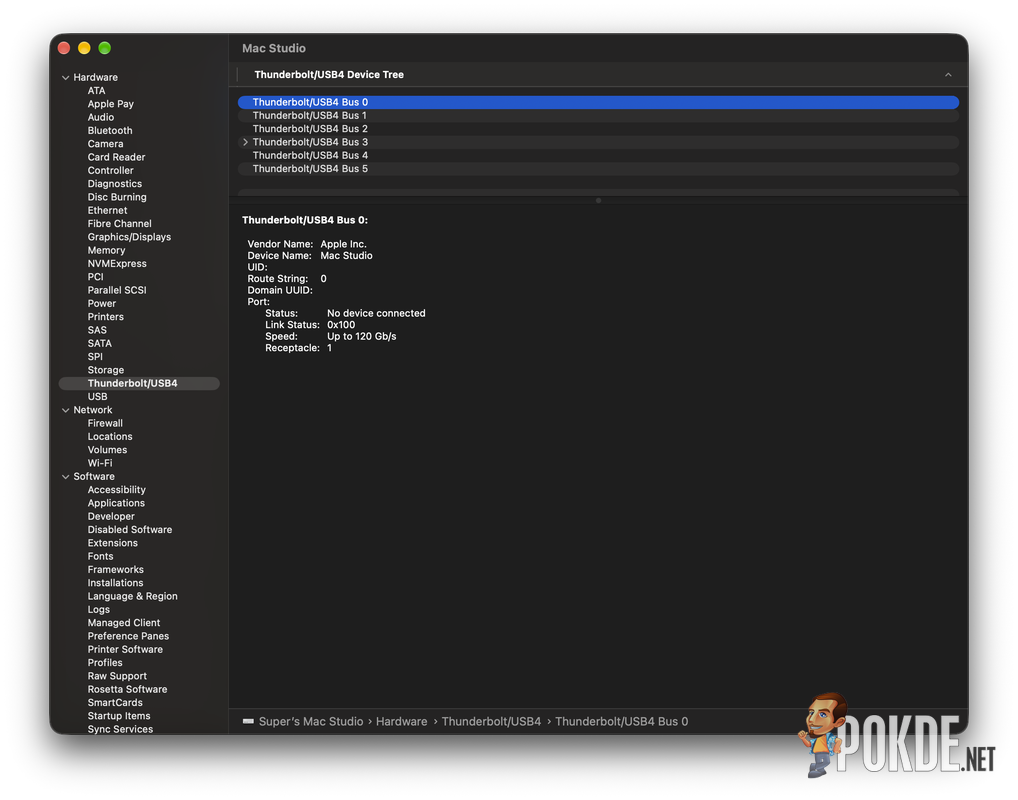
All six Thunderbolt ports on the Apple Mac Studio (M5 Ultra) show up in System Information as six separate Thunderbolt/USB4 buses, Bus 0 to Bus 5, which lines up with each port having its own controller. The bus I checked lists a speed of up to 120 Gb/s. Up front there's also a UHS-II SDXC card slot, so footage can come straight off a camera card without a dongle.
Noise, Heat And Power
Going purely by ear, the Apple Mac Studio (M5 Ultra) is silent. The room where it runs is far from quiet, with constant traffic noise from outside, but even standing right next to it while it was working through my benchmarks, I could not hear the fan at all.
During the benchmarks, heat wasn't something I noticed. With the Mac Studio in front of me, I couldn't feel any real warmth coming off the case, and the fan stayed so quiet I could barely tell it was there.
Sustained AI work is a different story. To check, I ran the 30,000-token long-context test again, which keeps the chip busy for about ten minutes, and put my hands on the Mac Studio while it ran. The front of the case was only warm, about like lukewarm water. Towards the back it got much hotter, and right next to the rear exhaust it was very hot to the touch, hot enough that I'd put it somewhere above 50°C, though that's by feel, not a thermometer. The sides, top and bottom followed the same pattern, getting hotter towards the back, with one side noticeably hotter than the other.
So the heat is there, it's just being pushed out the back, which is what the exhaust is for. The logs show the chip itself handled it fine. macOS reported its thermal pressure as Nominal, the lowest level, for the whole minute I sampled it during the long-context test. The GPU clock held at about 1.6GHz from the first second to the last of the three-minute Qwen3.5 122B run, and stayed just as steady through the ten-minute Qwen 3.8 27B run. If the chip were running too hot, that clock would be the first thing to drop.
macOS 27 On The Mac Studio
macOS 27 brings plenty of changes, but the one I want to start with is child safety. At Pokde.Net, we are very particular about children's safety on the internet, and I believe it should be paramount. Screen Time has been completely redesigned around it. It starts with a Child Account, which applies protections based on the child's age, and parents can now start kids off with access to only the content they're comfortable with, then add more over time.
Ask to Buy already makes kids ask before getting new apps, and the new Ask to Browse does the same for websites in Safari. Parents can also decide who their kids talk to in Messages, FaceTime and Phone, so a child has to ask before connecting with anyone new. Communication Safety, which already blurs nudity in images and videos before a child sees them, now also blocks detected gore and violent content. Time Allowances let parents set limits by category, such as games or social media, with suggested starting points based on the child's age, and Schedules control which apps are available at different times of the day. One thing to note is that the new Screen Time needs every device in the Family Sharing group to be updated to the 27 releases.
Liquid Glass, which I've been making noise about in just about every Apple review since it arrived, finally gets settled. There's now a slider in Settings that goes from ultra-clear all the way to fully tinted. I bumped it to the far right, fully tinted, and I'm now a happy camper.
AirDrop also feels a lot faster. I work between iOS and macOS all the time, and the difference is obvious, especially when sending several large files at once. So far, I don't have any complaints about macOS 27 on this machine.
The Good
The Apple Mac Studio (M5 Ultra) is the most powerful machine I've tested, and it isn't close. Its 17,850-point multi-core score in Cinebench 2026 is about 2.25 times both the MacBook Pro M5 Max and the Mac Studio (M4 Max), and its 80-core GPU lands at roughly twice the M4 Max across Cinebench and 3DMark. In Blender, the GPU renders 12 to 15 times faster than the CPU.
The 256GB of unified memory changes what I can run at home. Qwen3.5 122B generated close to 90 tokens per second while the GPU drew around 40W, and every model I tested ran 1.4 to 1.9 times faster than on my Mac Studio (M4 Max). With long documents, it started answering four to six times sooner, which is the difference between waiting 16 seconds and waiting over a minute. On the 8-bit models, it was close to twice as fast as the M4 Max on about half the GPU power.
Beyond the numbers, it stays quiet under load, the internal SSD pushes past 13GB/s in both directions, and all six Thunderbolt ports, including the two at the front, are now Thunderbolt 5, with the UHS-II SD card slot still there for anyone working off a camera. macOS 27 adds proper parental controls, a Liquid Glass slider that finally lets me tone it down, and noticeably faster AirDrop.
The Bad
It is expensive. My review unit costs RM55,599, and memory is where the bill climbs fastest. Going from 96GB to 256GB adds RM18,000, and going to 512GB adds RM69,750. Neither the memory nor the storage can be upgraded later, so the configuration you pick on day one is the one you live with.
At the time of writing, the Apple Malaysia online store quoted 12 to 14 weeks to ship this configuration. Single-core performance has barely moved either. The Mac mini with the M6 is quicker on one core in both versions of Cinebench, so the M5 Ultra only pulls away when the work can use all 36 cores. It's also heavier at 3.6kg, and there's no keyboard or mouse in the box, so budget for those if you're coming from a laptop.
Apple Mac Studio (M5 Ultra) Review Verdict
This is by far one of the longest, most complicated, most time-consuming and most elaborate reviews I've ever done, and I hope you found something meaningful to take away from it. The Apple Mac Studio (M5 Ultra) is a lot of compute for a lot of money. For most people, including most creative professionals, a Mac Studio with the M5 Max will handle the job for a fraction of the price. Where the M5 Ultra earns its price is local AI. With 256GB of unified memory and 1.2TB/s of bandwidth, it runs a 122B model at close to 90 tokens per second without a single token leaving the machine, and it outpaced my Mac Studio (M4 Max) on every model I tested.
If running large models on your own hardware is the reason you're looking at this, nothing else I've tested comes close in a box this small and this quiet. If it isn't, the money is better spent elsewhere. And this isn't even the top configuration. If your cravings still aren't satisfied and your pockets are even deeper, one can only imagine what the 512GB version is capable of. If even that isn't enough, Thunderbolt 5 lets you link several Mac Studios together for even crazier performance. That's above my pay grade, but I'm always open to donations. Hahaha.
I run my entire business on a Mac Studio. I have a private Tailscale tunnel to it that I use from my MacBook Pro and iPhone all the time, so it works as my local server and the middleware for the rest of my setup. Its UNIX roots make it one of the most fun machines to play with. Affordable is not a word that comes to mind, and only the few at the top of the food chain will ever get to experience something like this. If you're one of them, you're getting some of the best hardware money can buy in 2026.
Looking at how the M6 is already ahead of this monster on a single core, I can already feel what's coming next. With how fast AI is growing, the hardware has its own catching up to do.
Apple Mac Studio (M5 Ultra) Price In Malaysia
The Apple Mac Studio (M5 Ultra) starts at RM24,999 for the 30-core CPU and 64-core GPU with 96GB of unified memory and 1TB of storage. The unit I tested, with the 36-core CPU, 80-core GPU, 256GB of unified memory and 4TB of storage, costs RM55,599. If you want the M5 Max instead, the Mac Studio starts at RM10,999. When I checked the Apple Malaysia online store for this configuration at the time of writing, it showed a shipping estimate of 12 to 14 weeks. Maxing everything out, with 512GB of unified memory and 16TB of storage, takes it all the way to RM134,349. Pick a chip, memory and storage below to see what each configuration costs. The one selected by default is the unit I reviewed.
Apple Mac Studio (M5 Ultra)36-core CPU, 80-core GPU, 256GB memory, 4TB storage
This is the configuration I reviewed.
Starting price for each chip and memory option
Prices in Malaysian Ringgit, from the official Apple Malaysia online store in November 2026. Tap a row to load it above, then pick a storage size.
| Model | Chip configuration | Unified memory | Storage | Price (MYR) |
|---|---|---|---|---|
| Apple Mac Studio (M5 Max) | 18-core CPU, 32-core GPU | 36GB | 512GB | RM10,999 |
| Apple Mac Studio (M5 Max) | 18-core CPU, 32-core GPU | 36GB | 1TB | RM12,349 |
| Apple Mac Studio (M5 Max) | 18-core CPU, 32-core GPU | 36GB | 2TB | RM14,599 |
| Apple Mac Studio (M5 Max) | 18-core CPU, 32-core GPU | 36GB | 4TB | RM19,099 |
| Apple Mac Studio (M5 Max) | 18-core CPU, 32-core GPU | 36GB | 8TB | RM28,099 |
| Apple Mac Studio (M5 Max) | 18-core CPU, 40-core GPU | 48GB | 512GB | RM13,699 |
| Apple Mac Studio (M5 Max) | 18-core CPU, 40-core GPU | 48GB | 1TB | RM15,049 |
| Apple Mac Studio (M5 Max) | 18-core CPU, 40-core GPU | 48GB | 2TB | RM17,299 |
| Apple Mac Studio (M5 Max) | 18-core CPU, 40-core GPU | 48GB | 4TB | RM21,799 |
| Apple Mac Studio (M5 Max) | 18-core CPU, 40-core GPU | 48GB | 8TB | RM30,799 |
| Apple Mac Studio (M5 Max) | 18-core CPU, 40-core GPU | 64GB | 512GB | RM15,499 |
| Apple Mac Studio (M5 Max) | 18-core CPU, 40-core GPU | 64GB | 1TB | RM16,849 |
| Apple Mac Studio (M5 Max) | 18-core CPU, 40-core GPU | 64GB | 2TB | RM19,099 |
| Apple Mac Studio (M5 Max) | 18-core CPU, 40-core GPU | 64GB | 4TB | RM23,599 |
| Apple Mac Studio (M5 Max) | 18-core CPU, 40-core GPU | 64GB | 8TB | RM32,599 |
| Apple Mac Studio (M5 Max) | 18-core CPU, 40-core GPU | 128GB | 512GB | RM22,699 |
| Apple Mac Studio (M5 Max) | 18-core CPU, 40-core GPU | 128GB | 1TB | RM24,049 |
| Apple Mac Studio (M5 Max) | 18-core CPU, 40-core GPU | 128GB | 2TB | RM26,299 |
| Apple Mac Studio (M5 Max) | 18-core CPU, 40-core GPU | 128GB | 4TB | RM30,799 |
| Apple Mac Studio (M5 Max) | 18-core CPU, 40-core GPU | 128GB | 8TB | RM39,799 |
| Apple Mac Studio (M5 Ultra) | 30-core CPU, 64-core GPU | 96GB | 1TB | RM24,999 |
| Apple Mac Studio (M5 Ultra) | 30-core CPU, 64-core GPU | 96GB | 2TB | RM27,249 |
| Apple Mac Studio (M5 Ultra) | 30-core CPU, 64-core GPU | 96GB | 4TB | RM31,749 |
| Apple Mac Studio (M5 Ultra) | 30-core CPU, 64-core GPU | 96GB | 8TB | RM40,749 |
| Apple Mac Studio (M5 Ultra) | 30-core CPU, 64-core GPU | 96GB | 16TB | RM58,749 |
| Apple Mac Studio (M5 Ultra) | 30-core CPU, 64-core GPU | 256GB | 1TB | RM42,999 |
| Apple Mac Studio (M5 Ultra) | 30-core CPU, 64-core GPU | 256GB | 2TB | RM45,249 |
| Apple Mac Studio (M5 Ultra) | 30-core CPU, 64-core GPU | 256GB | 4TB | RM49,749 |
| Apple Mac Studio (M5 Ultra) | 30-core CPU, 64-core GPU | 256GB | 8TB | RM58,749 |
| Apple Mac Studio (M5 Ultra) | 30-core CPU, 64-core GPU | 256GB | 16TB | RM76,749 |
| Apple Mac Studio (M5 Ultra) | 36-core CPU, 80-core GPU | 96GB | 1TB | RM30,849 |
| Apple Mac Studio (M5 Ultra) | 36-core CPU, 80-core GPU | 96GB | 2TB | RM33,099 |
| Apple Mac Studio (M5 Ultra) | 36-core CPU, 80-core GPU | 96GB | 4TB | RM37,599 |
| Apple Mac Studio (M5 Ultra) | 36-core CPU, 80-core GPU | 96GB | 8TB | RM46,599 |
| Apple Mac Studio (M5 Ultra) | 36-core CPU, 80-core GPU | 96GB | 16TB | RM64,599 |
| Apple Mac Studio (M5 Ultra) | 36-core CPU, 80-core GPU | 256GB | 1TB | RM48,849 |
| Apple Mac Studio (M5 Ultra) | 36-core CPU, 80-core GPU | 256GB | 2TB | RM51,099 |
| Apple Mac Studio (M5 Ultra) | 36-core CPU, 80-core GPU | 256GB | 4TB | RM55,599 |
| Apple Mac Studio (M5 Ultra) | 36-core CPU, 80-core GPU | 256GB | 8TB | RM64,599 |
| Apple Mac Studio (M5 Ultra) | 36-core CPU, 80-core GPU | 256GB | 16TB | RM82,599 |
| Apple Mac Studio (M5 Ultra) | 36-core CPU, 80-core GPU | 512GB | 1TB | RM100,599 |
| Apple Mac Studio (M5 Ultra) | 36-core CPU, 80-core GPU | 512GB | 2TB | RM102,849 |
| Apple Mac Studio (M5 Ultra) | 36-core CPU, 80-core GPU | 512GB | 4TB | RM107,349 |
| Apple Mac Studio (M5 Ultra) | 36-core CPU, 80-core GPU | 512GB | 8TB | RM116,349 |
| Apple Mac Studio (M5 Ultra) | 36-core CPU, 80-core GPU | 512GB | 16TB | RM134,349 |