


- Sort Out Your Connection Before the Plane Takes Off
- Download the Things You Assume Will Always Be Online
- Check Your Essential Apps Against Your Destination
- Fix Your Account Recovery Before You Need It
- Prepare for the Possibility That Your Phone Disappears
- Think About Battery Life Before Buying More Gear
- Give Your Phone an Entertainment Backup
- Do the Boring Setup at Home
Packing for an overseas trip used to mean checking your passport, changing some money, and making sure you had the right plug adapter. These days, there’s another item that deserves just as much attention as your passport before you head to KLIA: your phone.
For most travelers, a smartphone has quietly become the control center of the entire trip. Boarding passes live in airline apps. Hotel confirmations arrive by email. Maps tell you which train to catch, translation apps help with menus, and ride-hailing services get you back to the hotel when public transport stops running. Add digital payments, travel insurance documents and photos, and losing access to your phone can suddenly become a much bigger problem than forgetting a toothbrush.
The good news is that getting a phone travel-ready doesn’t require an elaborate setup. A little preparation at home can prevent a surprising number of hassles after landing.
Sort Out Your Connection Before the Plane Takes Off

Figuring out mobile data after arrival is still possible, but it’s rarely the most relaxing way to start a vacation. Nobody wants to stand in an airport arrivals hall comparing SIM packages while carrying luggage and trying to work out the local currency.
Malaysian travelers now have several options. International roaming is convenient, physical tourist SIMs remain common, and eSIMs make it possible to arrange data without swapping a tiny piece of plastic in an airport terminal. The right choice depends on the destination, length of stay, and how much data you expect to use.
If you’re considering an eSIM, check that your phone supports it before buying a plan. It’s also worth installing the provider’s app and completing any necessary setup while you still have a regular home connection.
Connectivity planning should also include security. Airports, cafés and hotels make Wi-Fi easy to find, but travelers have little control over how those networks are configured. Keep your phone and browser updated, turn off automatic Wi-Fi connections, and use secure websites when entering sensitive information. If you prefer having an extra layer of privacy while browsing on shared networks, you can add CyberGhost to your Chrome browser here before traveling. The important part is setting up at home rather than downloading unfamiliar software when you’re already relying on public Wi-Fi.



Download the Things You Assume Will Always Be Online
Mobile data can fail at inconvenient moments. You may enter a subway station with weak reception, drive through a rural area or simply discover that your roaming connection isn’t behaving as expected.
Offline maps are therefore worth downloading for your destination, particularly the areas around your hotel, airport and places you intend to visit. Translation apps often allow language packs to be stored locally as well.
The same principle applies to travel documents. Save your flight information, hotel reservation and insurance details somewhere accessible without an internet connection. Having the address of your accommodation saved locally is particularly useful. If your data connection disappears after arrival, you can still show the address to a taxi driver or find it on an offline map.
Don’t rely entirely on screenshots, though. They are useful as backups, but a cluttered photo gallery can make finding the right image surprisingly frustrating when a line is forming behind you at immigration or a ticket gate.
Check Your Essential Apps Against Your Destination
The apps you use every day in Malaysia aren’t necessarily the apps you’ll need elsewhere.
Before traveling, check how people actually get around and pay at your destination. The dominant ride-hailing service may be different. Some public transit systems have their own journey-planning or ticketing apps. Restaurants may rely heavily on QR menus, while attractions increasingly issue tickets through mobile apps.
Payment deserves particular attention. A phone that handles most purchases at home doesn’t guarantee that every shop abroad will accept the same payment method. Carrying at least one alternative payment option remains sensible.
Destination research matters here. Japan, for example, continues to attract enormous interest from Malaysian travelers, and we at Pokde.NET recently reported how Japan tops the Travel & Tourism Development Index 2026. A trip to Tokyo, Osaka or Fukuoka may be easy to navigate digitally, but travelers will still benefit from researching local transit, payment and communication options before arriving rather than assuming their Malaysian app setup covers everything.
The same logic applies anywhere else. Thailand, China, South Korea and Indonesia may be geographically close, but their everyday digital ecosystems aren’t identical.
Fix Your Account Recovery Before You Need It

Two-factor authentication is excellent until the verification code is being sent to a number you can’t access.
Before departure, review the accounts you might need urgently while abroad: your main email account, airline account, cloud storage, and any financial or booking services you use. Make sure their recovery methods still work.
An authenticator app can be useful where supported because it doesn’t depend on receiving an SMS. Backup codes for important accounts can also be stored securely in a separate location from the phone.
This preparation becomes even more important if you’re using a foreign SIM and removing your Malaysian one. With dual-SIM or eSIM-capable phones, you may be able to leave your Malaysian number active while using another line for data, but check your carrier’s roaming conditions first.
Also avoid making major account changes immediately before traveling. Discovering you’ve forgotten your new password at home is annoying. Discovering it while standing at an overseas airport is considerably worse.
Prepare for the Possibility That Your Phone Disappears
Nobody packs for a trip expecting to lose a phone, but preparing for that possibility takes only a few minutes.
Make sure your device has a proper screen lock and that its built-in location service is enabled. Both Apple and Google offer tools for locating compatible devices associated with an account. Learn how to access yours from another device before you actually need it.
Back up important photos and files as well. A stolen phone is expensive; losing every photograph from the trip along with it can hurt more.
It also helps to keep essential information somewhere other than the handset itself. Your hotel address, emergency contact details, travel insurance information and copies of important documents shouldn’t all disappear because one device does.
Think About Battery Life Before Buying More Gear
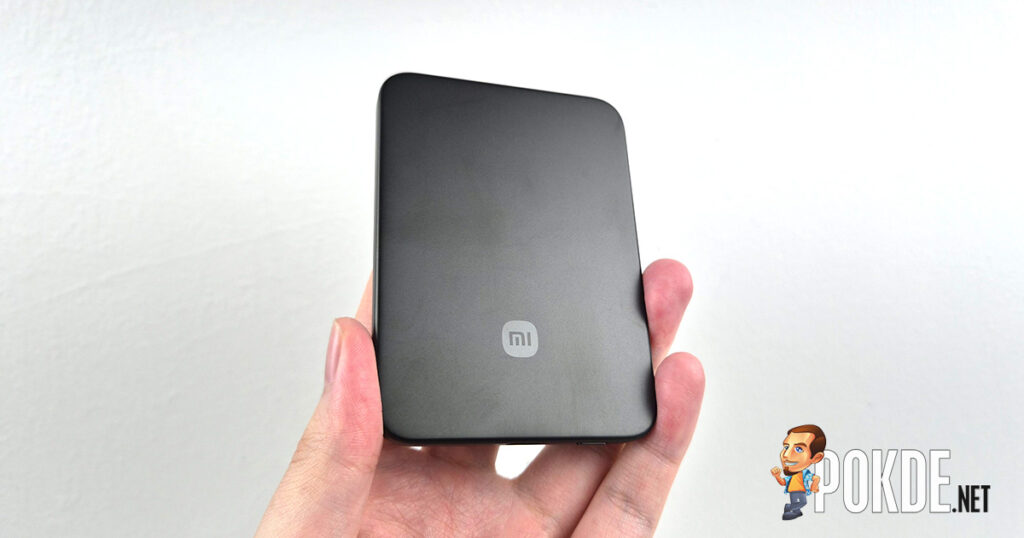
Travel has a way of making phones work harder than usual. Navigation keeps the screen and GPS running. You’re taking more photos and video. Mobile data stays active throughout the day, while translation, transit, and ride-hailing apps are opened repeatedly.
A portable power bank can consequently be more useful than many elaborate travel gadgets. Check airline rules concerning batteries before flying, particularly if you’re carrying larger power banks.
A compact multi-port charger can also reduce the number of adapters and cables in your bag if you’re traveling with a phone, smartwatch, earbuds, tablet or laptop. The goal isn’t to fill your luggage with electronics. It’s to identify the small pieces of gear that solve problems you are genuinely likely to encounter.
For travelers deciding what is worth carrying, PCWorld’s recent roundup of travel tech gadgets that’ll level up your next trip includes practical categories such as power banks, compact charging gear, Bluetooth trackers and in-flight audio accessories.
Just remember that every extra gadget usually means another cable, charger or battery to keep track of.
Give Your Phone an Entertainment Backup
Even a perfectly connected trip includes periods when being offline makes sense. Flights are the obvious example, but long train journeys and airport delays count too.
Download a few playlists, podcasts, shows, books or games before leaving home. Streaming libraries and availability can vary by country, and airplane Wi-Fi isn’t something you should assume will be fast enough for entertainment.
Downloading in advance also avoids burning through travel data for something you could have stored over your home Wi-Fi.
Storage space deserves a quick check at the same time. If your phone is already almost full when you depart, a week’s worth of photos and 4K video won’t improve matters. Clear unnecessary downloads and old videos before the trip rather than deciding what to delete while standing in front of something worth photographing.
Do the Boring Setup at Home
The best travel technology is often the technology you barely notice during the trip.
You shouldn’t have to spend your first evening abroad configuring an eSIM, searching for an authenticator backup code, or discovering that your offline map stops three streets before your hotel. Those are ten-minute jobs when you’re sitting at home with reliable Wi-Fi. They become disproportionately irritating when you’re tired, carrying luggage and navigating an unfamiliar city.
So add one more step to the usual pre-flight routine. Charge the phone, install updates, download what you’ll need, check your accounts, sort out connectivity and make sure your backups work.
Then put the phone back in your pocket.
The point of preparing your travel tech isn’t to spend more of the vacation looking at a screen. It’s to make sure the screen works when you actually need it.