
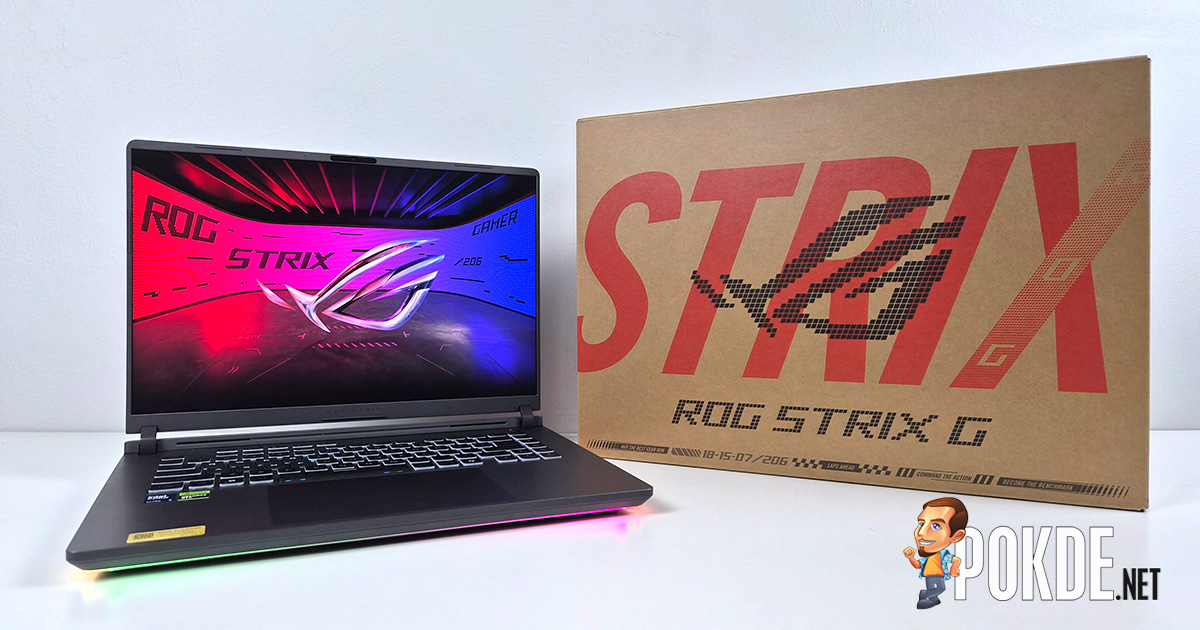
Product Name: ROG STRIX G16 (G615LM)
Brand: ASUS
Offer price: 13999
Currency: MYR
-
Appearance - 8/108/10
-
Efficiency - 8.5/108.5/10
-
Features - 9/109/10
-
Materials - 8/108/10
-
Performance - 8/108/10
-
Portability - 7/107/10
-
User Experience (UX) - 9/109/10
-
Value - 7/107/10
Summary
The ASUS ROG STRIX G16 (G615LM) is a continuation of ASUS’s unique engineering approach towards gaming laptops, offering many creature comforts you don’t find anywhere else.
Overall
8.1/10Pros
- A potent Intel Core Ultra 9 processor
- Excellent accessibility to internal parts
- Fan noise remain unintrusive
- Solid pair of speakers
- Hotkeys & macros are nice bonuses
- Great display to look at
- Excellent battery life for a heavyweight
Cons
- Rather underpowered GPU to match a flagship CPU
- Per-key RGB would be great
- No webcam privacy shutter
Unboxing
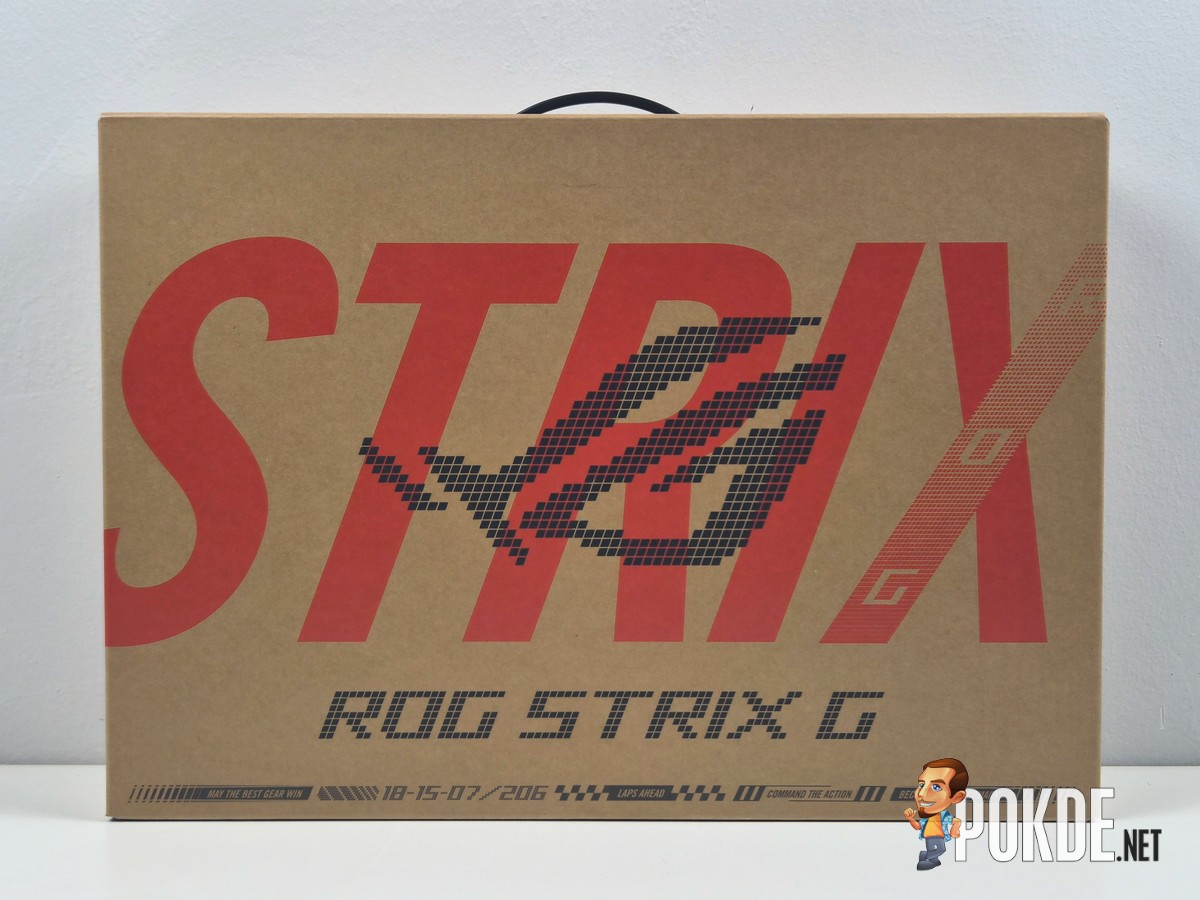
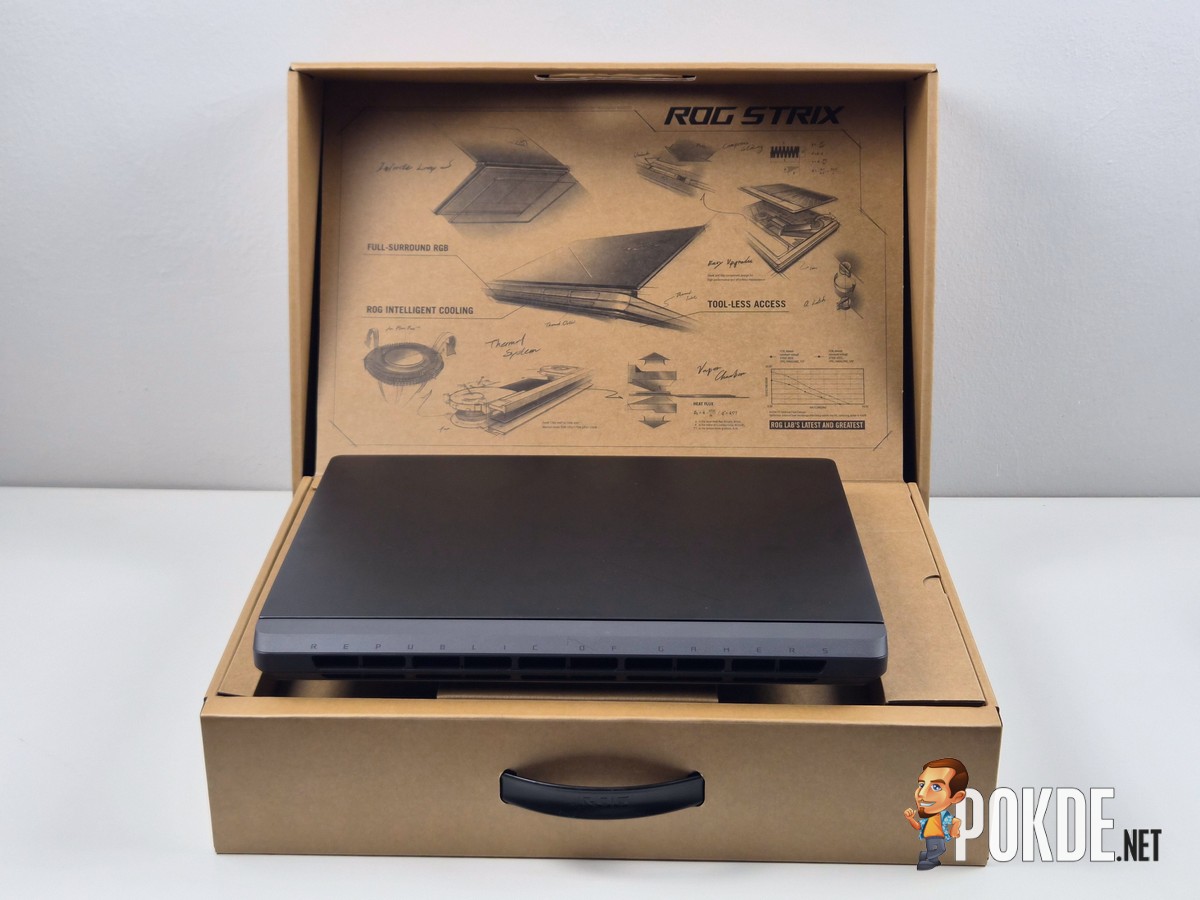
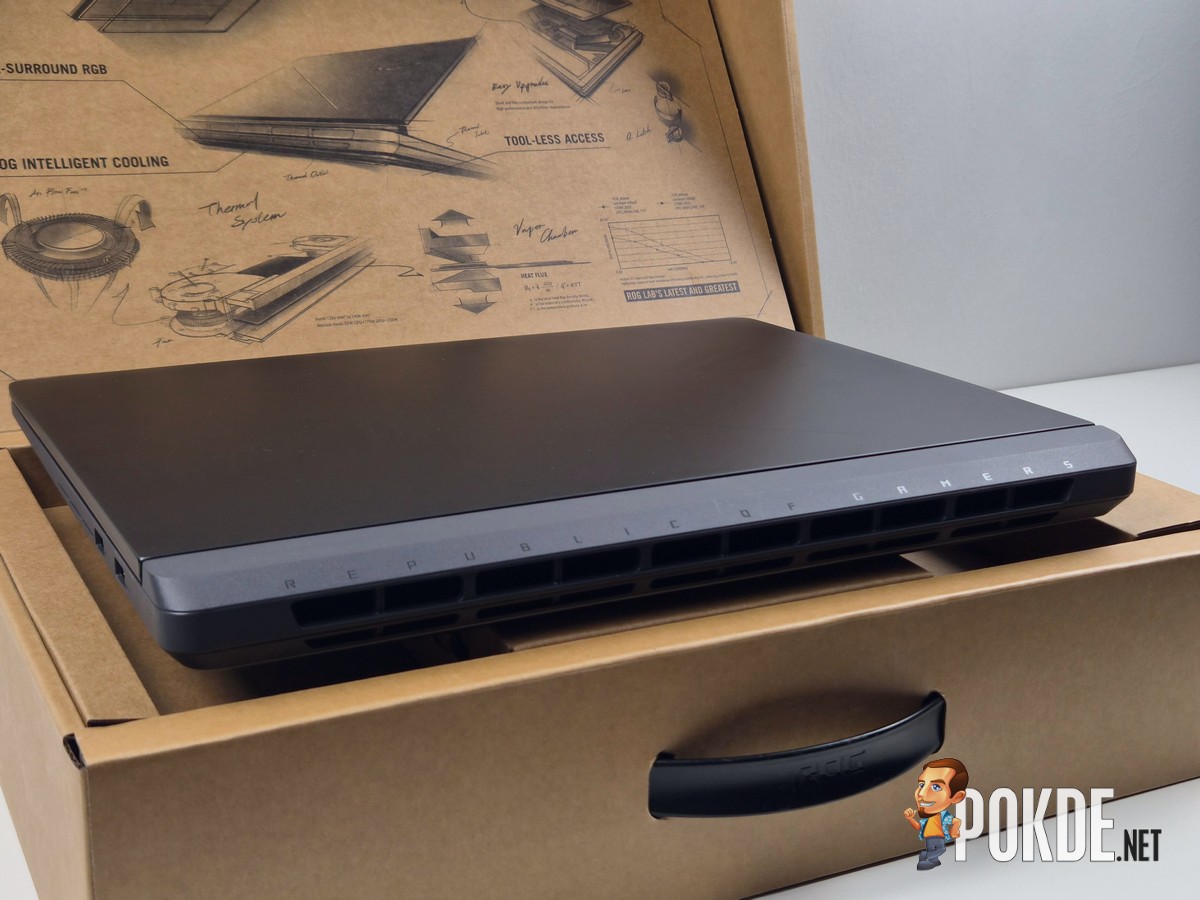
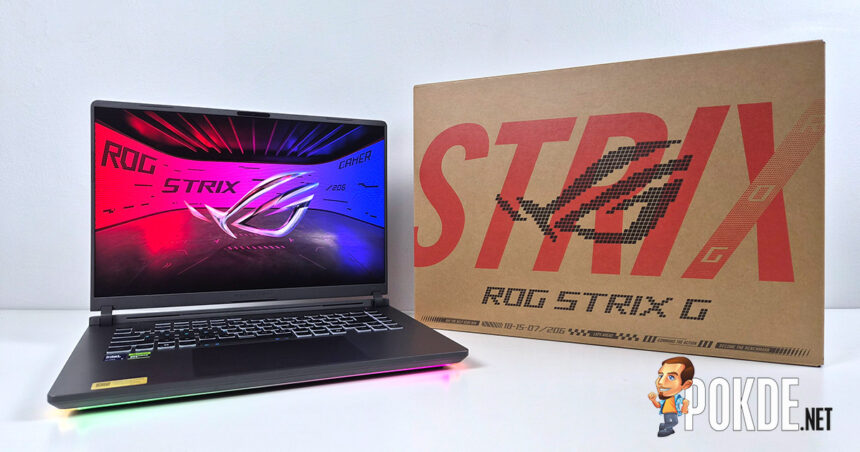
We have a new ROG STRIX laptop to look at, and this is our very first look at ASUS’s redesigned STRIX series since we last visited the lineup. One big difference from the get go on this new ROG STRIX G16 (G615LM) – no more black-colored box with a simple ROG logo stamped on it, and in comes a new box that lets you know immediately there’s a STRIX G laptop inside. Presentation is on point, too, with the box’s internal mechanism lifting the laptop up once you lift the cover fully open.
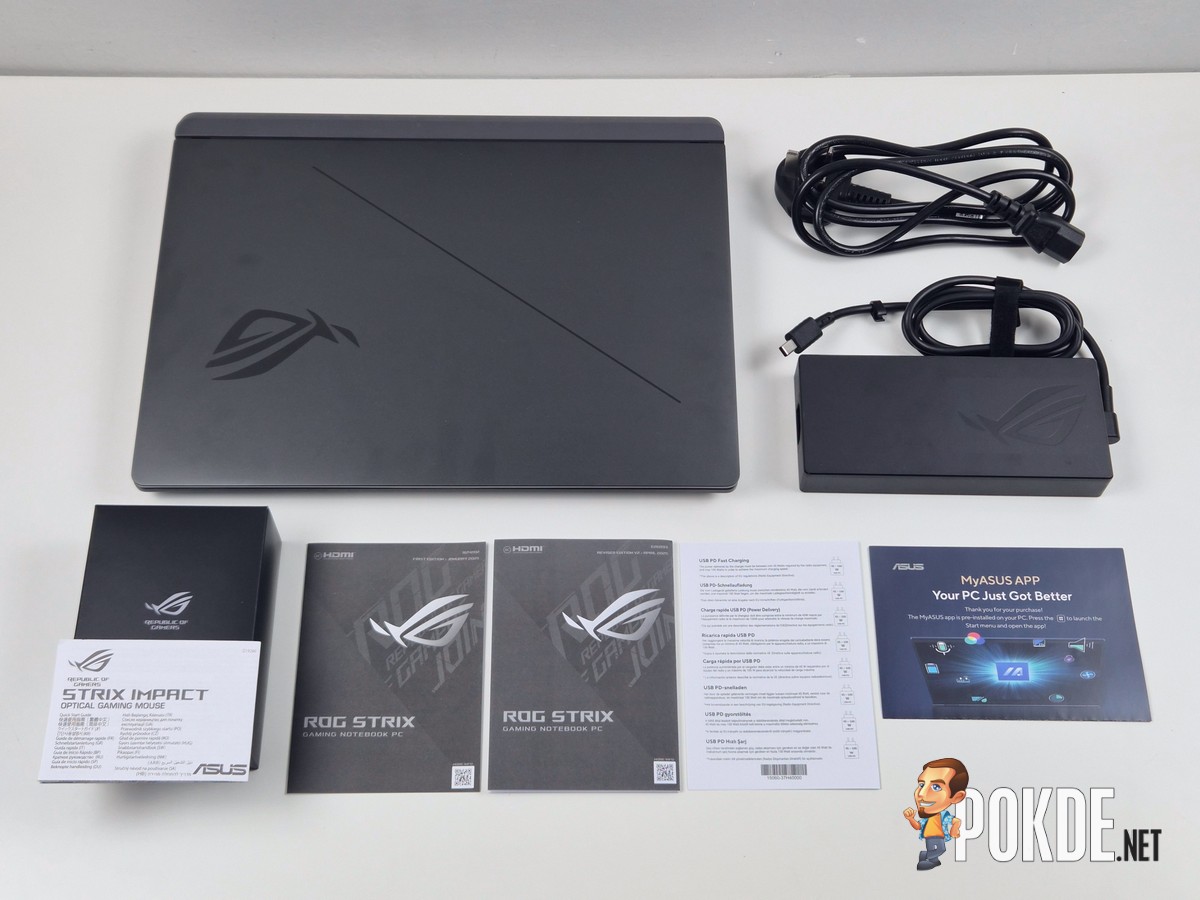
Here are the items you’ll be getting alongside the laptop (note that ROG STRIX Impact mouse may be limited to certain variants only):
– AC cable (Type G, UK / Malaysia & Singapore)
– 280W DC power supply
– ASUS ROG STRIX Impact gaming mouse
– Quick start guide
– USB Power Delivery feature documentation
– MyASUS leaflet
– ASUS ROG STRIX G16 (G615LM) Laptop
Walkaround
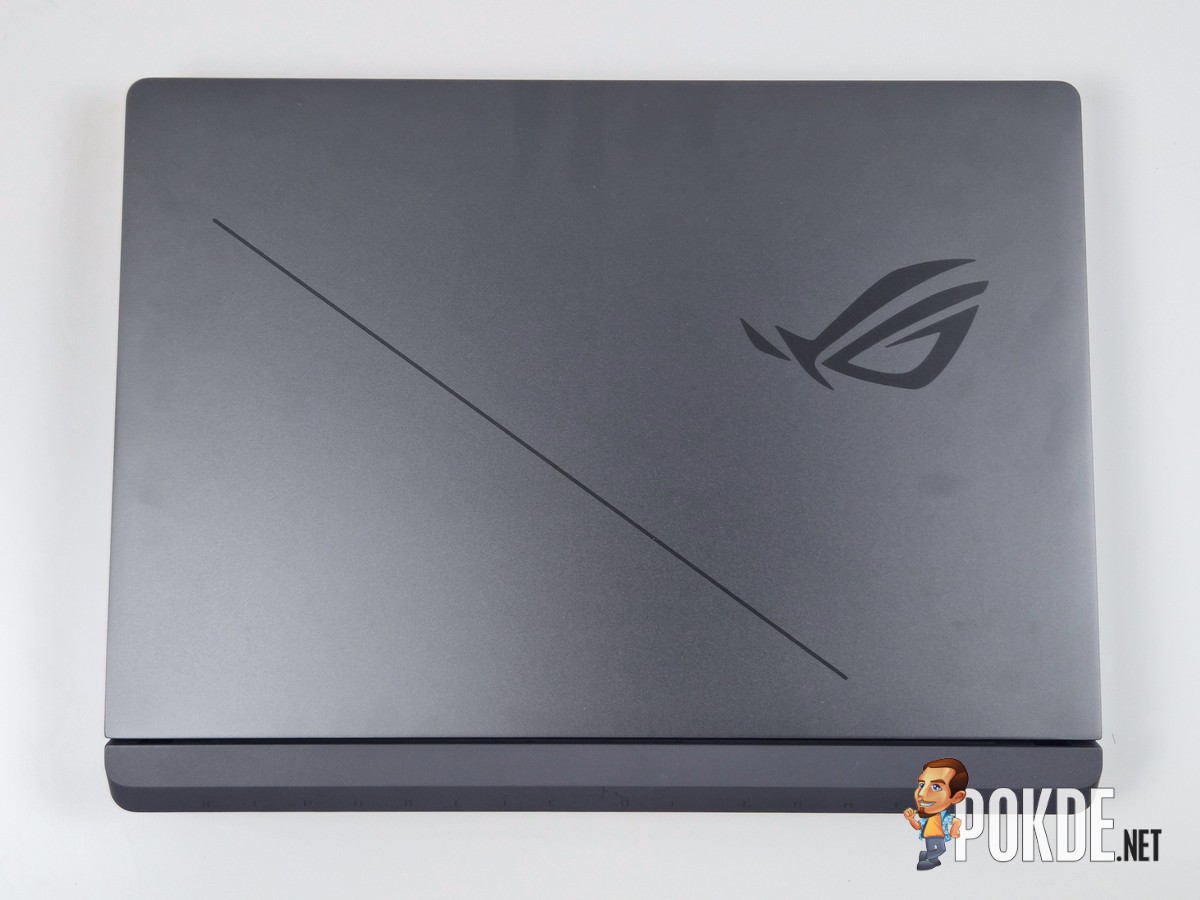
Unlike the previous generation, the new ROG STRIX G16 generally feature rounder corners, smoother edges, and generally looks more toned-down than the aggressive lines found in the previous design. A bit too understated, in my opinion – the intended audience for a desktop replacement like this probably wants something more than just a plain ol’ ROG logo and a line on the lid. Heck, they used to have RGBs on them!
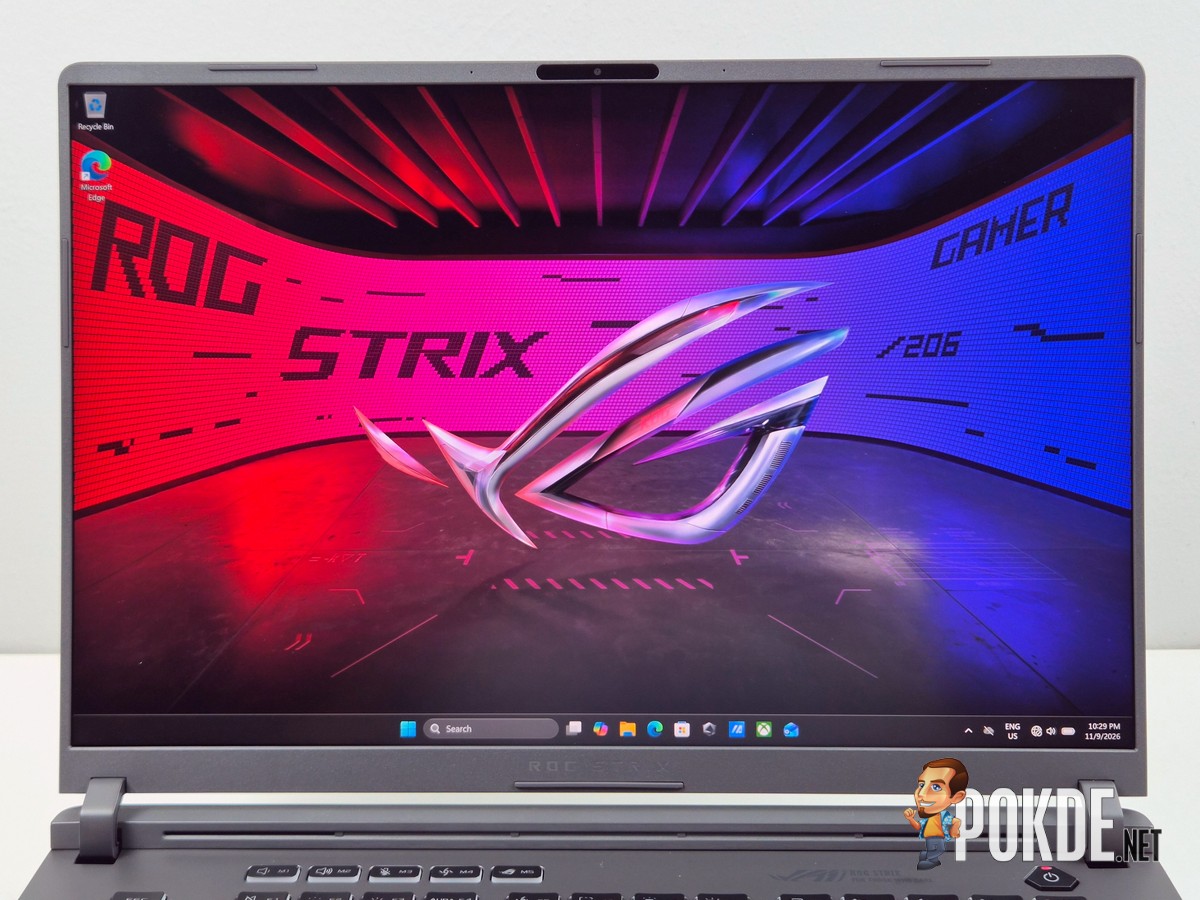
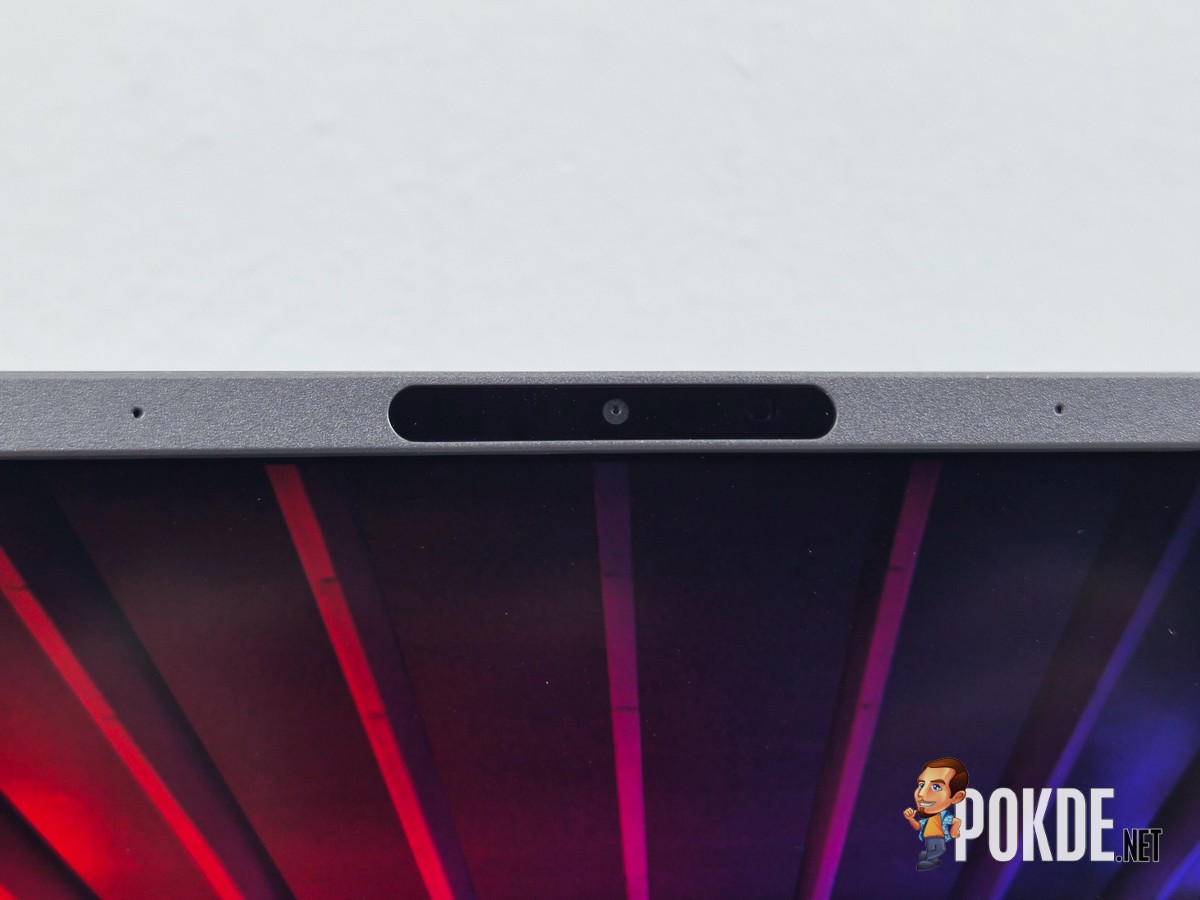
Either way, on the inside you’ll find a narrow-frame 16-inch QHD+ IPS-based ROG Nebula HDR display, which is still plenty good even if it’s not on the bleeding edge of laptop display technologies. Besides, you can get 300Hz refresh rate out of this panel, though this requires a small caveat of enabling dGPU mode via Armoury Crate, otherwise you’ll have to settle for just 240Hz. Above the panel is a webcam – a 1080p one with Windows Hello support – with flanking microphone arrays. No physical or hotkey shutter to be found, though it still has a LED indicator to let you know when it’s active.
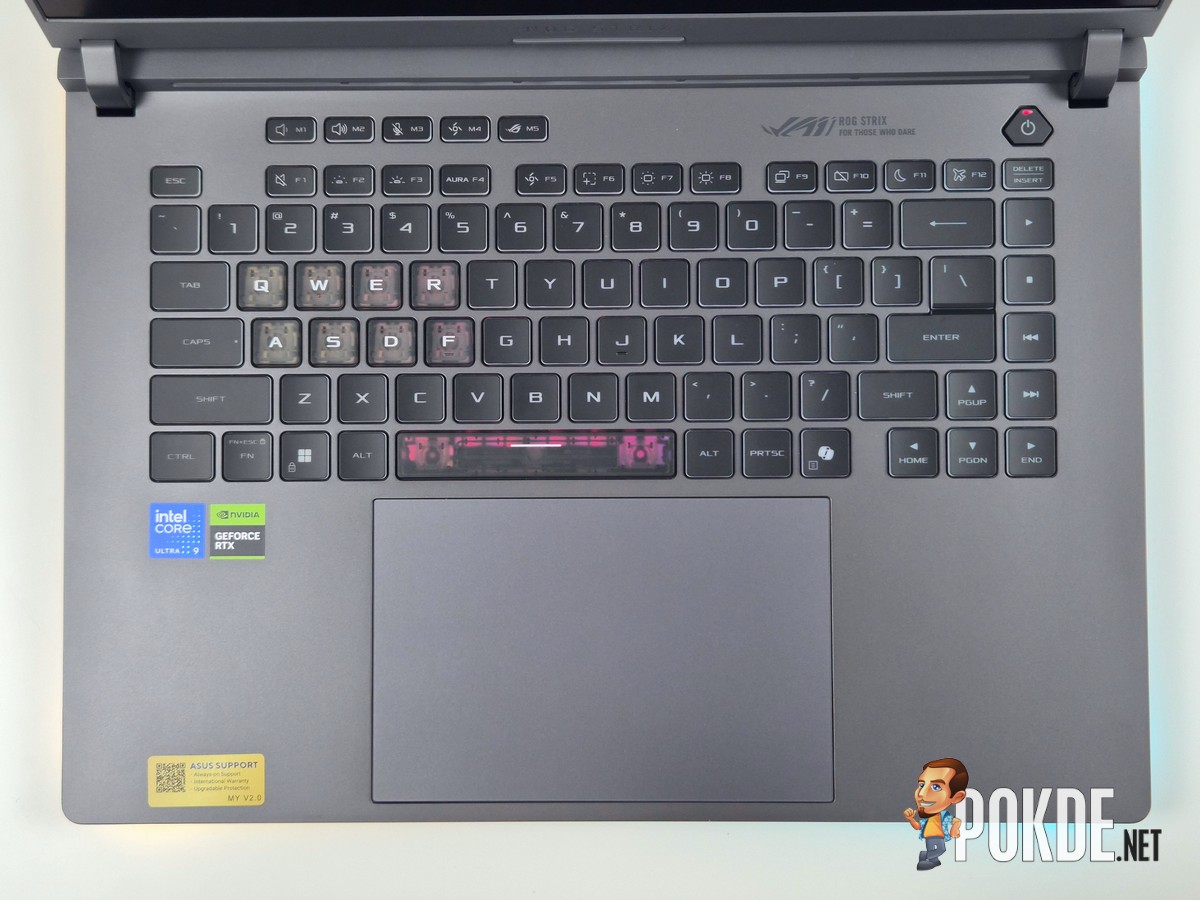

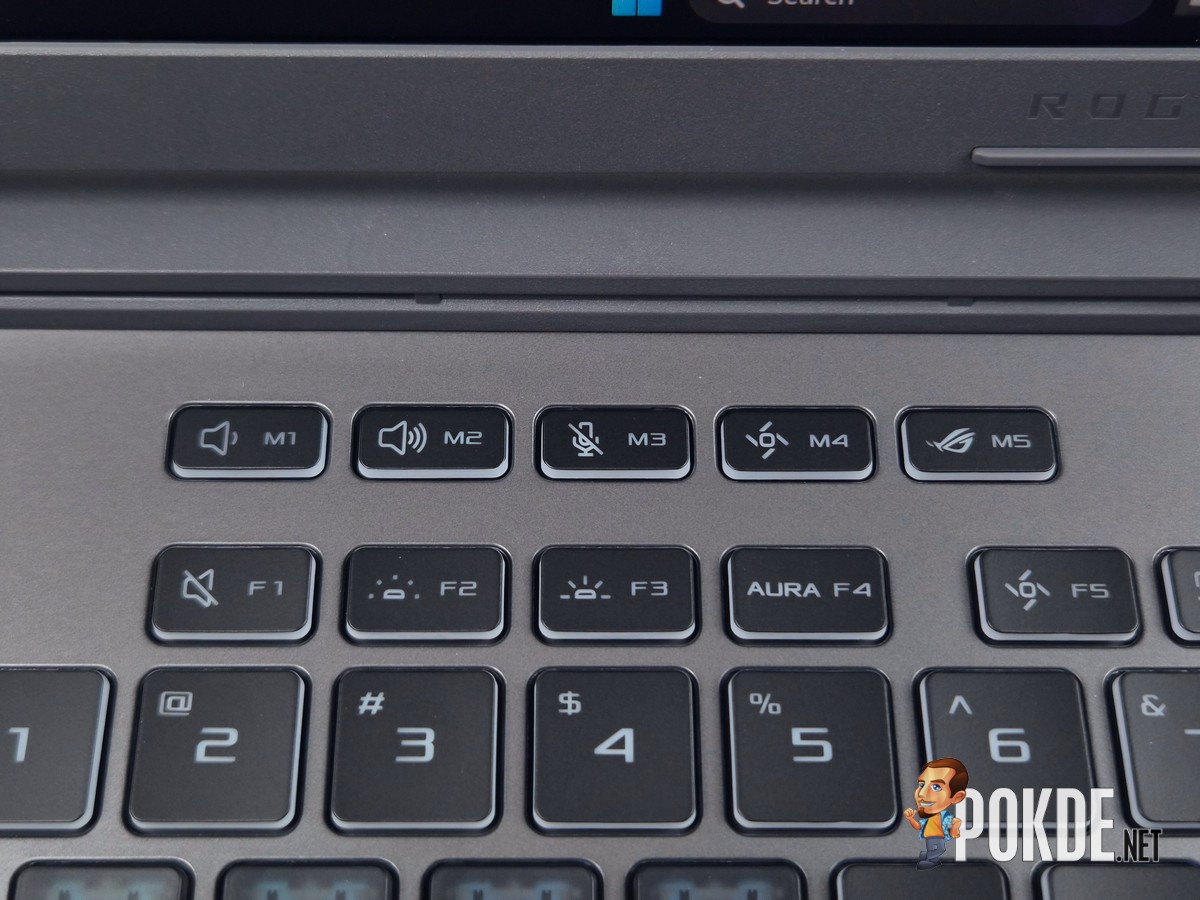
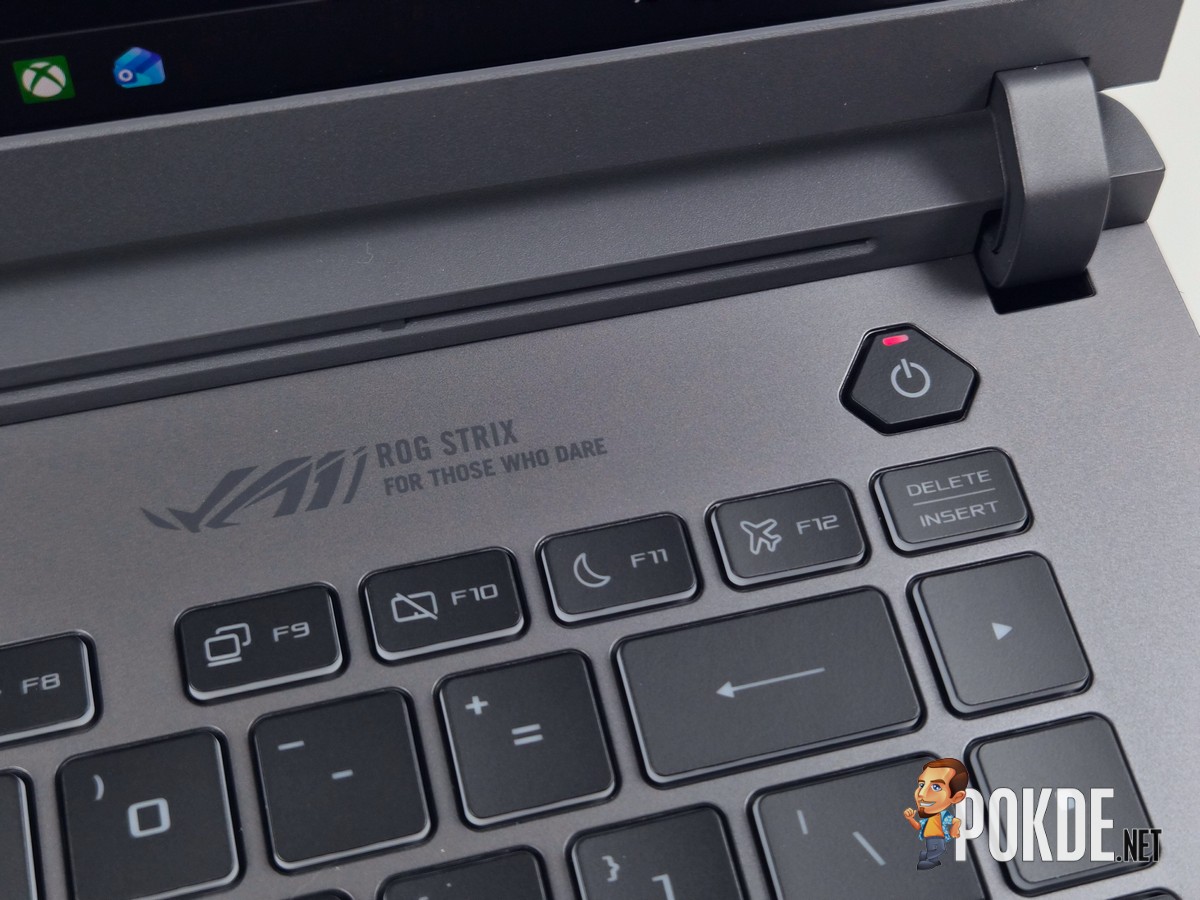
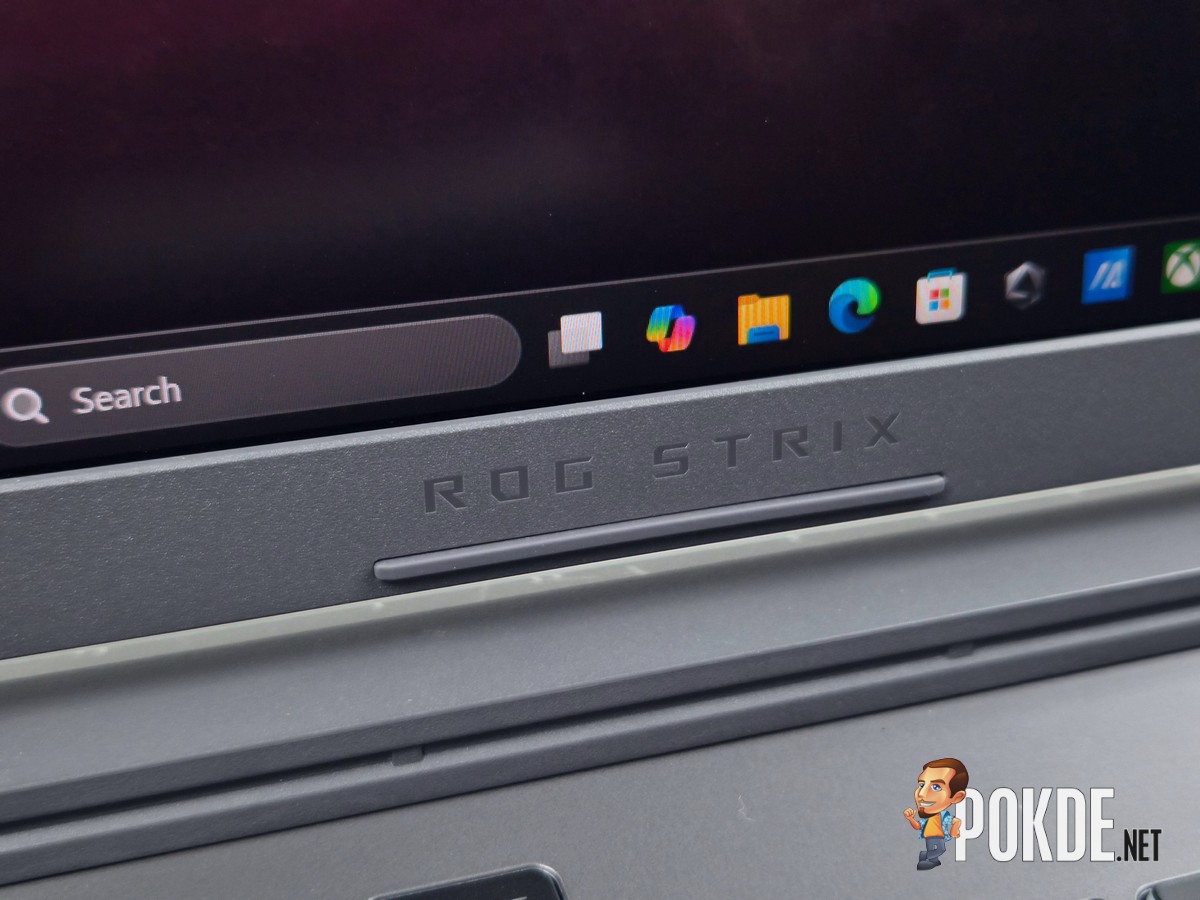
The keyboard on this ROG STRIX G16 inherits previous generation’s extended 75%-equivalent layout, continuing to feature hotkeys – something you don’t find in many other gaming laptops outside of ASUS’s roster. This particular variant also gets 4-zone RGB through partially translucent keycaps, which accompanies a massive light bar at the base of this laptop.
The Copilot key is (annoyingly) present here, although the good news is Microsoft finally admitted to its mistakes and allows you to reassign that key into Right Ctrl in the newly-released Windows Update. The software giant noted that this may be subject to laptop makers’ implementation, and we suspect this won’t be applicable to ASUS laptops – at least for now – given that we have not seen the new option made available despite applying the KB5124010 update.
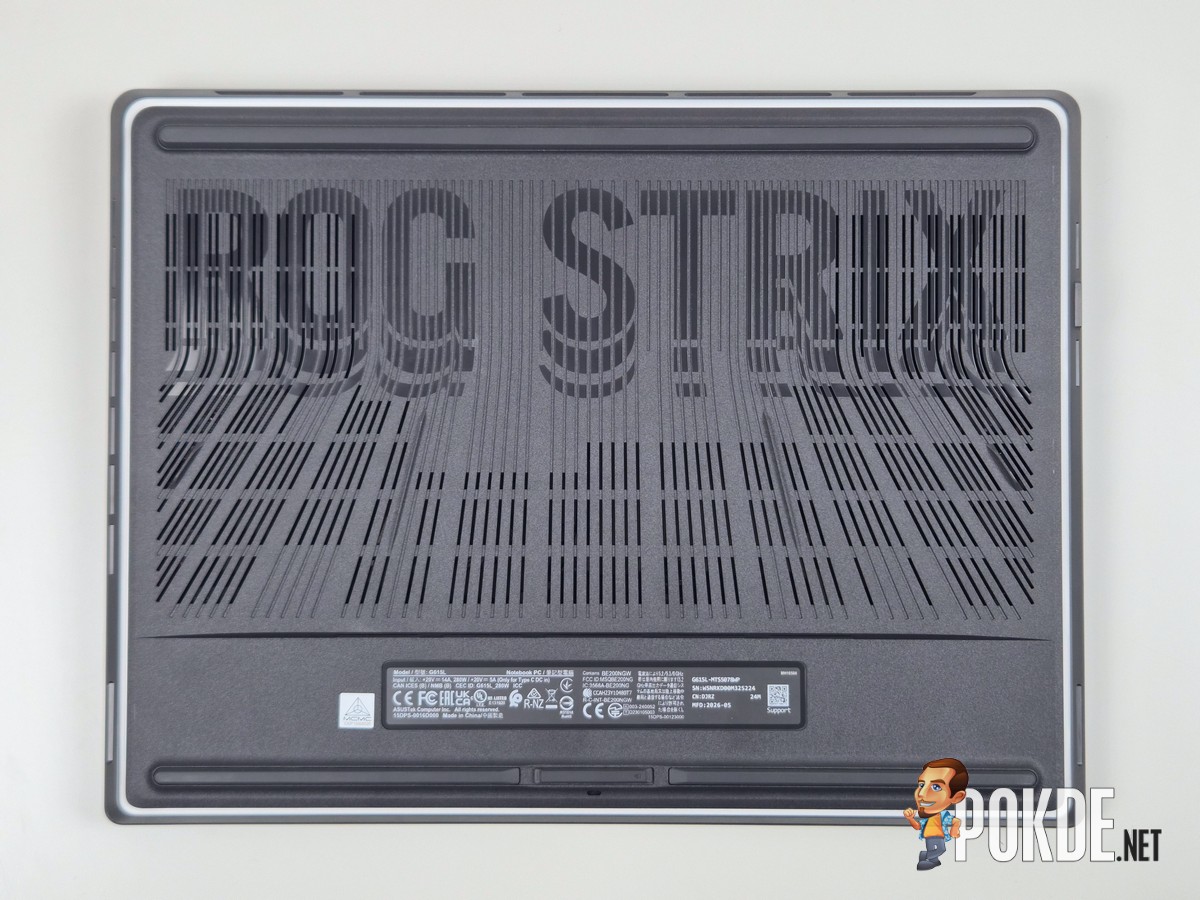
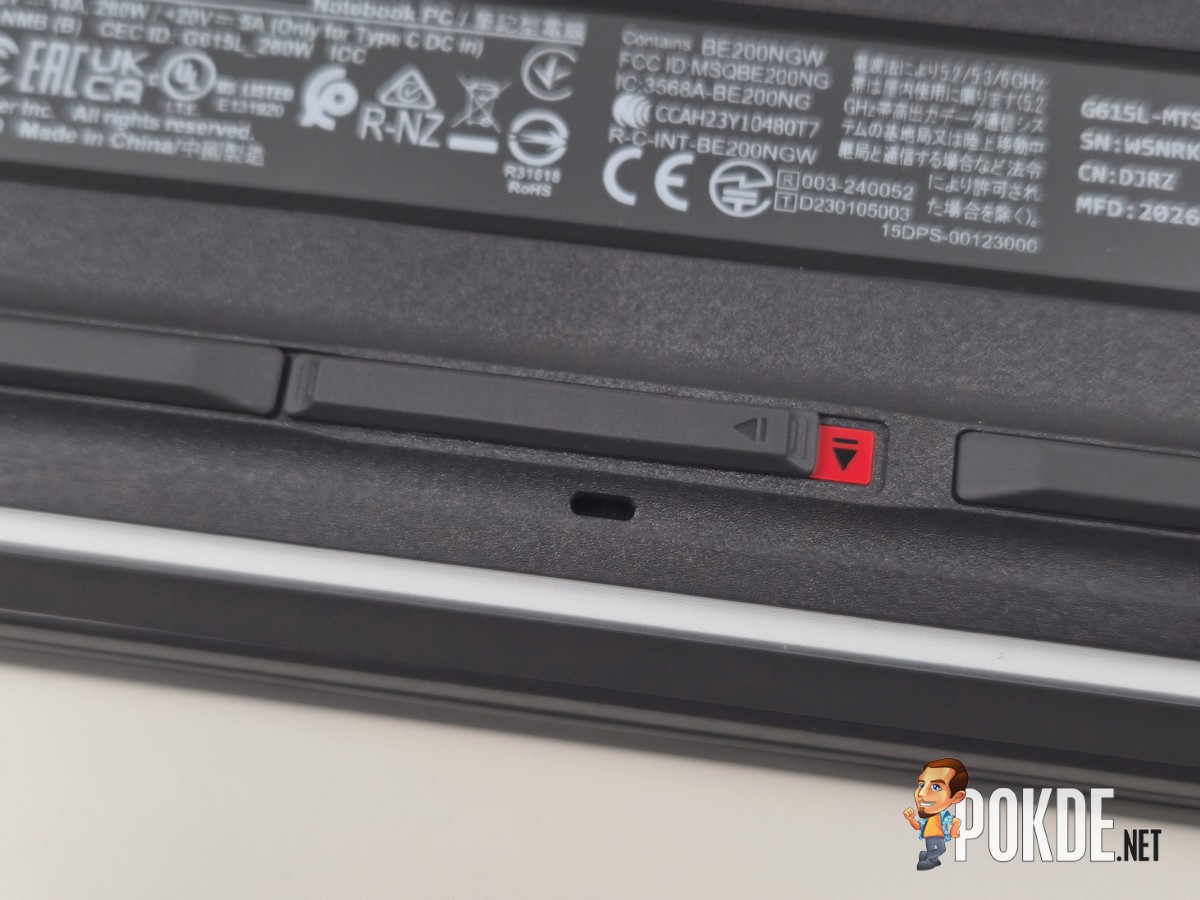
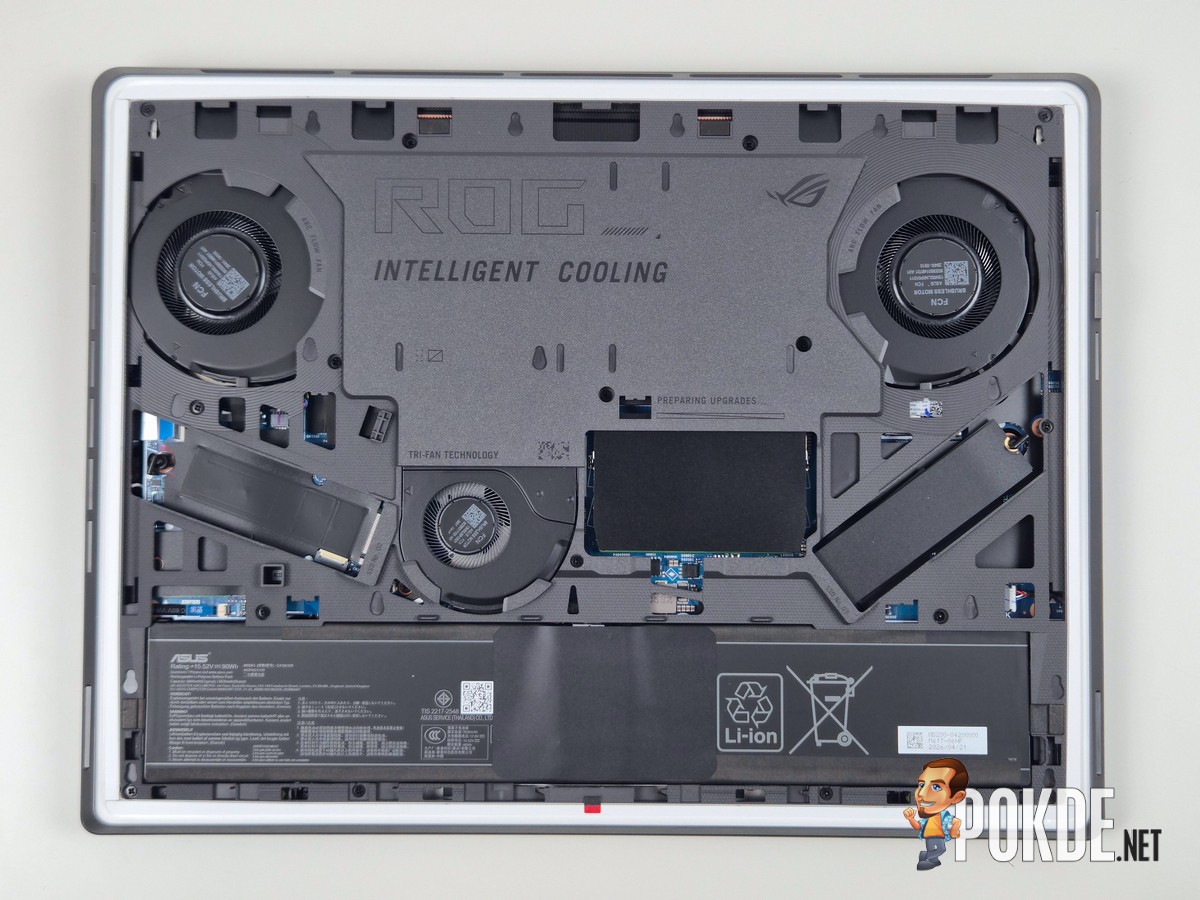
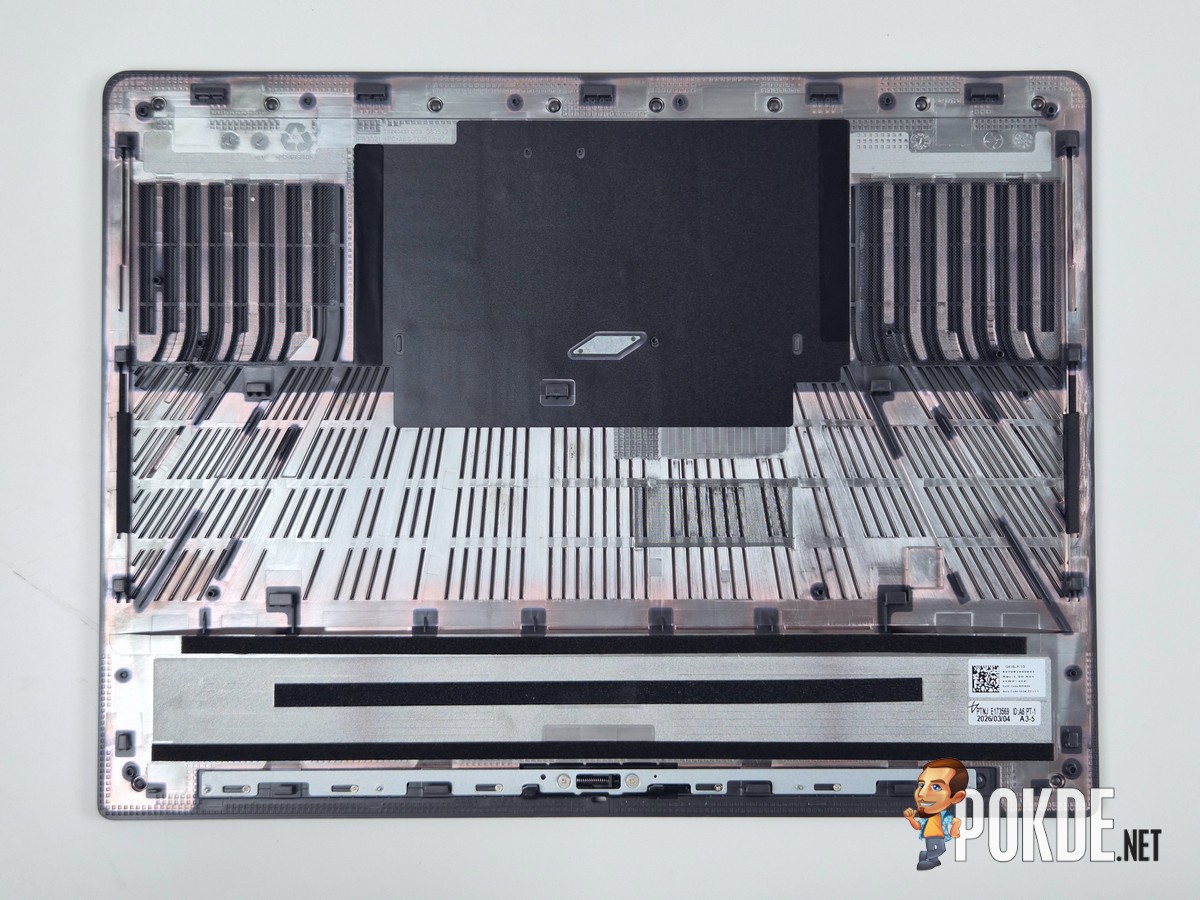
The bottom is where the party lies in the new ROG STRIX G16. ASUS has engineered a completely tool-less bottom panel that can be removed by simply unlocking a latch at the bottom edge of the laptop – once you see the highlighted red marker, pull the panel towards you and the panel is immediately freed, exposing all the essential components such as RAM slots, SSD slots, cooling fans, and the battery (unfortunately, the Wi-Fi card lies a bit deeper than that and may require a more thorough disassembly).



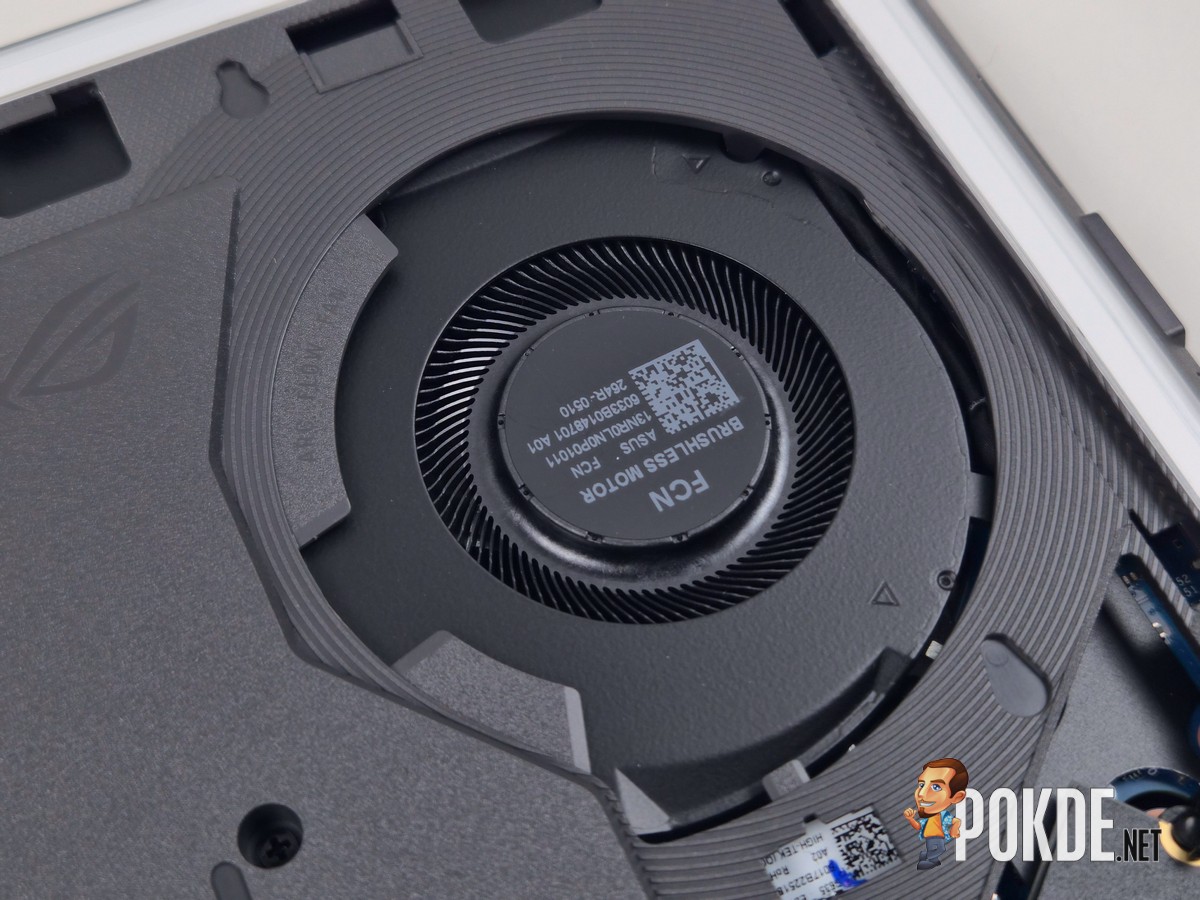
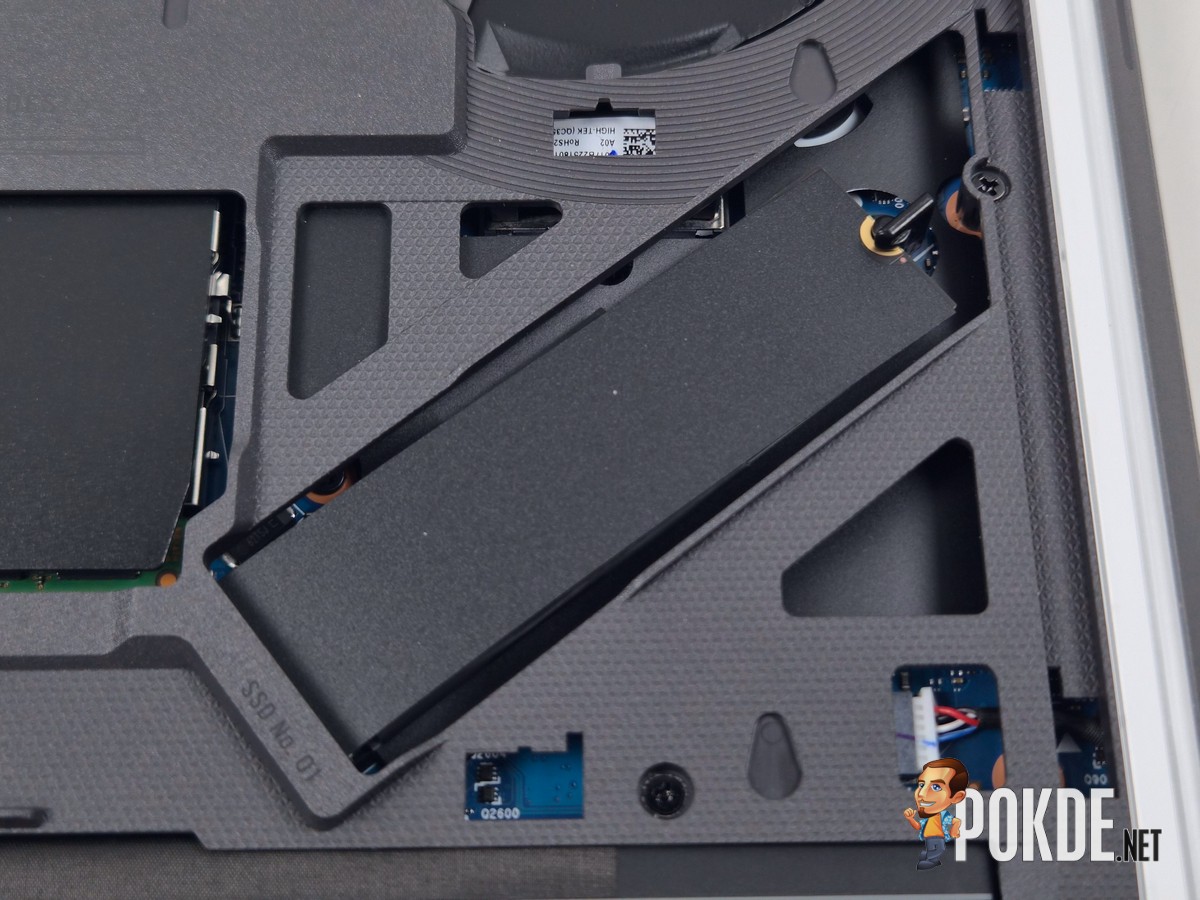
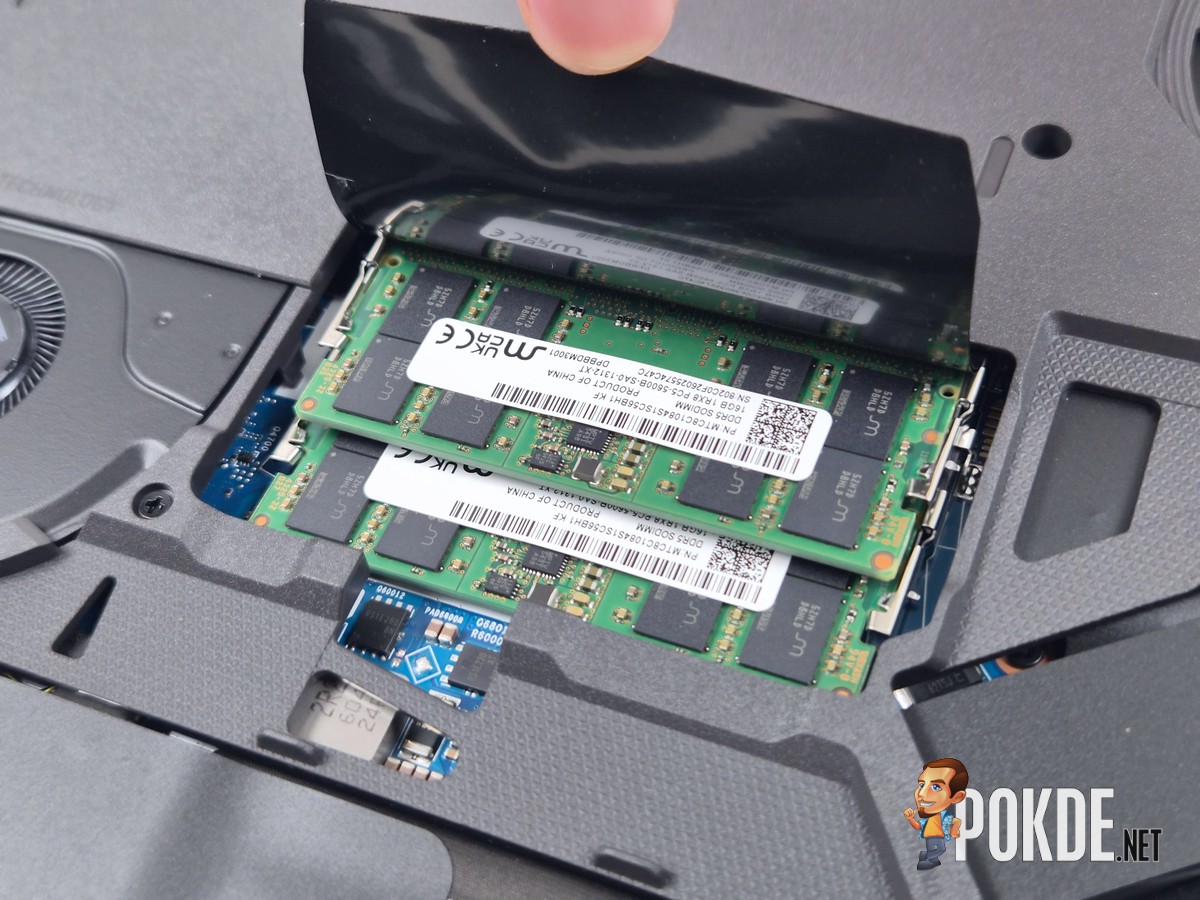
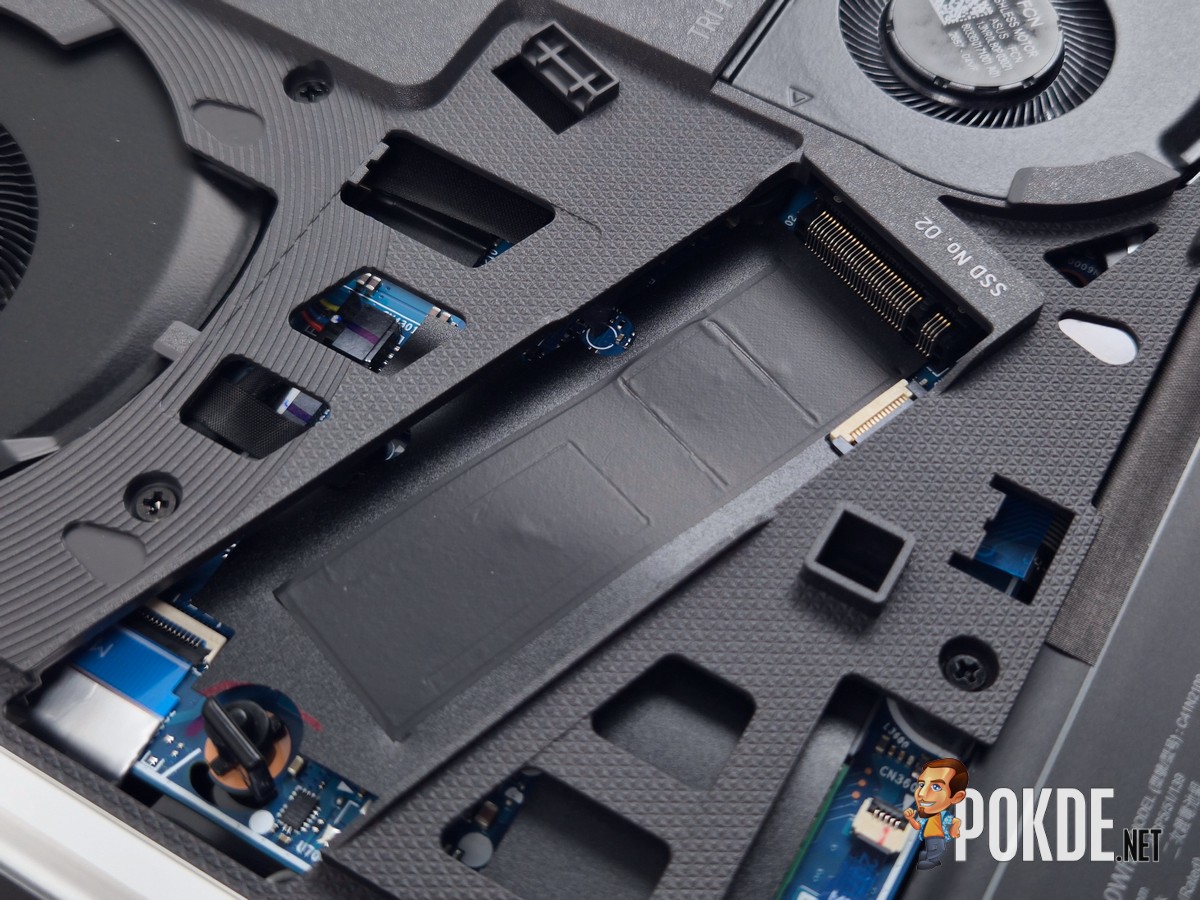
Here are the close-up view of all the components that can be accessed by the user: the RAM slot is revealed by lifting open the protective flap, while the SSD slots are situated on both sides of the motherboard, one of which is already occupied by a PCIe 4.0 SSD, in this case from Western Digital (now SanDisk). Both SSD slots offer tool-less installation mechanisms just like what you’d see in many desktop motherboard these days. Bonus points for ASUS on this one!
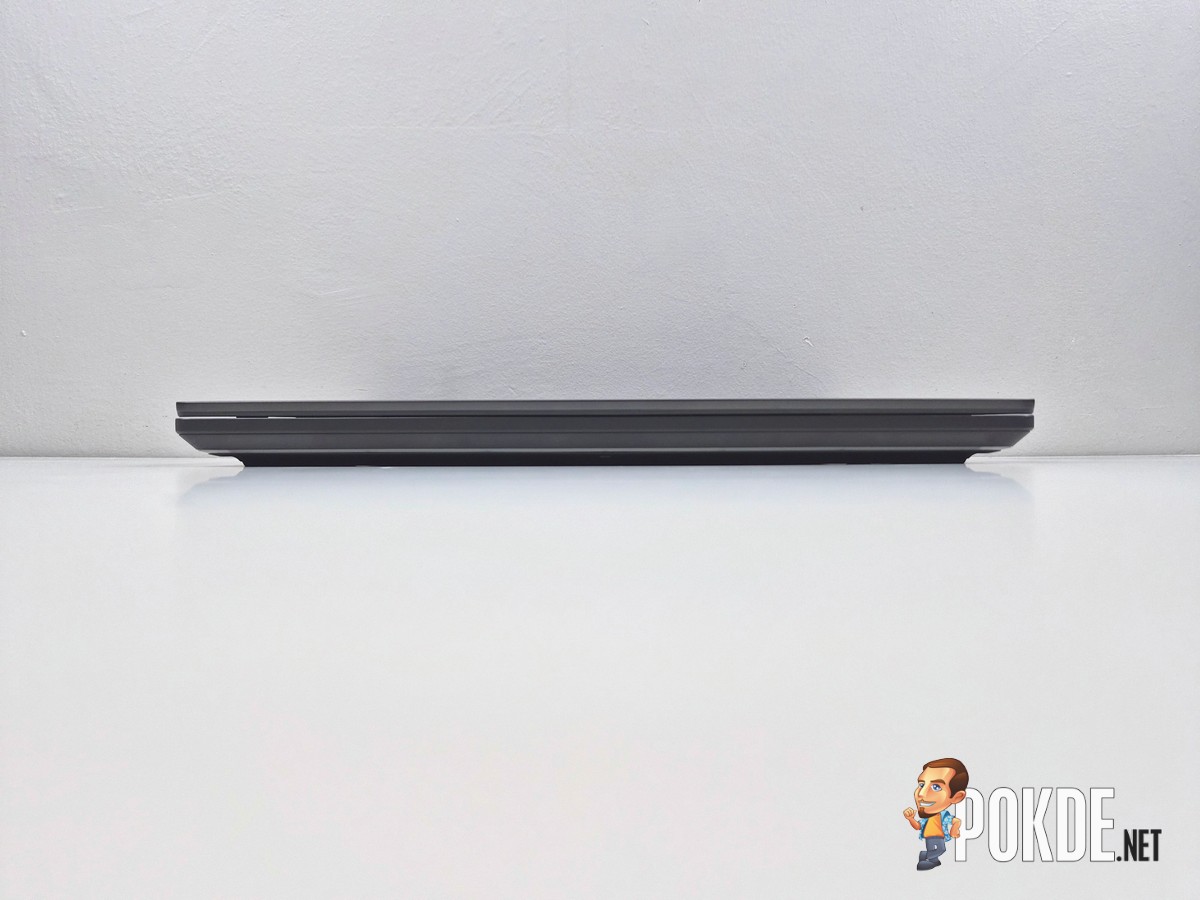
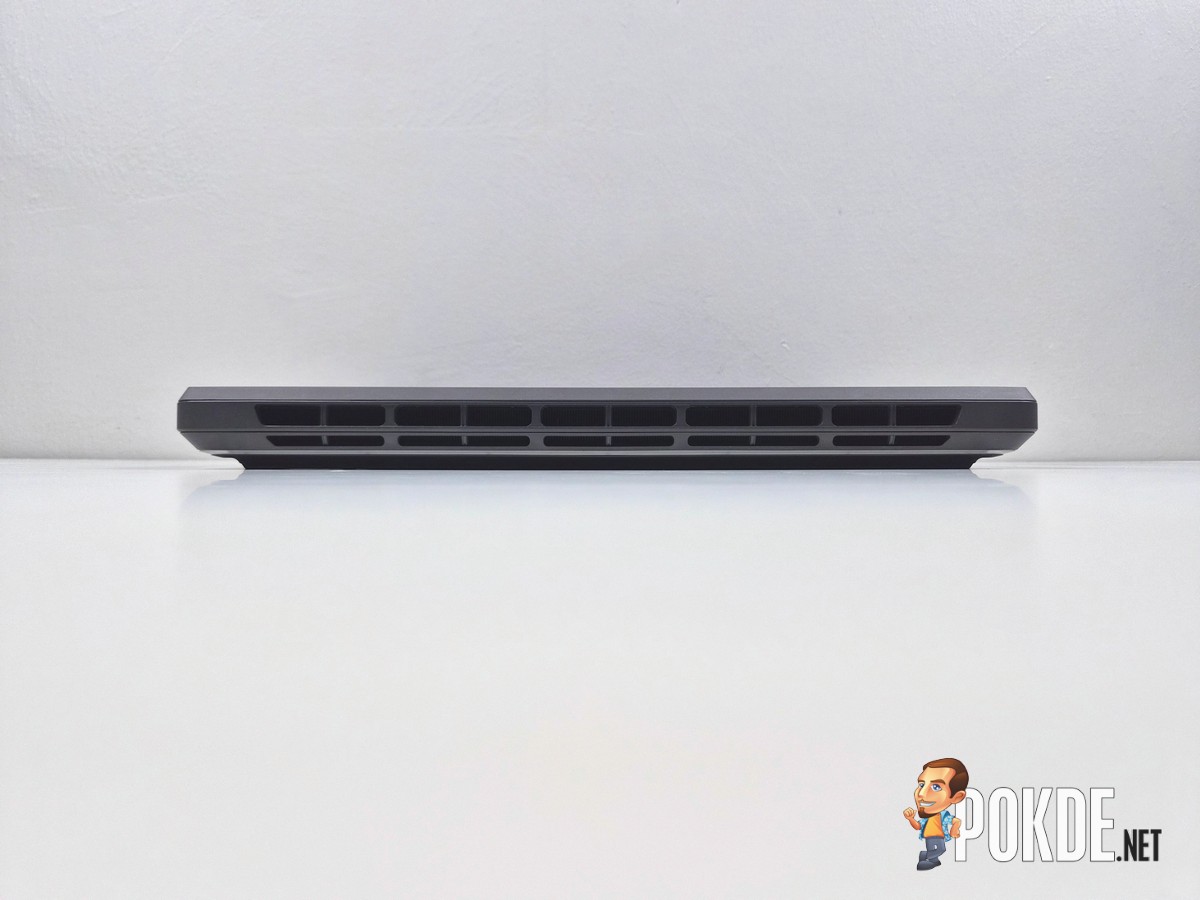
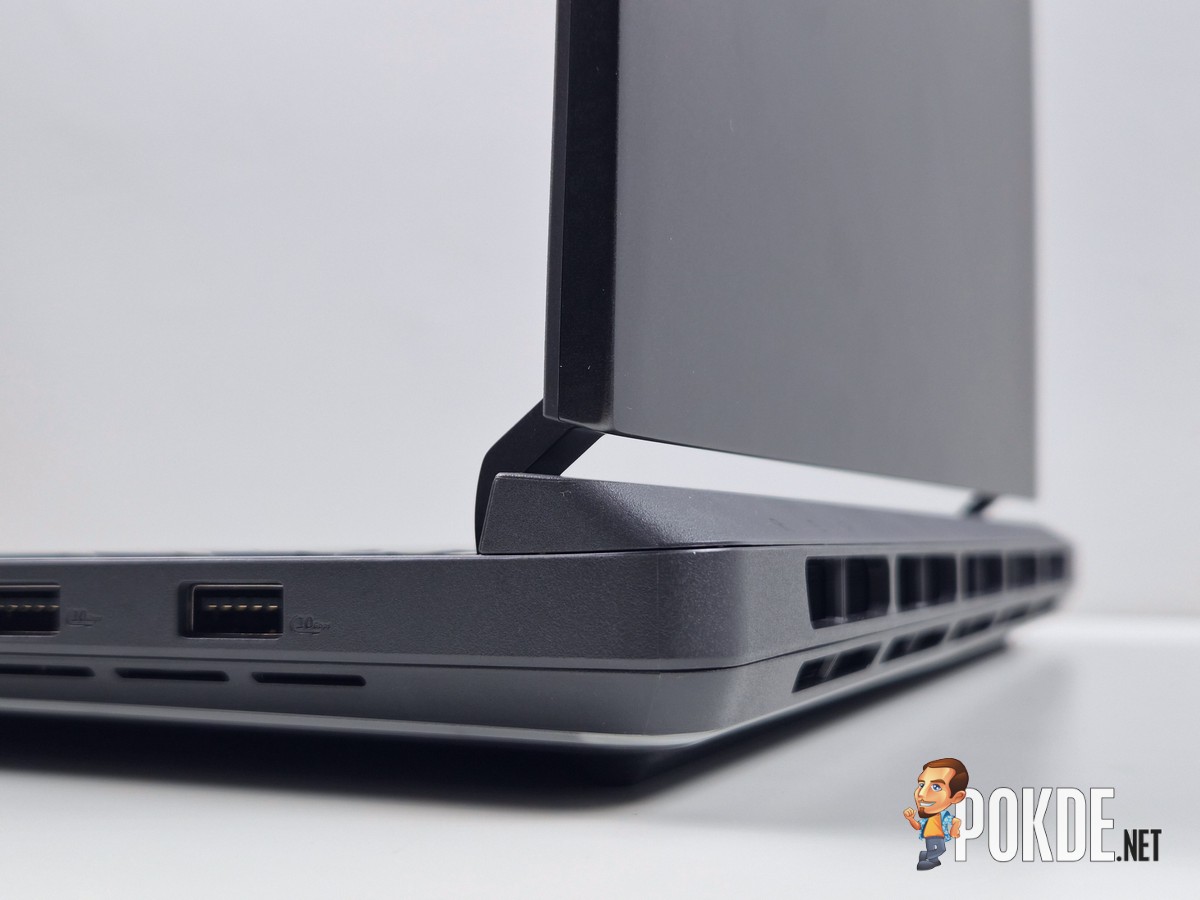
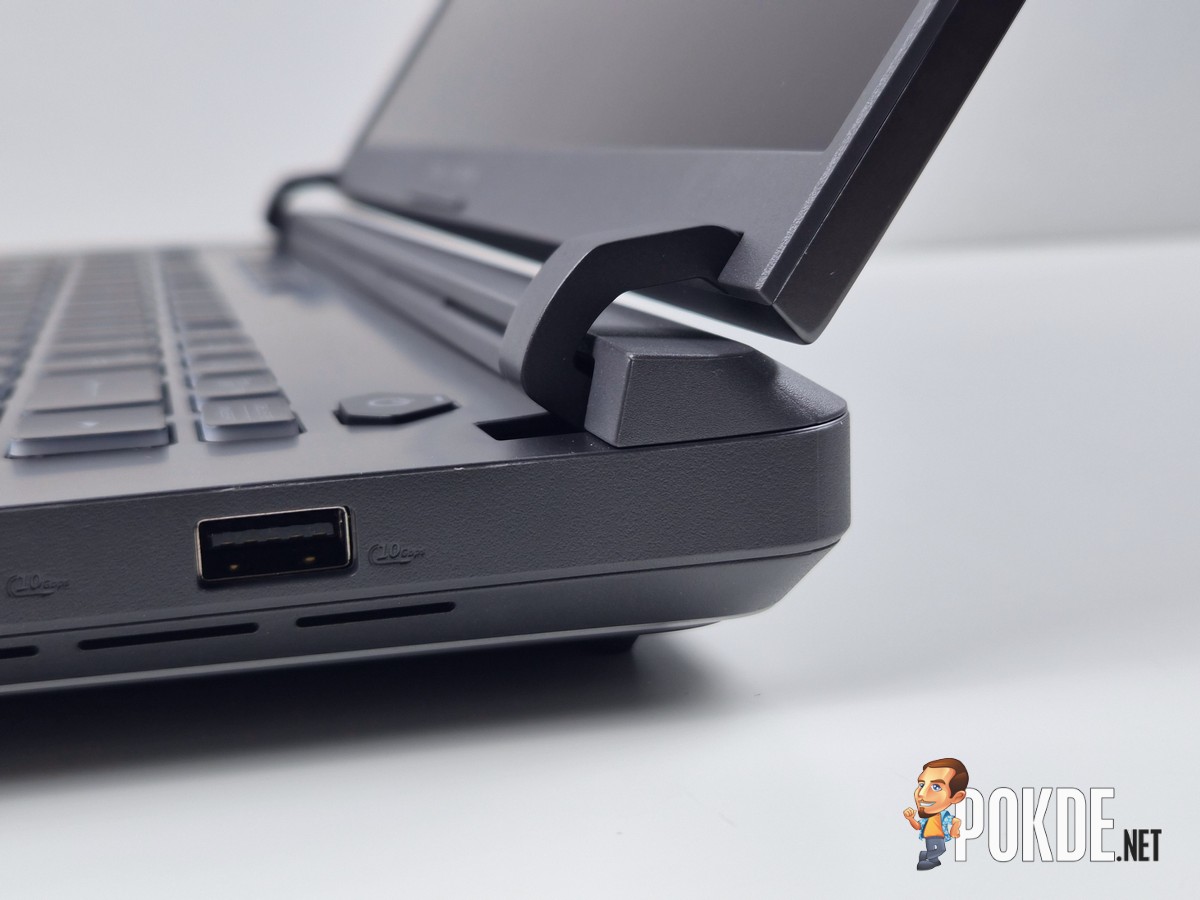
While making gaming laptops slimmer is often a major agenda among laptop makers, ASUS is sticking to maximizing the space offered by desktop replacement-class laptops (since they already have Zephyrus and Flow series for said purposes). As such, the new ROG STRIX G16 continues to be unapologetically thick, with plenty of cutouts for intake and exhaust airflows. The display hinge is still the unique “swan neck” design that can be found all the way back in 2020’s STRIX SCAR III (that laptop’s design ages like wine, still).
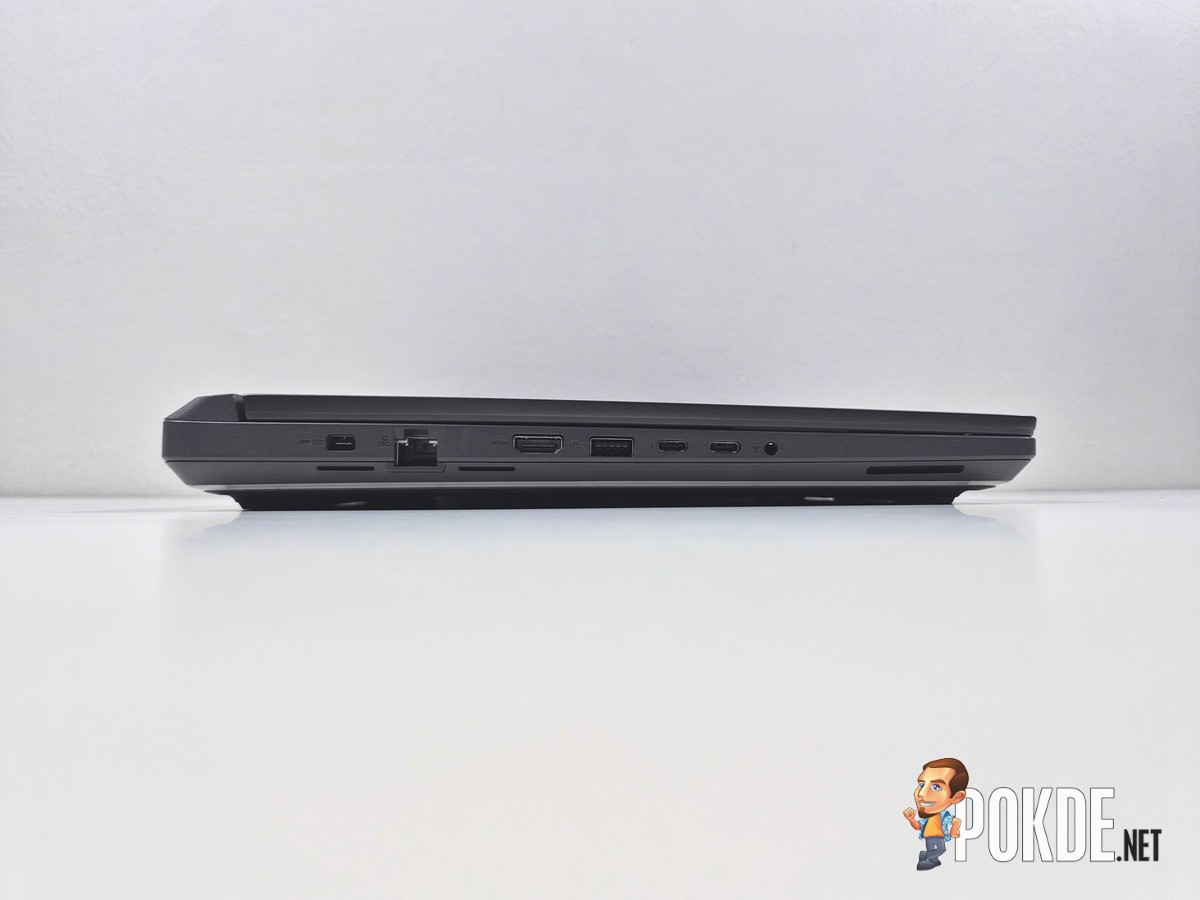
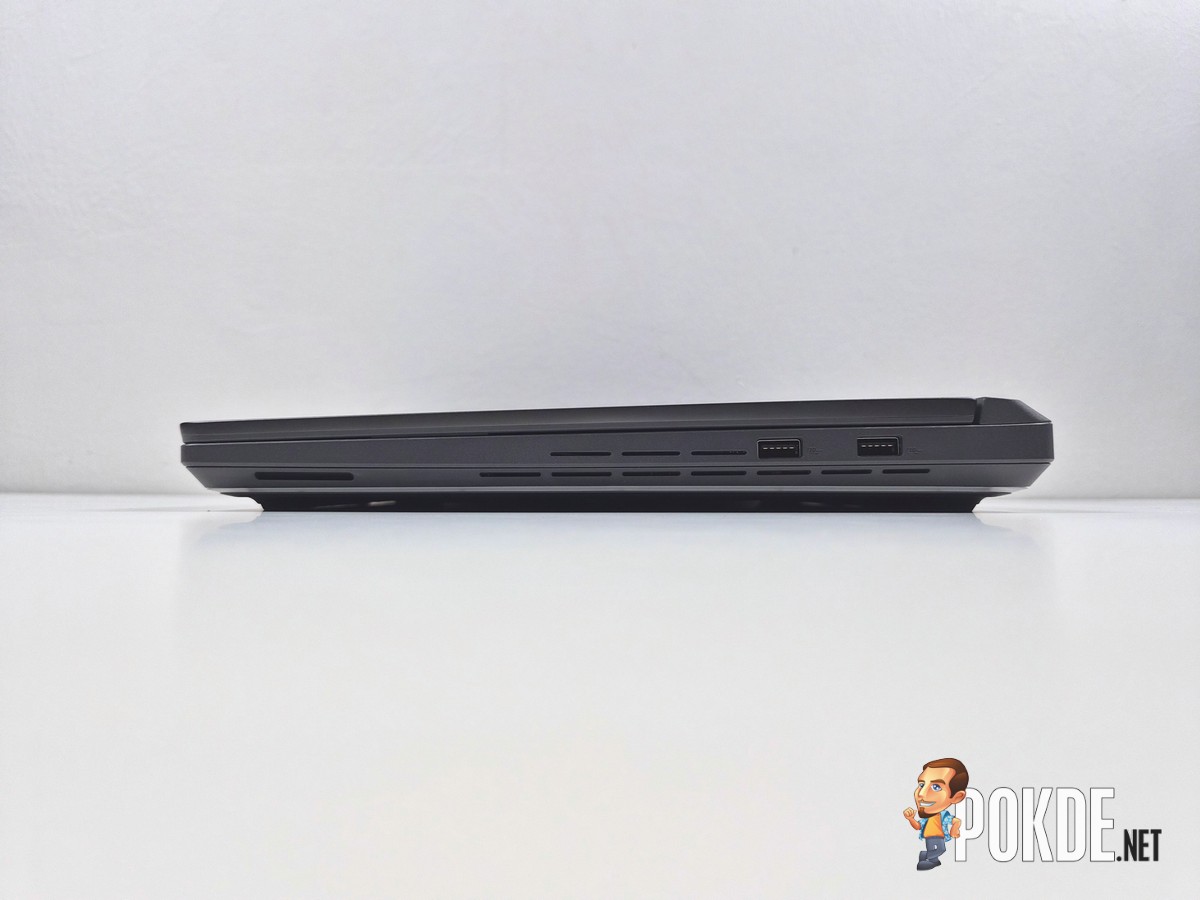
All of the laptop’s I/O is located on both sides of the laptop, with the majority of them situated on the left. From left to right, there’s the DC connector, LAN port, HDMI 2.1 FRL, USB-A 10Gbps, USB-C 10Gbps, Thunderbolt 4, and 3.5mm audio jack on the left, followed by another two USB-A 10Gbps ports on the right side. Note the extra chassis cutouts around the ports, likely for cooling purposes.
Specifications
ASUS ROG STRIX G16 (G615L-MTS5078WP)
Full specifications available in product webpage.
| CPU | Intel Core Ultra 9 290HX Plus 5.5GHz / 24 cores (8P+16E), 24 threads |
| RAM | 32GB (2x16GB) DDR5-5600 (SODIMM) |
| GPU | Integrated: Intel Graphics (4 Xe-cores) Discrete: NVIDIA GeForce RTX 5060 Laptop GPU (8GB GDDR7, 100+15W TGP) MUX Switch present (NVIDIA Advanced Optimus) |
| NPU | Intel AI Boost (13 TOPS) |
| Storage | Slot 1: Western Digital / SanDisk SN5000S 1TB SSD SDEQNSJ-1T00-1002 PCIe 4.0, M.2 2280, QLC Specs Slot 2: Vacant |
| Display | BOE NE160QD2-M22 16″ IPS, anti-glare non-touch panel 2560 x 1600 (16:10) 240Hz/300Hz refresh rate*, 3ms overdrive response time 100% DCI-P3, 8-bit (16.7M colors) 500 nits SDR max brightness NVIDIA G-SYNC Pantone® Validated *300Hz mode available via dGPU output by switching MUX |
| Keyboard | 75% equivalent layout with hotkeys 4-zone RGB backlighting |
| Touchpad / Stylus | Precision touchpad |
| Audio | 2x 2W Stereo speakers Dolby Atmos support |
| Webcam | 1080p IR webcam Shutter not present |
| Biometrics | Face recognition (Windows Hello) |
| I/O | Left: 1x DC connector 1x RJ-45 LAN (Realtek RTL8168/8111 1GbE) 1x HDMI 2.1 FRL 1x USB-A 10Gbps 1x Thunderbolt 4 (DisplayPort, USB PD 100W) 1x USB-C 10Gbps (DisplayPort via dGPU, USB PD 100W) 1x 3.5mm combo jack Right: 2x USB-A 10Gbps |
| Wireless Connectivity | Intel BE200 (Wi-Fi 7) 320MHz tri-band, 2×2 MIMO Bluetooth 5.4 |
| Battery | 90Wh 4-cell Li-ion |
| Power Supply | 280W DC power supply (rectangle connector) 100W USB-C Power Delivery support |
| Operating System | Windows 11 Home 25H2 |
| Dimensions | 354 x 268 x 22.8 ~ 30.8 mm |
| Colors | Eclipse Gray [As tested] Volt Green |
| Weight | 2.65kg |
Performance
Storage
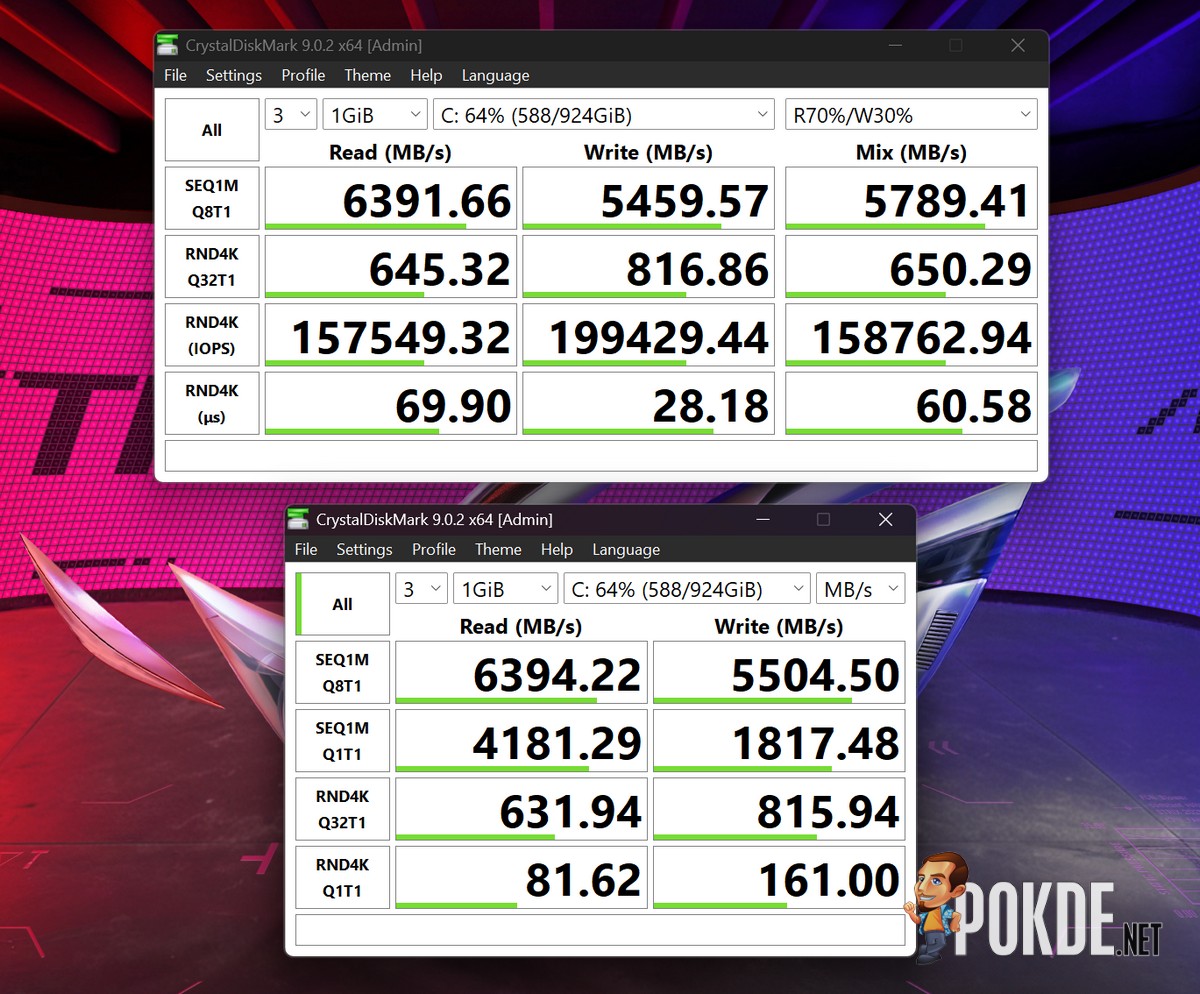
This particular unit of ROG STRIX G16 uses Western Digital’s – or rather, SanDisk’s – SN5000S 1TB SSD, which offers great performance, especially in writes; in fact, it might just be one of the fastest SSDs we’ve seen straight out of a laptop as of late. Plenty of random I/O performance means load times should be short, and I/O-heavy tasks such as video editing should be no problem for this potent SSD.
CPU
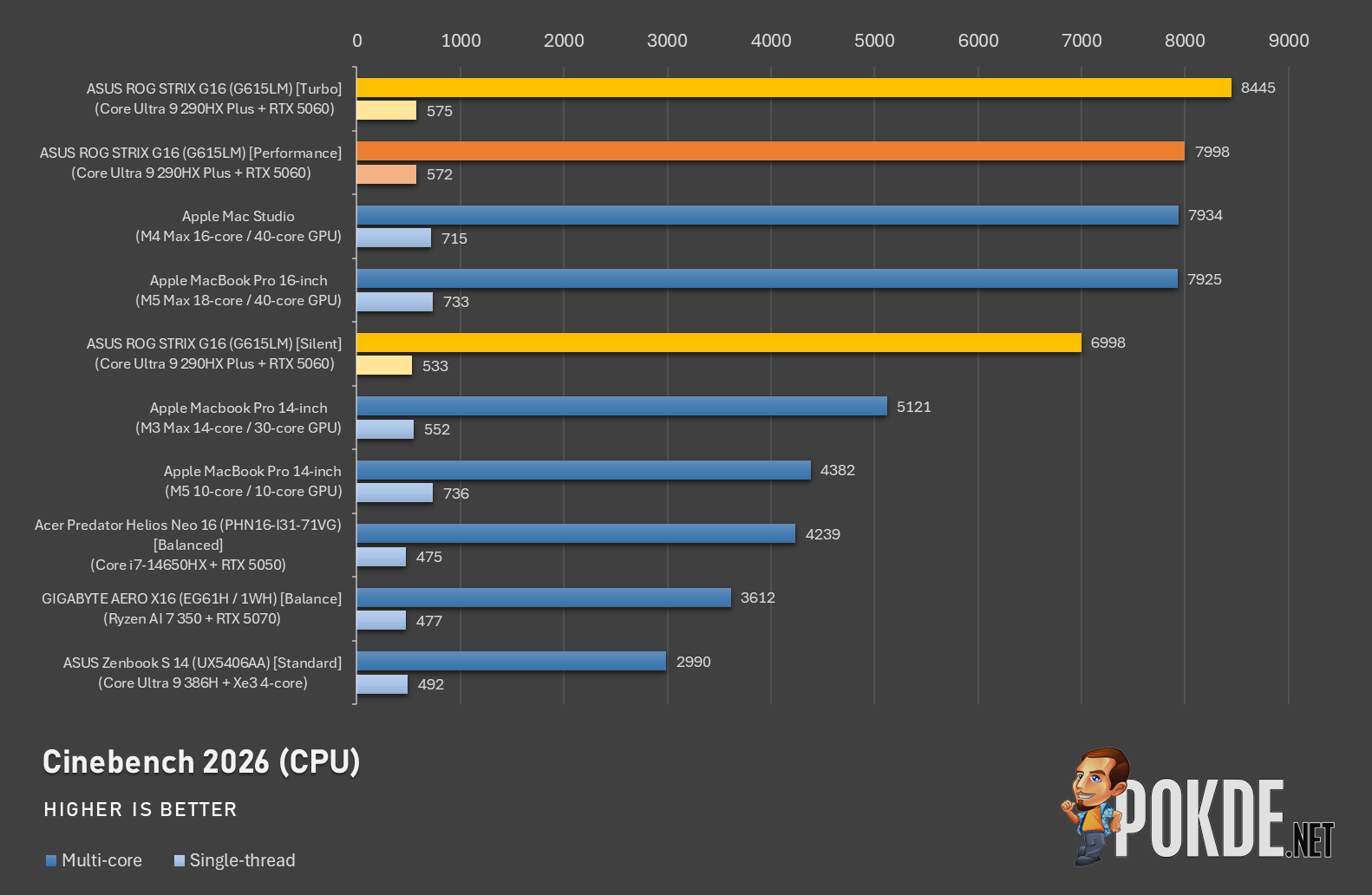
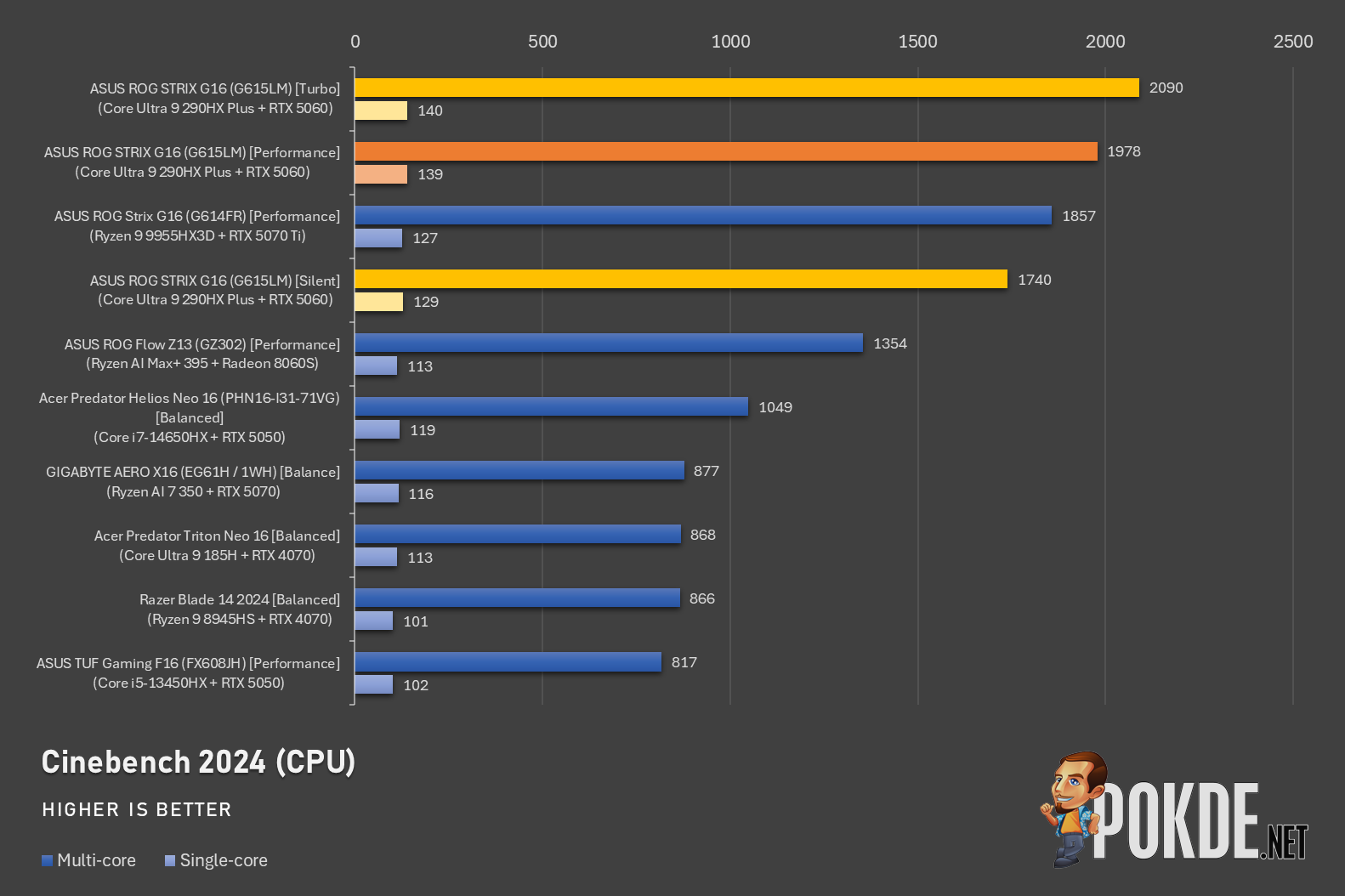
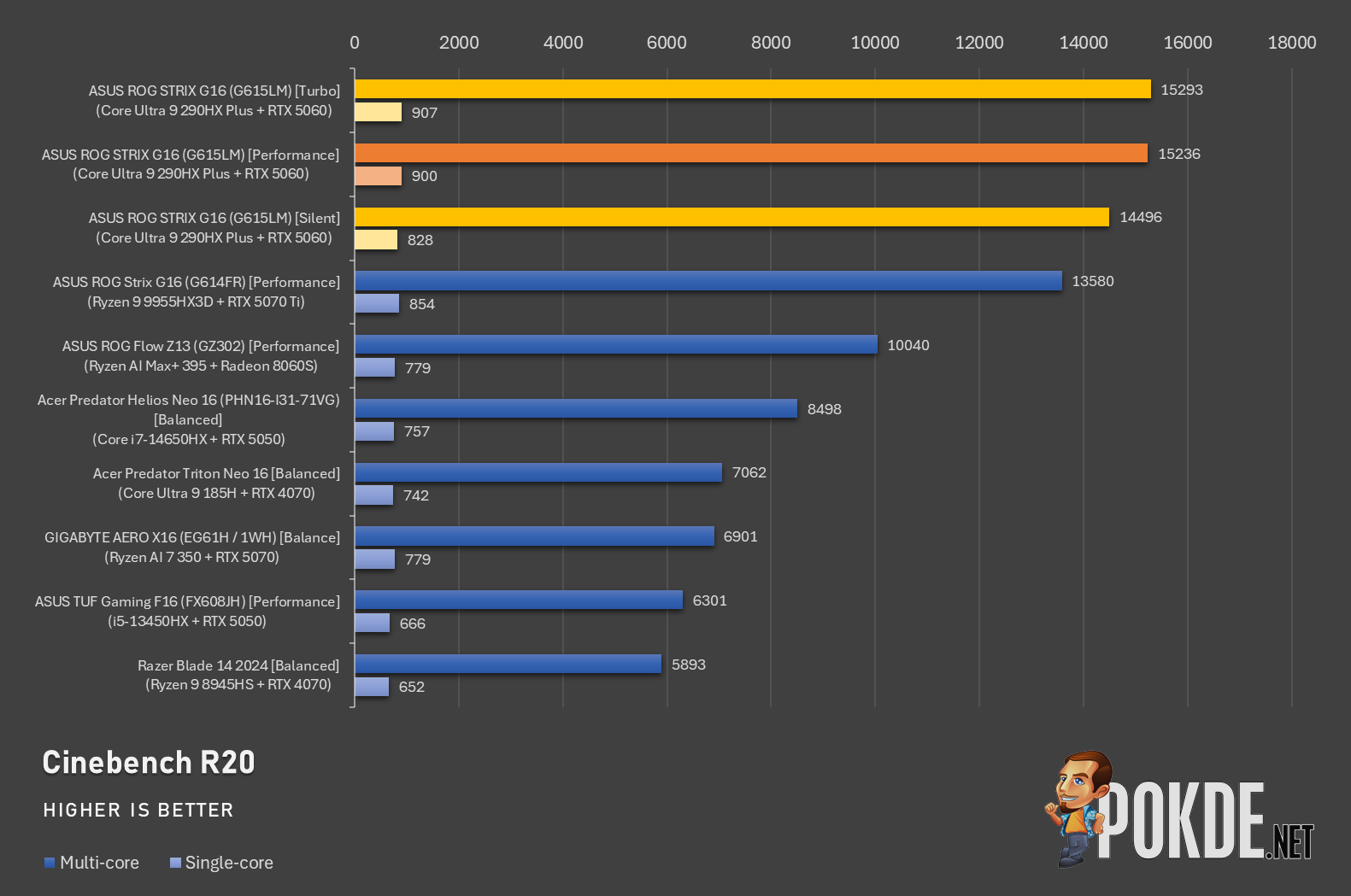
ASUS has chosen the most powerful Intel processor to date to power the new ROG STRIX G16 – the new Intel Core Ultra 9 290HX Plus packs 24 cores (8 P-Cores + 16 E-Cores), pair that with up to 80W TDP and 5.5GHz boost clock, and the result is the outright fastest laptop processor you can find on the market today. It also leads in the single-core department, though not quite on Apple’s level in terms of sheer IPC efficiency, which Apple’s M-series is extremely good at.
GPU
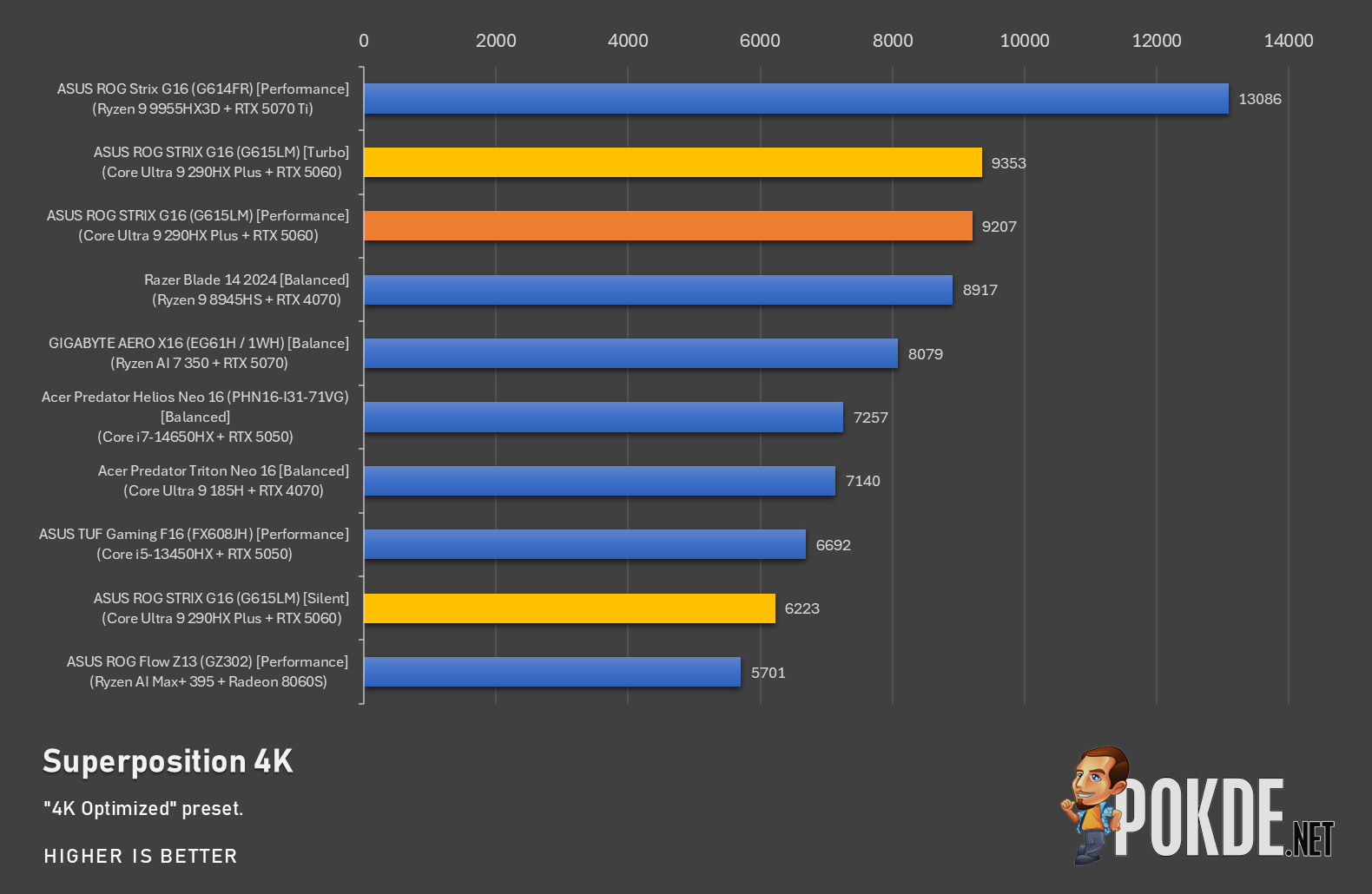
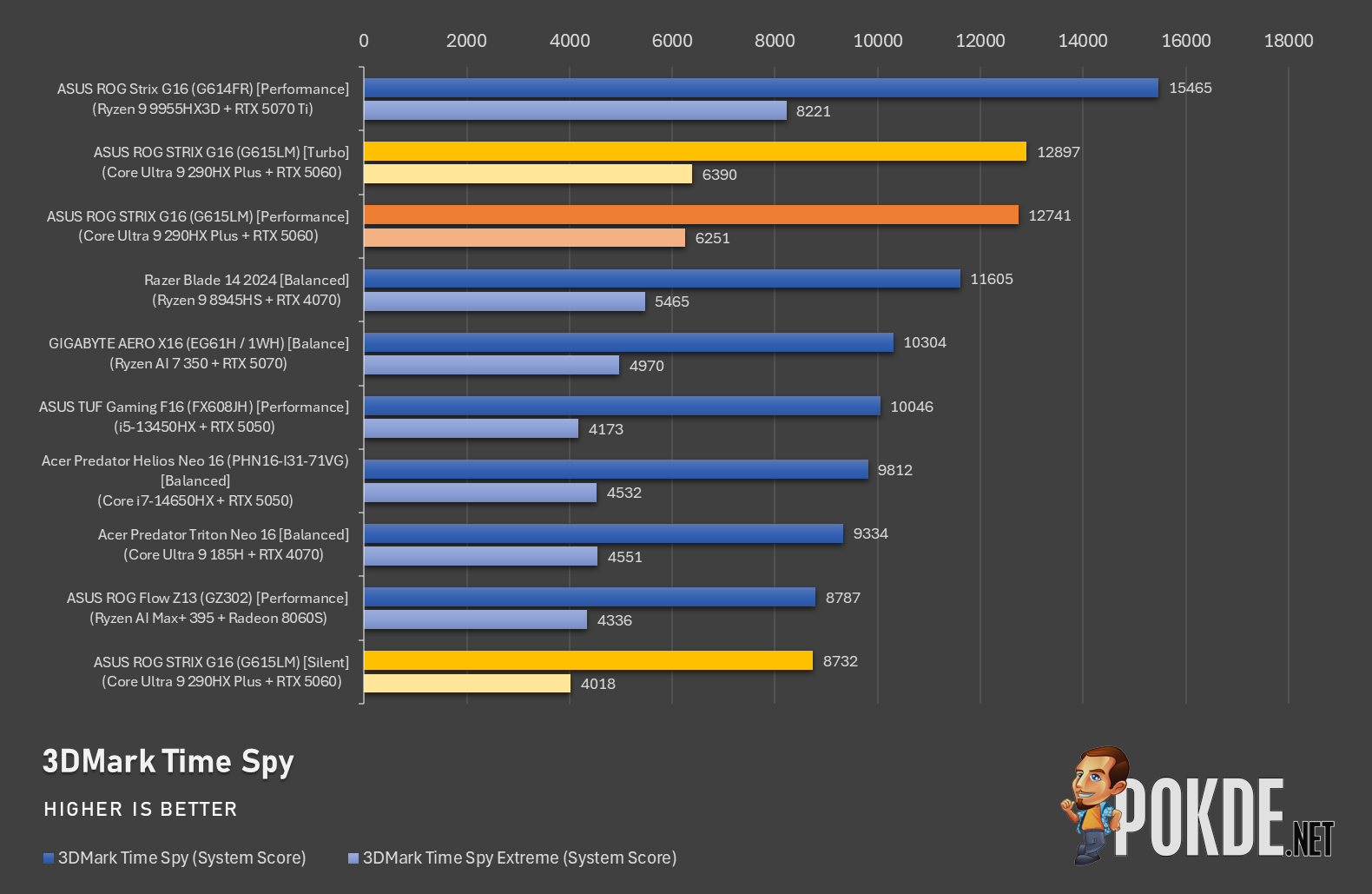
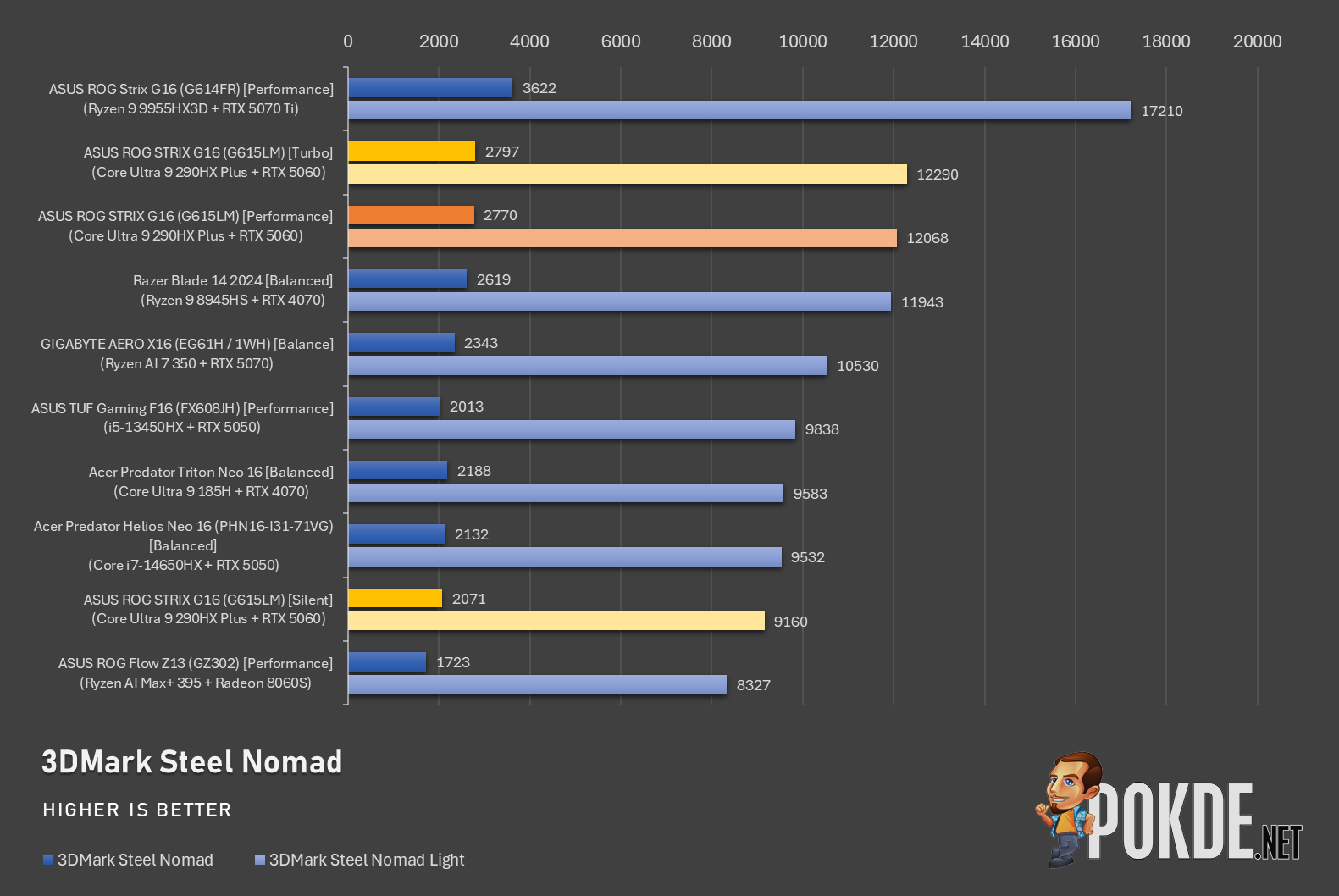
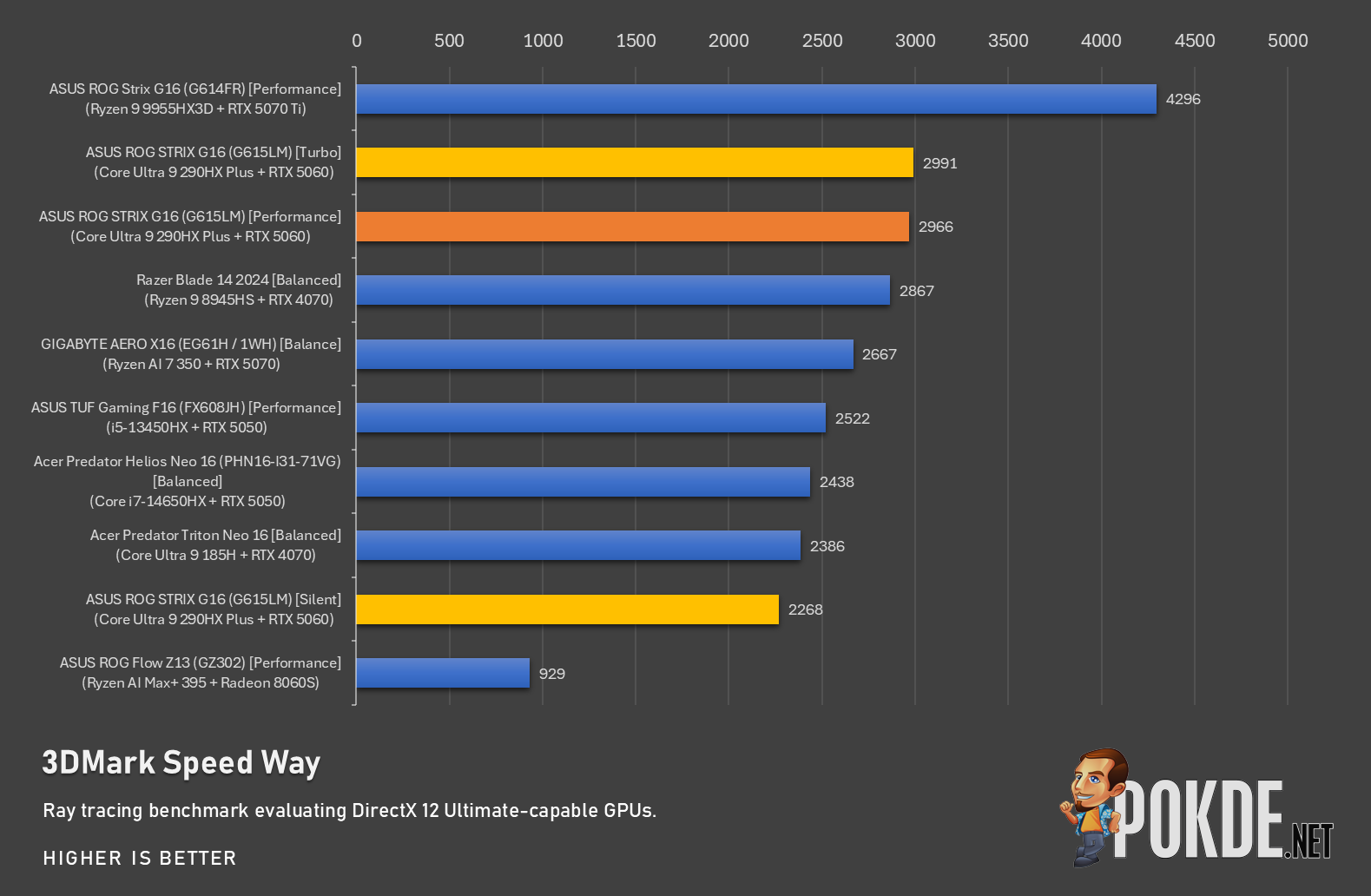
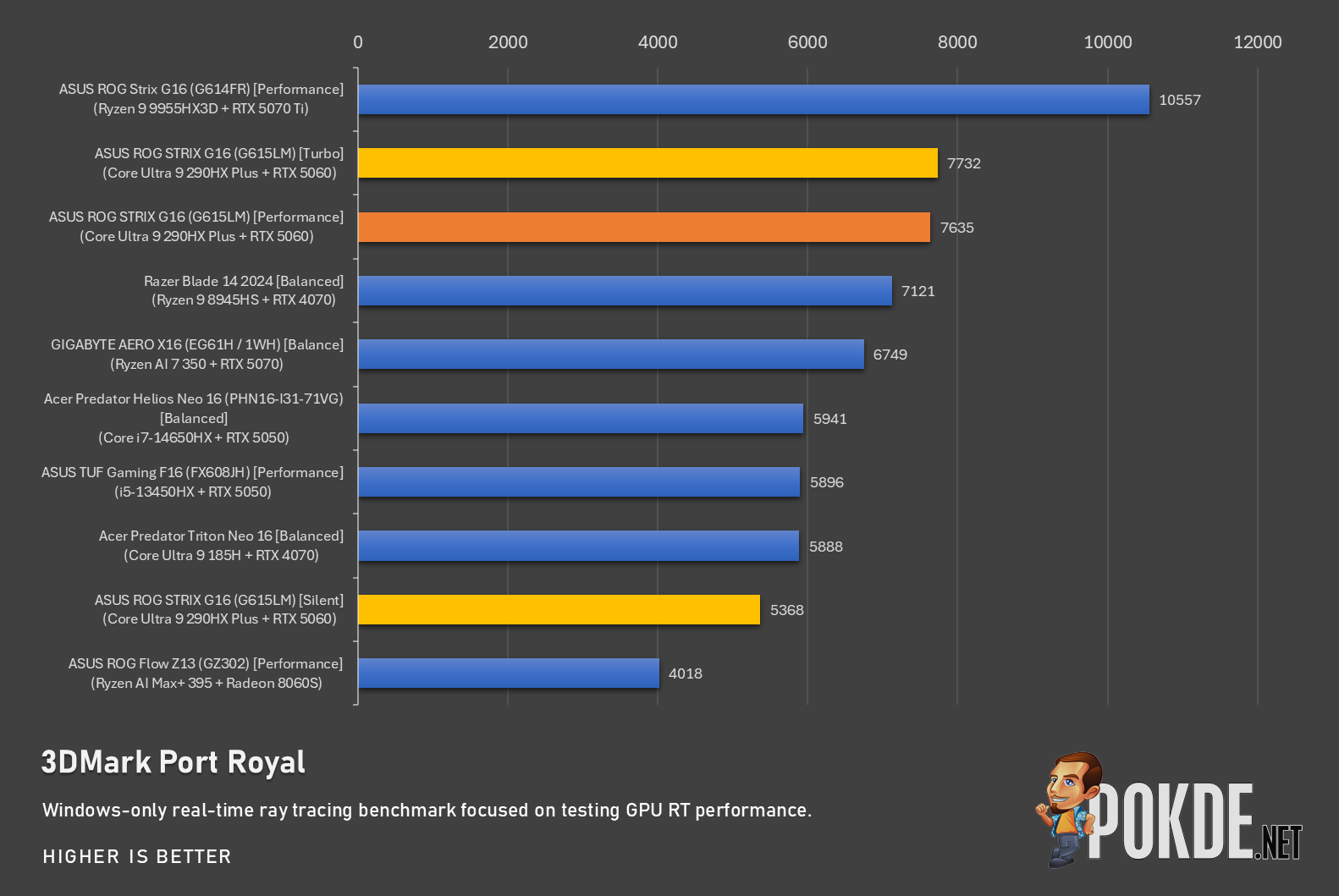
Oddly, the flagship Intel processor is paired with a mid-range NVIDIA GPU instead, which meant this ROG STRIX G16 has an even more extreme configuration mismatch than even the last generation model with an AMD Ryzen 9 9955HX3D and RTX 5070 Ti GPU. Hard to say if people are willing to pay flagship CPU money for a mid-range GPU, but either way, they perform decently in our tests, beating out 70-class laptops in slimmer designs (with lower TDPs); that said, it is no match to the RTX 5070 Ti when that GPU gets all the power it needs to properly stretch its proverbial muscles.
System
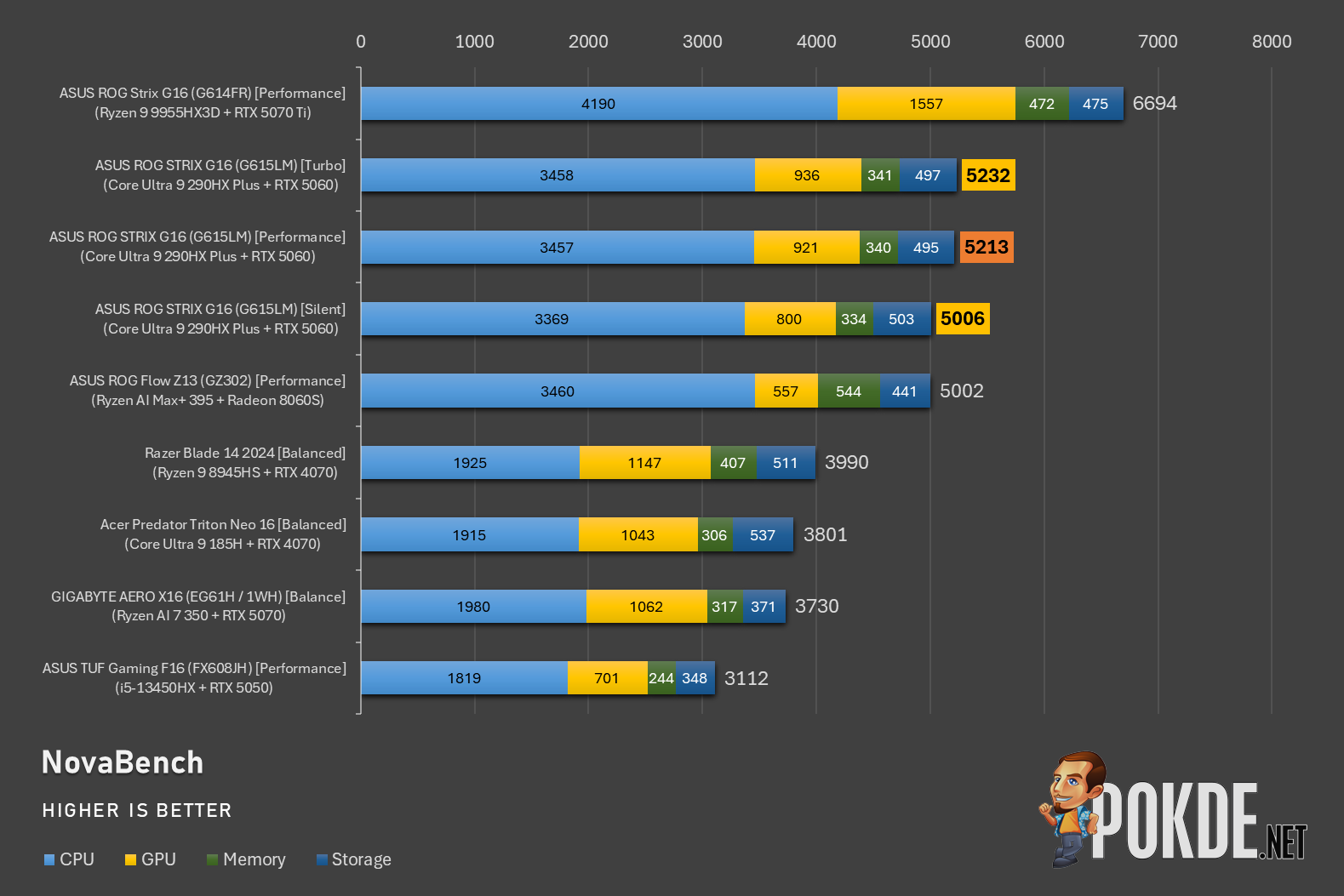
Moving on – our Novabench results show the immense advantage enjoyed by the new ROG STRIX G16, with the flagship Intel processor contributing to most of its scores across all three power modes. Interestingly, while the AMD-powered predecessor is slower in earlier CPU tests, here we see the Ryzen/G614FR model performing faster in both CPU and GPU metrics.
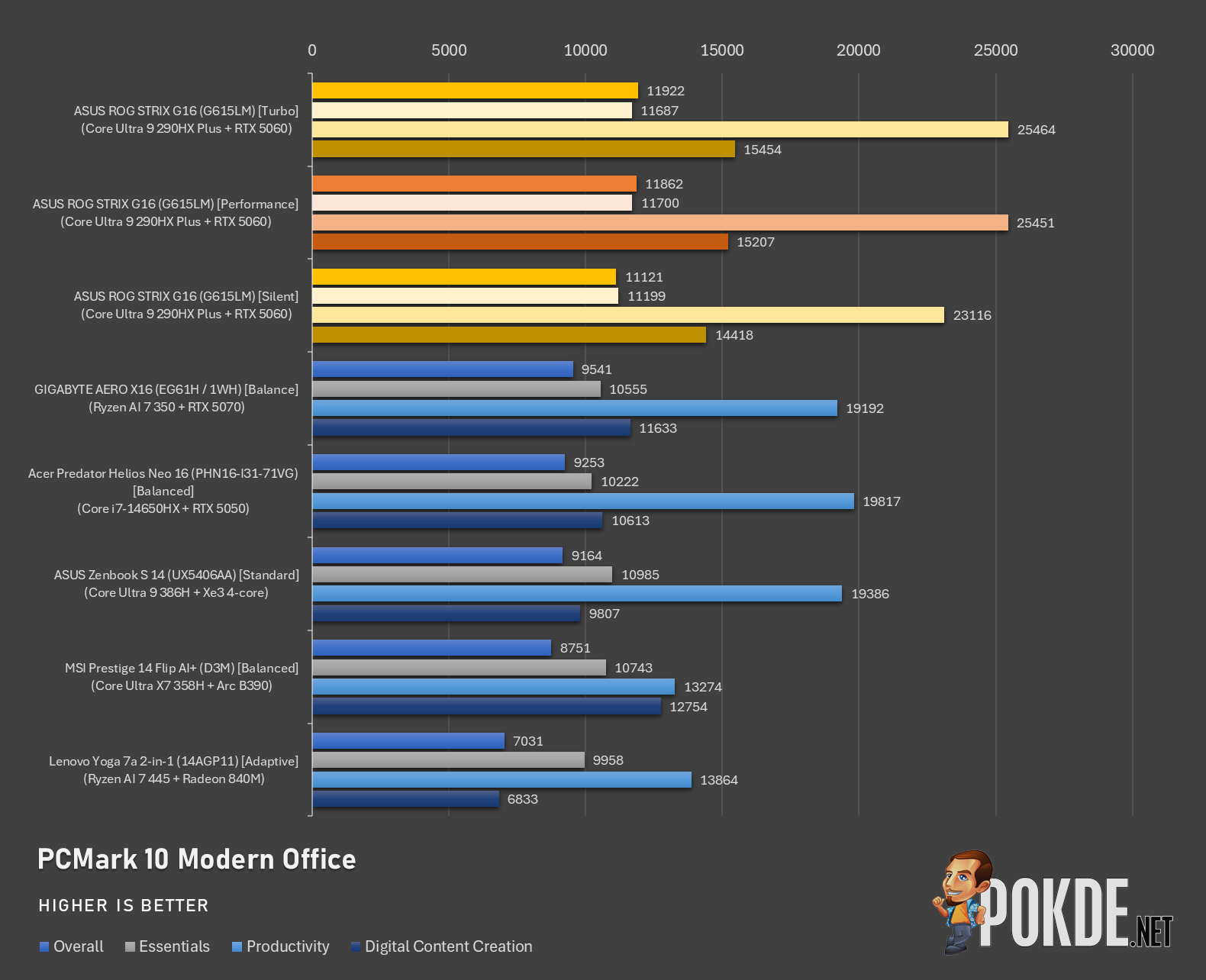
In PCMark 10, we’re comparing only against 2026 laptops due to a major score shift in Productivity segment likely as a result of Windows 11’s changes. Against some of the gaming laptops in this chart, the ROG STRX G16 leads on top with superior performance in all metrics.
Battery
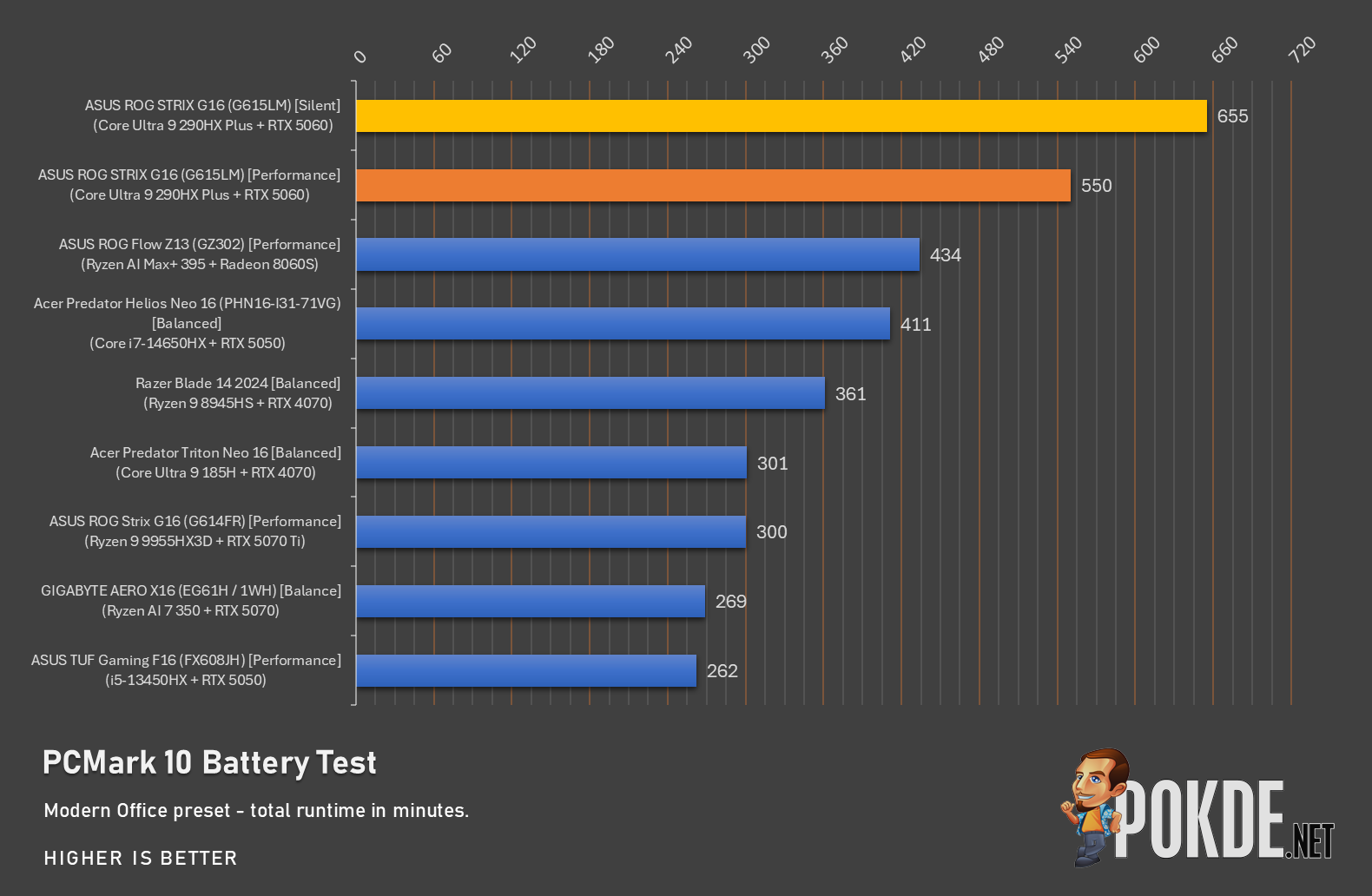
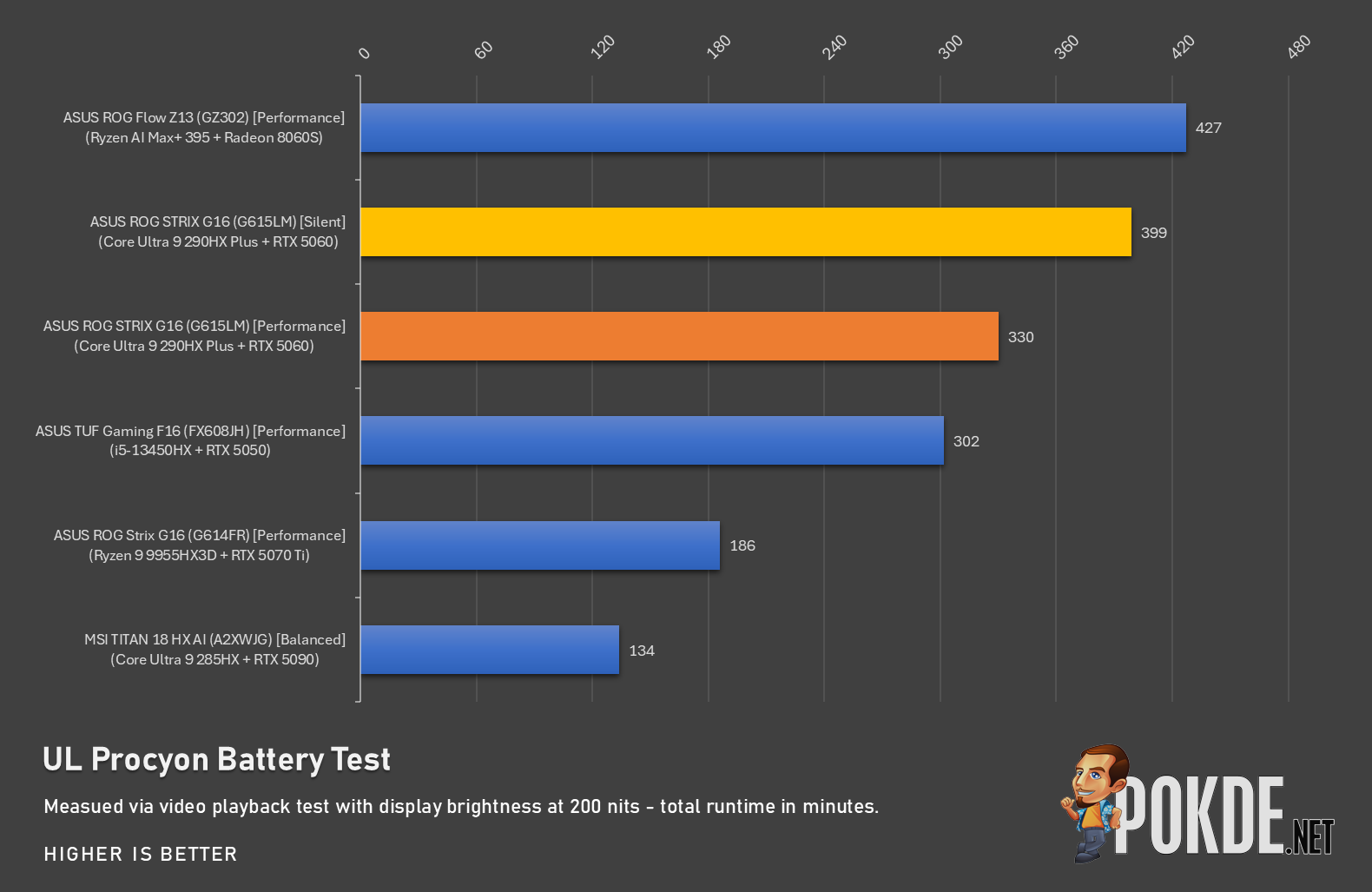
As for battery tests, we’re quite surprised with how power-efficient this laptop can be, despite it’s gargantuan footprint often associated with power guzzling systems; we managed to stretch past 10 hours with the ROG STRIX G16 running on Silent mode in PCMark 10 Battery Test, while UL Procyon’s video playback test nets us around 6 hours of runtime. All in all, solid showing for the highly-efficient Intel processor – and we also found out the NVIDIA GPU rarely intervenes during the test, as an iGPU-only run shows roughly the same result in our testing.
Gaming
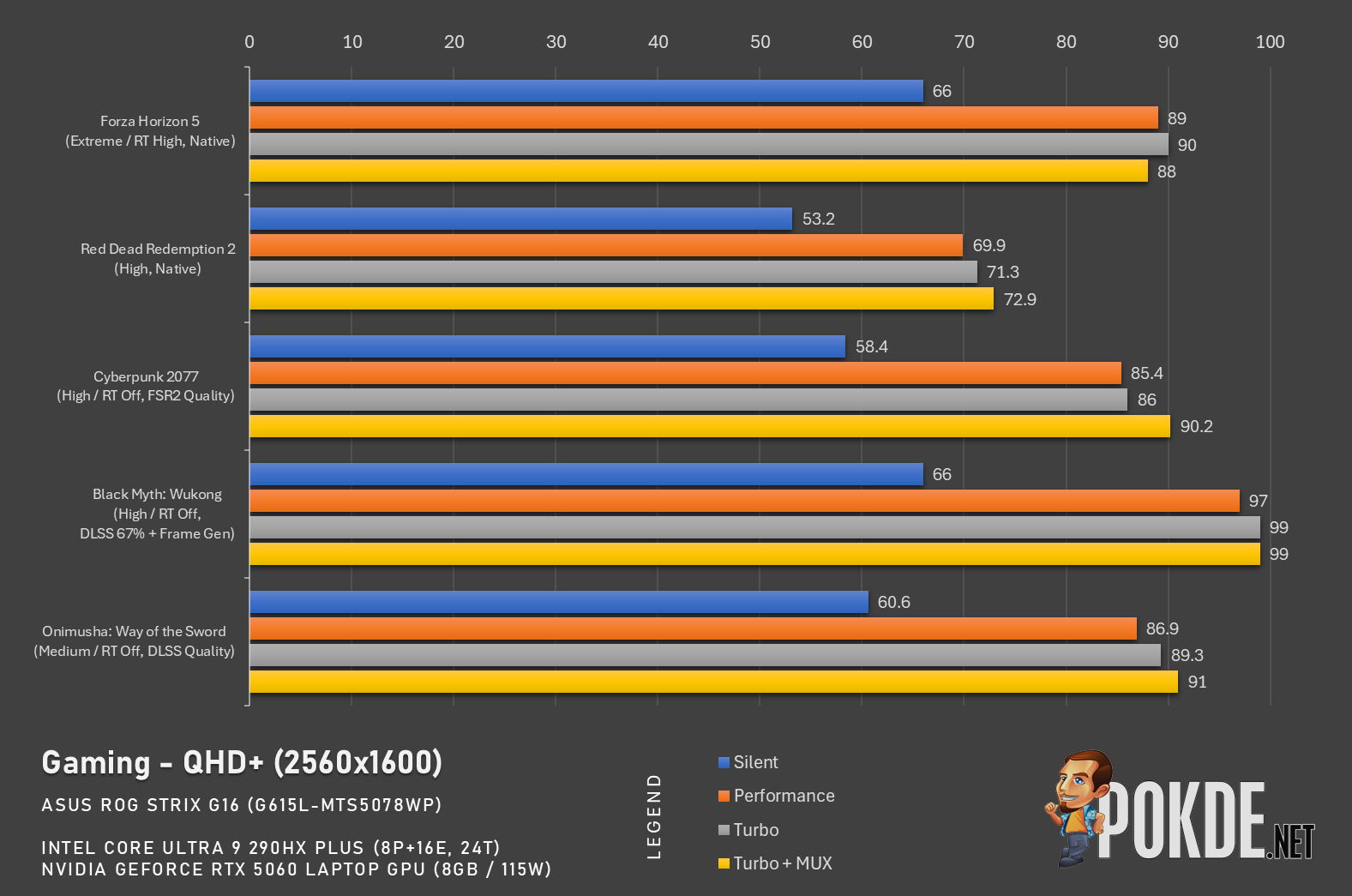
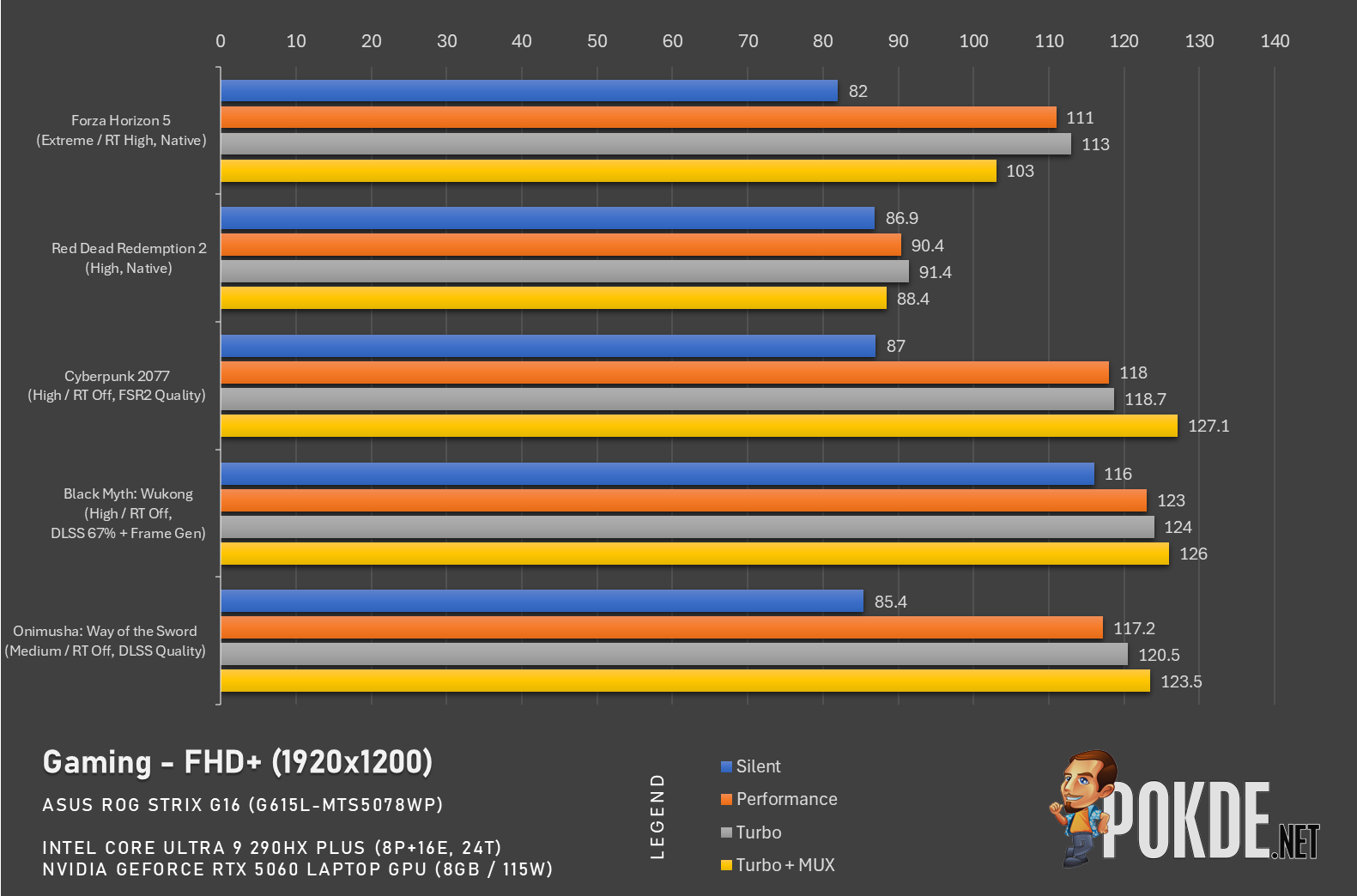
Lastly, let’s look at gaming performance – given that we’re dealing with a mid-range GPU, it’s wise to have reserved expectations on what it can do in terms of framerates. We specifically test the titles without frame generation enabled unless absolutely necessary (such as Black Myth: Wukong), and generally 120FPS is attainable in most titles in Full HD resolution. At QHD, we see around 90FPS in the same settings, which is still solid especially if you’re fine with 2x FG.
The Good
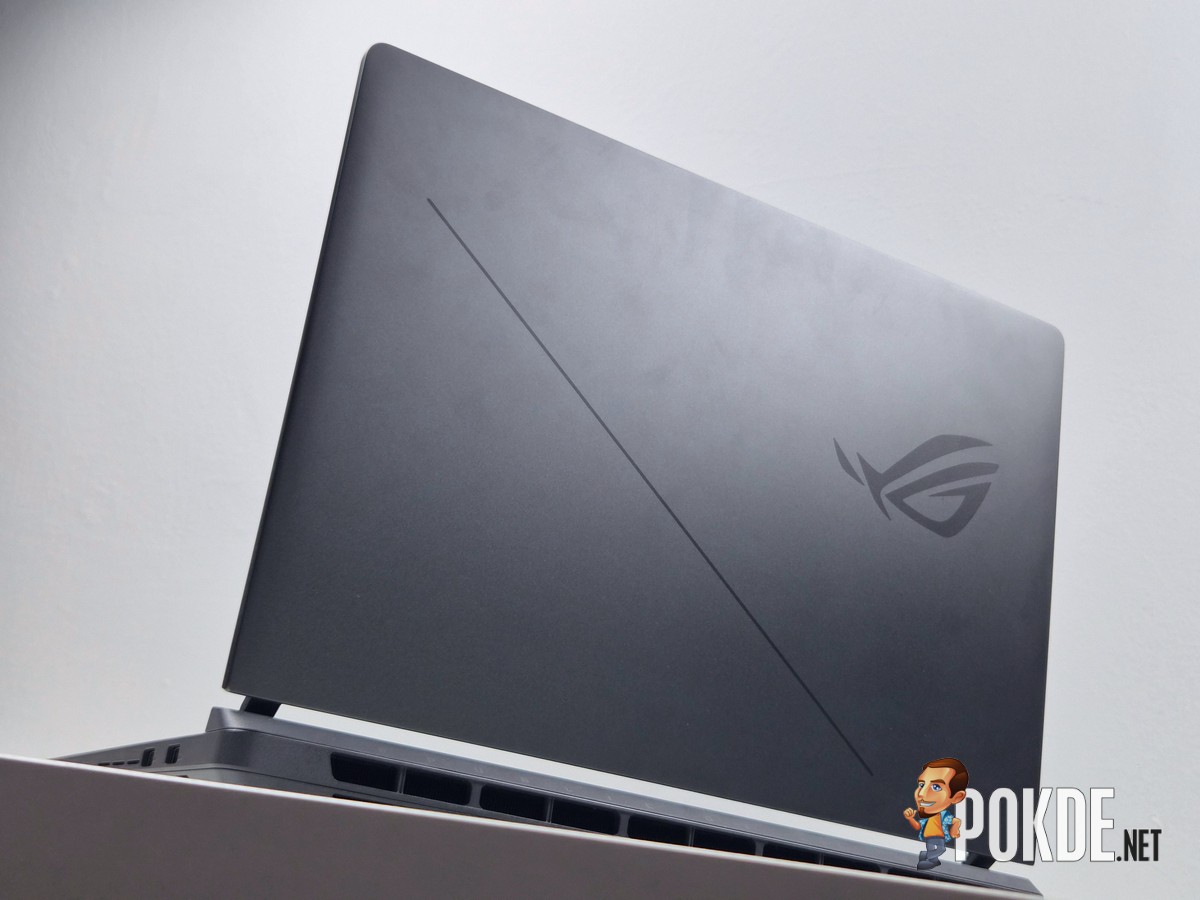
Let’s start with the good on the new ROG STRIX G16 – the most impressive part of the laptop is the CPU, and the ease of maintenance. If you’re looking primarily for CPU horsepower and don’t mind a relatively lightweight GPU, this laptop ticks that box easily. An extra bonus of Intel’s power-efficient architecture is the battery life you can extract out of its 90Wh battery: 10 hours is certainly solid for something as bulky as this one that rarely gets moved around.
If you’re the one who aren’t as familiar with laptop maintenance and upgrades – which, to be fair, is an acquired skill – the ROG STRIX G16 makes it incredibly easy to do so. This feature alone might bring quite a few more ROG faithful, we think, if the hotkeys hasn’t already done so for those seeking utmost convenience (I’m one such person).
On the subject of internals, the laptop’s cooling system does a good job at making fan noises largely unintrusive, and being on what we consider a reasonable loudness even under Turbo mode. Speakers are solid, too, though I wish there’s a bit more boom in the bass frequencies; and similar things can be said on the laptop’s ROG Nebula Display, which offers solid colors and brightness, even if it’s not necessarily a top-tier tech.
The Bad
All things considered, the new ROG STRIX G16 has a good foundation to work with – though there are some points worth improving. First among them is less of a design decision and more of a product decision: pairing a flagship Intel processor with a mid-range NVIDIA GPU just sounds like a bottleneck waiting to happen. It’s perhaps more sensible to pair it with an older CPU to cut the price tag somewhat, even if the concept of “affordable” seems pretty murky these days.
Two minor things worth mentioning: I’d like to see per-key RGB being an option, given that this is an ROG laptop after all; separately, a webcam privacy shutter would be nice to the privacy-conscious so they won’t have to resort to tapes, which does ruin the look if you ever see one.
Verdict
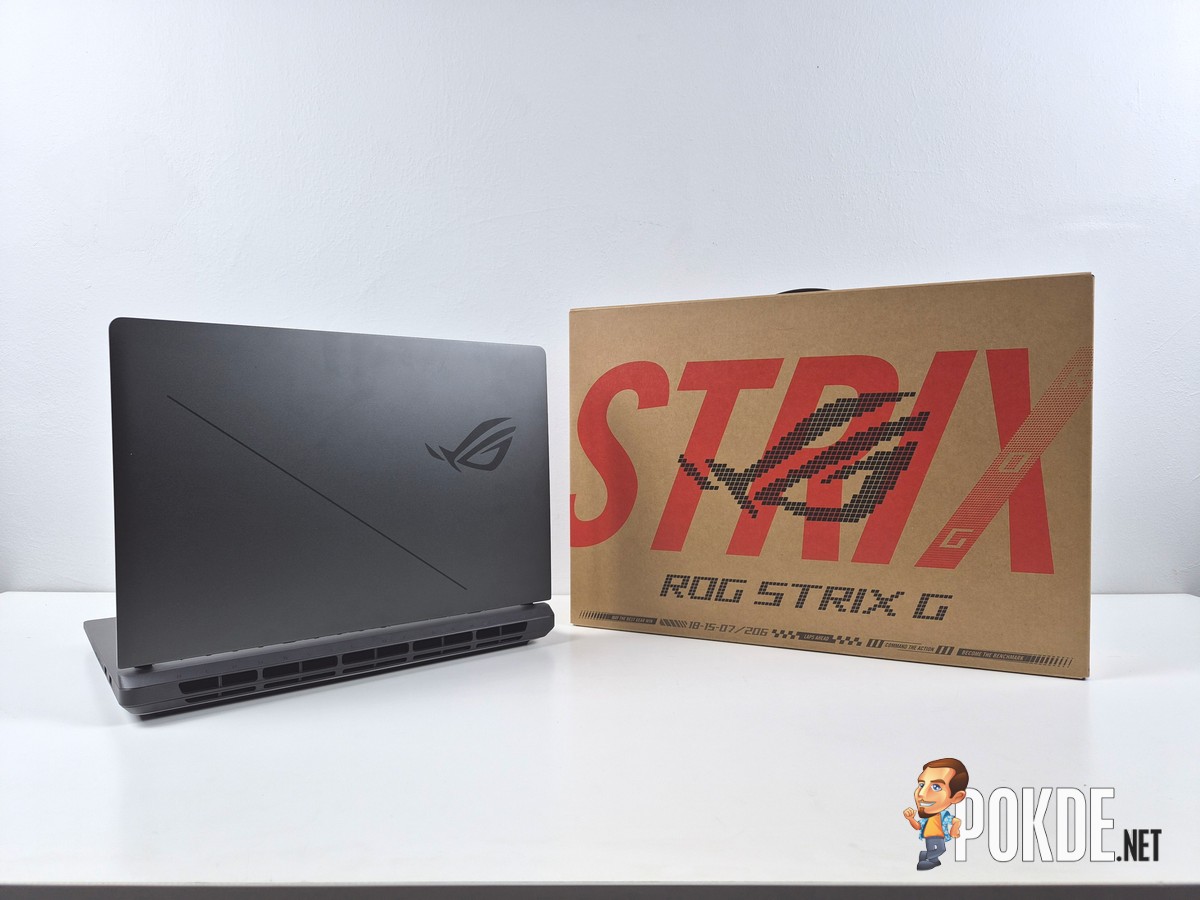
Now for the not-so-pretty part: the ASUS ROG STRIX G16 (G615LM) will set you back for RM13,999 as far as this variant is concerned – not cheap at all, but the laptop does have its merits to earn the purchase with the feature set it offers. That being said, even the T20 buyers still need to consider value, and to that end, we do believe the similarly-configured variant with RTX 5070 GPU, at RM2,000 extra, likely is the better option among the two variants offered this year for the Malaysian market.

Special thanks to ASUS Malaysia for providing the ROG STRIX G16 (G615L-MTS5078WP) gaming laptop for this review.