


- Unboxing
- Walkaround
- Specifications
- Mic Test
- The Good
- Dual USB-C and XLR Connectivity Done Right
- Razer Synapse DSP Is the Standout Feature
- 32-Bit Float Recording Eliminates Clipping Anxiety
- Large 30mm Dynamic Capsule Delivers Broadcast Character
- Chroma RGB Integration for the Razer Ecosystem
- The Bad
- Full Feature Set Is Locked to Windows via USB
- AI Noise Removal Requires Manual Calibration
- Rather Pricey
- Razer Seiren V3 Pro Verdict

Offer price: 1099
Currency: MYR
-
Appearance - 8/108/10
-
Features - 7.5/107.5/10
-
Materials - 8/108/10
-
Performance - 8.2/108.2/10
-
User Experience (UX) - 8/108/10
-
Value - 8/108/10
Summary
The Razer Seiren V3 Pro is the most focused and mature streaming microphone Razer has made. However, its limitations are real but specific.
Overall
8/10Pros
+ Dual USB-C and XLR Connectivity Done Right
+ Razer Synapse DSP Is the Standout Feature
+ 32-Bit Float Recording Eliminates Clipping Anxiety
+ Large 30mm Dynamic Capsule Delivers Broadcast Character
+ Out-of-the-Box Completeness at This Price Is Impressive
+ Chroma RGB Integration for the Razer Ecosystem
Cons
– Full Feature Set Is Locked to Windows via USB
– AI Noise Removal Requires Manual Calibration
– Rather Pricey
Unboxing
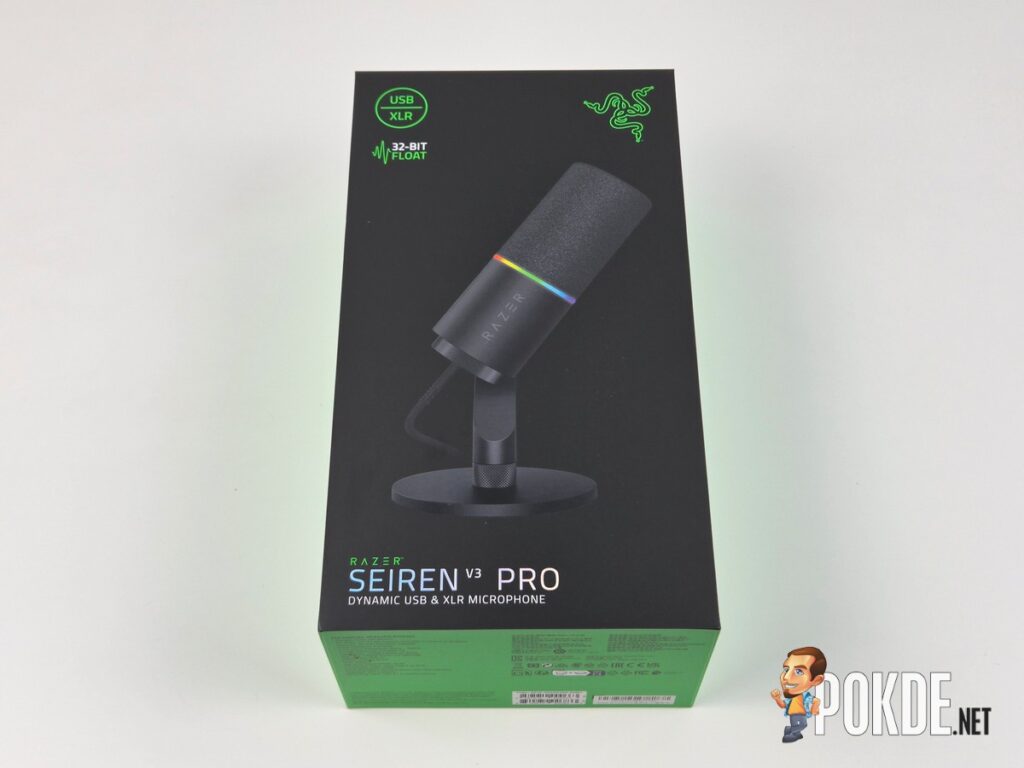
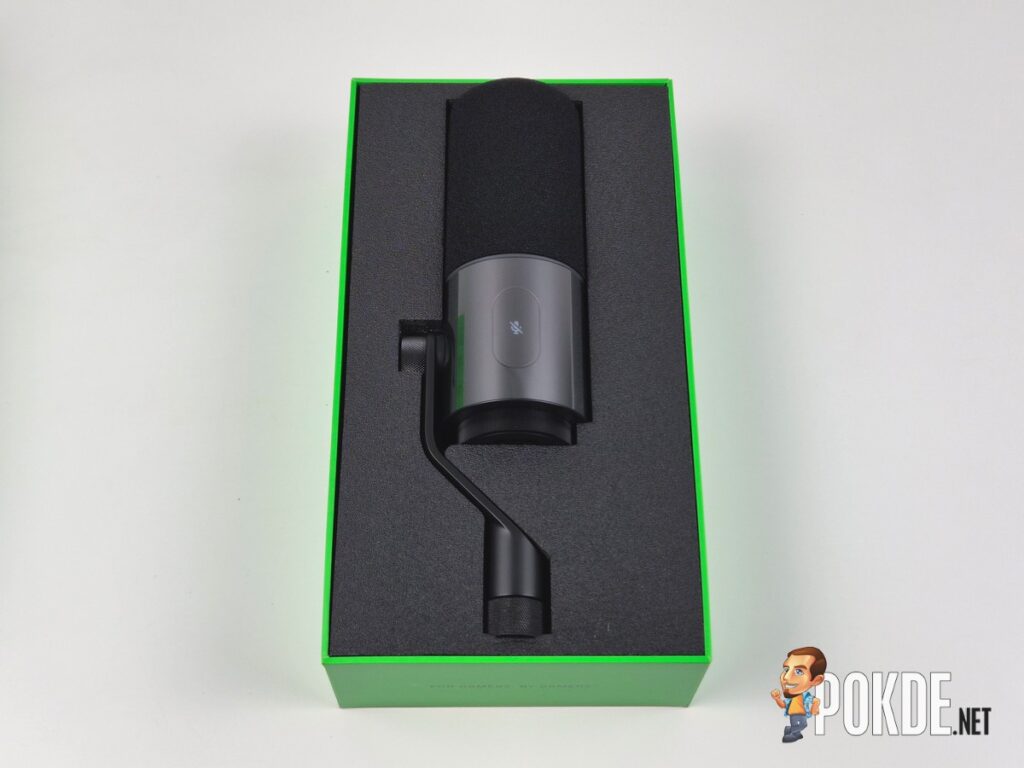
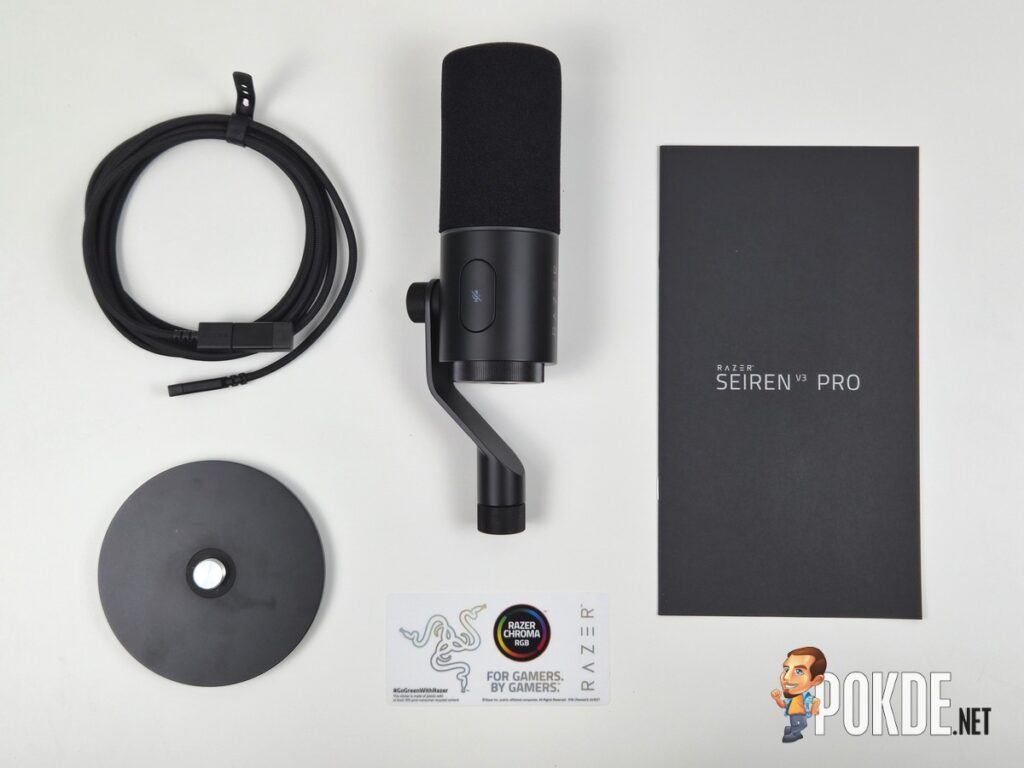
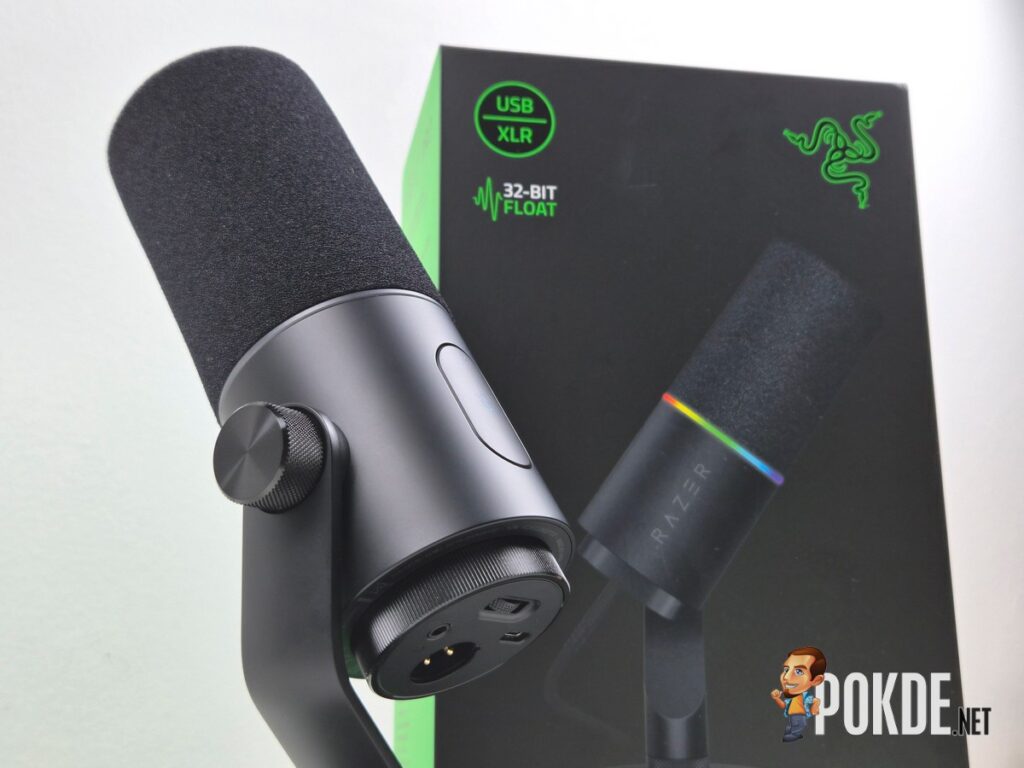
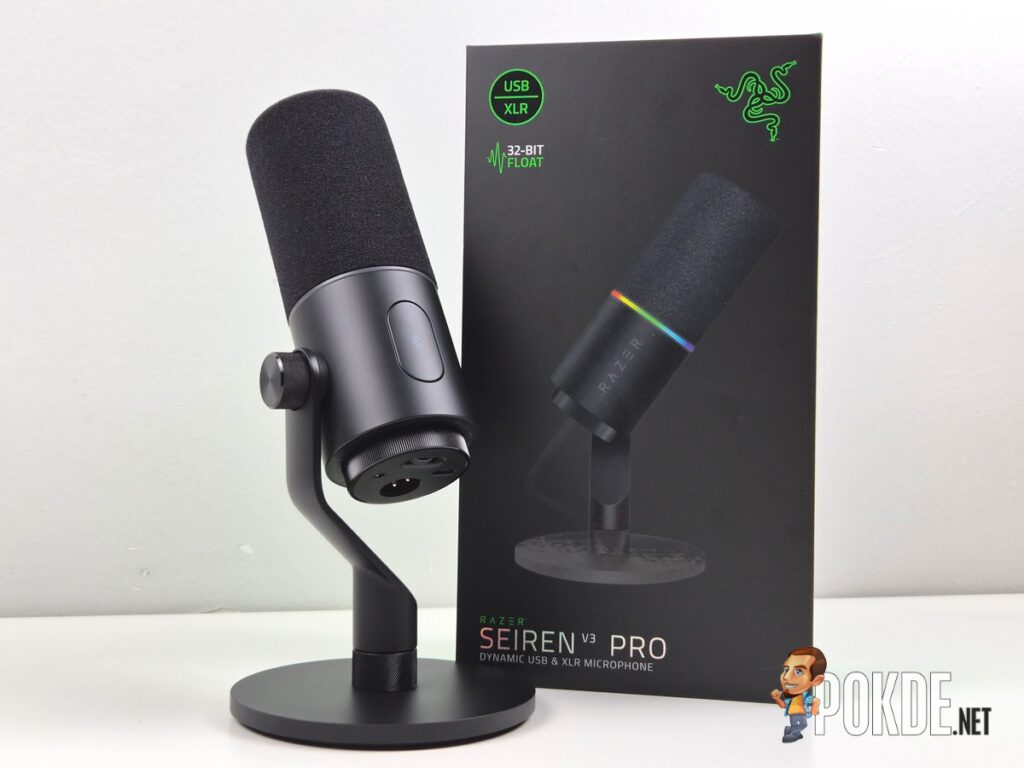
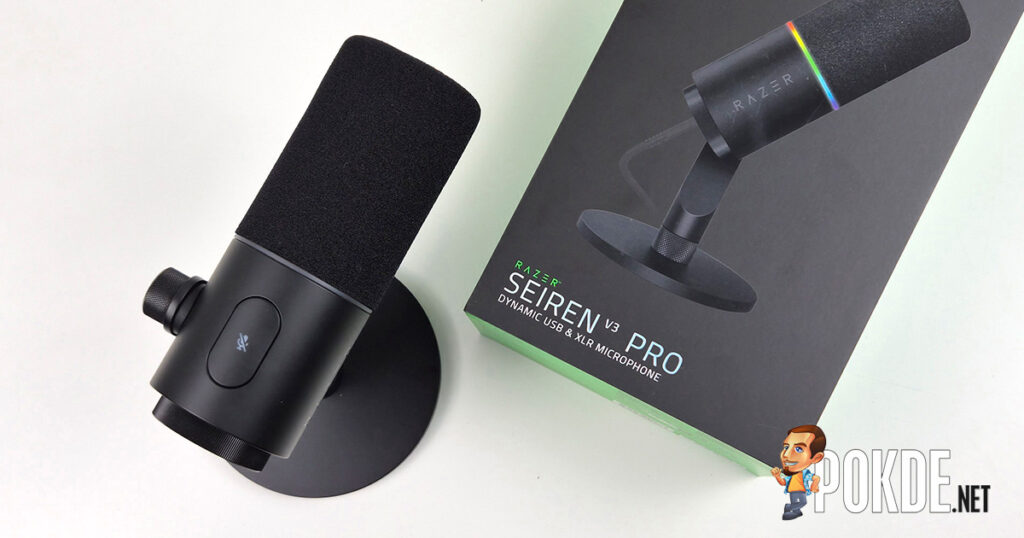
The Razer Seiren V3 Pro arrives in standard Razer gaming peripheral packaging, which means a predominantly black box with green accents, bold product photography on the front, and feature highlights on the sides. It is immediately recognisable as a Razer product on a shelf, which will either excite or leave you indifferent depending on your feelings about the brand’s aesthetic. Inside the box you get the microphone itself with its integrated desktop stand and built-in shock absorber, a removable pop filter already attached, and a USB-C cable. An XLR cable is not included, which is worth noting if you plan to go that route immediately.
For a microphone at this price point, the out-of-the-box completeness is genuinely appreciated. There is no scrambling for accessories before your first session. Shipping with a desktop stand, an integrated shock absorber, and a removable pop filter means the Seiren V3 Pro is ready to use the moment it comes out of the box. At a price point where some competing microphones ship without even a stand, this completeness is a meaningful differentiator that contributes directly to the total value of the package.
Walkaround
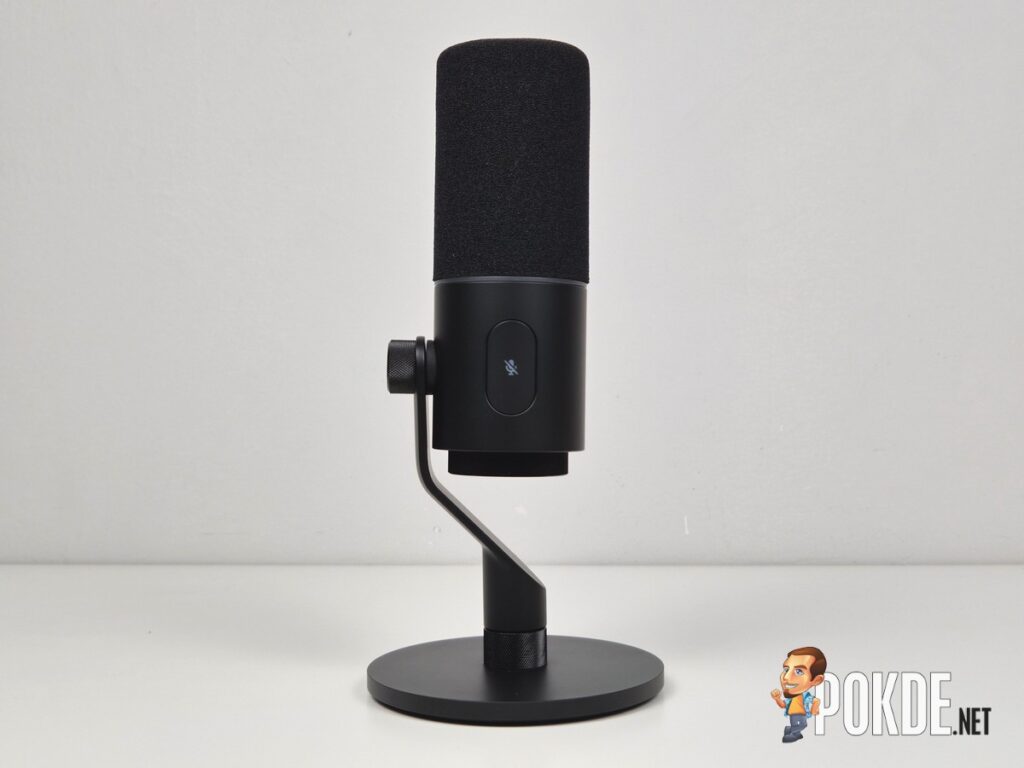
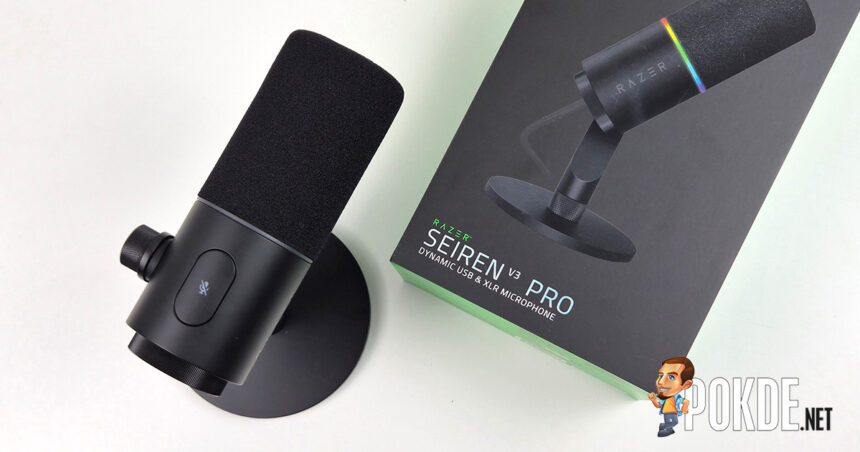
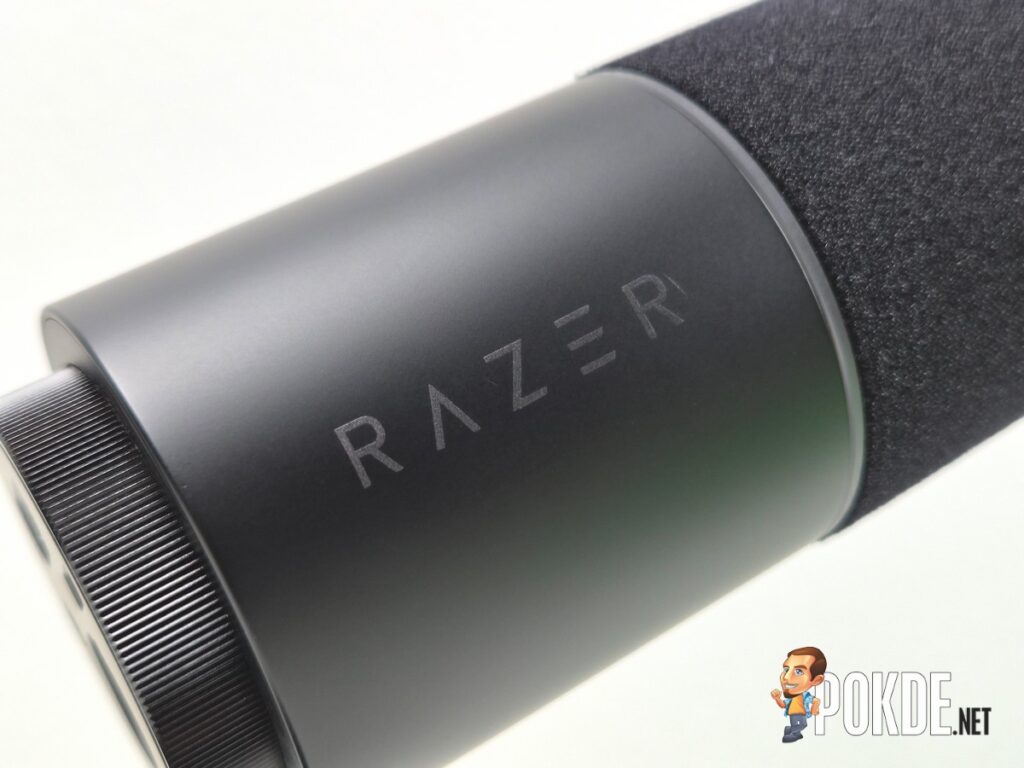
The Seiren V3 Pro is a good-looking piece of kit. The zinc unibody construction gives it a satisfying heft and a premium feel in hand that immediately communicates this is not a budget peripheral dressed up in expensive packaging. The resonance-resistant frame is solid throughout with no flex or rattle, and the overall build inspires confidence in its longevity.
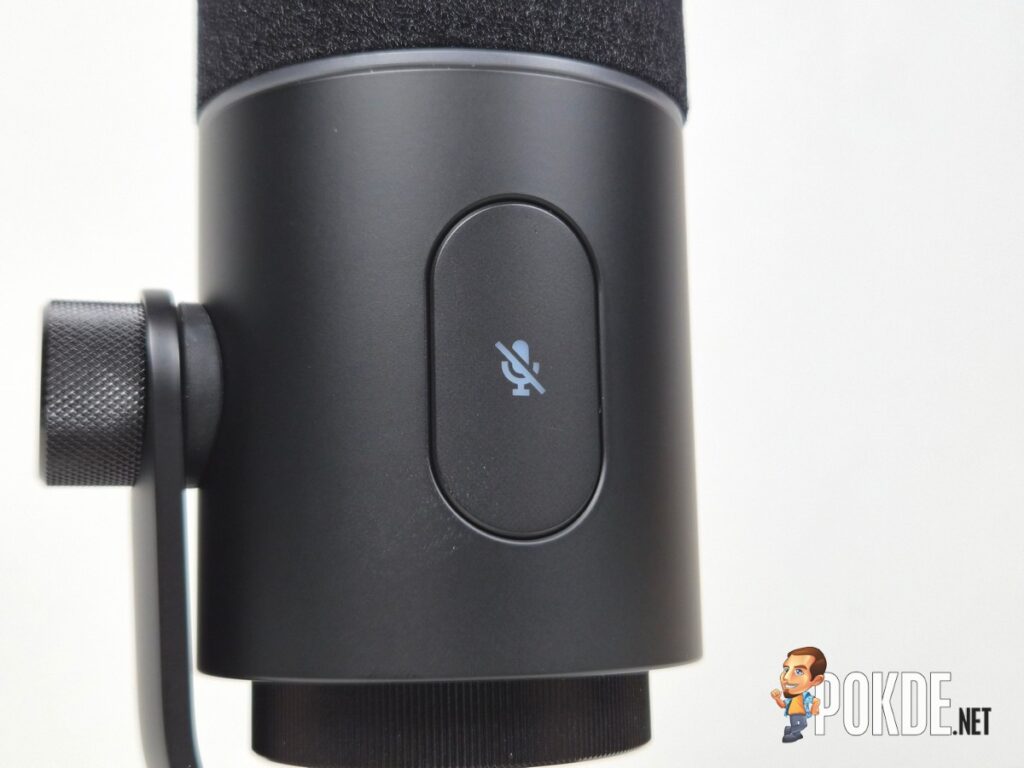
The Chroma RGB ring around the capsule housing is the most visually prominent design element, and it serves a dual purpose beyond aesthetics. It functions as a live mute status indicator, changing colour when the tap-to-mute sensor on the side is engaged. The tap-to-mute implementation is thoughtful, a light touch activates or deactivates the mute without physically disturbing the microphone the way a traditional button press might. For anyone on a boom arm during a live stream, that subtlety matters.
The integrated desktop stand is sturdy and maintains a stable footprint on a desk surface, with the 5/8-27 threaded mount on the base providing compatibility with standard boom arms and shock mounts if you want to go that route. The built-in shock absorber handles vibration transmission adequately for desktop use, and the removable pop filter slides off cleanly when you want to inspect or replace it.
Connectivity is handled from the underside of the microphone, where you will find the USB-C port, the XLR output, a headphone monitoring port, and a gain control wheel. Having all connections and controls in one location keeps the visual profile of the mic clean from the front, though it does mean slightly more cable management effort depending on your desk setup.
Specifications
| Specification | Details |
|---|---|
| Capsule | 30mm Dynamic |
| Polar Pattern | Cardioid |
| Frequency Response | 50Hz to 16kHz |
| Sample Rate | 48kHz / 96kHz |
| Bit Depth | 24-bit / 32-bit (32-bit float via Synapse on Windows) |
| Max SPL | 150dB (XLR), 125dB (USB) |
| Sensitivity | -50dB (1V/Pa at 1kHz) |
| Signal-to-Noise Ratio | 74dB |
| Impedance | 300Ω |
| Adjustable Gain | 40dB |
| Connectivity | USB-C, XLR |
| Mute Function | Touch button with LED indicator |
| Power Required | 5V / 500mA |
| Material | Zinc unibody |
| Mounting Type | 5/8-27 threaded mount |
| Software | Razer Synapse (Windows) |
| RGB | Razer Chroma |
| In the Box | Microphone with stand and shock absorber, removable pop filter, USB-C cable |
| Price | RM1,099 |
Mic Test
The Razer Seiren V3 Pro sounded solid right out of the box. My voice came through full, warm, and clear with the default settings, though some sibilance was noticeable from the start. The included foam pop filter handled plosives reasonably well, though it struggled a little the closer I got to the capsule, which is about what you would expect. People I spoke to over voice chat on Discord said I sounded like myself, meaning a clean, studio-quality end-address microphone, but nothing that made them stop and comment on it compared to the other studio-quality mics they are used to hearing me through.

It’s worth noting that when I ran this through my RODEcaster Pro II, there was a noticeable upgrade in my vocal quality. There’s a warmer tone to my voice overall but when I got closer to the mic to speak, it sounded more full and bassy. To me, this is great but some people may prefer a different kind of sound. As with any mixers, your mileage may vary and you can freely set it as you see fit. I’m just glad that it didn’t sound worse without relying on USB-C.
One thing I kept coming back to was how quiet this mic ran, even with the gain pushed to its maximum. I do believe this is due to its nature as a dynamic mic and its off-axis rejection, which Razer describes as enhanced to suppress ambient noise and room reflections without leaning on software processing. It does work. Very little of the background noise in my room made it into recordings, even with AI noise suppression switched off entirely. The trade-off is that stepping out of direct alignment with the capsule dropped my volume noticeably. This would be great to have for those who have yet to (or don’t even plan to) do some level of audio treament for their room (foams on wall, thick carpet on floor, etc.).
The Good
Dual USB-C and XLR Connectivity Done Right
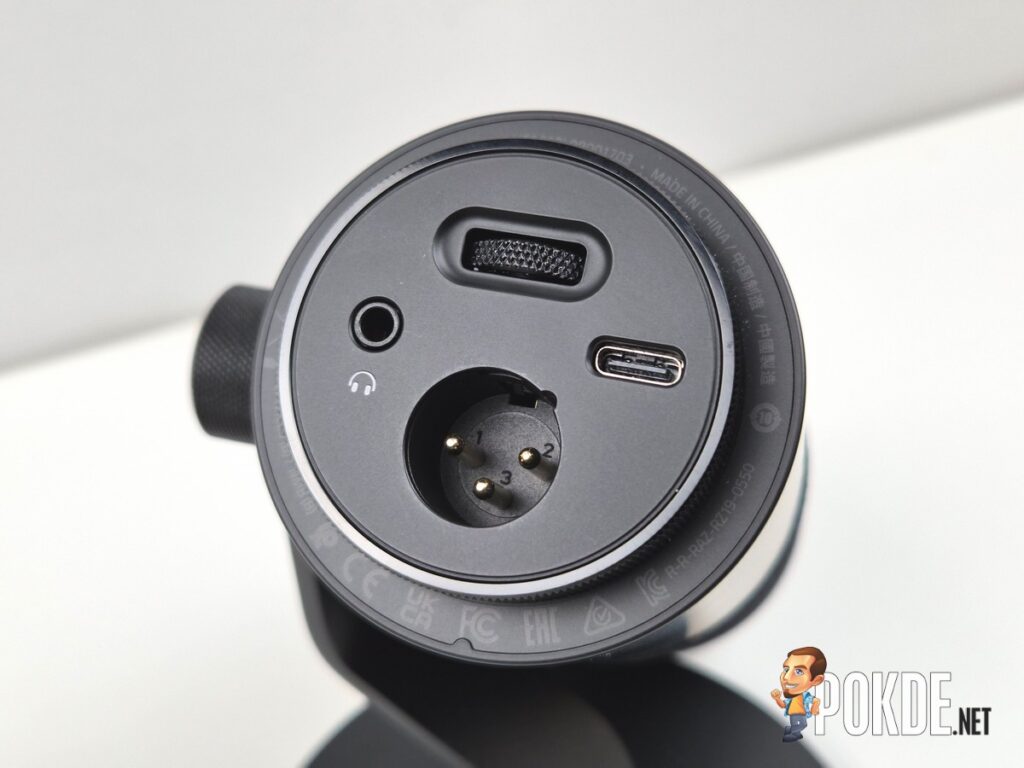
The ability to run either USB-C for plug-and-play desktop use or XLR into an audio interface or mixer in a single microphone is the Seiren V3 Pro’s most practically useful feature. For a content creator starting out, USB-C gives you immediate access to Synapse’s full software and DSP suite with zero additional hardware required. For someone whose setup grows over time, the XLR output means you are not replacing the microphone when you add an interface or mixer. Both cables can also remain plugged in simultaneously, allowing dynamic switching between connections on a Windows PC, which is a small but genuinely convenient workflow detail.
Razer Synapse DSP Is the Standout Feature
The onboard DSP suite accessible through Razer Synapse on Windows is where the Seiren V3 Pro separates itself from the competition most convincingly. The guided setup process walks you through a ten-second voice recording and a ten-second silence recording, asks a series of questions about your environment and use case, and then generates a personalised tuning profile that you can accept immediately or use as a starting point. The resulting combination of parametric EQ, noise gate, compressor, limiter, and AI noise removal significantly reduces the amount of post-processing required for clean broadcast audio. For streamers and podcasters who want to sound professional without spending time in post-production, this is genuinely valuable.
32-Bit Float Recording Eliminates Clipping Anxiety
The 32-bit float recording support via Synapse on USB captures a dramatically wider dynamic range than standard 24-bit recording, which in practical terms means you can record loud, unexpected sounds without worrying about digital clipping distorting the take. For live streaming where you cannot redo takes, that headroom is a meaningful safety net rather than a spec sheet talking point.
Large 30mm Dynamic Capsule Delivers Broadcast Character
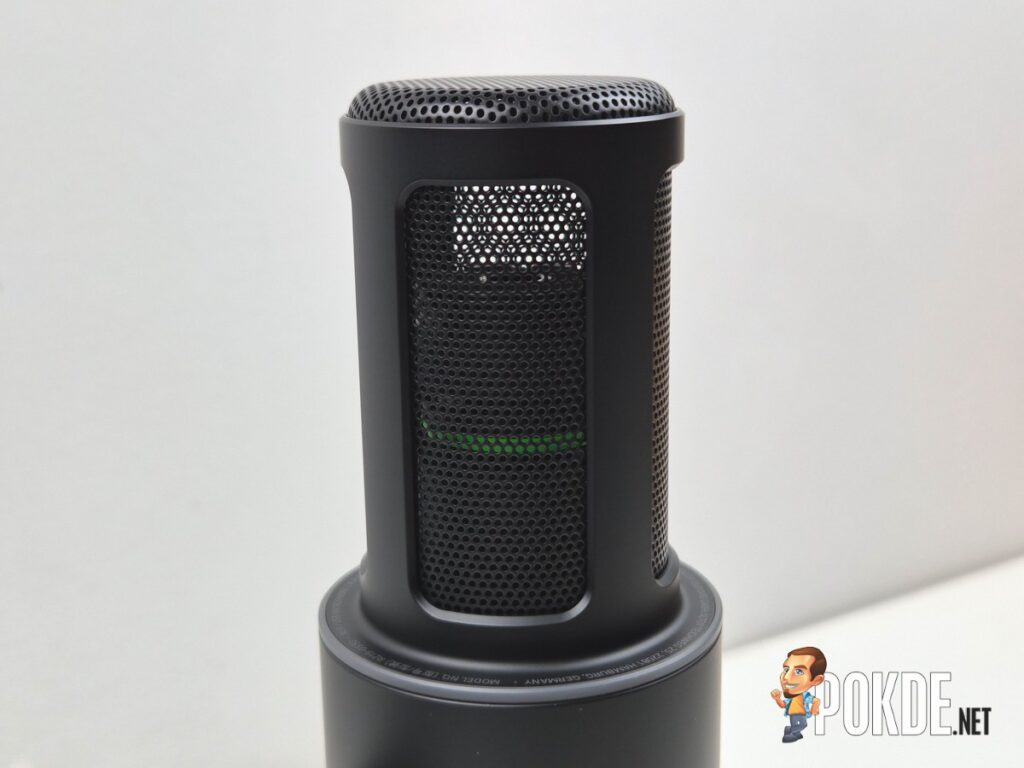
Dynamic capsules are less common in USB microphones than condenser alternatives, and the Seiren V3 Pro’s 30mm unit rewards the choice with natural warmth and a depth that suits broadcast and streaming vocals well. It is more forgiving of untreated room acoustics than a condenser would be, which is a practical advantage for anyone not recording in a dedicated treated space. For content creators who are just starting, dynamic mics are definitely the way to go, and this is a solid option to consider for long term use when upgrades start coming in one by one, especially considering it has XLR input.
Chroma RGB Integration for the Razer Ecosystem
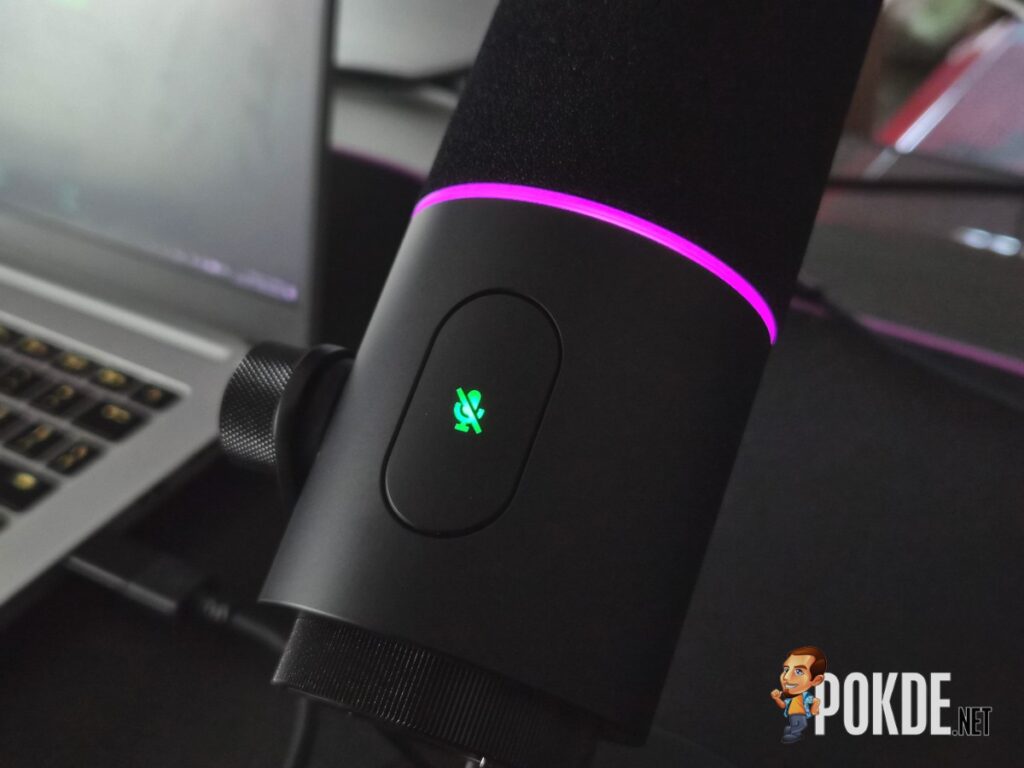
If you are already running Razer peripherals with Chroma lighting, the Seiren V3 Pro integrates cleanly into your existing lighting profiles without additional configuration. The mute status indicator functionality adds utility to what could otherwise be a purely cosmetic feature, and the overall aesthetic cohesion of a matched Razer setup is something this microphone completes well.
The Bad
Full Feature Set Is Locked to Windows via USB
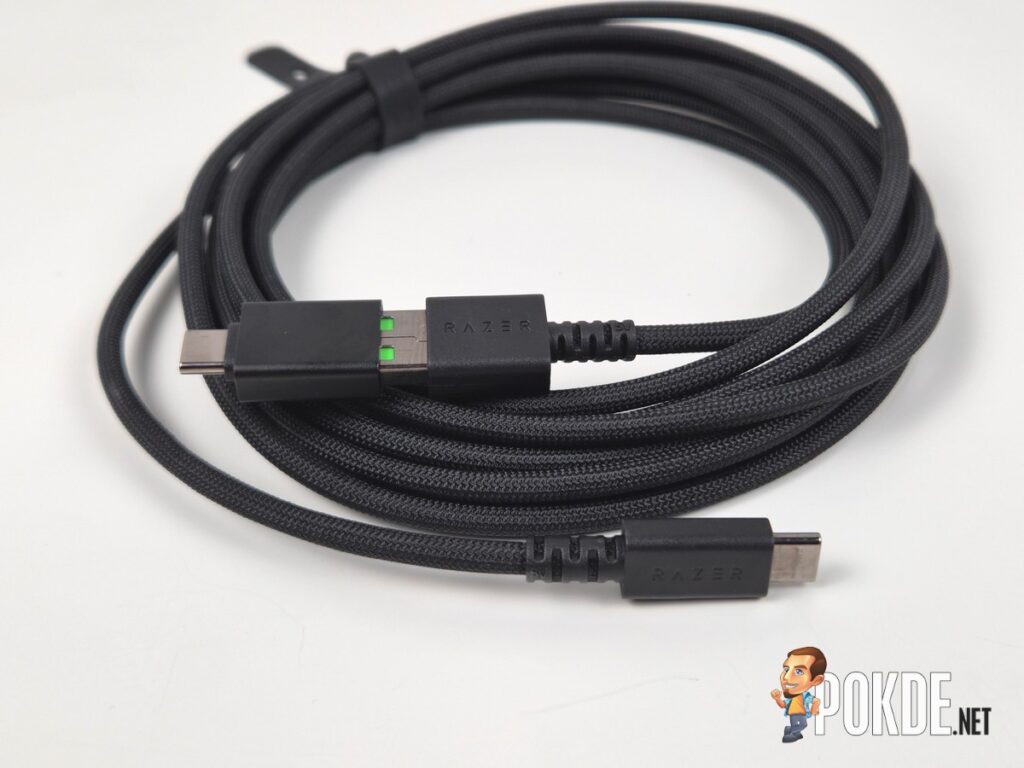
The parametric EQ, 32-bit float recording, AI noise removal, advanced mixing, and the Synapse guided setup are all dependent on a USB-C connection and Windows. XLR users get a clean analog signal and nothing else, and macOS users lose access to most of the software feature set that justifies a significant portion of the price. For a microphone positioned as a professional tool, that platform and connection dependency is a meaningful limitation that buyers should understand clearly before purchasing.
AI Noise Removal Requires Manual Calibration
The AI noise removal and noise gate combination performs impressively in most conditions, but the aggressiveness of the noise cancellation can occasionally clip the beginning of quieter vocal phrases or cause subtle dipping during natural pauses in speech. Getting the noise gate threshold dialled in to a point where it removes background noise without affecting your voice requires some manual adjustment beyond the guided setup, which undermines the “set it and forget it” convenience the feature aims to deliver.
Rather Pricey
At RM1,099, the Seiren V3 Pro is a significant investment. Sure, the value proposition from a long-term perspective is pretty solid but those who want a software-free workflow (on USB) and are primarily on macOS won’t be able to enjoy its full value. For that price, audio geeks would typically lean towards something like the Shure MV8 / MV8+ and the Rode PodMic / PodMic USB while those looking for something more affordable will move towards FIFINE and Maono, with both brands offering USB dynamic mics at a quarter of the price and also includes both USB and XLR connections.
Razer Seiren V3 Pro Verdict
The Razer Seiren V3 Pro is the most focused and mature streaming microphone Razer has made. The hardware quality is excellent, the dual connectivity is genuinely useful, the 30mm dynamic capsule delivers the broadcast warmth the spec sheet promises, and the Synapse DSP suite is the kind of thoughtful, time-saving feature that content creators will appreciate more with each session. When everything is working as intended, it sounds and performs like a microphone that costs considerably more.
The limitations are real but specific. The full feature set requires Windows and USB-C, the AI noise removal needs manual refinement to reach its potential, and at RM1,099, it’s a significant investment to consider given its competitors in the market. If those conditions fit your setup, the Seiren V3 Pro earns its price convincingly. If they don’t, more affordable and more platform-agnostic alternatives exist. As such, we award this microphone with our Silver Pokdeward.

Big thanks to Razer Asia Pacific for sending us this microphone for the purpose of this review.