


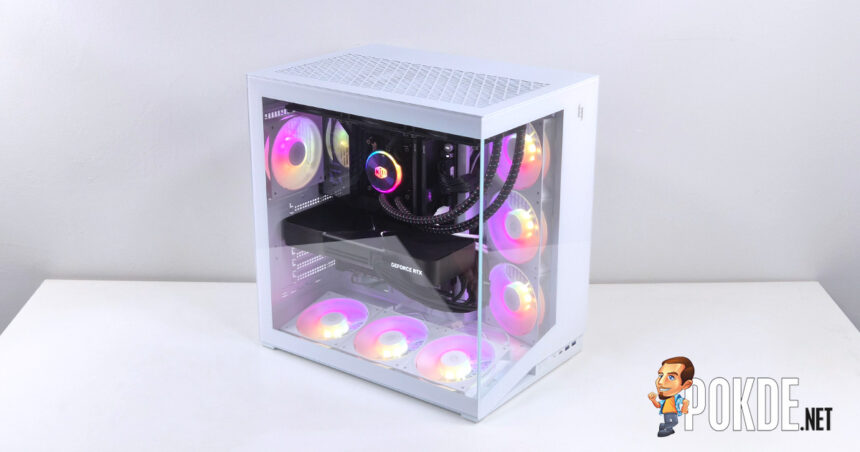

Product Name: NEX C56
Brand: GAMEMAX
Offer price: 74.99
Currency: USD
-
Appearance - 8/108/10
-
Features - 7.5/107.5/10
-
Materials - 8/108/10
-
Performance - 8/108/10
-
User Experience (UX) - 7.5/107.5/10
-
Value - 7/107/10
Summary
The GAMEMAX NEX C56 is, on paper, a solid case with a straightforward design; however, the execution of such design leaves a fair bit to be desired.
Overall
7.7/10Pros
+ Straightforward dual-chamber layout
+ Generous amount of space for cable management
+ Pre-installed case fans
+ Vertical GPU mounting support
+ Combo front panel connector
Cons
– Breakaway PCIe slot covers
– Screw placement causes collisions
– Loose items inside the case during shipping
– Lacks back-connect motherboard support
Unboxing


Today we have a new case arrived on our desk in the form of GAMEMAX NEX C56, which comes in a standard box packaging. Unlike more premium cases though, the accessories are not packed in a box, but instead in a plastic bag tied inside the case itself, which does rattle around when you’re carrying the box around (and that’s not a good sign especially when shipping gets involved).

In the accessories bag, you’ll find an assortment of screws for motherboards, PSUs, GPUs, plus a dedicated GPU holder, two spare PCIe slot brackets (as the bracket is a breakaway instead of removable design), and five cable ties – do note that these are the same kind you’ll find from cable packaging of various electronics, not the plastic zip ties you’ll commonly see included in PC cases. The drive cage is also not properly attached to the case when we opened it, which is, again, not a good sign for quality control.
Walkaround


The NEX C56 case adopts a relatively standard dual-chamber layout with panoramic glass design matching that of the modern PC cases. It’s two separate pieces of glasses, so you don’t get the seamless transition between the two faces of the case like you get on FSP M580; though similar to that case, the fans come pre-installed in side, bottom, and rear positions.
Notably, the bottom intake fans are angled 12° towards the glass side panel “for optimized airflow and faster heat dissipation.” There’s a mesh dust filter attached at the bottom of the case (which is removable), while the feet assembly is all plastic padded with rubber at the contact surface. There are also cutouts for side intake fans, as well as a spot for the power supply to draw fresh air.
Also, there’s the random “Xeron” branding seen at the back of the case, which seems like some kind of new sub-brand to be spun off given that the company has announced that it’ll set up a booth in the upcoming COMPUTEX 2026 event. There’s no explicit mentions of such branding aside from a subtle logo printed on its user manual (and on the fan hubs), so I guess we’ll have to wait until early June to find out what this new brand is all about.


A total of seven fans are pre-installed, and with the exception of the single rear exhaust 120mm fan (which supports 140mm sizes), all other six are daisy-chained into one single PWM and ARGB connector via latched connectors, not the cable-less pogo pins design you’ll find in higher-end models on the market. Naturally, all intake fans use reverse-flow fan blades, and they feature ring blade which helps clean up the airflow further. Both bottom and side fan sections are strictly for 120mm size only.

For its I/O, the GAMEMAX NEX C56 features two USB-A ports (5Gbps), a USB-C port (10Gbps), plus a headphone jack. There’s also a power button on the left; do note that the positioning of its I/O pretty much mandates desk-bound installations, since the panel is recessed under the front glass panel making it hard to reach if the case is placed on the floor (there’s also the argument that the internals of a panoramic glass case is meant to be seen anyway).


Specifications
GAMEMAX NEX C56 (White)
Full specifications available in product webpage.
| Chassis Form Factor | Mid-tower ATX, dual-chamber layout |
|---|---|
| Dimensions | 446 x 300 x 445 mm |
| Chassis Material | 0.6mm SPCC steel, plastic, tempered glass side panels |
| Colors | Black (BK) > White (WH) (as tested) |
| Motherboard Support | ATX, Micro-ATX, Mini-ITX *No back-connect motherboard support |
| Chassis Fan Support | Front: Not supported Side: 3x 120 mm Top: 3x 120 mm / 2x 140 mm Rear: 1x 120 mm / 1x 140 mm Bottom: 3x 120 mm |
| Pre-installed Fans | Side: GAMEMAX NEX F120RA WH (120mm reverse flow) x3 Bottom: GAMEMAX NEX F120RA WH (120mm reverse flow) x3 Rear: GAMEMAX NEX F120A WH (120mm) x1 |
| Radiator Support | Front: Not supported Side: 360 mm Top: 280 / 360 mm Rear: 120 mm Bottom: 360 mm |
| PCIe Slot Layout | Horizontal 7 slots, vertical mounting support Breakaway slot covers |
| Drive Bays | Via single drive cage: 2x 3.5″ drive bays 2x 2.5″ drive bays |
| Max. Graphics Card Dimensions | 425 mm (length) |
| Max. CPU Cooler Height | 182 mm |
| Max. PSU Length | 220 mm (ATX) |
| Front I/O Ports | 2x USB 3.2 Gen 1 (5Gbps) Type-A 1x USB 3.2 Gen 2 (10Gbps) Type-C 1x 3.5mm combo jack |
Test System
| CPU | Intel Core i9-14900K |
| Cooling | Cooler Master MasterLiquid PL360 Flux 30th Anniversary Edition Thermal Grizzly Kryonaut |
| Motherboard | ASUS ROG Maximus Z790 Dark Hero |
| GPU | NVIDIA GeForce RTX 5090 Founders Edition |
| Memory | ADATA XPG CASTER DDR5-6000 CL30 (2x16GB) |
| Storage | ADATA XPG MARS 980 BLADE 1TB |
| Power Supply | Cooler Master MWE Gold 1250 V2 Full Modular (ATX12V 2.52) 1250W |
| Case | > GAMEMAX NEX C56 WH |
| Operating System | Windows 11 Home 25H2 |
Teardown


Removing all of the panels gives you plenty of room to work with, and thanks to its dual-chamber design, the GAMEMAX NEX C56 offers a generous amount of cable management space on top of the frontal space to deal with bulky components, such as AIO coolers and GPUs (which is one of the hidden benefits of panoramic glass designs). Most of the cables are pre-managed, so all that’s left to do is to simply install what you have.


The top panel, side glass panel and the rear cable management panel use sliding mechanisms to remove from the case (you’ll need to remove corresponding thumbscrews first), whereas the front glass panel uses a socket-style mechanism to secure itself. Both the top and rear cable management panel comes with magnetic mesh filters easily removable for dust cleaning and maintenance.


The intake fans used in the case is the GAMEMAX NEX F120A (F120RA for reverse flow variants), which we couldn’t find any official information regarding its specs. It looks to be a custom model exclusively bundled with cases, and each of them feature a 4-pin PWM and 3-pin ARGB connectors; for the F120RA intake fans, all feature a daisy-chain pigtail that allows them to connect to each other with minimal cabling.
Installation


We start by installing our motherboard of choice, the ASUS ROG Maximus Z790 Dark Hero, and here we already stumbled an issue. Specifically, some high-end motherboards – like this one – features a dedicated backplate for VRM cooling, which will collide with one of the PCIe bracket screws as soon as you try to line up the screw holes to the case’s pre-installed standoffs.
The offending screw (shown above, circled) needs to be at least unscrewed halfway for the motherboard to fit properly, but we recommend removing it entirely as it serves no significant function – the bracket is already secured by several other screws, with the metal notches also doing the job in securing the entire PCIe bracket assembly in place. The good news is the GAMEMAX NEX C56 offers vertical GPU mounting options by rotating the entire bracket assembly as needed.


The case comes included with a GPU support bracket, which can be installed on a slot right next to the motherboard. Simply install two screws – don’t tighten fully yet – then line it up until it’s at the GPU’s height; once aligned, secure both screws to lock it in place. Ideally, complete this step before you begin the cable management process as there is a good chance the rear side will be obscured when most cables are installed.


For PSU installations, it’s also straightforward on paper, but we once again stumbled with another design error. One of the motherboard standoffs has poked out of the metal enough to obstruct the power supply’s alignment behind it, and while it is possible to “brute force” it by further tightening the PSU screws, it’s just not a good idea to have a screw jamming against a sensitive electronic component like this.


Installing the AIO cooler is easy in this case (pun not intended), and there’s decent amount of space to guide the fan cables behind the case for further cable-managing. Here we should also note that this case lacks support for rear-connector designs, so there’s less holes to be repurposed for the cables to go through, but it’s at least sufficient here (they go lack rubber grommets, though).


The GAMEMAX NEX C56 is one of the cases that we don’t have to worry much about cable management, as the channels in between PSU and side intake fans offer just the right amount of space to fit all the cables in (including the rather messy 4x PCIe 8-pin to 12V-2×6 combination, which is just about the hardest bit for most cases to deal with). We don’t really even need to use the cable ties this time, so that’s a plus.
We should also add that the aforementioned 4-into-1 cable often meant that we have to remove the drive case in order to comfortably fit all of the necessary cables into the confined space, but in this case, we don’t need to do so. Speaking of which, you can mount two 3.5-inch HDD drives inside the case, while two additional 2.5-inch SATA SSD drives can be mounted in the front of the cage.


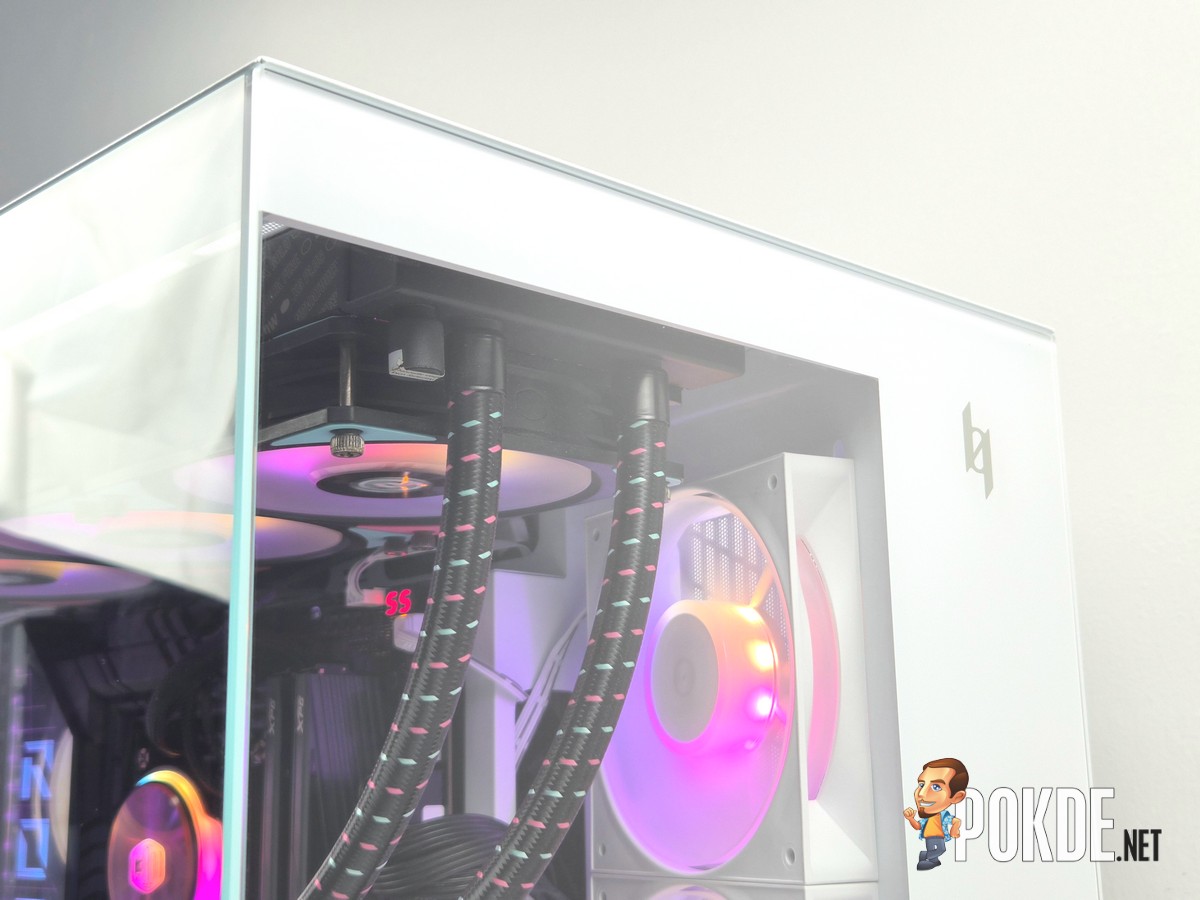
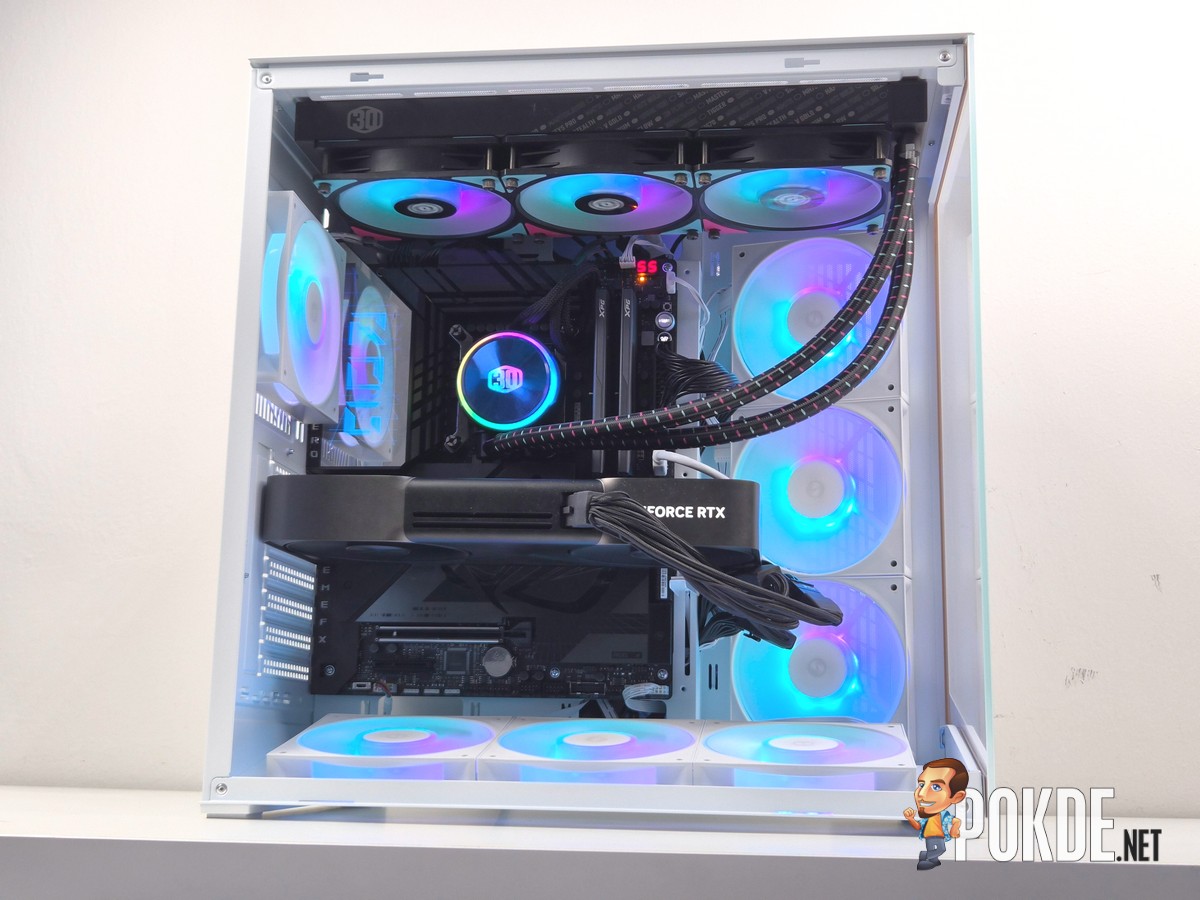


Here’s the complete build, with all the RGBs and everything in place.
Verdict

The GAMEMAX NEX C56 on paper is a pretty standard case with some nice features here and there to make installation less of a hassle, although the execution does need improvement. The screw placement is the biggest issue on this case, and that certainly hurts its value proposition with the white variant costing $74.99 (~RM296) – $5 more than the black variant – to make it a well-rounded case, even if it’s not anything particularly special design-wise. Shipping is another concern, as we have seen loose items inside the case that can damage the tempered glass if it gets one unlucky hit.
Still, praise needs to be given to some of the design considerations, such as cable management space, the inclusion of case fans and pre-installed cabling, and the general ease of installation if we look part some of the obvious mistakes on the engineering side of things. Fix these issues on the next generation and we could see this being a decent option for builders who want something simple and straightforward.

Special thanks to GAMEMAX for providing the NEX C56 case for this review.