

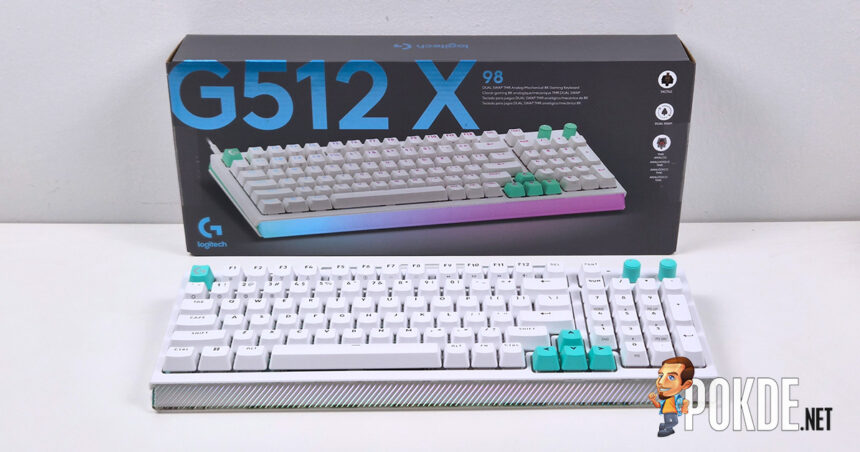
- Unboxing the Logitech G512 X
- Walkaround
- Specifications
- The Good
- A Genuinely Clever Dual-Switch Concept
- Strong Analog Switch Performance
- Dual Actuation and SOCD Add Real Depth
- Mechanical Switches Are Pleasant for Everyday Typing
- 8,000Hz Polling Rate Over a Wired Connection
- G Hub Software Is Comprehensive and Clean
- The Bad
- Build Quality Does Not Match the Price
- Analog Hot-Swap Support Is Frustratingly Limited
- Wired-Only Connectivity Feels Stingy at This Price
- Bundled Pullers Are Not Great
- No Support for Progressive Analog Input
- Logitech G512 X Verdict
-
Appearance - 8.5/108.5/10
-
Features - 7/107/10
-
Materials - 6/106/10
-
Performance - 7/107/10
-
Portability - 6/106/10
-
User Experience (UX) - 6/106/10
-
Value - 5/105/10
Summary
The Logitech G512 X is a genuinely clever piece of engineering let down by the execution of its own ambitions.
Overall
6.5/10Pros
+ A Genuinely Clever Dual-Switch Concept
+ Strong Analog Switch Performance
+ Dual Actuation and SOCD Add Real Depth
+ Mechanical Switches Are Pleasant for Everyday Typing
+ 8,000Hz Polling Rate Over a Wired Connection
+ G Hub Software Is Comprehensive and Clean
Cons
– Build Quality Does Not Match the Price
– Analog Hot-Swap Support Is Frustratingly Limited
– Wired-Only Connectivity Feels Stingy at This Price
– Bundled Pullers Are Not Great
– No Support for Progressive Analog Input
Unboxing the Logitech G512 X
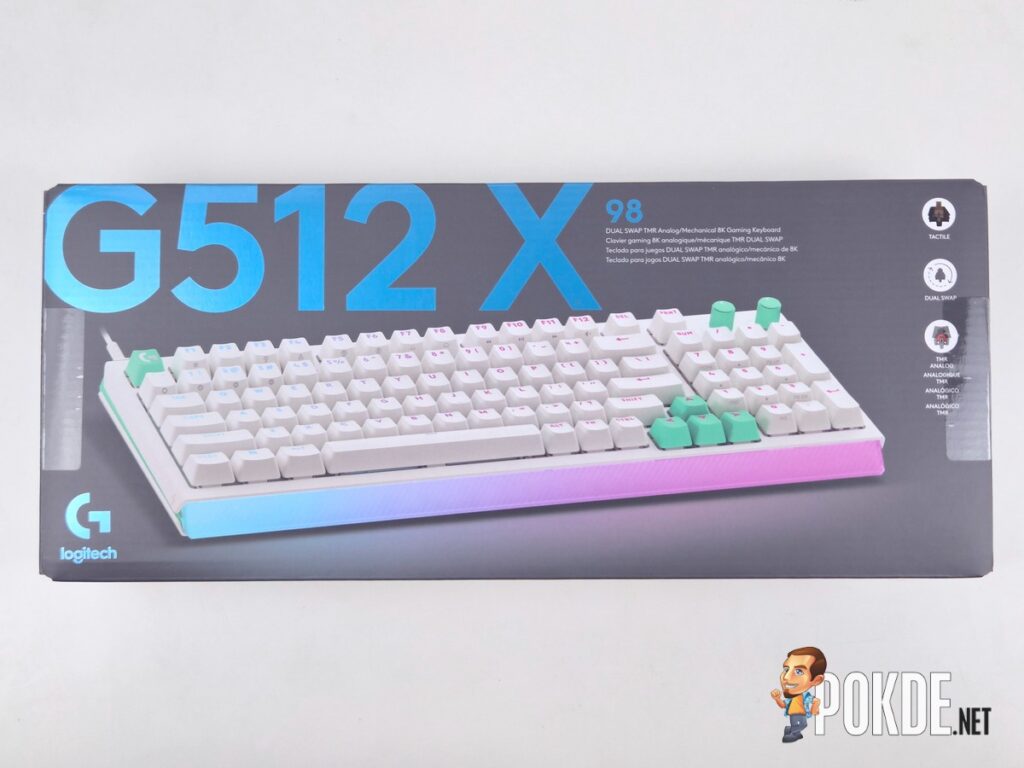
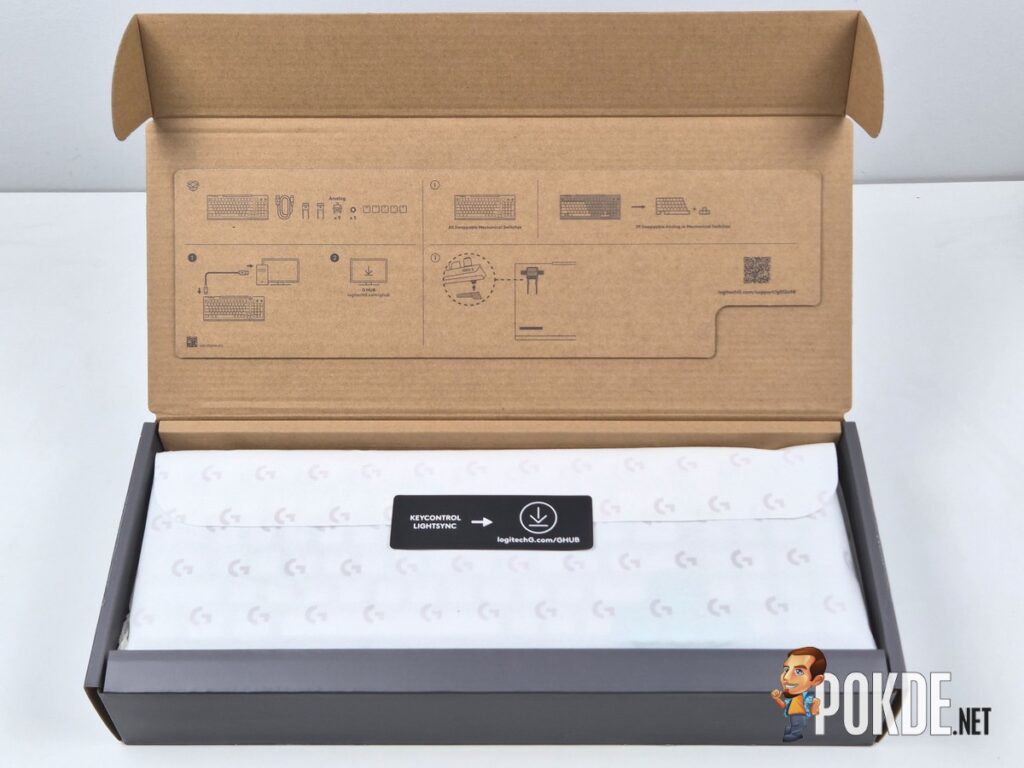
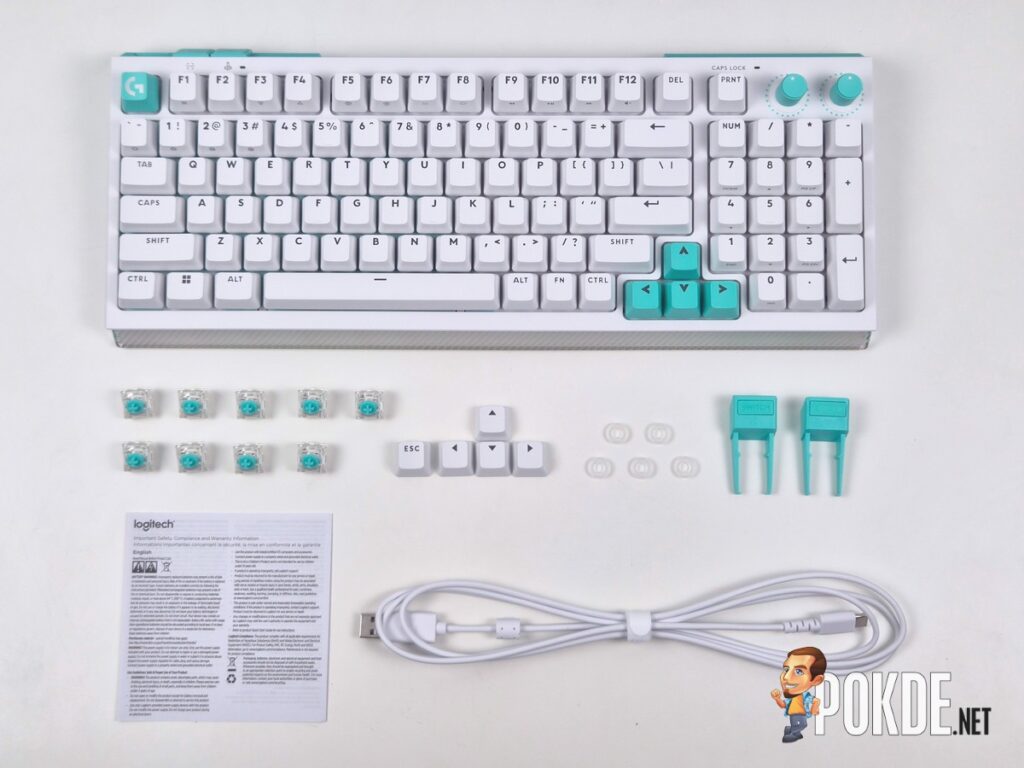
The Logitech G512 X arrives with a straightforward set of contents. Inside the box you get the keyboard itself, a USB-C to USB-A cable for wired connectivity, switch and keycap pullers that also double as elevated feet, and the usual documentation. A wrist rest, which we did get as part of this review, is available but sold separately, which is worth knowing if you were expecting one included at this price point.
Walkaround
The G512 X takes a different visual approach compared to a lot of Logitech’s past gaming keyboards, and I think it works well. Our unit came in the black and purple colourway, with purple accents on the Esc key, arrow keys, and the dual dials in the top right corner, sandwiched between black panelling along the sides and rear. A white and mint colourway is also available, and you can swap in keycaps that match the rest of the body if you prefer a more uniform look over the colour accents. The diffused lighting aesthetic across the front adds a nice finishing touch to the overall package.
Where the design starts to lose me is the build quality. For a keyboard at RM829, the predominantly plastic frame is not a great first impression, especially when rivals at similar or lower prices are incorporating metal, resin, or even concrete into their chassis for added sturdiness. In practice, this means the G512 X flexes noticeably under heavy pressure, both at the corners and in the middle of the frame, giving it a cheaper feel than the price suggests. There is a reasonable amount of heft to the board at 1kg, so some thought clearly went into the construction, but it does not translate into the rigidity I expect at this tier.
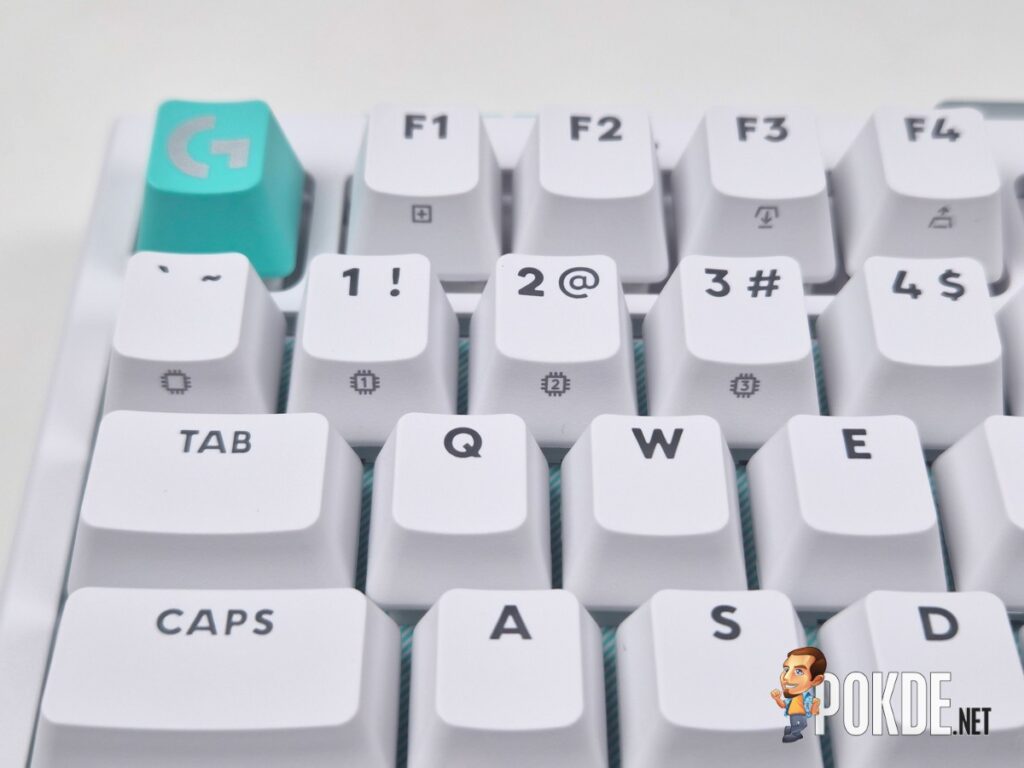
The keycaps redeem things somewhat. They are PBT rather than ABS, which means better durability and resistance to the shine that develops on cheaper keycap materials over extended use, and they have a pleasant grip under the finger for comfortable typing.
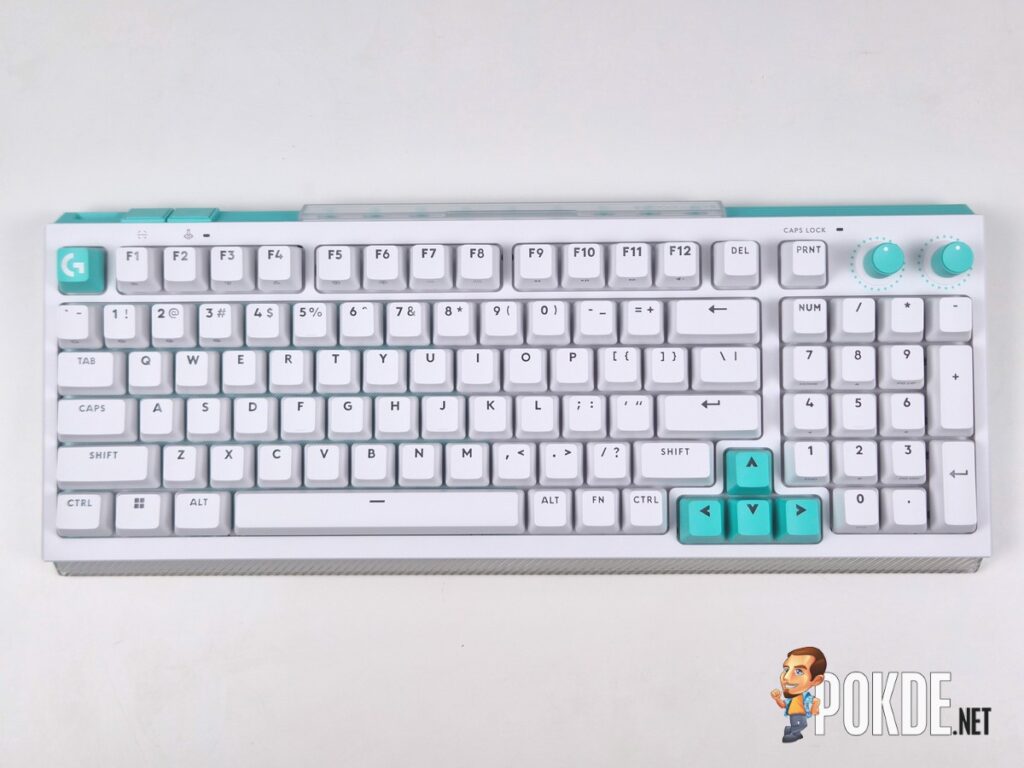
The 96% layout I tested packs a number pad alongside the standard alphanumeric set, with the two dials in the top right controlling backlight level and media volume by default, both remappable through software. Navigation keys have been moved to a function layer rather than sitting above the number pad as is typical, which takes a small adjustment period but ultimately keeps the layout compact without sacrificing functionality. For anyone who prefers a more space-saving form factor, Logitech also offers a 75% TKL version of the G512 X, though that variant was not part of this review.
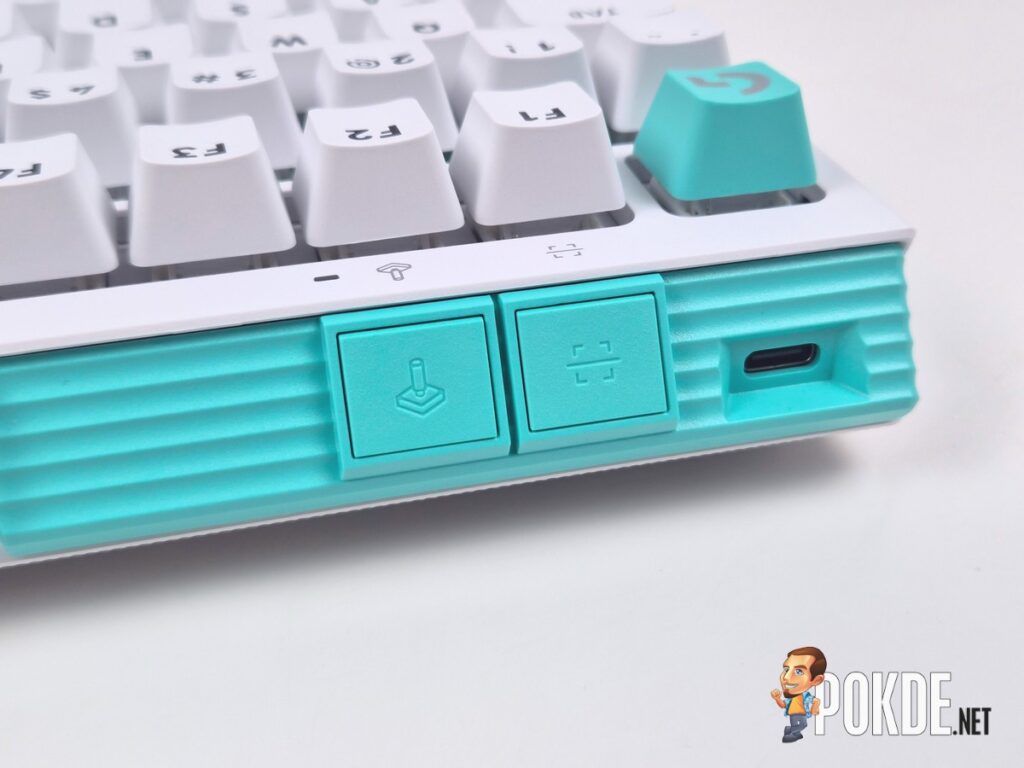
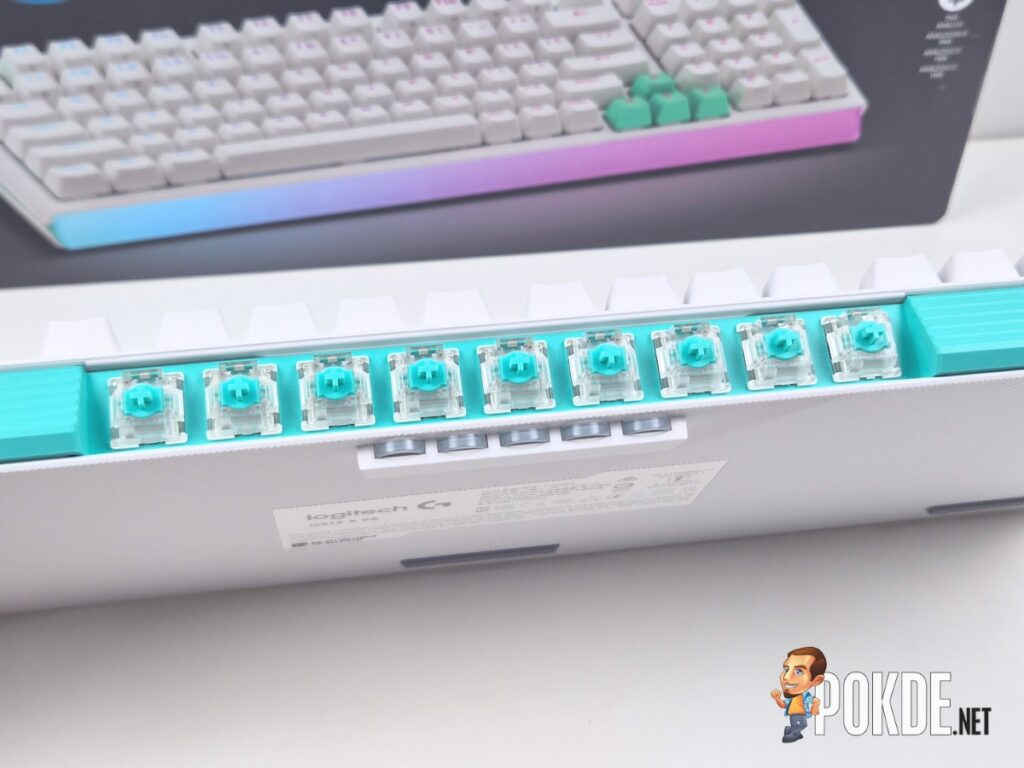
Around the back, you will find a USB-C port for the wired connection, a button for scanning installed analog switches for software configuration, a Game Mode toggle, and a clever storage cubby holding nine spare Gateron KS-20 analog switches along with a shelf of five silicon o-rings used to set secondary actuation points. This is a genuinely smart use of rear chassis space, and I would like to see more keyboard makers adopt something similar. My one complaint is that the silicon rings tend to fall out if you move the keyboard around, so they are not as securely housed as I would like.
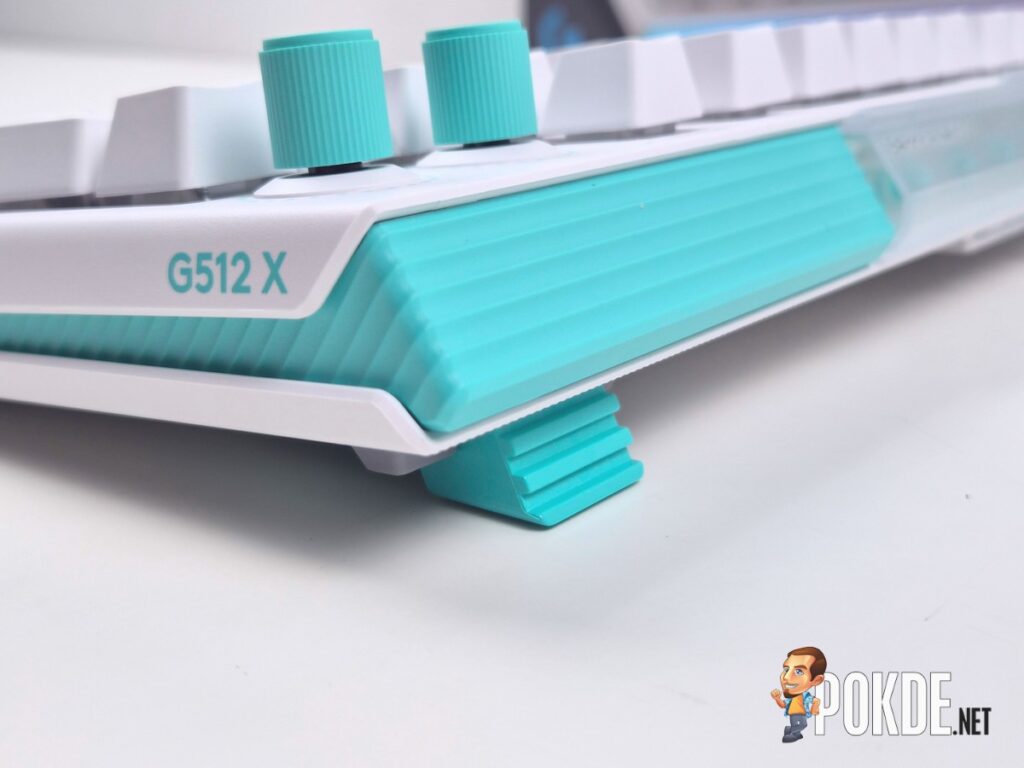
On the underside, small default feet raise the keyboard to a comfortable typing angle, and the bundled pullers double as taller feet for additional elevation. Fitting them in alongside the existing feet is finicky, and they do not feel especially secure once in place.



Specifications
| Specification | Details |
|---|---|
| Layout | 96% (75% also available) |
| Default Switches | Unknown Brown-style tactile mechanical (clone, not confirmed Cherry MX) |
| Analog Switches | Gateron KS-20 (TMR-based Hall effect), 9 included |
| Hot-Swap Sockets | Standard MX-style 3/5-pin throughout; 39 sockets support analog switches |
| Actuation Range (Analog) | 0.1mm to 4mm, software adjustable |
| Polling Rate | 8,000Hz (wired) |
| Connectivity | Wired only, USB-C to USB-A |
| Programmable Keys | Yes |
| RGB / Backlighting | Yes, customisable via G Hub |
| Dimensions | 386 x 150 x 48mm |
| Weight | Approx. 1kg |
| Software | Logitech G Hub |
| Special Features | Dual actuation, rapid trigger, SOCD (Key Priority) |
| In the Box | Keyboard, USB-C to USB-A cable, switch and keycap pullers, documentation |
| Price | RM829 |
The Good
A Genuinely Clever Dual-Switch Concept
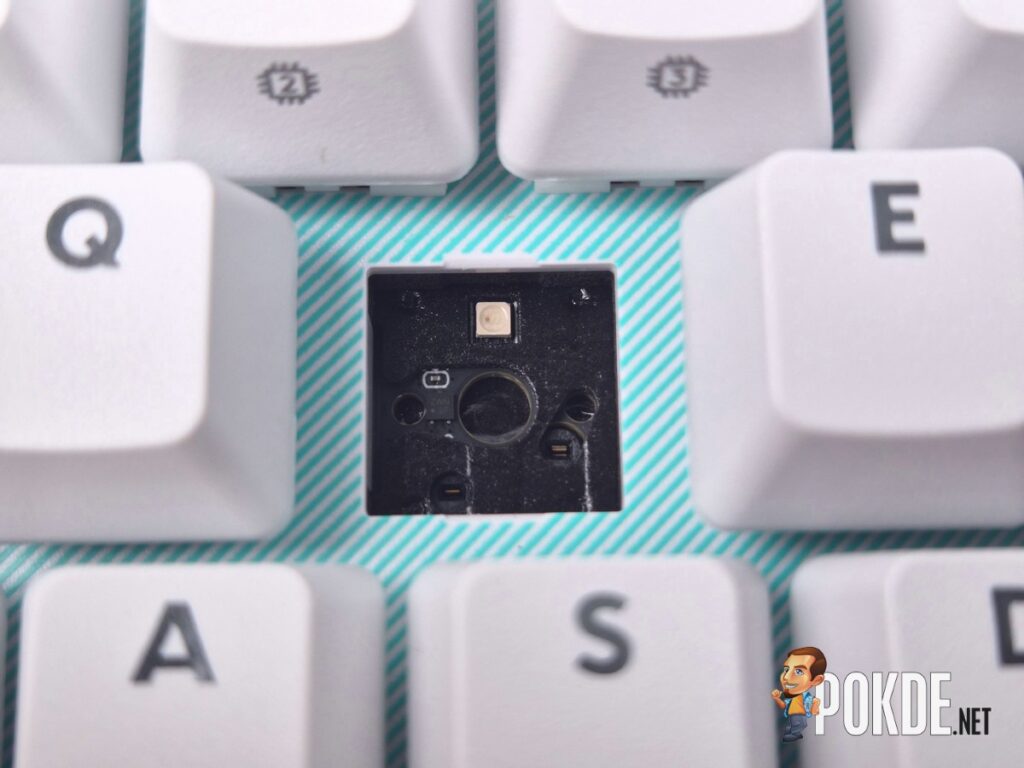
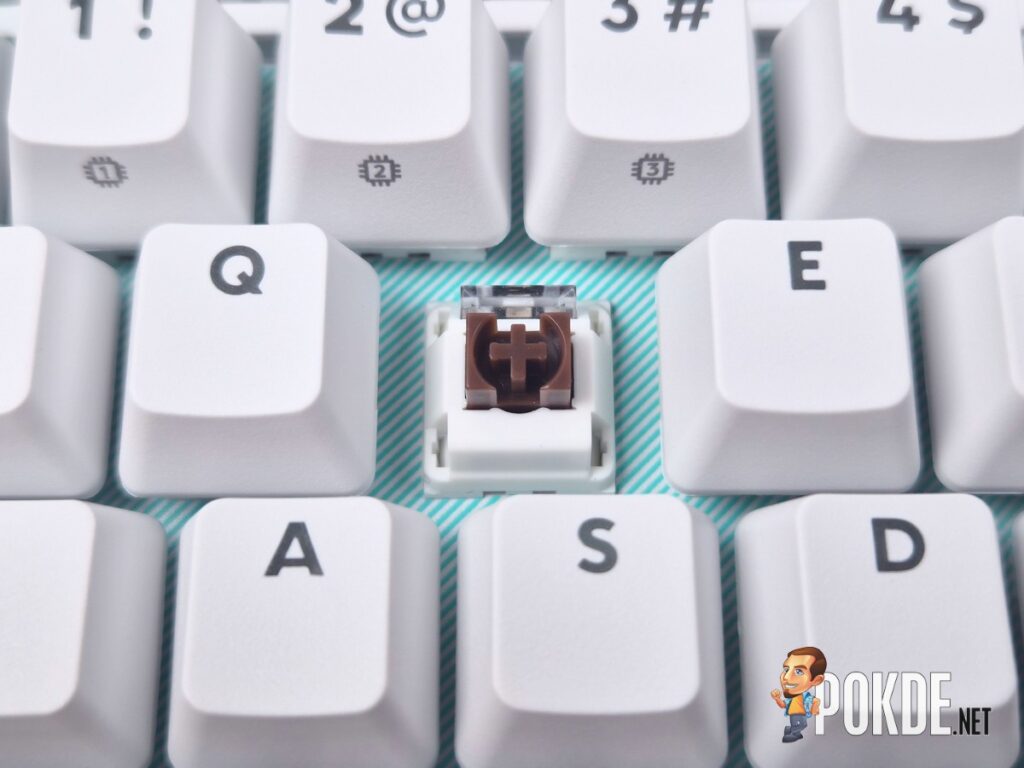

The ability to run the G512 X as a standard tactile mechanical keyboard and then swap in analog Gateron KS-20 switches for faster, more precise gaming inputs is a rare feature, and Logitech has executed the swapping process well. Changing out switches for something like the WASD cluster, Shift, and number keys for weapon selection is straightforward, and scanning the board in G Hub correctly identifies the new analog switches for further configuration. For a keyboard you want to use for general daily tasks and competitive gaming without owning two separate boards, the concept genuinely delivers on its promise where it is implemented.
Strong Analog Switch Performance
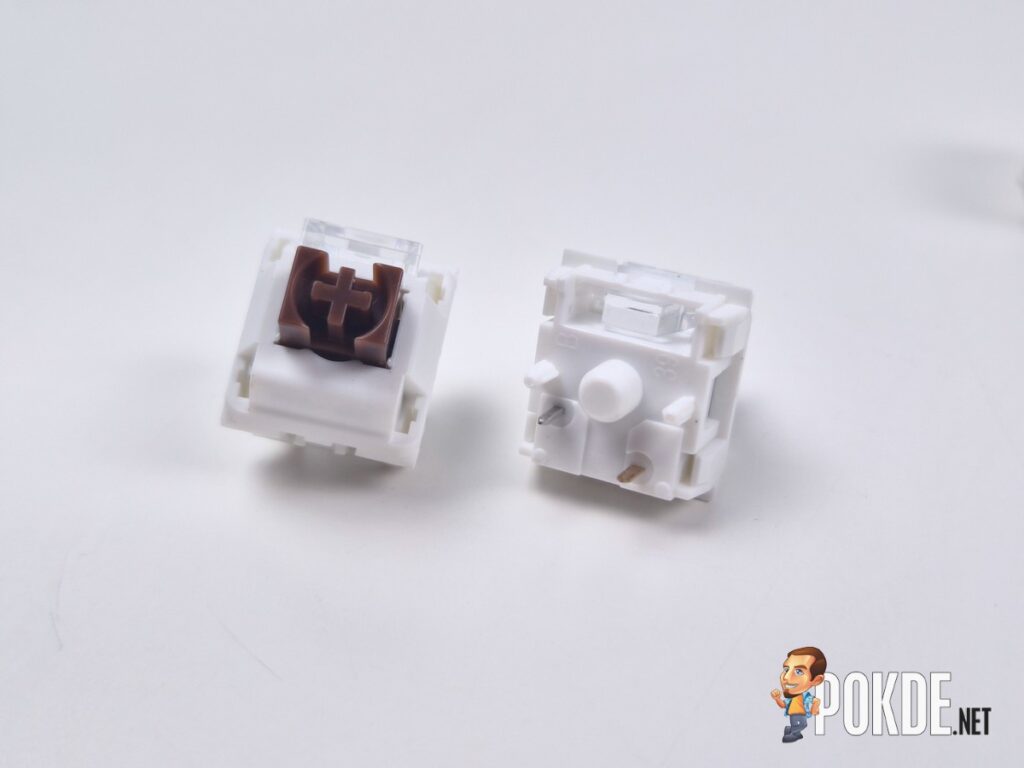
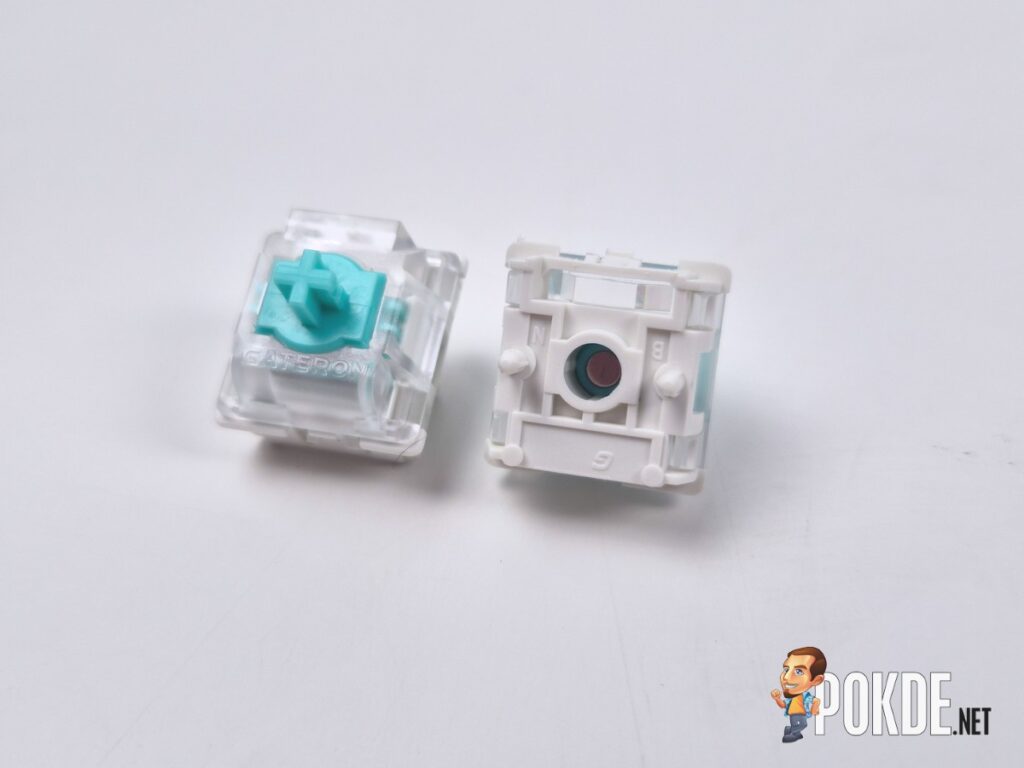
The Gateron KS-20 switches use TMR sensing rather than standard Hall effect, a technology more commonly seen in game controllers than keyboards, and it shows in the smoothness and precision of the keypress. Setting actuation and reset points to a sensible 0.5mm, rather than pushing to the most sensitive 0.1mm, turned these switches into genuine hair triggers for quick-draw scenarios in competitive shooters. Inputs required minimal effort and felt immediately responsive in fast-paced gameplay.
Dual Actuation and SOCD Add Real Depth
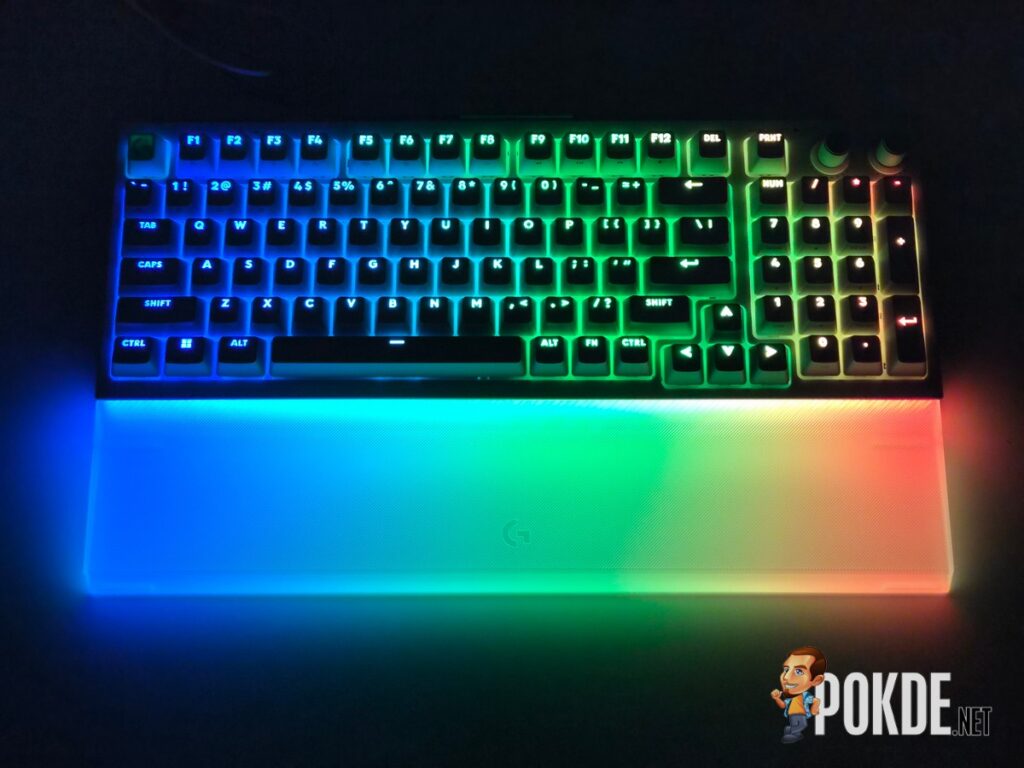
Beyond rapid trigger, G Hub unlocks dual actuation, where two separate inputs can be mapped across a single switch’s travel distance, aided by the included silicon o-rings that mark where the second actuation point engages. Logitech’s own SOCD implementation, called Key Priority, allows extremely quick directional inputs based on the most recently pressed key, useful for techniques like jiggle strafing in competitive shooters. These are genuinely advanced features that go beyond what a lot of rapid trigger keyboards offer out of the box.
Mechanical Switches Are Pleasant for Everyday Typing
Despite some labelling ambiguity around whether these are genuine Cherry MX switches or clones, the tactile switches fitted as standard provide a positive actuation with a clear bump partway through the travel, a light 38g actuation weight, and smooth overall travel. Acoustics are strong throughout, with no case rattle or stabiliser ping, and the internal gaskets give typing a slightly bouncier, more responsive feel underfinger.
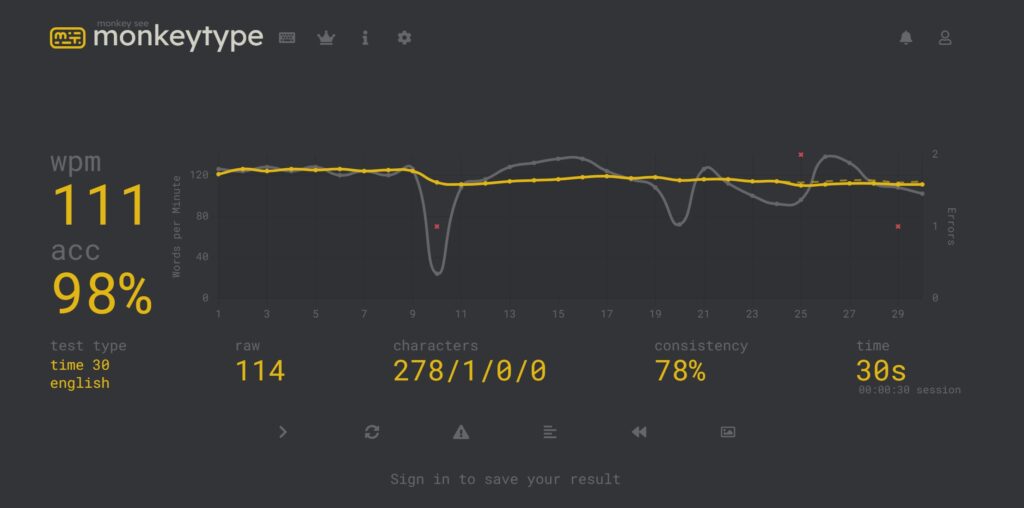
I’ve also included a speed test of me using the keyboard, which funnily enough has an accuracy of 98%. It’s pretty much on par with my normal typing speed, which is to be expected since the layout isn’t unusual.
8,000Hz Polling Rate Over a Wired Connection
For competitive players where every millisecond matters, the 8,000Hz polling rate delivers more frequent input reporting than standard gaming keyboards. Most users will not consciously feel the difference, but it is a meaningful technical inclusion for the audience this keyboard is positioned toward.
G Hub Software Is Comprehensive and Clean
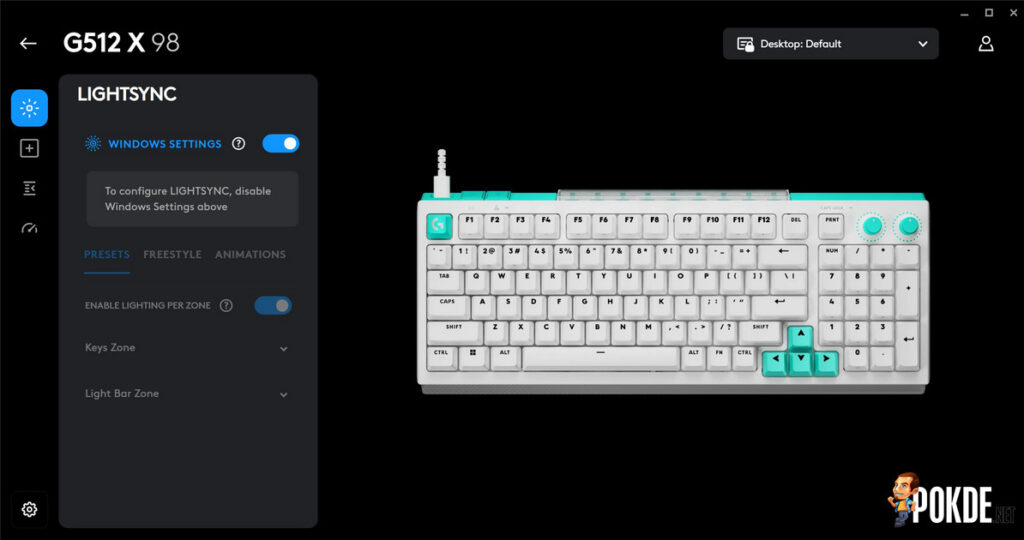
Logitech’s G Hub handles RGB lighting, key remapping, rapid trigger and actuation point configuration, dual actuation setup, and SOCD mapping in an interface that is intuitive to navigate. The breadth of customisation available, particularly around the analog switch features, is genuinely potent and easy to access once you understand where everything lives.
The Bad
Build Quality Does Not Match the Price
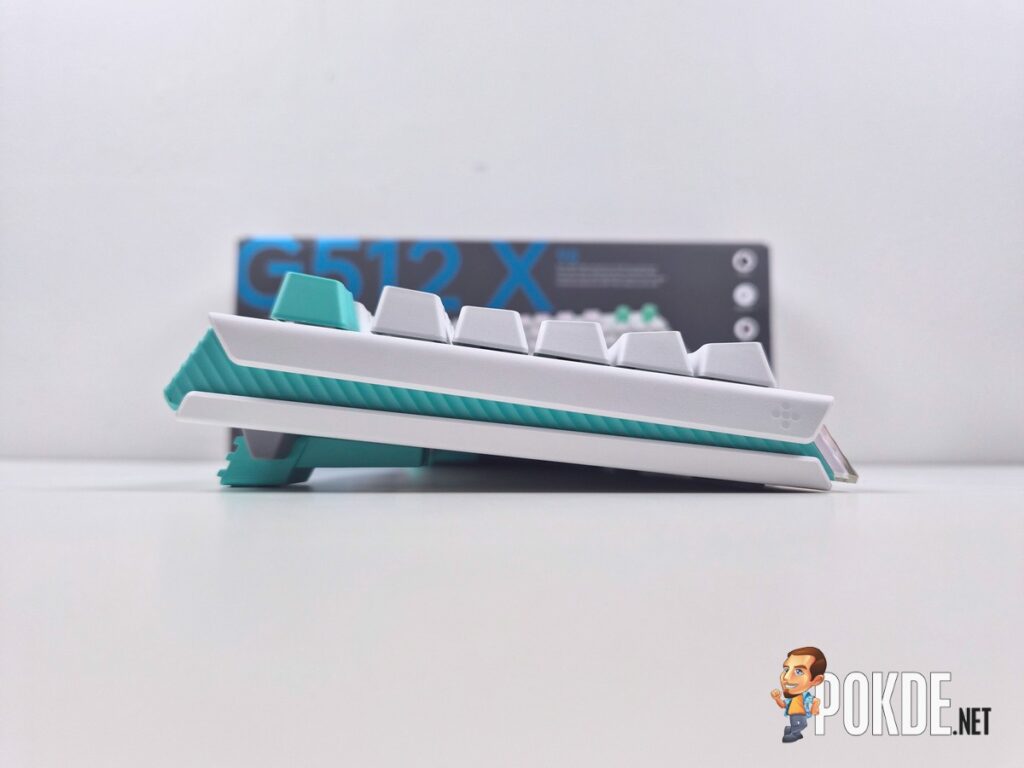
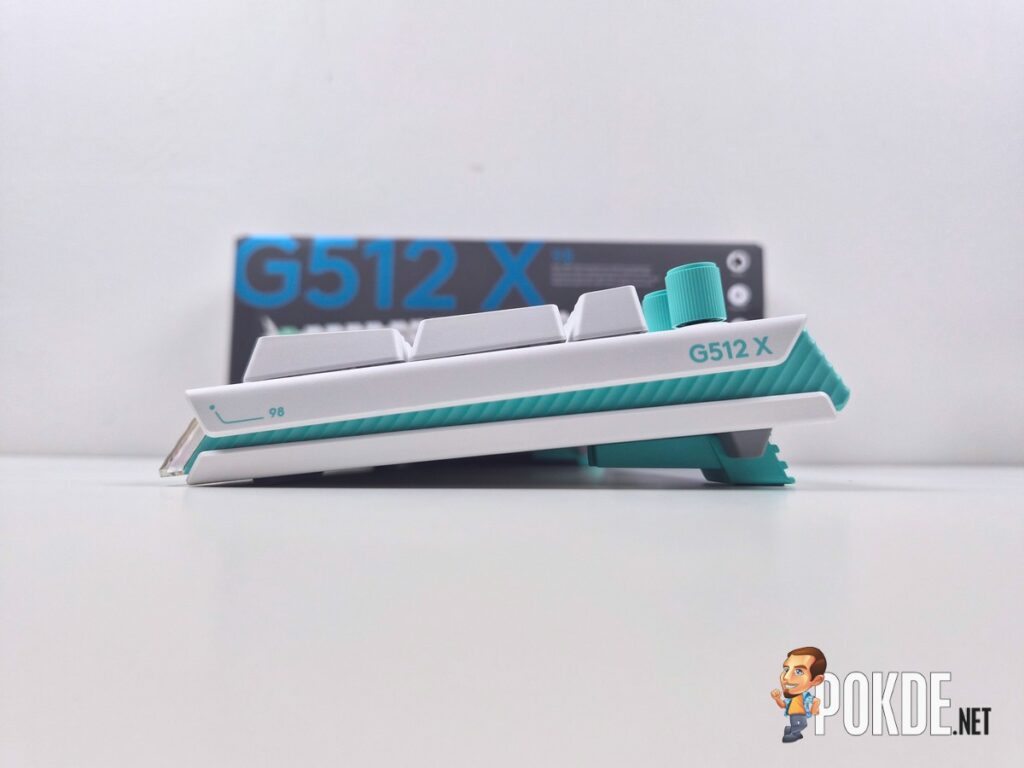
A predominantly plastic chassis that flexes at the corners and centre under moderate pressure is a difficult thing to accept at RM829. Rivals at similar or lower price points have moved toward metal, resin, or other reinforced materials specifically to avoid this issue, and the G512 X’s chassis feels like a step behind where the rest of the keyboard’s engineering suggests it should be.
Analog Hot-Swap Support Is Frustratingly Limited
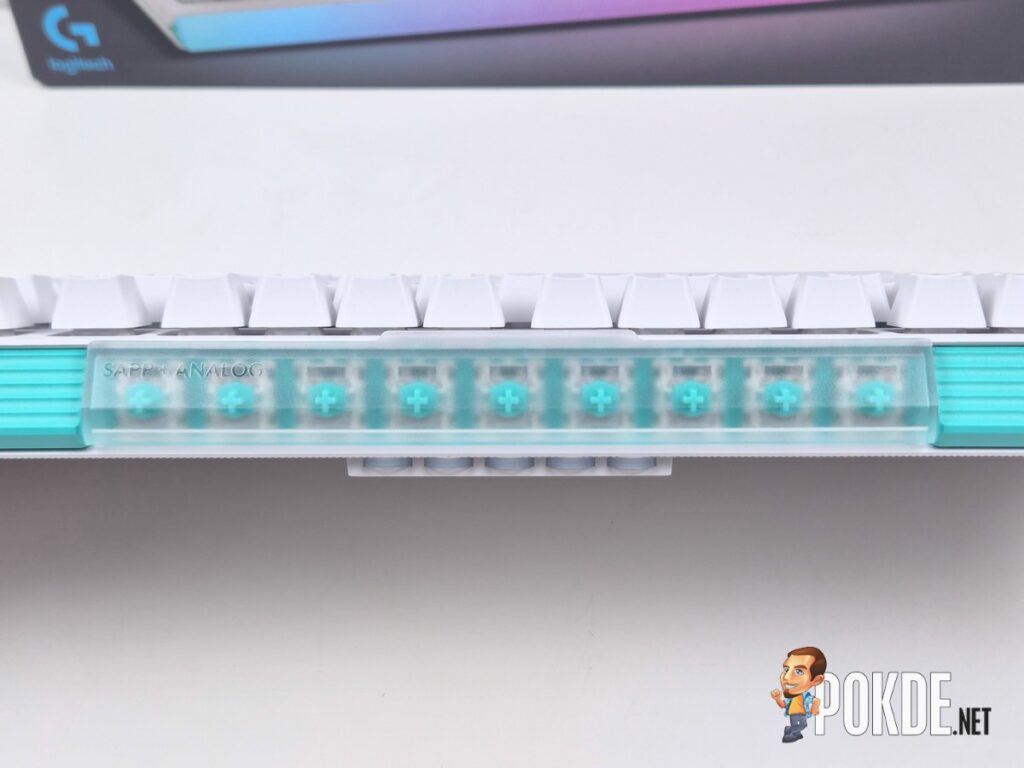
Only 39 of the keyboard’s switch sockets support the analog TMR switches, concentrated mostly on the left side where gaming inputs are most commonly needed, with the arrow keys as the notable exception elsewhere. While the logic behind this layout is understandable, competing keyboards in this category have already implemented full hot-swap analog support across every socket. Restricting this functionality to roughly half the board feels like an unnecessary compromise on a keyboard otherwise built around this very feature.
Wired-Only Connectivity Feels Stingy at This Price
With no Bluetooth or 2.4GHz wireless option available at all, the G512 X asks you to accept a wired-only experience at a price where direct competitors offer wireless connectivity as standard. For a keyboard already positioned at the premium end of the Hall effect and TMR category, the absence of wireless flexibility is a real limitation rather than a minor inconvenience.
Bundled Pullers Are Not Great
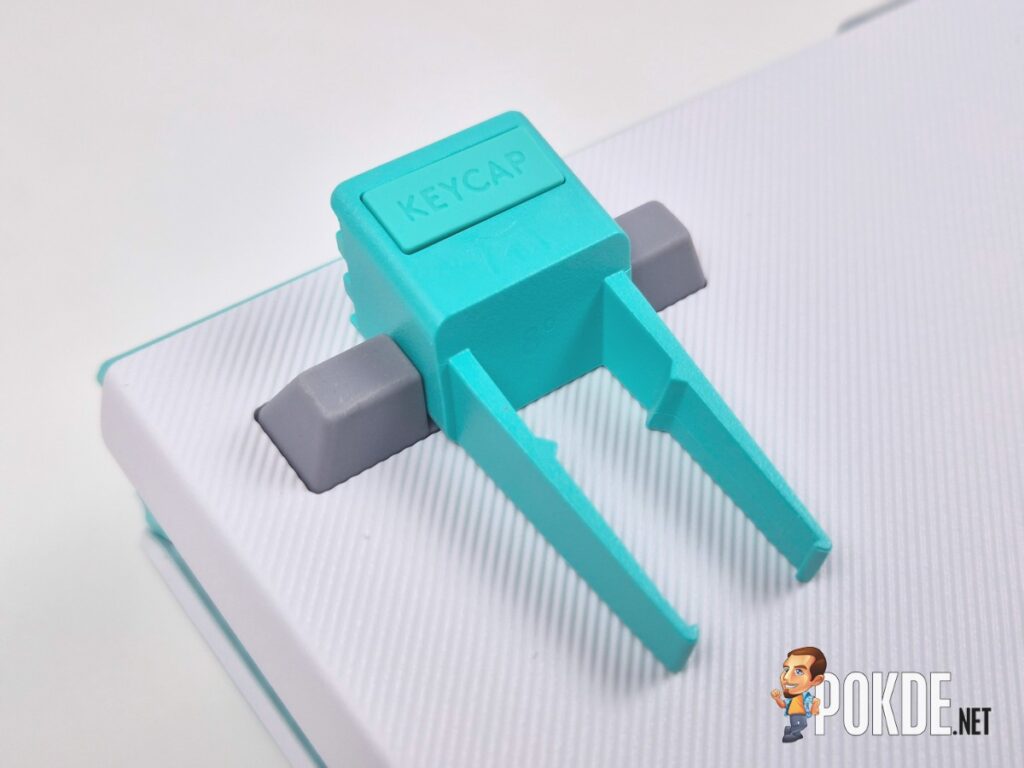
The included switch and keycap pullers, while a nice inclusion in concept, are genuinely difficult to use effectively. Getting a secure grip on either the keycaps or switches took multiple attempts during testing, and sourcing a proper combo puller or separate pullers elsewhere is the more practical long-term solution.
No Support for Progressive Analog Input
Unlike some rivals at this price point, the G512 X’s analog switches do not support more progressive, controller-like analog inputs that would be useful for racing titles or other genres that benefit from variable pressure sensitivity. The switches are excellent for binary rapid trigger applications but do not extend into this broader analog use case.
Logitech G512 X Verdict

The Logitech G512 X is a genuinely clever piece of engineering let down by the execution of its own ambitions. The dual-switch concept works, the analog TMR performance is excellent where it is implemented, and the software depth around rapid trigger, dual actuation, and SOCD is genuinely impressive. But at RM829 for the 96% layout, a flexing plastic chassis, analog hot-swap support limited to less than half the board, and wired-only connectivity are difficult compromises to accept when rivals at similar or lower price points address these exact shortcomings more convincingly.
This is a keyboard that tries to be a strong mechanical board and a strong analog gaming board simultaneously, and while it succeeds at both individually to a reasonable degree, the attempt to be everything at once is exactly what holds it back from greatness. I would rather have one excellent keyboard than two good ones stitched together, and that is ultimately what the G512 X feels like. As such, I award the Logitech G512 X with our Bronze Pokdeward.

Big thanks to Logitech Malaysia for sending us this keyboard for the purpose of this review.







![[Updated] Bank Rakyat Under Suspected Cyberattack By Threat Actor "Marlanwg", Website Briefly Defaced - 96](https://cdn.pokde.net/wp-content/uploads/2026/11/06231916/bankrakyatdefacecover-420x280.jpg "[Updated] Bank Rakyat Under Suspected Cyberattack By Threat Actor \"Marlanwg\", Website Briefly Defaced - 97")