

Meet Nothing OS 5.0, the latest version of Nothing’s Android UI, which introduces more than 80 updates spanning design, personalization, performance and AI features. The update is built on Android 17 and continues Nothing’s approach of offering a close-to-stock Android experience with added customization.
Nothing OS 5.0 – What To Expect


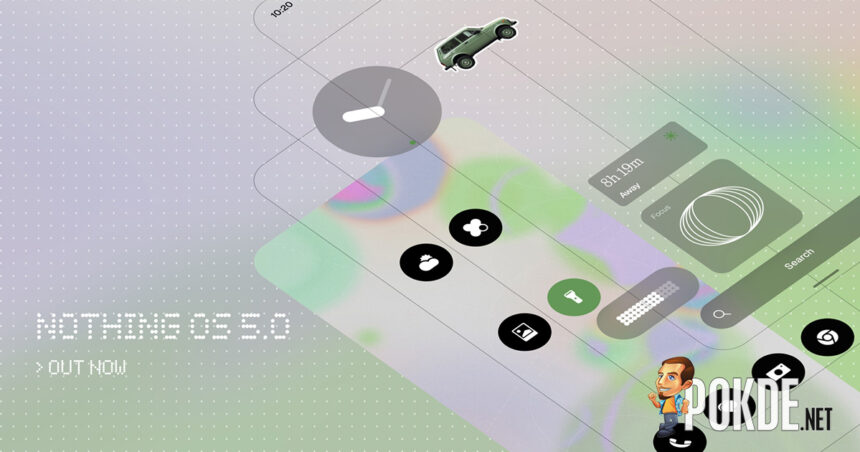
Nothing OS 5.0 introduces a redesigned home screen, offered as an additional theme alongside the existing Nothing OS style. Widgets and the search bar use transparent detailing for added depth, with similar treatment extended to apps such as Gallery. A new adaptive color system draws tones from the user’s wallpaper, applying subtle tints to app icons and updating 1×1 Quick Settings widgets to match the wallpaper’s primary color.
The status bar (which seems to speak fluent Cupertino visual language in my opinion), Settings, Camera and Gallery have been refreshed with updated icons, spacing and animations, while Gallery gains new sorting options and a redesigned album view. The UI now uses the “Geist” typeface, alongside revised text sizing, unified blur effects and consistent corner shapes throughout.

Two new lock screen clock faces (Gooey and Micrographics) are included, with customizable colors to match wallpapers. Home screen editing now supports moving multiple apps and widgets at once. Two new widgets, Collector (for saving favorite objects via Camera or Gallery) and Away Time (which tracks screen-free time), are also introduced. The Glyph Interface now has a dedicated app, along with a new Glyph Timer widget.
The update improves touch response, background app retention and system resource management, with on-device intelligence keeping frequently used apps ready to launch and overnight maintenance optimizing memory. System animations have been expanded across apps, folders, widgets and multitasking. Bluetooth controls in Quick Settings have been redesigned, and the camera now keeps detected QR codes fixed on screen for easier scanning.


On the AI side, Essential Voice offers faster, better-formatted transcriptions with improved list and paragraph detection, along with real-time transcription and audio capture from the Ear (3) case via SuperMic. Essential Space adds Smart Collections (which organize content into recommended groupings) and Model Context Protocol (MCP) support, allowing other AI tools to access selected Essential Space data. Essential Apps Builder is now available directly on-device, letting users build and deploy AI-powered apps without coding.

Nothing OS 5.0 also separates the Notifications and Quick Settings panels (accessed via left and right swipes, respectively), though you can still revert this if you prefer the less iOS-like approach; also new is cross-platform Quick Share for sending files between iPhone and Android via QR code. Additional updates include new privacy indicators for camera, microphone and location use, Noto 3D emojis, expanded Dark Theme support, separate Assistant volume control and a redesigned Recents screen.



Nothing OS 5.0 Open Beta begins rolling out on Wednesday, 26 August 2026, at 11:00 BST (6:00pm Malaysian time), starting with Phone (3), with additional eligible devices to follow – older models such as Phone (1), Phone (2) and CMF Phone 1 will no longer be qualified for the new update as they have reached end-of-support status.
Pokdepinion: Custom widgets? Could be a great idea.